google-sheets-i18n-generator
v1.0.3
Generate i18n JSON/JS files from a Google Sheets spreadsheet
0/weekUpdated 3 years agoMITUnpacked: 15.7 KB
Published by Victor Cazanave
npm install google-sheets-i18n-generatorgoogle-sheets-i18n-generator


Generate i18n JSON/JS files from a Google Sheets spreadsheet
Installation
$3
npm install --save-dev google-sheets-i18n-generator
$3
yarn add --dev google-sheets-i18n-generator
Usage
1. Create a Google Sheets spreadsheet to store the i18n strings
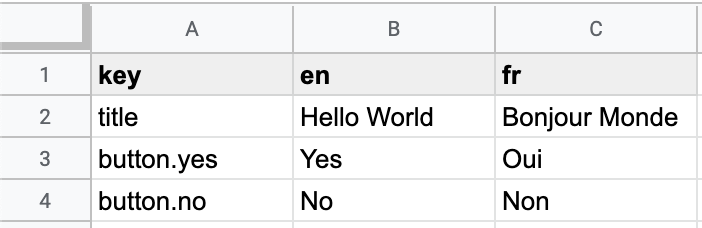
2. If needed, configure Google Sheets (only the first time):
More details
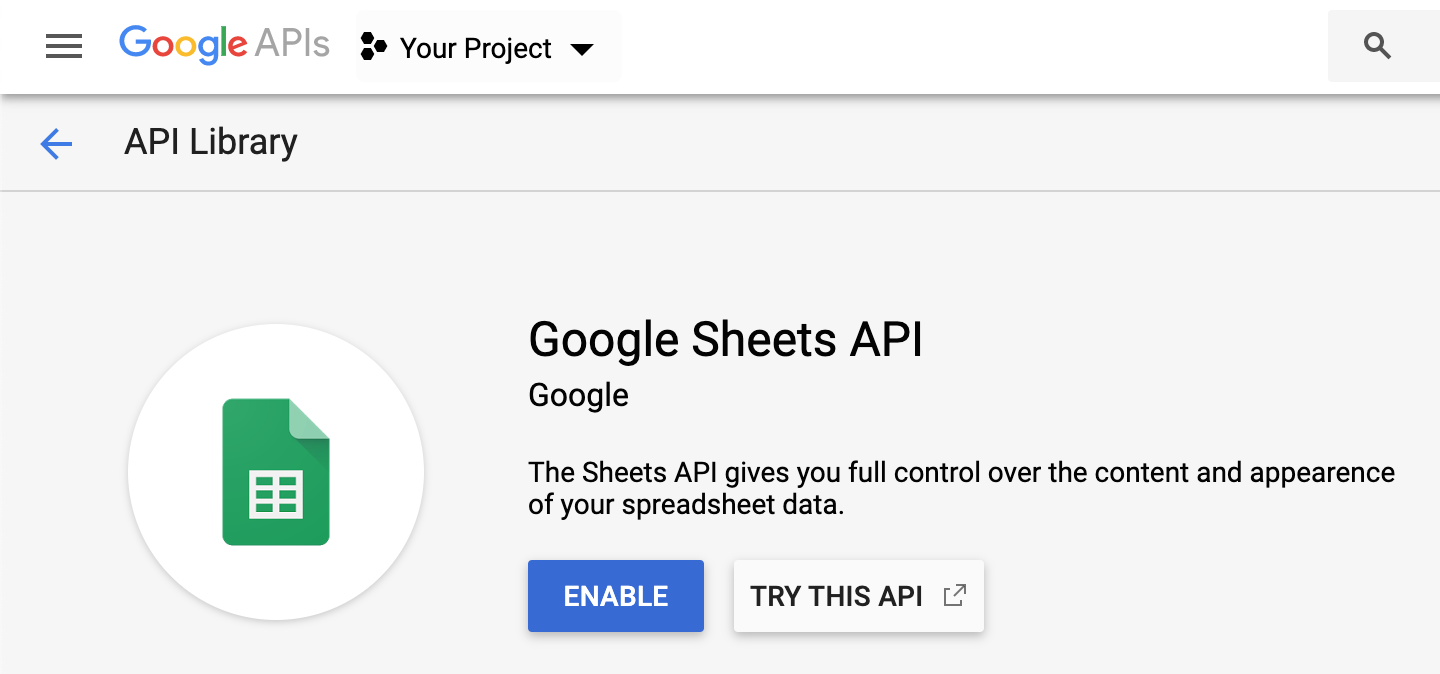
2.1. Enable the Google Sheets API for your project following this documentation
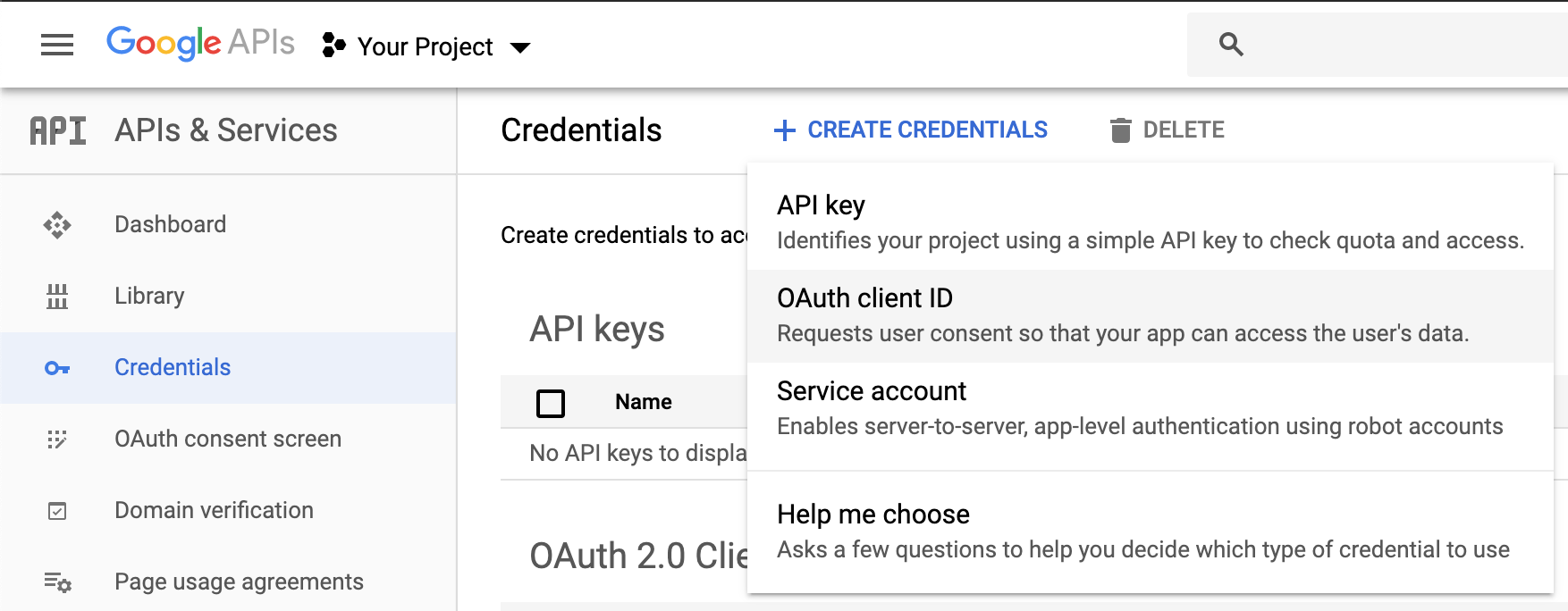
2.2. Create OAuth ID credentials for your application
2.3. Download the client_secret_xxx.json file of your application, then eventually move it to the right folder and rename it

3. Copy the ID of the spreadsheet (can be found in the URL https://docs.google.com/spreadsheets/d/)
4. Run the command: gs-i18n
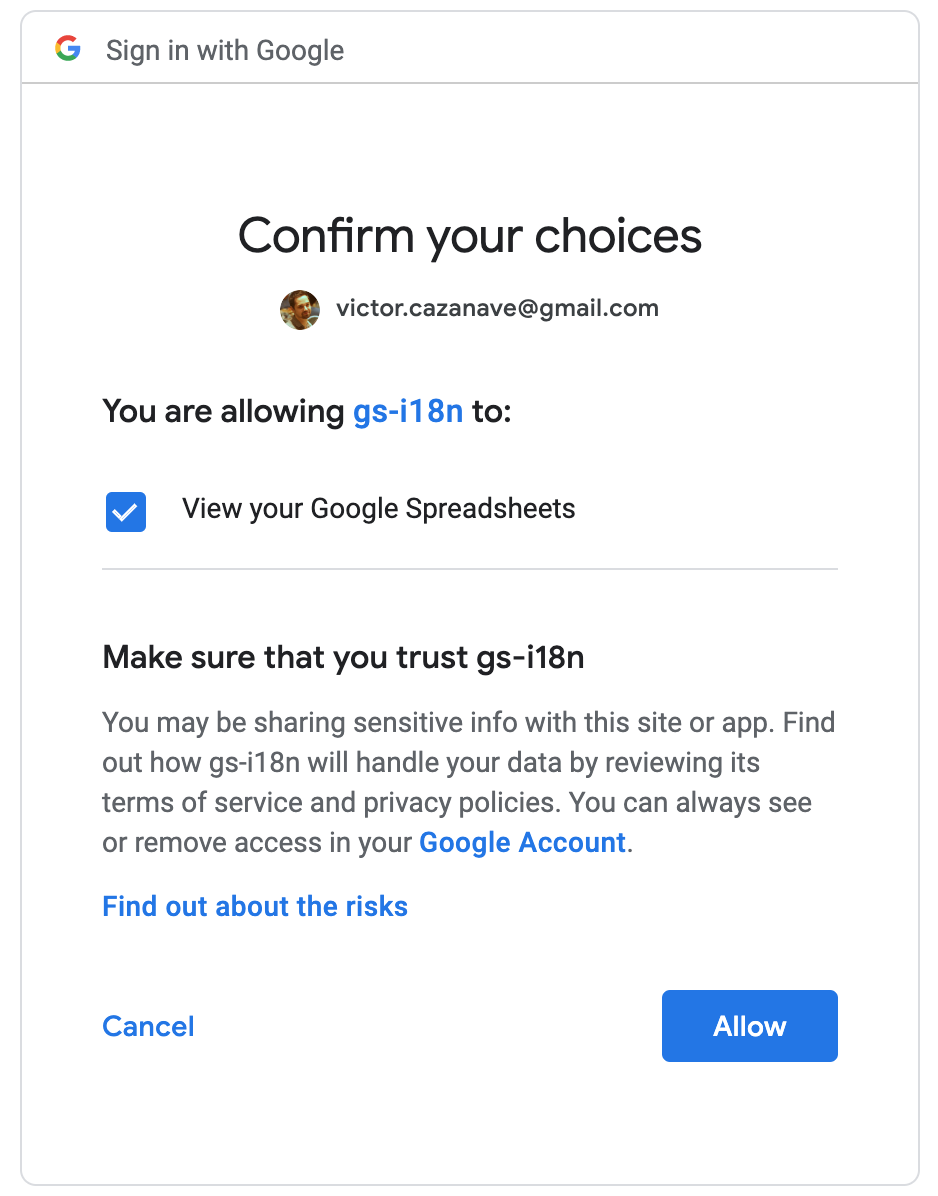
5. If needed, follow the instructions to allow gs-i18n to access your Google Sheets and download the credentials.json files (only the first time)
More details
``
     Authorize this app by visiting this url: https://accounts.google.com/o/oauth2/v2/auth?access_type=offline&scope=https%3A%2F%2Fwww.googleapis.com%2Fauth%2Fspreadsheets.readonly&response_type=code&client_id=...&redirect_uri=...
     Enter the code from that page here:
6. The JSON files are generated in the ./locales folder
To customize the options, see the API section.
API
`
Usage: gs-i18n
Options:
-v, --version output the version number
-b, --beautify
-c, --client
-f, --format
-k, --key
-l, --lang
-o, --output
-r, --range
-t, --token
-h, --help output usage information
``