grpc-docs
v1.1.4
gRPC API Documentation
0/weekUpdated 3 years agoMITUnpacked: 718.6 KB
Published by gendocu-com
npm install grpc-docs
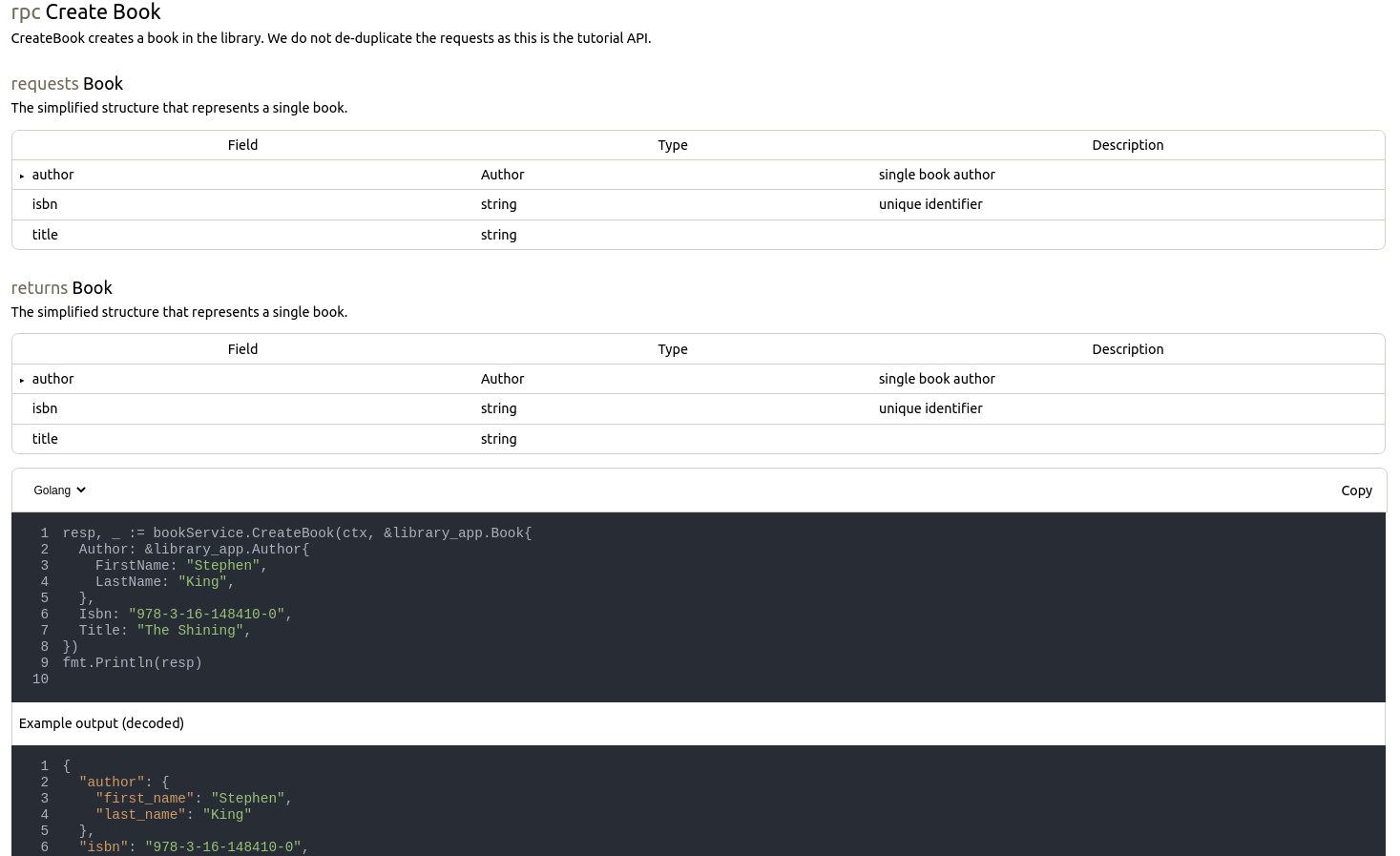
Interactive gRPC API Documentation
 
We're like Swagger UI, but for gRPC APIs. Give us a star if you like the project.
Live demo
Live demo is available at https://gendocu-demo.web.app/.
Quickstart
``bash`
docker run -rm --network host \
-v
-v $(pwd)/output:/output \
gendocu/grpc-docs
Install
Only for node 12+ (you can check your node version with node -v)`bash`
npm install --save grpc-docs
Orbash`
yarn add grpc-docs
Usage
You can find all the integration types in example/src/App.tsx file.
You can use this widget standalone or with GenDocu Cloud gRPC CI/CD. Feature comparison is below.
$3
1. Clone this project
1. Go to example directory and use yarn start to run the frontendyarn start
1. In case you want be able to modify the library open the repository root directory in second terminal and run
$3
1. Install grpc-docs - instruction in Setup sectionprotoc --doc_out=./ --doc_opt=json,description.json *.proto
1. Generate json description from protobuf api with project
protoc-gen-doc:
1. Inside your React project create API Reference component - you can see example of usage in tsx
import React from 'react'
import { GRPCSelfGeneratedAPIReference } from 'grpc-docs'
const Example = () => {
// return
// return
return
}
`
4. [optional] You can also provide the environments and authentication description - add . Use GenDocu Cloud Api Specification Scheme. You can find example file here.
$3
You can provide a protoc definition as text directly to the component. So you should be able to fetch your hosted json with the correct headers and provide it to the compoenent in the definition prop.
`tsx
import React from 'react'
import { GRPCSelfGeneratedAPIReference } from 'grpc-docs'
const Example = async () => {
const resp = await fetch('my-company.com/protoc.json')
const definition = await resp.text()
return
}
`
$3
1. Install grpc-docs - instruction in Setup section`
1. Create a project on Gendocu Cloud
1. Use component inside your React projecttsx
import React from 'react'
import { GRPCGenDocuAPIReference } from 'grpc-docs'
const App = () => {
//return
return
}
export default App;
`
You can also implement your own backend wrapper - API documentation is available here.
Feature comparison
| Feature | Standalone gRPC-docs| gRPC-docs with GenDocu | GenDocu Developer Portal |
| --- | --- | --- | --- |
| Setup steps | ✅ | ✅ | ✅ |
| API Reference | ✅ | ✅ | ✅ |
| Code snippets | ❌ | ✅ | ✅ |
| Password protected documentation | ❌ | ✅ | ✅ |
| Programming languages | 1 | 6 | 6 |
| Environment selection | ❌^ | ❌^ | ✅ |
| Authentication description | ❌^ | ❌^ | ✅ |
| Try it out | ❌ | ❌^ | ✅ |
| RBAC protected documentation | ❌ | ❌ | ✅ |
| SSO | ❌ | ❌ | ✅ |
^ to be implemented
Customize style
To create your own styled documentation change the implementation in style/default - you can find there all the files implementing the UI of documentation.style/my-style
We strongly recommend to create own style directory, like instead of overwriting the style/default components.
Troubleshooting
1. ... is not allowed. Add this origin in your documentation settings`. You have to add the host in your GenDocu project settings. If the project is not owned by you, ask project owner.
License
MIT © gendocu-com