Bugfix for A newspaper theme for Hexo.
npm install hexo-theme-hipaper-keyboarddailyshell
$ git clone https://github.com/iTimeTraveler/hexo-theme-hipaper.git themes/hipaper
`
  2. Enable


 Modify
theme setting in _config.yml to hipaper.
`
 # Extensions

 ## Plugins: http://hexo.io/plugins/

 ## Themes: http://hexo.io/themes/

 theme: hipaper
`
3. Update
`shell
$ cd themes/hipaper
$ git pull
`
Features
$3
You can set a image as your logo instead of original text title. Like this:
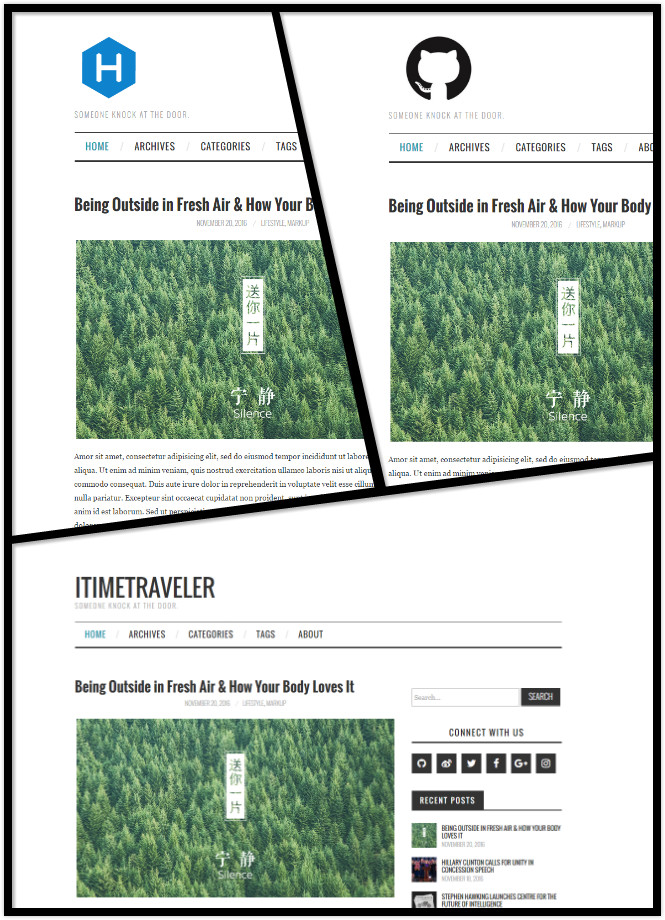
just enable avatar field in hipaper/_config.yml.
`yml
Put your avatar.jpg into
hexo-site/themes/hipaper/source/ directory.
url is target link (E.g.
url: https://hexo.io/logo.svg or url: css/images/mylogo.jpg)
avatar:
enable: true
width: 124
height: 124
bottom: 10
url: https://hexo.io/logo.svg
`
$3


Hipaper use Tomorrow Theme for your code block. We have six options in total: default, normal, night, night blue, night bright, night eighties
!code default theme Preview
Above preview picture is default theme. the image below show other five Highlight themes.
!code themes
Modify highlight_theme in hipaper/_config.yml.
`yml
Code Highlight theme
Available value:
default | normal | night | night eighties | night blue | night bright
https://github.com/chriskempson/tomorrow-theme
highlight_theme: default
`
$3


You can put your sidebar in left side, right side or bottom of your site by editing
sidebar setting.
Hipaper provides 7 built-in widgets:
- search
- social
- recent_posts
- category
- tag
- tagcloud
- archive
All of them are enabled by default. You can edit them in widget setting.
$3
Hipaper use Insight Search to help you search anything inside your site without any third-party plugin.
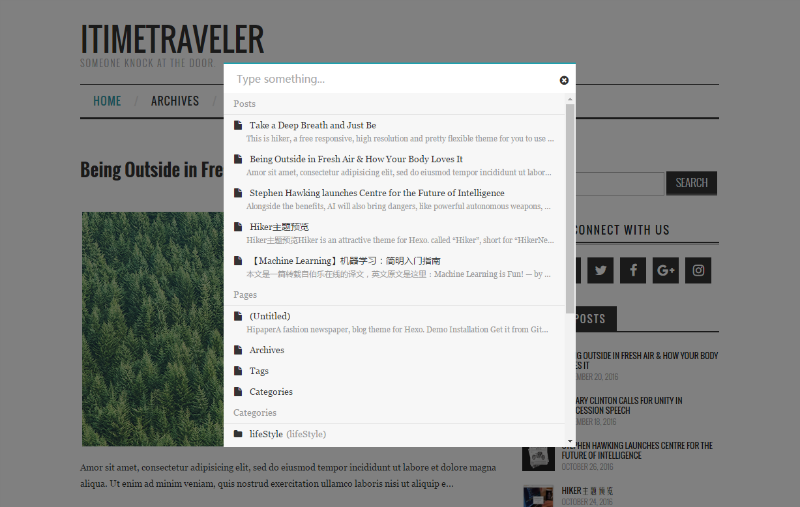
`yml
Search
search:
insight: true # you need to install hexo-generator-json-content before using Insight Search
swiftype: # enter swiftype install key here
baidu: false # you need to disable other search engines to use Baidu search, options: true, false
`
> Attention: You need to install hexo-generator-json-content before using Insight Search.
`bash
$ npm install -S hexo-generator-json-content
`
$3


Hipaper uses [Fancybox] to showcase your photos. You can use Markdown syntax or fancybox tag plugin to add your photos.
`
!img caption


{% fancybox img_url [img_thumbnail] [img_caption] %}
`
$3


Hipaper has native support for DuoShuo & Disqus comment systems. Modify the following snippets to Hipaper hipaper/_config.yml:
`yml
comment ShortName, you can choose only ONE to display.
duoshuo_shortname: iTimeTraveler
disqus_shortname:
``