homebridge-appletv-enhanced-universal
v1.0.0TypeScript
Plugin that exposes the Apple TV to HomeKit with much richer features than the vanilla Apple TV implementation of HomeKit.
0/weekUpdated 1 years agoMITUnpacked: 294.5 KB
Published by Maximilian Leith
npm install homebridge-appletv-enhanced-universalHomebridge Apple TV Enhanced


Homebridge plugin that exposes the Apple TV to HomeKit with much richer features than the vanilla Apple TV integration of HomeKit.
This plugin automatically discovers Apple TV devices on the local network and exposes each one as a HomeKit Set-Top Box.
> [!IMPORTANT]
>
> ### The following platforms are not supported:
>
> - Anything other than Linux
> - 32 bit systems
> - HOOBS
>
> Further explanation in the requirements.
>
> ### Before opening a new issue ...
>
> - Review the requirements to ensure you are not missing any.
> - Please take a look at the known issues as well. The problem you are having might be already known.
> - Check whether or not the problem you are having was already solved in the past. To check that, search through the resolved issues.
> - Check whether or not the bug you have found is already in the open issues.
> - You may find a solution in the discussions.
>
> Otherwise, feel free to open an issue here.
Features
- Automatically discover Apple TVs in your local network.
- Pairing process without the need to access the command line like with other plugins.
- Change the current App by selecting an input in HomeKit.
- The plugin is developed in a way that makes it possible to rename, hide or show inputs in HomeKit natively ... and saves it.
- You can even define own inputs based on URIs in the configuration. For instance, you can create an input to open a certain Disney+ movie or show ... or pretty much anything you can think of. Take a look at the example
config.json ;).
- The automation triggers that you are probably here for ...
- Since every Apple TV is exposed as a Set-Top Box, you can create a trigger on the power state to execute automations when turning on or off.
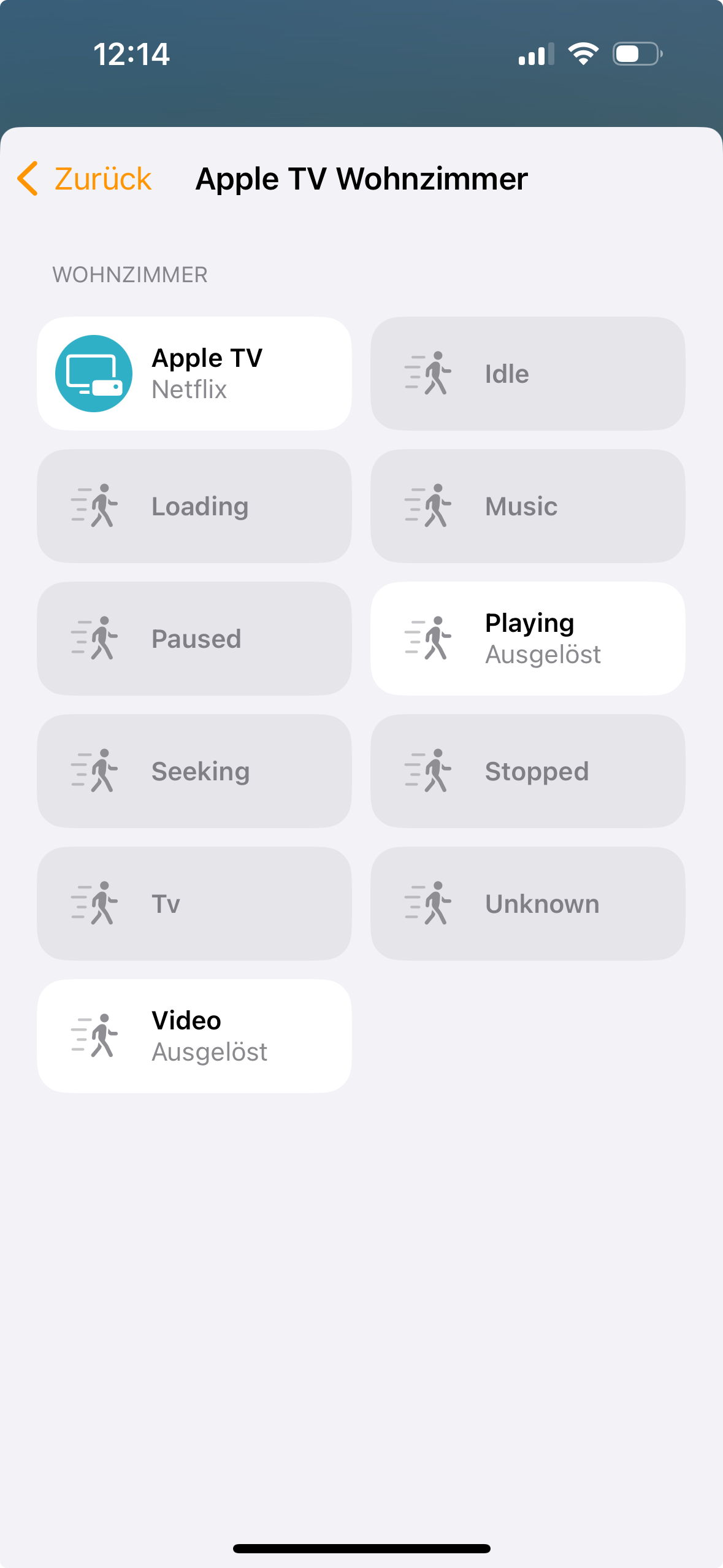
- For each media type (music, video, tv and unknown) the plugin will create a motion sensor (media types can be hidden or shown by changing the configuration).
- For each device state (idle, playing, loading, seeking, paused, stopped) the plugin will create a motion sensor (device states can be hidden or shown by changing the configuration).
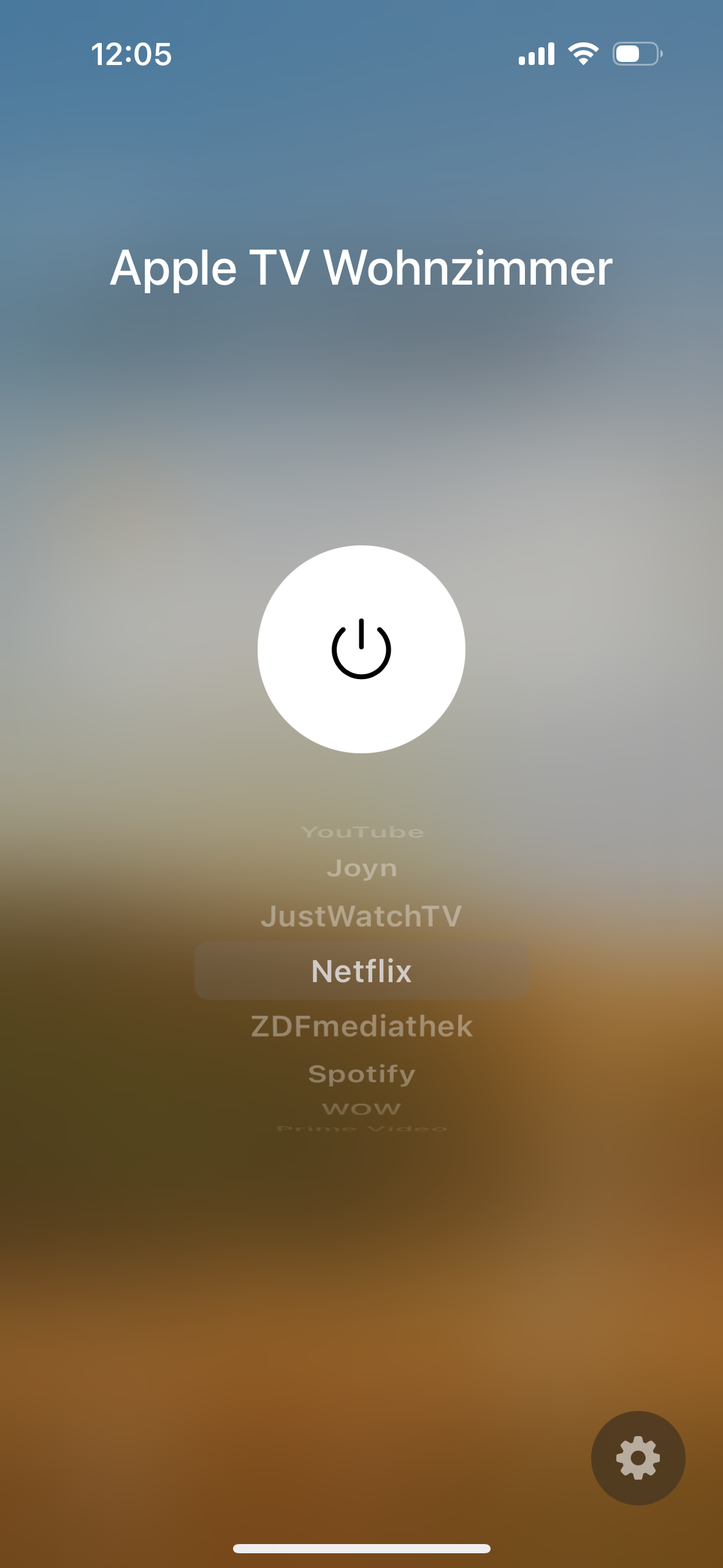
- A fully functional and super fast remote in the remote app of your iPhone or iPad.
- Remote keys can also be exposed as switches.
- If you do not want all Apple TVs to be exposed, it is possible to blacklist them by providing the MAC-Address.
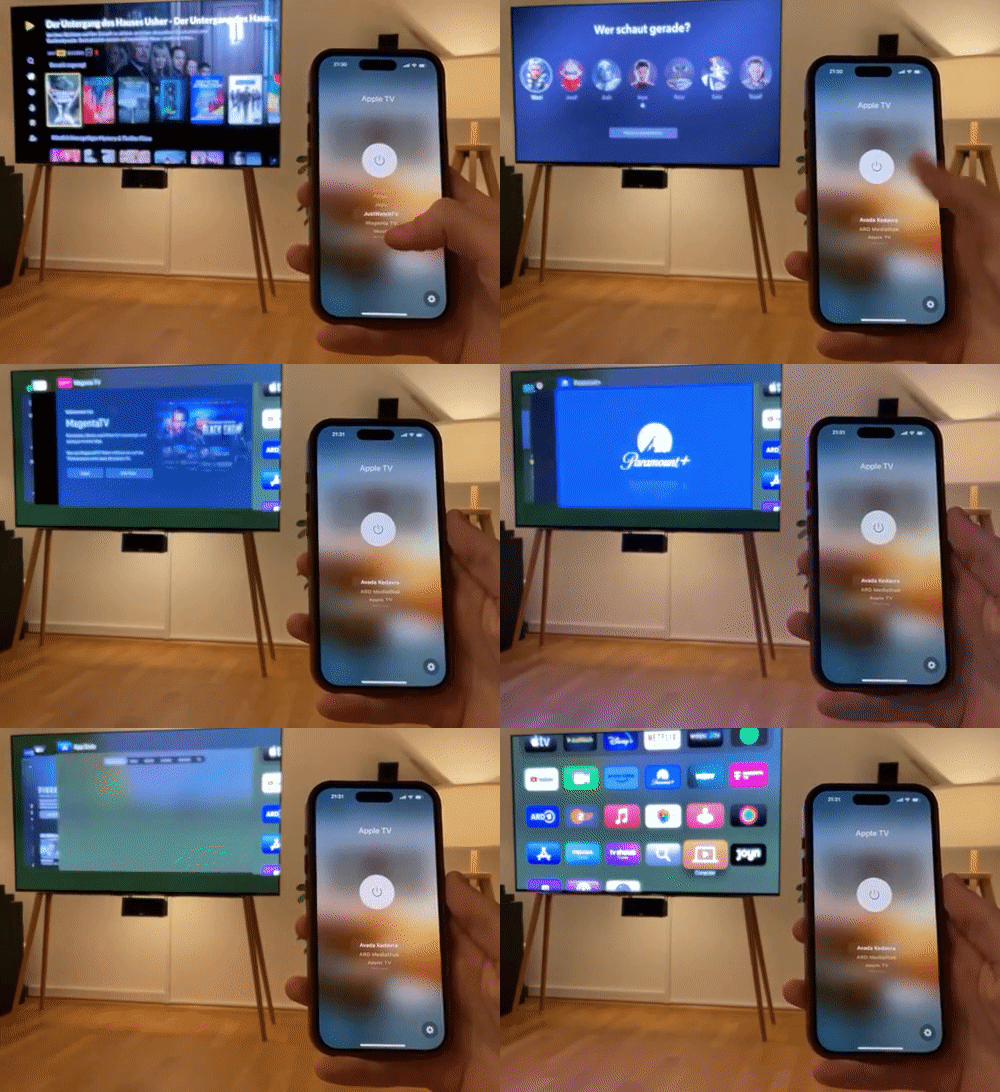
- "Avada Kedavra" which is exposed as an input to close all apps.
It might also be a good idea to take a look at this video to get an idea what this plugin is all about.
Requirements
- Only Linux will be supported by the maintainer (although since MacOS / UNIX is similar to Linux, it should run on MacOS just fine)
- Most recent Version of Node 20 LTS or 18 LTS
- Python 3.8, 3.9, 3.10 or 3.11
- Python virtual environment module
virtualenv. (the plugin will create a virtual environment on startup and will install python dependencies in this virtual environment)
- On homebridge apt-package >=1.1.4 the python module is installed automatically as a dependency, see homebridge/homebridge-apt-pkg#16
- raspian image >= 1.1.2 includes this apt-package, so there is no need to install it manually.
- homebridge-docker >= 2023-11-28 includes this apt-package, so there is no need to install it manually.
- Otherwise, the python module
virtualenv has to be installed manually. This won't be handled by the plugin itself.
- On debian-based distros:
sudo apt install python3-venv
- Installation on other distros may vary
- Homebridge Config UI >= 4.54.2 when creating backups
- Apple TV Models with tvOS 15 and upwards are supported (all 4K ones and the latest HD one)
- The access of Speakers & TVs should be either set to "Everybody" or "Anybody On the Same Network" in the Home app
- Additionally, make sure to check the TV's HomeKit settings.
- Raspberry Pi 1, 2, 3 and Zero 1, 2 are not recommended for performance reasons. Recommended are 3B+, 4B, 5B.
- The homebridge instance and Apple TVs need to be on the same subnet.
- 32 bit systems are not supported
- Certain python packages that are required are not available as 32 bit binaries. Thus, it is required to install tooling to compile the packages. This includes 32 bit systems in a 64 bit userspace. (If you know what you are doing, you can install build dependencies and compile the packages yourself. However, this is not supported by the plugin officially)
- see issue #236.
- HOOBS is not supported.
- HOOBS is a 32 bit architecture and suffers from the above limitations.
- HOOBS has a different plugin system that prevents managing Apple TVs.
Pairing
1. Install the plugin.
2. (optional) Enable the plugin to run as a child bridge. The benefit here is that the plugin is more isolated from other plugins, e.g. in case of a plugin crash, only the plugin will crash and not the whole homebridge.
3. Restart the homebridge.
4. (optional) If the plugin is running as a child bridge, the child bridge will now be exposed. You can add it to your Home App if you want to. However, there is no real benefit to it since this bridge will not expose any devices (Apple TVs will be exposed as their own bridges).
5. The plugin will start the discovery of Apple TVs in your local network.
6. For every discovered Apple TV you have to do the following steps. Make sure you are in front of your TV. The paring process is the same that is used to pair iPhones and iPads and will timeout after 30 seconds. Pairing will be retried until the Apple TV is paired.
1. In the logs there will be a message thats says
You need to pair your Apple TV before the plugin can connect to it. Enter the PIN that is currently displayed on the device here: http://192.168.0.12:42015/ where the link http://192.168.0.12:42015 is different in your log and distinct for one Apple TV if you are connecting multiple.
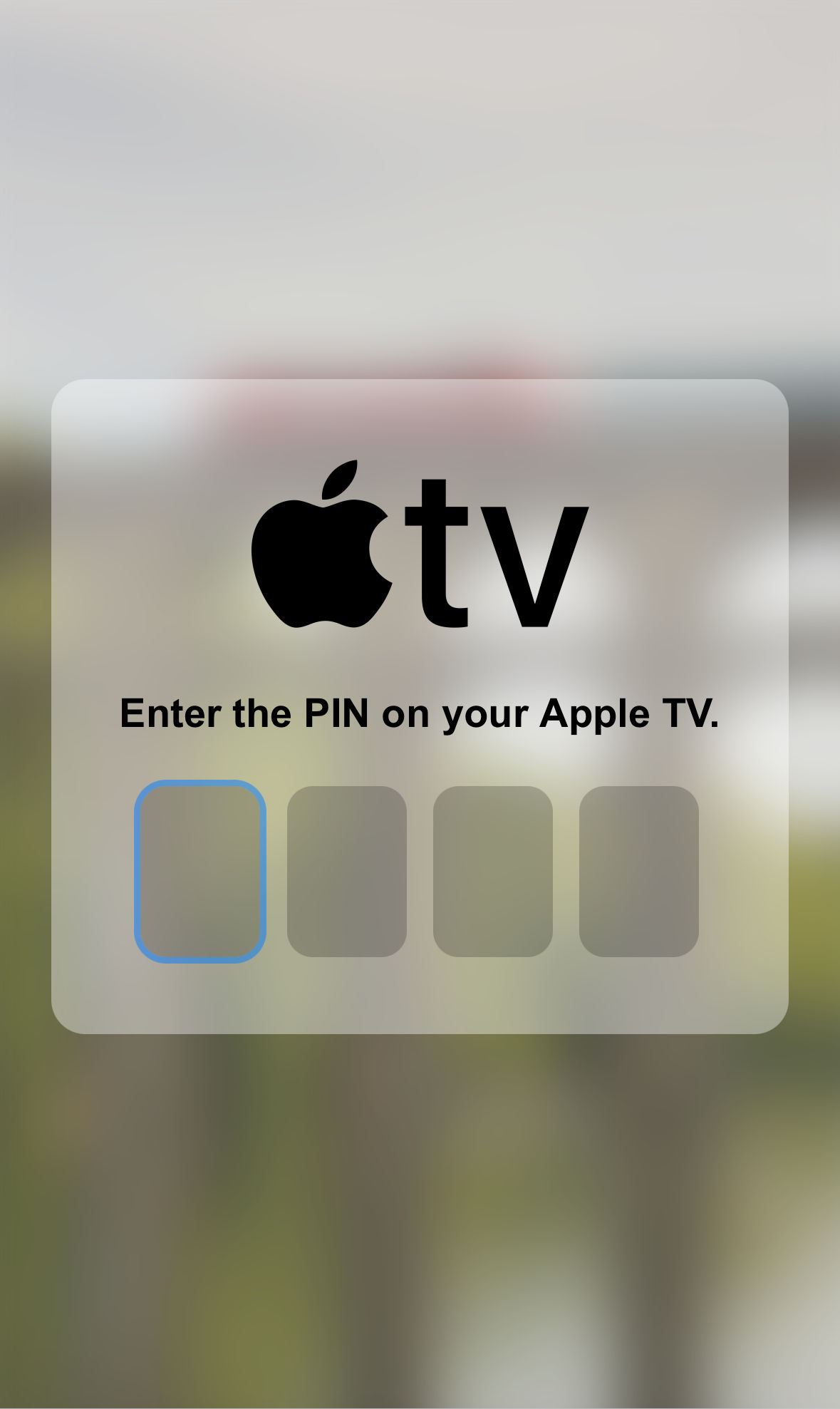
2. Open the link. A pairing page will open (see first image below).
3. In the meantime there should already be a pairing code displayed on your Apple TV. Enter the 4-digit code into the pairing page.
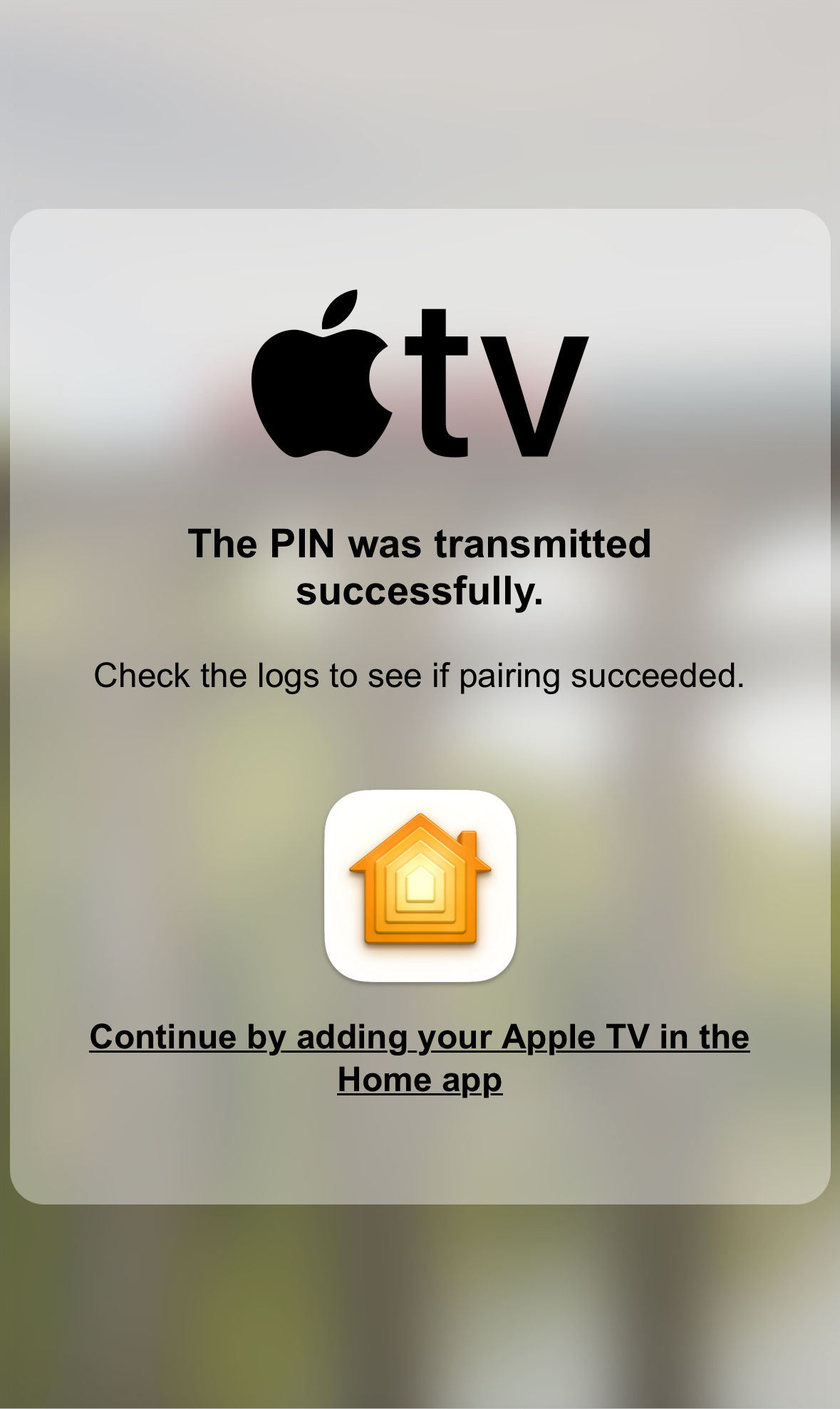
4. If the pairing page says that transmitting the PIN was successful (see second image below), pairing was probably successful (Logs:
Paring was successful. Add it to your home in the Home app: com.apple.home://launch). To be sure, take a look into the logs, you may have entered the PIN wrong too often or let the pairing request time out too many times (Logs: Too many attempts. Waiting for x seconds before retrying.). If you are requested to enter a PIN again (see first image below) you have most probably entered the wrong PIN ... the plugin will attempt a new pairing attempt. Enter the new PIN displayed on the Apple TV again.
5. Done ... do this with all your Apple TVs.
7. You have paired all Apple TVs (with the plugin, not with Apple Home yet).
8. Every Apple TV is exposed as a Set-Top Box and is its own bridge. Therefore, we need to add every Apple TV separately to Apple Home. In order to do that, open the Home app, go to add devices > more options, then type in the pairing code from the logs (Logs:
Please add [Apple TV Wohnzimmer (2)] manually in

Home app. Setup Code: xxxx-xxxx
this is not the code that you have seen on the Apple TV display).
Screenshots
The screenshots speak for themselves ...
Avada Kedavra
Configuration
The easiest way to configure this plugin is to use homebridge-config-ui-x.
To configure it manually, add the following to the
platforms section of Homebridge's config.json after installing the plugin.
Also see device specific overrides.
config.json
``
json

{

    "name": "Apple TV Enhanced",

    "platform": "AppleTVEnhanced",

    "mediaTypes": ["music", "video", "tv", "unknown"],

    "deviceStates": [

        "idle",

        "playing",

        "loading",

        "seeking",

        "paused",

        "stopped"

    ],

    "deviceStateDelay": 0,

    "remoteKeysAsSwitch": [

        "channel_down",

        "channel_up",

        "down",

        "home",

        "home_hold",

        "left",

        "menu",

        "next",

        "pause",

        "play",

        "play_pause",

        "previous",

        "right",

        "select",

        "skip_backward",

        "skip_forward",

        "stop",

        "turn_off",

        "turn_on",

        "top_menu",

        "up",

        "volume_down",

        "volume_up"

    ],

    "avadaKedavraAppAmount": 15,

    "customInputURIs": [

        "https://www.disneyplus.com/movies/rogue-one-a-star-wars-story/14CV6eSbygOA",

        "https://www.netflix.com/watch/81260280",

        "https://tv.apple.com/show/silo/umc.cmc.3yksgc857px0k0rqe5zd4jice",

        "vlc://https://devstreaming-cdn.apple.com/videos/streaming/examples/img_bipbop_adv_example_ts/master.m3u8"

    ],

    "disableVolumeControlRemote": false,

    "setTopBox": false,

    "deviceSpecificOverrides": [

        {

            "mac": "AA:BB:CC:DD:EE:FF",

            "overrideMediaTypes": true,

            "mediaTypes": ["music", "video"],

            "overrideDeviceStates": true,

            "deviceStates": ["paused", "playing"],

            "overrideDeviceStateDelay": true,

            "deviceStateDelay": 3,

            "overrideRemoteKeysAsSwitch": true,

            "remoteKeysAsSwitch": [

                "home",

                "play_pause",

                "stop",

                "volume_down",

                "volume_up"

            ],

            "overrideAvadaKedavraAppAmount": true,

            "avadaKedavraAppAmount": 15,

            "overrideCustomInputURIs": true,

            "customInputURIs": [

                "https://www.disneyplus.com/de-de/movies/avatar-the-way-of-water/6hlsDJnhiU30"

            ],

            "overrideDisableVolumeControlRemote": true,

            "disableVolumeControlRemote": true,

            "overrideSetTopBox": true,

            "setTopBox": true

        }

    ],

    "discover": {

        "multicast": true,

        "unicast": ["192.168.0.15"],

        "blacklist": ["AA:BB:CC:DD:EE:FF", "192.168.0.42"]

    },

    "forceVenvRecreate": false,

    "logLevel": 3,

    "updateCheckLevel": "stable",

    "autoUpdate": "on"

}
`
| Attribute                    | Description                                                                                                                                                                                                                                                                                                                                                                                                                                                                                    | Type            | Valid values                                                                                                                                                                                                                                                  | defaults to ...                                             |

| ---------------------------- | ---------------------------------------------------------------------------------------------------------------------------------------------------------------------------------------------------------------------------------------------------------------------------------------------------------------------------------------------------------------------------------------------------------------------------------------------------------------------------------------------- | --------------- | ------------------------------------------------------------------------------------------------------------------------------------------------------------------------------------------------------------------------------------------------------------- | ----------------------------------------------------------- |

|
name | The name of the plugin, e.g. shown in the logs. | string | | Apple TV Enhanced |
| mediaTypes | edia types for which a motion sensor is created that triggers when the according media type is present on the Apple TV | array[string] | music, tv, unknown, video | [] |
| deviceStates | Device states for which a motion sensor is created that triggers when the according device state is present on the Apple TV | array[string] | idle, loading, paused, playing, seeking, stopped | [] |
| deviceStateDelay | The time in seconds that the Apple TV needs to report a device state continuously before the plugin will report the device state. E.g. when pausing a video, the video needs to stay paused for x seconds before the state will be reported. | integer | 0 - 15 | 0 |
| remoteKeysAsSwitch | Remote keys which will be exposed as switches to HomeKit, e.g. to use the remote keys in automations. | array[string] | channel_down, channel_up, down, home, home_hold, left, menu, next, pause, play, play_pause, previous, right, select, skip_backward, skip_forward, stop, turn_off, turn_on, top_menu, up, volume_down, volume_up | [] |
| avadaKedavraAppAmount | How many apps should be closed when selecting the Avada Kedavra Input? Avada Kedavra works by sending a sequence of remote control inputs to the Apple TV. The plugin therefore acts blindly and does not receive any feedback when all apps are closed. So if a high number is selected, the plugin presses the remote control until theoretically x apps are closed, although in reality all apps are already closed. | integer | 5 - 35 | 15 |
| customInputURIs | Provide URIs for custom Inputs that open the URI on the Apple TV when selected. | array[string] | | [] |
| disableVolumeControlRemote | Disables the volume control in the iOS remote. It is recommended to disable volume control when the audio setup that the Apple TV is connected to does not supports ARC since the Apple TV does not have any control over the volume in this scenario anyways. | boolean | | false |
| setTopBox | Instead of exposing an Apple TV accessory, the plugin will expose a set-top box accessory. You need to repair the accessory with your Home app in order to see the changes. | boolean | | false |
| discover.multicast | The default and recommended way to discover Apple TVs. | boolean | | true |
| discover.unicast | Recommended for Apple TV devices that are not discovered by multicast discovery. Add the IPv4 addresses here. Remember that this requires the Apple TV to have a static IP. | array[string] | valid IPv4 addresses | [] |
| discover.blacklist | Apple TVs that should not be added as a device. You can get the MAC-Address from the logs. When using IPv4 Addresses the regarding Apple TVs need to have a static IP. | array[string] | valid MAC addresses | [] |
| forceVenvRecreate | Set this to force to recreate the virtual python environment with the next restart of the plugin. Remember to set this option to false after the virtual environment has been recreated. | boolean | | false |
| logLevel | Set the log level. (0 - None; 1 - Error; 2 - Warn; 3 - Info; 4 - Debug; 5 - Verbose) | integer | 0 - 5 | 3 |
| updateCheckLevel | Apple TV Enhanced is regularly checking if there is an update available and printing it to the logs. You can select whether you want to check for stable or beta updates. | string | stable, beta | stable |
| autoUpdate | Apple TV Enhanced will update itself automatically once there is an update available. Change the "Update Check Level" to install or leave out betas. It is recommended to operate this plugin as a child bridge if enabling this functionality since the plugin will automatically restart the bridge after updating (the whole homebridge if it the plugin is not running as its own child bridge). By default, auto updating is turned on when operating AppleTV Enhanced as a child bridge. | string | on, off, _undefined_ | on if the plugin acts as a child bridge, otherwise off`. |
Known Issues
- Apple TVs report a MAC-Address that is different from the MAC-Address that you will see in the network settings of your Apple TV when scanning for devices. Therefore, when blacklisting Apple TVs use the MAC-Address from the logs.
- If using audio output devices other than the Apple TV itself, the Apple TV is always reported as powered on. This is a known issue of the dependency pyatv, see postlund/pyatv#1667. As a result, the Apple TV device will only be shown as off in HomeKit when powered off via the Apple TV device in HomeKit. After restarting the plugin the device will always be shown as on.
- See also open bugs.
Versioning
1.2.3-4
1. Major: Introduces major and possibly breaking changes.
2. Minor: Introduces new features without breaking changes.
3. Patch: Bugfixes.
4. Prerelease: Prereleases of upcoming major, minor or patch versions. These versions are likely to have bugs. NPM packages of this kind are tagged as _beta_.