Dear ImGui: Bloat-free Graphical User interface for C++ with minimal dependencies; Omar (2014).
npm install imgui.cxxDear ImGui
=====
bash

$ npm i imgui.cxx
`
And then include imgui.h as follows:
`cxx
#include "node_modules/imgui.cxx/imgui.h"
#include "node_modules/imgui.cxx/imstb_rectpack.h" // If you need rectangle packing functions.
#include "node_modules/imgui.cxx/imstb_textedit.h" // If you need advanced text editing functions.
#include "node_modules/imgui.cxx/imstb_truetype.h" // If you need TrueType font loading functions.
#include "node_modules/imgui.cxx/imconfig.h" // If you want to override default compile-time configurations.
#include "node_modules/imgui.cxx/imgui_internal.h" // If you need access to internal structures/functions.
`
You may also want to include imgui.cpp as follows:
`cxx
#ifndef __IMGUI_CXX__
#define __IMGUI_CXX__
#include "node_modules/imgui.cxx/imgui.cpp"
#include "node_modules/imgui.cxx/imggui_draw.cpp" // If you need to compile the rendering functions.
#include "node_modules/imgui.cxx/imgui_tables.cpp" // If you need to compile the table functions.
#include "node_modules/imgui.cxx/imgui_widgets.cpp" // If you need to compile the widget functions.
#endif
`
This will include both the function declaration and their definitions into a single file.


$3


The core of Dear ImGui is self-contained within a few platform-agnostic files which you can easily compile in your application/engine. They are all the files in the root folder of the repository (imgui.cpp, imgui.h). No specific build process is required. You can add the .cpp files into your existing project.


Backends for a variety of graphics API and rendering platforms are provided in the backends/ folder, along with example applications in the examples/ folder. You may also create your own backend. Anywhere where you can render textured triangles, you can render Dear ImGui.


See the Getting Started & Integration section of this document for more details.


After Dear ImGui is set up in your application, you can use it from \_anywhere\_ in your program loop:
`cpp
ImGui::Text("Hello, world %d", 123);
if (ImGui::Button("Save"))
MySaveFunction();
ImGui::InputText("string", buf, IM_ARRAYSIZE(buf));
ImGui::SliderFloat("float", &f, 0.0f, 1.0f);
`
!sample code output (dark, segoeui font, freetype)

!sample code output (light, segoeui font, freetype)
`cpp
// Create a window called "My First Tool", with a menu bar.
ImGui::Begin("My First Tool", &my_tool_active, ImGuiWindowFlags_MenuBar);
if (ImGui::BeginMenuBar())
{
if (ImGui::BeginMenu("File"))
{
if (ImGui::MenuItem("Open..", "Ctrl+O")) { / Do stuff / }
if (ImGui::MenuItem("Save", "Ctrl+S")) { / Do stuff / }
if (ImGui::MenuItem("Close", "Ctrl+W")) { my_tool_active = false; }
ImGui::EndMenu();
}
ImGui::EndMenuBar();
}
// Edit a color stored as 4 floats
ImGui::ColorEdit4("Color", my_color);
// Generate samples and plot them
float samples[100];
for (int n = 0; n < 100; n++)
samples[n] = sinf(n 0.2f + ImGui::GetTime() 1.5f);
ImGui::PlotLines("Samples", samples, 100);
// Display contents in a scrolling region
ImGui::TextColored(ImVec4(1,1,0,1), "Important Stuff");
ImGui::BeginChild("Scrolling");
for (int n = 0; n < 50; n++)
ImGui::Text("%04d: Some text", n);
ImGui::EndChild();
ImGui::End();
`
!my_first_tool_v188


Dear ImGui allows you to create elaborate tools as well as very short-lived ones. On the extreme side of short-livedness: using the Edit&Continue (hot code reload) feature of modern compilers you can add a few widgets to tweak variables while your application is running, and remove the code a minute later! Dear ImGui is not just for tweaking values. You can use it to trace a running algorithm by just emitting text commands. You can use it along with your own reflection data to browse your dataset live. You can use it to expose the internals of a subsystem in your engine, to create a logger, an inspection tool, a profiler, a debugger, an entire game-making editor/framework, etc.


$3


The IMGUI paradigm through its API tries to minimize superfluous state duplication, state synchronization, and state retention from the user's point of view. It is less error-prone (less code and fewer bugs) than traditional retained-mode interfaces, and lends itself to creating dynamic user interfaces. Check out the Wiki's About the IMGUI paradigm section for more details.


Dear ImGui outputs vertex buffers and command lists that you can easily render in your application. The number of draw calls and state changes required to render them is fairly small. Because Dear ImGui doesn't know or touch graphics state directly, you can call its functions  anywhere in your code (e.g. in the middle of a running algorithm, or in the middle of your own rendering process). Refer to the sample applications in the examples/ folder for instructions on how to integrate Dear ImGui with your existing codebase.


_A common misunderstanding is to mistake immediate mode GUI for immediate mode rendering, which usually implies hammering your driver/GPU with a bunch of inefficient draw calls and state changes as the GUI functions are called. This is NOT what Dear ImGui does. Dear ImGui outputs vertex buffers and a small list of draw calls batches. It never touches your GPU directly. The draw call batches are decently optimal and you can render them later, in your app or even remotely._


$3


See Releases page for decorated Changelogs.

Reading the changelogs is a good way to keep up to date with the things Dear ImGui has to offer, and maybe will give you ideas of some features that you've been ignoring until now!


$3


Calling the
ImGui::ShowDemoWindow() function will create a demo window showcasing a variety of features and examples. The code is always available for reference in imgui_demo.cpp.
- Web version of the demo courtesy of @pthom.
- Screenshot of the demo.
You should be able to build the examples from sources. If you don't, let us know! If you want to have a quick look at some Dear ImGui features, you can download Windows binaries of the demo app here:
- imgui-demo-binaries-20250625.zip (Windows, 1.92.0, built 2025/06/25, master) or older binaries.
$3
See the Getting Started guide for details.
On most platforms and when using C++, you should be able to use a combination of the imgui_impl_xxxx backends without modification (e.g. imgui_impl_win32.cpp + imgui_impl_dx11.cpp). If your engine supports multiple platforms, consider using more imgui_impl_xxxx files instead of rewriting them: this will be less work for you, and you can get Dear ImGui running immediately. You can _later_ decide to rewrite a custom backend using your custom engine functions if you wish so.
Integrating Dear ImGui within your custom engine is a matter of mainly 1) wiring mouse/keyboard/gamepad inputs 2) uploading a texture to your GPU/render engine 3) providing a render function that can create/update textures and render textured triangles. This is exactly what backends are doing.
- The examples/ folder is populated with applications setting up a window and using standard backends.
- The Getting Started guide has instructions to integrate imgui into an existing application using standard backends. It should in theory take you less than an hour to integrate Dear ImGui into your existing codebase where support libraries are linked. Less if you read carefully.
- The Backends guide explains what backends are doing, and has instructions to implement a custom backend. You can also refer to the source code of our ~20 backends to understand how they work.
- Generally, make sure to spend time reading the FAQ, comments, and the examples applications!
Officially maintained backends (in repository):
- Renderers: DirectX9, DirectX10, DirectX11, DirectX12, Metal, OpenGL/ES/ES2, SDL_GPU, SDL_Renderer2/3, Vulkan, WebGPU.
- Platforms: GLFW, SDL2/SDL3, Win32, Glut, OSX, Android.
- Frameworks: Allegro5, Emscripten.
Third-party backends/bindings wiki page:
- Languages: C, C# and: Beef, ChaiScript, CovScript, Crystal, D, Go, Haskell, Haxe/hxcpp, Java, JavaScript, Julia, Kotlin, Lobster, Lua, Nim, Odin, Pascal, PureBasic, Python, ReaScript, Ruby, Rust, Swift, Zig...
- Frameworks: AGS/Adventure Game Studio, Amethyst, Blender, bsf, Cinder, Cocos2d-x, Defold, Diligent Engine, Ebiten, Flexium, GML/Game Maker Studio, GLEQ, Godot, GTK3, Irrlicht Engine, JUCE, LÖVE+LUA, Mach Engine, Magnum, Marmalade, Monogame, NanoRT, nCine, Nim Game Lib, Nintendo 3DS/Switch/WiiU (homebrew), Ogre, openFrameworks, OSG/OpenSceneGraph, Orx, Photoshop, px_render, Qt/QtDirect3D, raylib, SFML, Sokol, Unity, Unreal Engine 4/5, UWP, vtk, VulkanHpp, VulkanSceneGraph, Win32 GDI, WxWidgets.
- Many bindings are auto-generated (by good old cimgui or our newer dear_bindings), you can use their metadata output to generate bindings for other languages.
Useful Extensions/Widgets wiki page:
- Automation/testing, Text editors, node editors, timeline editors, plotting, software renderers, remote network access, memory editors, gizmos, etc. Notable and well supported extensions include ImPlot and Dear ImGui Test Engine.
Also see Wiki for more links and ideas.
$3
Examples projects using Dear ImGui: Tracy (profiler), ImHex (hex editor/data analysis), RemedyBG (debugger) and hundreds of others.
For more user-submitted screenshots of projects using Dear ImGui, check out the Gallery Threads!
For a list of third-party widgets and extensions, check out the Useful Extensions/Widgets wiki page.
| | |
|--|--|
| Custom engine erhe (docking branch)
 | Custom engine for Wonder Boy: The Dragon's Trap (2017)
 |
| Custom engine (untitled)
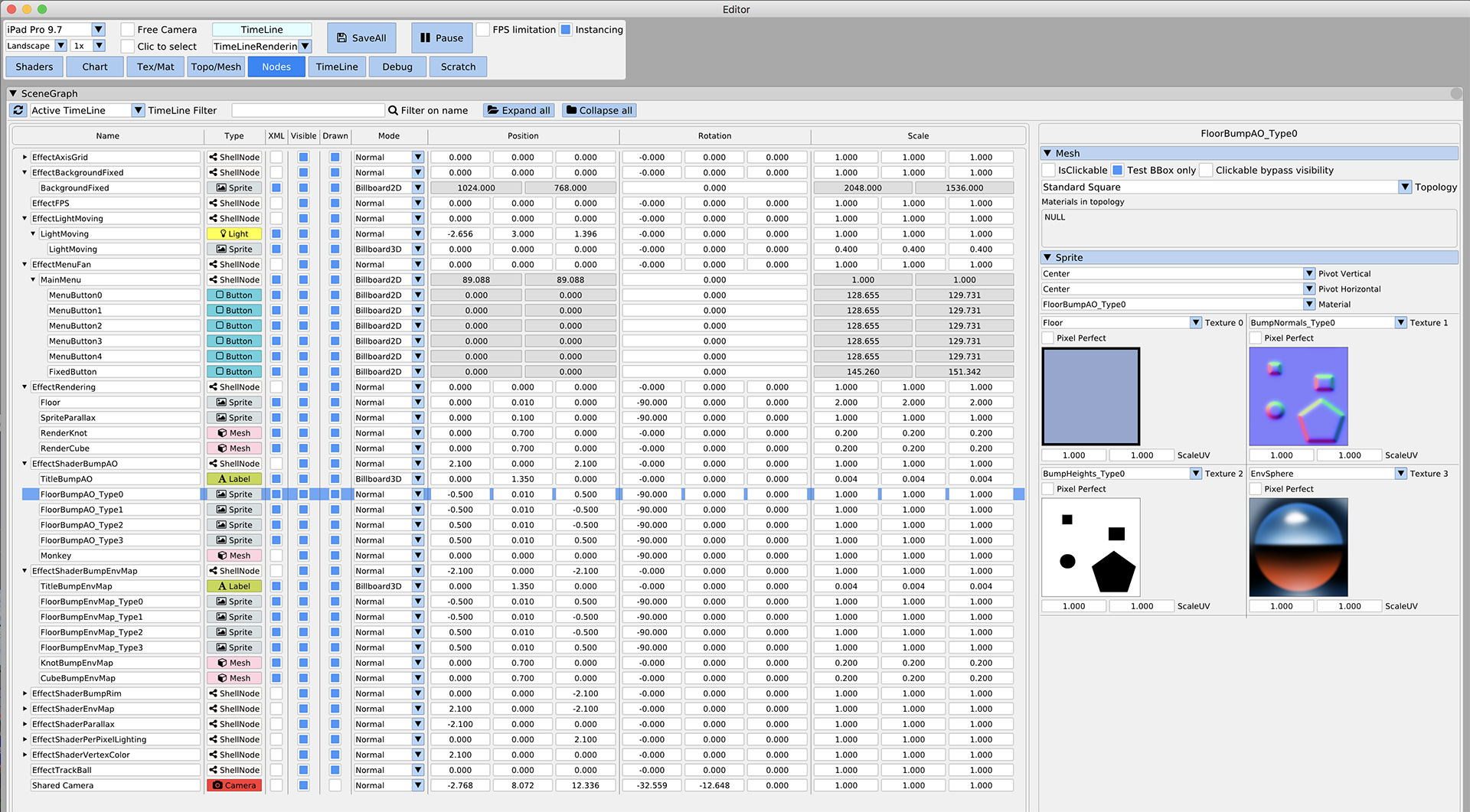 | Tracy Profiler (github)
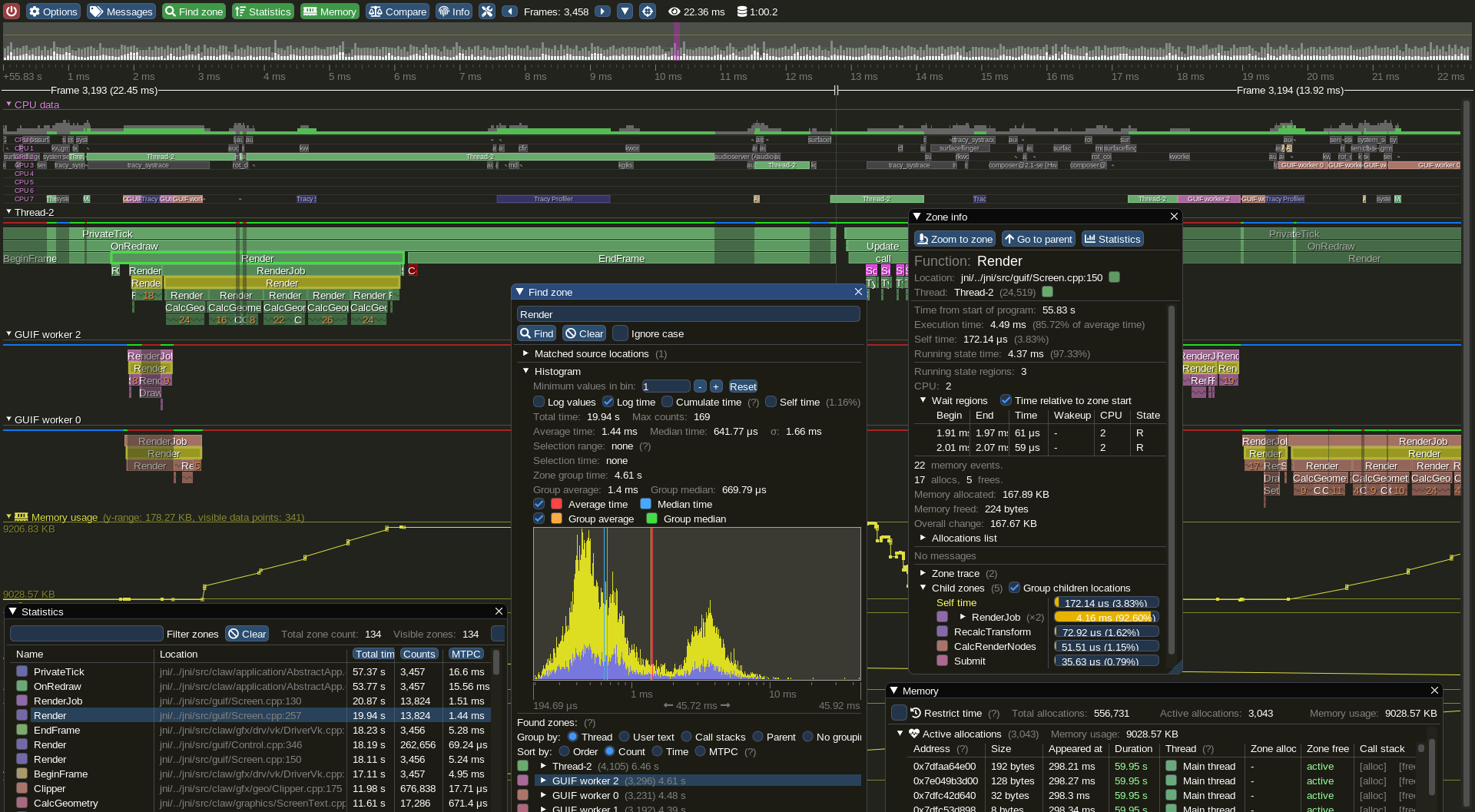 |
$3
See: Frequently Asked Questions (FAQ) where common questions are answered.
See: Getting Started and Wiki for many links, references, articles.
See: Articles about the IMGUI paradigm to read/learn about the Immediate Mode GUI paradigm.
See: Upcoming Changes.
See: Dear ImGui Test Engine + Test Suite for Automation & Testing.
For the purposes of getting search engines to crawl the wiki, here's a link to the Crawlable Wiki (not for humans, here's why).
Getting started? For first-time users having issues compiling/linking/running or issues loading fonts, please use GitHub Discussions. For ANY other questions, bug reports, requests, feedback, please post on GitHub Issues. Please read and fill the New Issue template carefully.
Private support is available for paying business customers (E-mail: _contact @ dearimgui dot com_).
Which version should I get?
We occasionally tag Releases (with nice releases notes) but it is generally safe and recommended to sync to latest master or docking branch. The library is fairly stable and regressions tend to be fixed fast when reported. Advanced users may want to use the docking` branch with Multi-Viewport and Docking features. This branch is kept in sync with master regularly.