A simple navbar auto-hide module for ionic 3
npm install ionic3-hidenav[![NPM version][npm-image]][npm-url]
HideNavbar is an angular directive for hardware accelerated navigation bar transitions while scrolling. There are two modes available, one with supertabs and one for normal pages.
#### Also: Check out the new Hidenav module for Ionic4!

``
npm i ionic3-hidenav
Update your app.module.ts as follows:
`typescript
import {BrowserModule} from '@angular/platform-browser';
import {ErrorHandler, NgModule} from '@angular/core';
import {IonicApp, IonicErrorHandler, IonicModule} from 'ionic-angular';
import {MyApp} from './app.component';
import {HomePage} from '../pages/home/home';
import {HidenavModule} from "ionic3-hidenav";
@NgModule({
declarations: [
MyApp,
HomePage
],
imports: [
BrowserModule,
IonicModule.forRoot(MyApp),
HidenavModule.forRoot() //<-- add this to your app module
],
bootstrap: [IonicApp],
entryComponents: [
MyApp,
HomePage
],
providers: [
StatusBar,
SplashScreen,
{provide: ErrorHandler, useClass: IonicErrorHandler}
]
})
export class AppModule {
}
`
if you're using lazy loading make sure to also import HidenavModule either globally using a shared.module.ts or in the each page module you're planning to use it on:
newsstack.module.ts
`typescript
import {NgModule} from '@angular/core';
import {IonicPageModule} from 'ionic-angular';
import {NewsstackPage} from './newsstack';
import {HidenavModule} from "../../widgets/hidenav/hidenav.module";
@NgModule({
declarations: [
NewsstackPage,
],
imports: [
IonicPageModule.forChild(NewsstackPage),
HidenavModule //<-- add this to your page module
],
})
export class NewsstackPageModule {
}
`
and hidenav-header respectively. If you are planning to use the component on a supertabs page you will need to specify these components on different pages. more on that under using with zyra/ionic2-super-tabs below.$3
`html
Ionic Blank
.....
`using with zyra/ionic2-super-tabs
If you don't already know what supertabs are, it's an amazing project by Ibby Hadeed made to enable users to add swipeable tabs in their Ionic projects, check out the repo.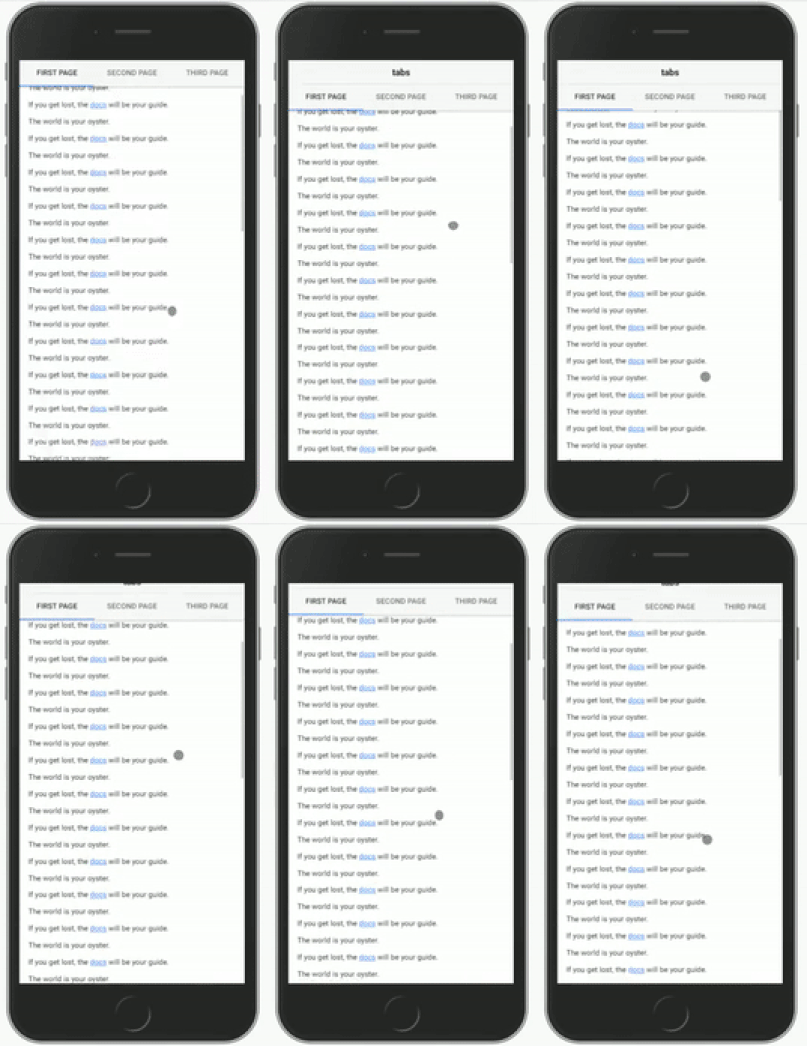
it gets tricky to manage hiding navigation with tabs on, the reason behind it is that links will stretch out on several pages.
First you need to specify the ion-content and ion-header on the tabs page with the directives
and hidenav-header:$3
`html
tabs
`
then you need to link the tabspage with each underlying page you want to use the hidenav function with using the and hidenav-tabspage directives together.$3
`html
``Thats it, enjoy!
[npm-url]: https://npmjs.org/package/ionic3-hidenav
[npm-image]: https://img.shields.io/badge/npm-2.0.1-green.svg