joplin-plugin-markdown-prettier
v0.1.3
Format your joplin markdown note by prettier.
527/weekUpdated 3 years agoMITUnpacked: 600.0 KB
Published by shufo
npm install joplin-plugin-markdown-prettierJoplin Plugin Markdown Prettier
Format your joplin markdown note by prettier.
Installation
Search and install plugin Markdown Prettier from joplin plugin list.

Usage
You can format notes from Toolbar and Context Menu.
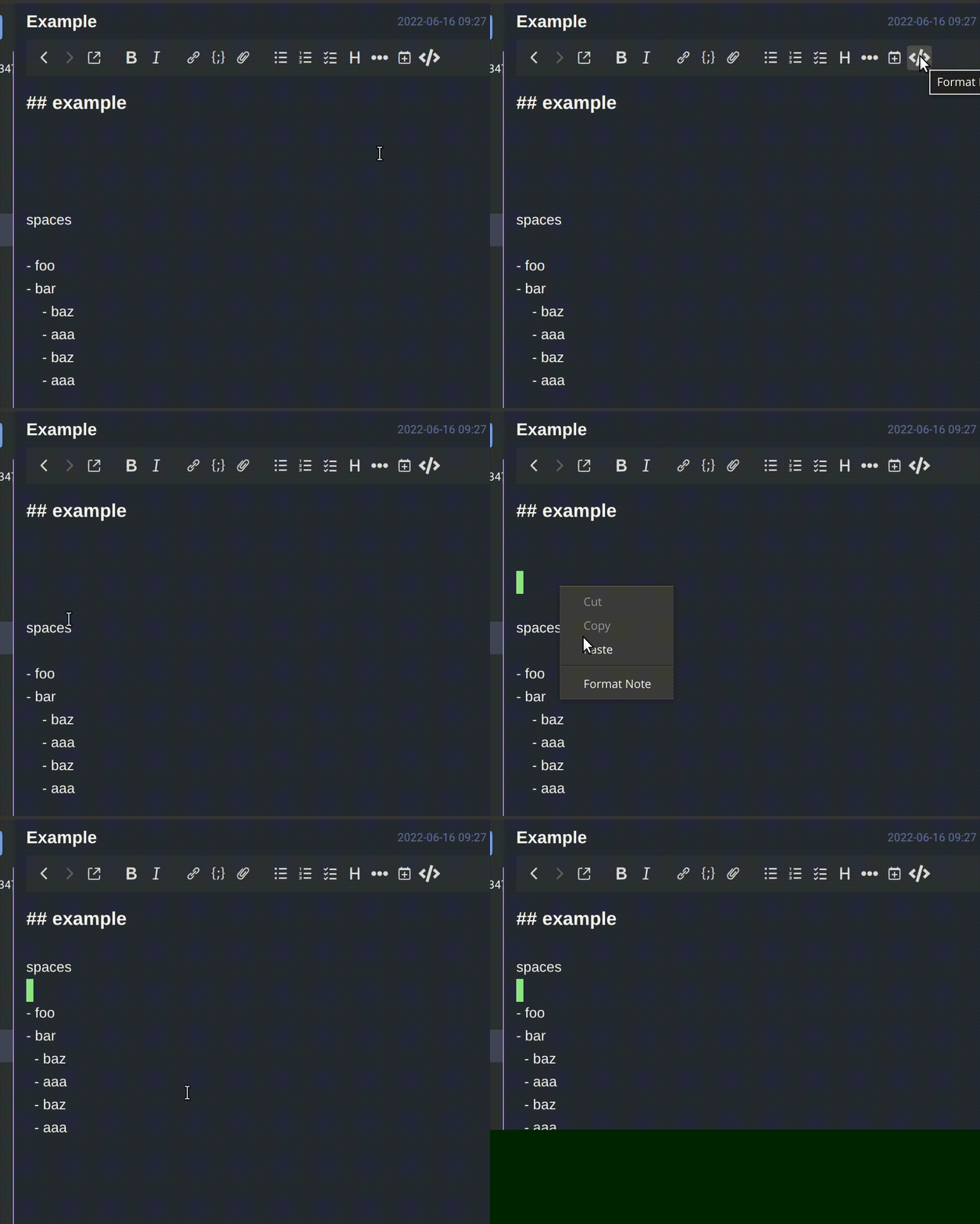
$3
Windows: Alt + Shift + F
You can also configure Shortcut from Tools > Options > Keyboard Shortcuts > Format Note.
Contributing
1. Fork it
2. Create your feature branch (git checkout -b my-new-feature)
3. Commit your changes (git commit -am 'Add some feature')
4. Push to the branch (git push origin my-new-feature)
5. Create new Pull Request
Contributors
 Shuhei Hayashibara |
LICENSE
MIT