jspcb
v0.1.18
Javascript library for parsing printed circuit board (PCB) files (e.g., Eagle *.brd)
0/weekUpdated 3 years agoMIT
Published by Karl Lew
npm install jspcbjspcb
Javascript library for parsing PCB file formats having rich metadata.
Compatible with nodejs, jspcb can be used on the server or in the browser
client in the context of automated pick-and-place (PnP). Supported PCB file
formats:
* Eagle BRD (XML)
* Gerber files (Altium/Protel extension semantics)
* Gerber files (generated by SparkFun sfe-gerb274x.cam for Eagle BRD)
$3
To install jspcb command line wrapper and dependencies:
npm install -g jspcb
NOTE: The above requires that your user be able to write to /usr/local.
$3
#### Generate SVG file from Eagle BRD
Convert XML Eagle BRD file such as the
AdaFruit PCB ruler
into its
SVG equivalent

jspcb --eagle eagle/ruler.brd --svg /tmp/ruler.svg

#### Generate CSV file with SMD pads
To generate a CSV file of the SMD pads:
jspcb --eagle eagle/ruler.brd --csv-smdpads /tmp/pads.csv
#### Generate PCB matching template
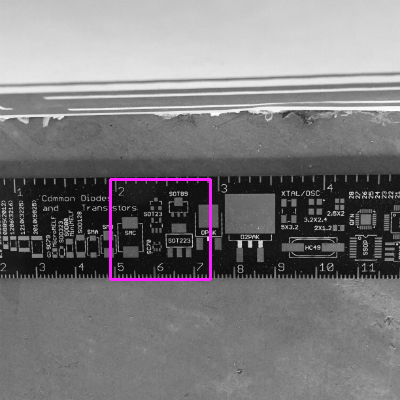
Generate a FireSight and/or OpenCV PNG matching template from Gerber files using a
jspcb JSON configuration file:
jspcb --json json/gerber-template.json
$3
#### Local scripts
The
jspcb command line is just a wrapper around PcbTransform,which does the actual transformation.
You can call PcbTransform directly with custom options.
Here is a local script to print out the bounding rectangle of a PCB:
const jspcb = require("jspcb");
var options = {
    eagle: { path: "eagle/ruler.brd", },
};
var pcbTrans = new jspcb.PcbTransform(options);
console.log(pcbTrans.viewBounds());
The script does the same thing as:
jspcb --eagle eagle/ruler.brd --show-bounds
NOTE: The above script won't work in the Github jspcb folder itself unless
you set your environment NODE_PATH property to the global or local node_modules
that has your jspcb installation. E.g.:
export NODE_PATH=node_modules
#### Web server
Do not use jspcb as a library from within a Node.js web applications.
Node.js is single threaded, and you
will block your entire web application when reading in PCB files.
Instead, spawn a child process to perform your transformation.
Spawning a child process will allow Node.js to run unencumbered--your
web application will look for and
consume the asynchronously generated JSON file(s) as they appear.