jsx-slack
v6.1.2TypeScript
Build JSON object for Slack Block Kit surfaces from JSX
0/weekUpdated 1 years agoMITUnpacked: 474.0 KB
Published by Yuki Hattori
npm install jsx-slack

jsx-slack
![CircleCI][circleci]

![npm][npm]
![LICENSE][license]
[circleci]: https://circleci.com/gh/yhatt/jsx-slack/
[npm]: https://npm.im/jsx-slack
[license]: ./LICENSE
Build JSON object for [Slack][slack] [block kit] surfaces from [JSX].
[slack]: https://slack.com
[jsx]: https://reactjs.org/docs/introducing-jsx.html
[react]: https://reactjs.org/
[block kit]: https://api.slack.com/block-kit
[block kit builder]: https://api.slack.com/tools/block-kit-builder
:point_right: Try our REPL demo in https://jsx-slack.netlify.app/.
$3
- Block Kit as components - Build contents for any surfaces by composing components for Block Kit with JSX.
- HTML-like formatting - Keep a readability by using well-known elements.
See references to dive into jsx-slack deeply.
Motivation
When developing Slack-integrated app, continuous maintenance of the rich contents is a difficult task. A team member must read and write JSON with deep knowledge about specifications of payload for Slack API.
We believe JSX-based template well-known in front-end development would enhance a developer experience of Slack app.
Project goal
A project goal is creating an interface to compose contents for Slack with keeping code maintainability by using [JSX].
jsx-slack would allow composing contents with simple and predictable HTML-like markup. It helps in understanding the structure of complex contents and interactions.
Install
$3
We require Node.js >= 14. If you are using TypeScript, we also require TS >= 3.7.
``bash`npm
npm install --save jsx-slack
`bash`yarn
yarn add jsx-slack
Now you can begin to write the code with jsxslack template literal tag. Furthermore, setting up JSX transpiler would make the best development experience.
$3
We also have Deno support. If you are using Deno v1.28 and later, you can import jsx-slack through npm directly.
`typescriptjsxslack
// template literal tag`
import { jsxslack } from 'npm:jsx-slack@6'
`typescript`
// JSX transpilation
/* @jsxImportSource npm:jsx-slack@6 /
import { Blocks, Section } from 'npm:jsx-slack@6'
> Note
> Alternatively you also can import jsx-slack through esm.sh CDN: https://esm.sh/jsx-slack@6
Usage
$3
Do you hate troublesome setting up for JSX? All right. We provide jsxslack tagged template literal to build blocks _right out of the box_.
It allows the template syntax almost same as JSX, powered by HTM (Hyperscript Tagged Markup). Setting for transpiler and importing built-in components are not required.
This is a simple example of the template function just to say hello to someone.
`javascript
import { jsxslack } from 'jsx-slack'
export const exampleBlock = ({ name }) => jsxslack
Hello, ${name}!
$3
When you want to use jsx-slack with JSX transpiler, you have to set up to use our runtime for JSX.
▶︎ How to setup JSX transpiler (Babel / TypeScript / Deno)
`jsx
/* @jsxImportSource jsx-slack /
import { Blocks, Section } from 'jsx-slack'
export const exampleBlock = ({ name }) => (
Hello, {name}!
)
`
$3
After than, just use created template in Slack API. We are using the official Node SDK @slack/web-api in this example. See also Slack guide.
`javascript
import { WebClient } from '@slack/web-api'
import { exampleBlock } from './example.jsx'
const web = new WebClient(process.env.SLACK_TOKEN)
web.chat
.postMessage({
channel: 'C1234567890',
blocks: exampleBlock({ name: 'Yuki Hattori' }),
})
.then((res) => console.log('Message sent: ', res.ts))
.catch(console.error)
`
It would post a simple Slack message like this:
[ ][block-kit-builder-example]
[ ][block-kit-builder-example]
[block-kit-builder-example]: https://jsx-slack.netlify.app/#bkb:jsx:eJyzccrJT84utuNSULAJTk0uyczPA7EVFDxSc3LydRRskuwiS7MzFTwSS0ryizJt9JPsFEFq9eGKbfShRgAAVeQWug==
Block Kit as components
Slack has recommended to use [Block Kit] for building tempting messages and modals.
By using jsx-slack, you can build a template with piling up Block Kit blocks by JSX. It is feeling like using components in React or Vue.
$3
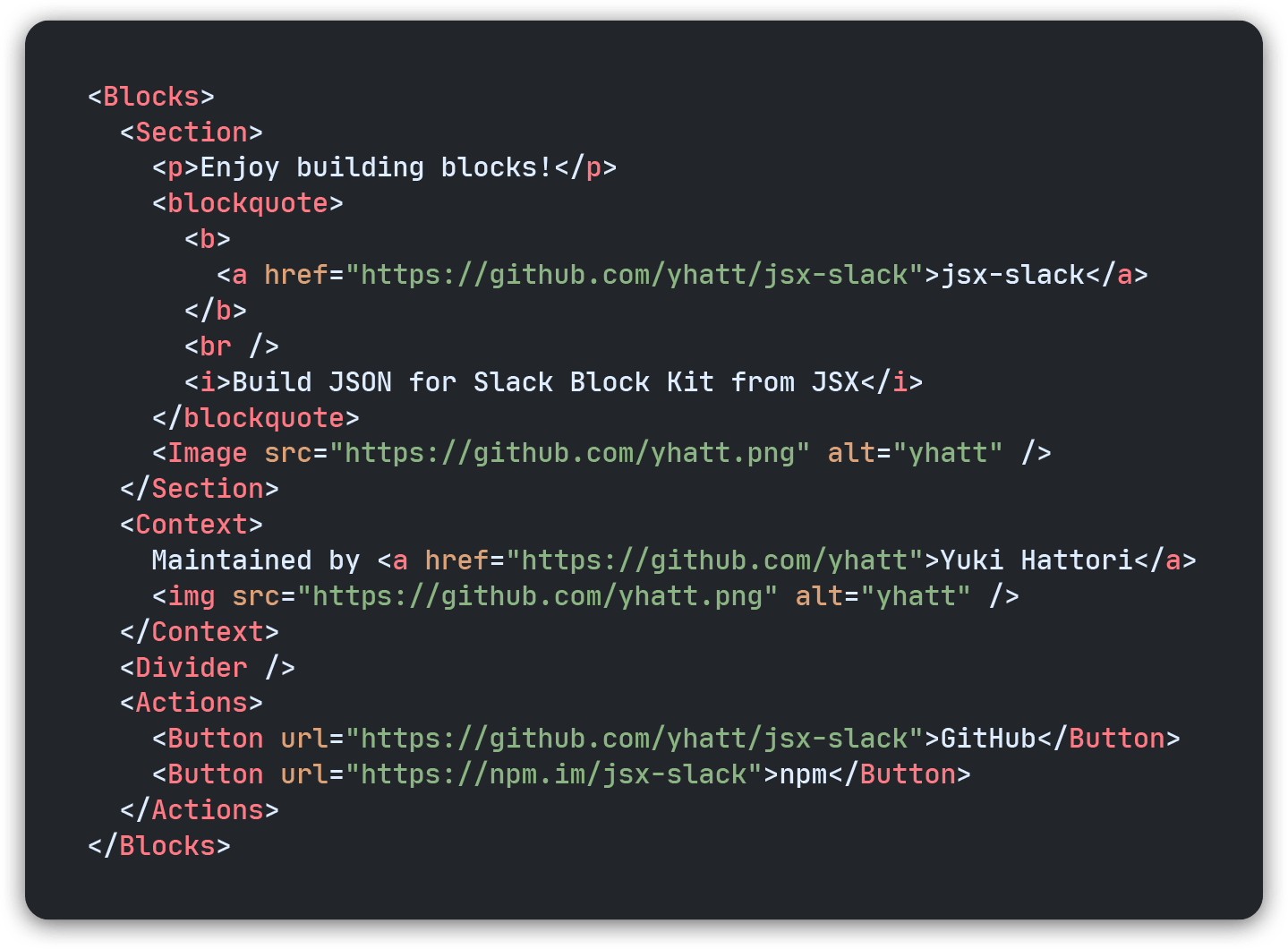
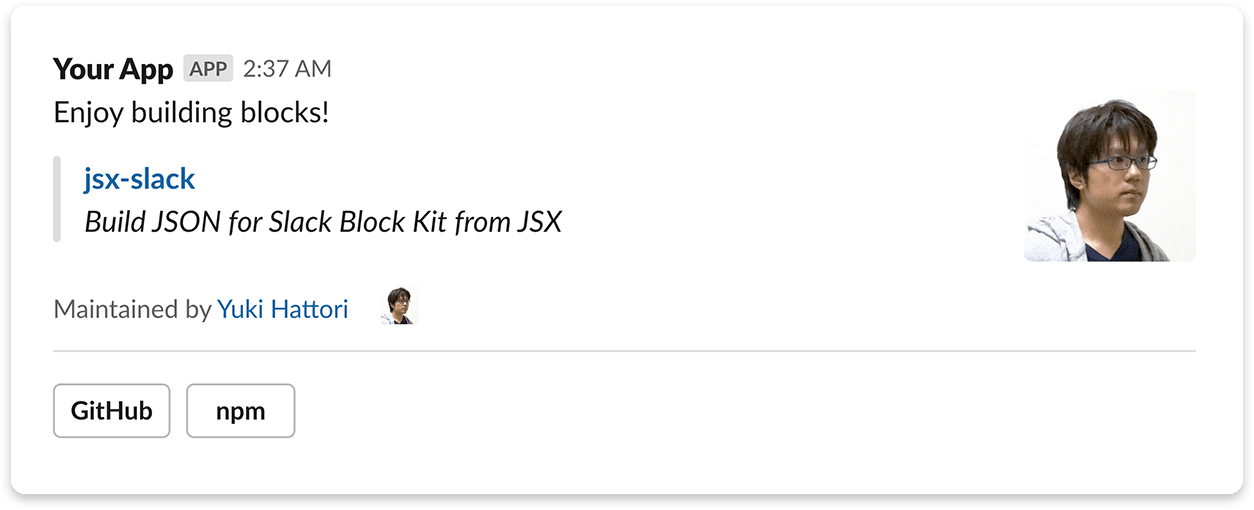
` Enjoy building blocks!jsx`
jsx-slack
Build JSON for Slack Block Kit from JSX

Maintained by Yuki Hattori
$3
` jsx-slack also has supported Slack Modals.jsx
It's my first modal! :sunglasses:
label="Share with..."
required
include={['public', 'im']}
excludeBotUsers
responseUrlEnabled
/>
`
$3
`jsx`
See assigned tickets :ticket:
Check your tickets to start your work.
Remind a task later :memo:
I'll remember a task for you.
Start pomodoro timer :tomato:
Get focused on your time, with tomato!
$3
- How to setup JSX transpiler
- JSX components for Block Kit
- Block containers
- Layout blocks
- Block elements
- Interactive components
- Composition objects
- Input components
* HTML-like formatting
* About escape and exact mode
$3
Ported from templates for [Block Kit Builder].
#### Message
- Approval (New device request)
- Approval (Time Off request)
- Notification
- Onboarding (Taskbot)
- Onboarding (Onboarding App)
- Poll
- Search Results (TripAgent)
- Search Results (FileCard Agent)
- Newsletter
#### Modal
- Poll
- Search Results
- Settings (App menu)
- Settings (Notification settings)
- List of information (Your itinerary)
- List of information (Ticket app)
#### App Home
- Project Tracker
- Calendar
- Expense App
- Todo App
Fragments
As like as React, jsx-slack provides () component for higher-order component (HOC) consited of multiple blocks or elements.
For example, you can define the custom block by grouping some blocks with if you were using JSX transpiler.
Let's say about defining custom block that is consisted by and .
`javascript
import { Fragment, Section, Divider } from 'jsx-slack'
const Heading = ({ children }) => (
{children}
)
`
Now the defined block can use in as like as the other blocks:
`jsx`
jsx-slack custom block :sunglasses:
[ ][custom-header-block]
[][custom-header-block]
[custom-header-block]: https://jsx-slack.netlify.app/#bkb:jsx:eJxVjrEOgzAQQ3e-4jYmejs6Zag6duMLSIjQlZRIOEHt3xcaBphsD8-23EN0E0xFJJ13SeO8-y3ZoptT88KnQejdRC4jxTfZnRJWQy3yPIYe8GgLyH9S-FQnD1118AvxZejpUw2yWcNA35iXUns7ocLHvx9tITN_
$3
Babel transpiler and TypeScript 4 can use the short syntax <> for fragments. See how to setup JSX transpiler.
`javascript
import { Section, Divider } from 'jsx-slack'
const Heading = ({ children }) => (
<>
{children}
)
`
$3
jsxslack template literal tag has built-in fragments support so does not have to use.
`javascript
// Heading.js
import { jsxslack } from 'jsx-slack'
export const Heading = ({ children }) => jsxslack
${children}
A defined component may use in jsxslack tag as below:
`javascript
import { jsxslack } from 'jsx-slack'
import { Heading } from './Heading'
console.log(jsxslack
<${Heading}>
jsx-slack custom block :sunglasses:
)``
Please notice to a usage of component that has a bit different syntax from JSX.
Frequently questions
$3
Of course! In our workspace, we are developing Slack custom app for internal with providing great UX powered by jsx-slack. And some apps published in Slack app directory are also using jsx-slack in production.
Do you have an app with jsx-slack in public? Please let us know your great app!
$3
No. jsx-slack just generates JSON for Slack API. You have to send generated message and control interaction with Slack by yourself.
Don't worry; you can use jsx-slack together with helpful libraries: Bolt framework for JavaScript (recommended), Slack Node SDK, and third-party library (e.g. BotKit, Bottender).
$3
No, jsx-slack has very similar API to React but is not based on React, because our library doesn't need to use some features provided by React: incremental updates, event handling, reference to the rendered JSON, and component class.
Nevertheless, jsx-slack can use React's methodology (composition of components) through JSX and the basic JavaScript function. In addition, we can follow up rapidly-evolving Slack Block Kit by keeping the smallest requirements without depending on React.
FYI there are some projects based on React (react-reconciler) to generate or manage Slack interactions: phelia framework, react-chat-renderer (< v0.1.0), and rebot. You should use them if you want to use React ecosystem.
$3
"jsx-slack" with all in lowercase. It is neither of "JSX-Slack" nor "JSX Slack".
Similar projects
- phelia - :zap: A reactive Slack application framework.
- react-chat-renderer - React renderer implementation for building rich Slack messages using JSX
- slack-blockx - jsx for Slack block-kit
Author
- Yuki Hattori (@yhatt) - Maintainer