jupyterlab_sparkmonitor-s
v1.0.0
Jupyter Lab extension to monitor Apache Spark Jobs
0/weekUpdated 3 years agoLGPL-2.1Unpacked: 334.8 KB
Published by Krishnan R
npm install jupyterlab_sparkmonitor-sSpark Monitor - An extension for Jupyter Lab
This project was originally written by krishnan-r as a Google Summer of Code project for Jupyter Notebook. Check his website out here.
As a part of my internship as a Software Engineer at Yelp, I created this fork to update the extension to be compatible with JupyterLab - Yelp's choice for sharing and collaborating on notebooks.
About
 | + |  | = |  |
SparkMonitor is an extension for Jupyter Lab that enables the live monitoring of Apache Spark Jobs spawned from a notebook. The extension provides several features to monitor and debug a Spark job from within the notebook interface itself.
---
Features
- Automatically displays a live monitoring tool below cells that run Spark jobs in a Jupyter notebook
- A table of jobs and stages with progressbars
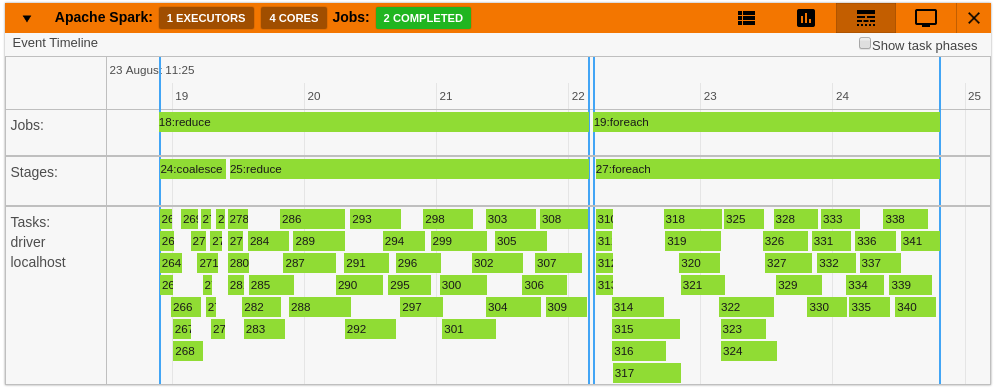
- A timeline which shows jobs, stages, and tasks
- A graph showing number of active tasks & executor cores vs time
- A notebook server extension that proxies the Spark UI and displays it in an iframe popup for more details
- For a detailed list of features see the use case notebooks
- How it Works
 |  |  |
 |  |  |
Quick Start
$3
This docker image has pyspark and several other related packages installed alongside the sparkmonitor extension.
``
bash
docker run -it -p 8888:8888 itsjafer/sparkmonitor
`$3
bash
jupyter labextension install jupyterlab_sparkmonitor # install the jupyterlab extension
pip install jupyterlab-sparkmonitor # install the server/kernel extension
jupyter serverextension enable --py sparkmonitorset up ipython profile and add our kernel extension to it
ipython profile create --ipython-dir=.ipython
echo "c.InteractiveShellApp.extensions.append('sparkmonitor.kernelextension')" >>  .ipython/profile_default/ipython_config.pyrun jupyter lab
IPYTHONDIR=.ipython jupyter lab --watch
`With the extension installed, a SparkConf object called
will be usable from your notebooks. You can use it as follows:`python
from pyspark import SparkContextstart the spark context using the SparkConf the extension inserted
sc=SparkContext.getOrCreate(conf=conf) #Start the spark contextMonitor should spawn under the cell with 4 jobs
sc.parallelize(range(0,100)).count()
sc.parallelize(range(0,100)).count()
sc.parallelize(range(0,100)).count()
sc.parallelize(range(0,100)).count()
`If you already have your own spark configuration, you will need to set
to sparkmonitor.listener.JupyterSparkMonitorListener and spark.driver.extraClassPath to the path to the sparkmonitor python package path/to/package/sparkmonitor/listener.jar
python
from pyspark.sql import SparkSession
spark = SparkSession.builder\
        .config('spark.extraListeners', 'sparkmonitor.listener.JupyterSparkMonitorListener')\
        .config('spark.driver.extraClassPath', 'venv/lib/python3.7/site-packages/sparkmonitor/listener.jar')\
        .getOrCreate()should spawn 4 jobs in a monitor bnelow the cell
spark.sparkContext.parallelize(range(0,100)).count()
spark.sparkContext.parallelize(range(0,100)).count()
spark.sparkContext.parallelize(range(0,100)).count()
spark.sparkContext.parallelize(range(0,100)).count()
`
Development
If you'd like to develop the extension:
bash
make venv # Creates a virtual environment using tox
source venv/bin/activate # Make sure we're using the virtual environment
make build # Build the extension
make develop # Run a local jupyterlab with the extension installed
``