kiro-cli
v0.0.1
Kiro CLI - placeholder
0/weekUpdated 2 months agoMITUnpacked: 6.0 KB
Published by joseph.chiang
npm install kiro-cliKirox (♻️ Recycle .kiro CLI)

Kirox
📚 Documentation | 🤖 llms.txt | 🤖 llms-full.txt


CLI tool to fetch Kiro specification and steering files from remote GitHub repositories.
> What are .kiro files?
> .kiro files are specification and steering documents generated by Claude Code Spec-Driven Development (cc-sdd), a tool that helps structure AI-assisted development workflows using Claude Code slash commands and agents.
Features
- 💬 Interactive Mode - Guided prompts with smart branch/project discovery and searchable UI
- 🎯 Steering Mode - Fetch only steering documents without project specs (--steering)
- ➕ Add Command - Incrementally add new projects without re-fetching everything
- 🔧 Shell Completion - Tab completion for bash, zsh, fish, PowerShell, and Elvish
- 📦 Repository Support - Fetch from any GitHub repository with branch/tag specification
- 🔄 Update Tracking - Detect remote changes and update only modified files (opt-in with --track)
- 🚀 NPX Support - No installation required, run instantly with npx kirox
Quick Start
$3
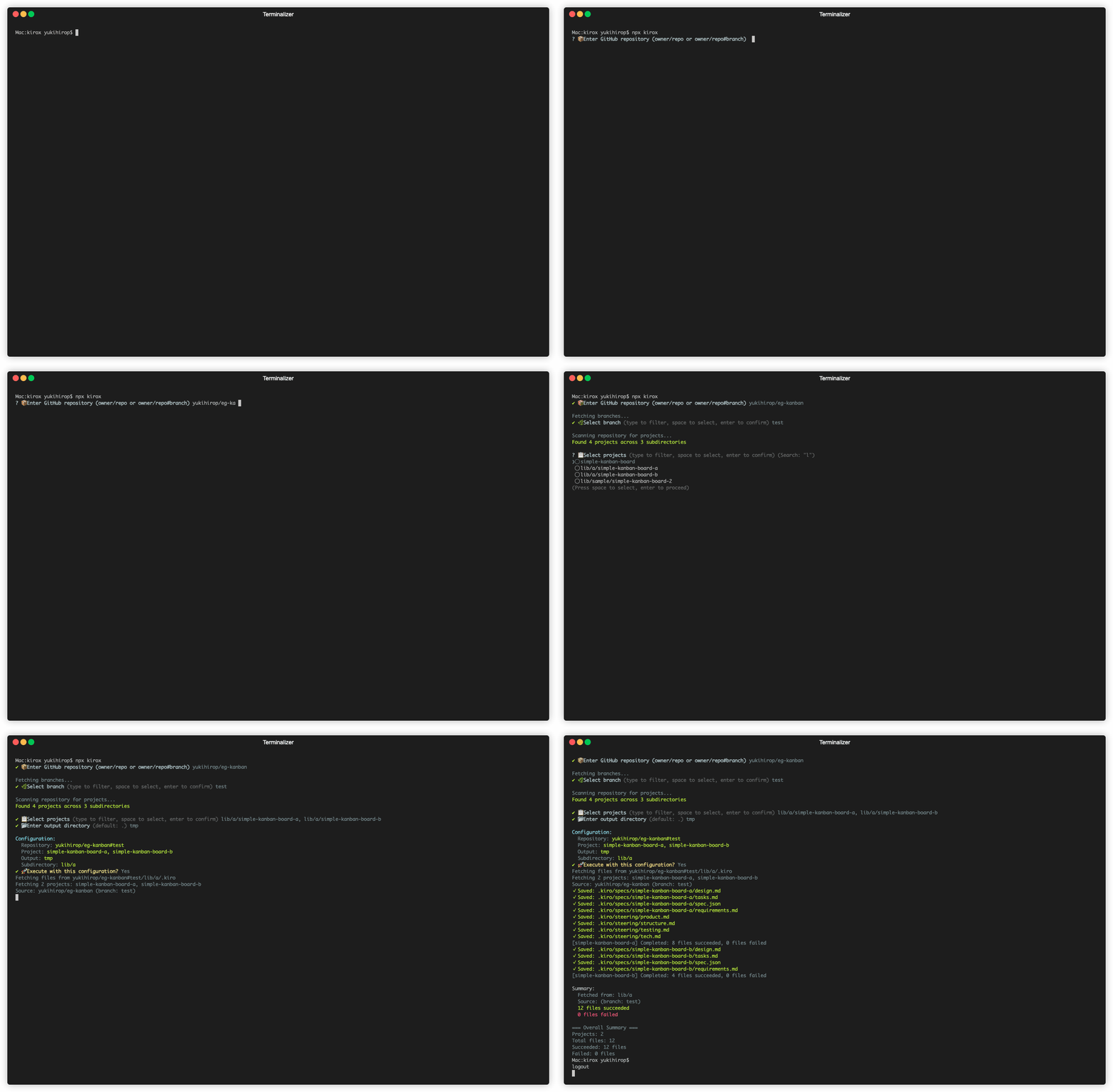
What it Fetches
Normal Mode:
``
.kiro/
├── specs/
│ ├── spec.json
│ ├── requirements.md
│ ├── design.md
│ └── tasks.md
└── steering/
├── product.md
├── tech.md
└── structure.md
Steering Mode (--steering):`
.kiro/
└── steering/
    ├── product.md
    ├── tech.md
    └── structure.md
Documentation
Full documentation is available at: https://yukihirop.github.io/kirox/
- Getting Started - Installation and setup
- Basic Usage - Common commands and options
- Advanced Usage - Configuration files, branch/subdirectory support
- CLI Reference - Complete command reference
- API Documentation - API specifications
- Configuration - Configuration file reference
- Troubleshooting - Common issues and solutions
Contributing
See CONTRIBUTING.md for documentation contribution guidelines.
License
MIT