levon-angular-star-rating
v3.0.0
Angular Star Rating is a Angular2 component written in typescript.
0/weekUpdated 3 years agoMIT
Published by Michael Hladky
npm install levon-angular-star-ratingAngular Star Rating ⭐⭐⭐⭐⭐
#### ⭐ Angular Star Rating is a Angular 2+ component made with ❤, based on css only techniques. ⭐
!License


Angular Star Rating is a Angular 2+ component made with ❤.
It is based on best practice UX/UI methods, accessibility in mind and an eye for details.
In love with reactive forms the component is easy to control over the keybord.
It is a perfect fit for all angular projects with ⭐'s.
To keep it as flexible as possible a major part of the logic is based on css only techniques. The component simple applies the state depending css modifiers.
!Angular-Star-Rating
Browser support
| IE | Firefox | Chrome | Safari | Opera |
|--- |--- |--- |--- |---|
| >11 | >50 | >55 | >10 | >41 |
|
 |
|  |
|  |
|  |
|  |
|
Features
Fully featured this component is provided with:
- [x] easy configurable and reasonable defaults
- [x] all 12 css modifiers of the awesome css only star rating library
- [x] it integrates well with reactive forms and all it's states
- [x] focus and blur events are handled for a smooth keyboard navigation
- [x] it's keyboard control is even better than a native input once :-)
- [x] mouse enter and leave events are used to generate a nice on hover interaction
- [x] importable as a angular ngModule it is a plug and play to use
Related Projects
| Css | Angular 1 | Angular | Ionic 1 |
|--- |--- |--- |--- |
|
 |
|  |
|  |
|  |
|
| Css Star Rating | Angular1 Star Rating | Angular Star Rating |Ionic1 Star Rating |
DEMO
- [x] Example-App
Installation
Get Angular Star Rating:
- clone & build this repository
- download as .zip
- via npm: by running
$ npm install angular-star-rating --save from your console
Consuming the library
As a precondition we consider you have your ``
.angular-cli.json` setup with an assets folder so that the `./src/assets` folder is included in the bundled version.
But this is given by default if you use the angular-cli to setup your project.
Now you can import your library in your angular application by running:
`bash
$ npm install angular-star-rating --save
`
or
`bash
$ npm install angular-star-rating@2.0.0-rc.5 --save
`
for a specific version.


Create an `assets` folder under your `./src` folder and copy the images from your `./node_modules/assets/images` folder into `./src/assets/images`.
In your `app.module.ts` import the `StarRatingModule` to your Angular AppModule:
`typescript
import { BrowserModule } from '@angular/platform-browser';
import { NgModule } from '@angular/core';
import { AppComponent } from './app.component';
// IMPORT YOUR LIBRARY
import { StarRatingModule } from 'angular-star-rating';
@NgModule({
declarations: [
AppComponent
],
imports: [
BrowserModule,
// SPECIFY YOUR LIBRARY AS AN IMPORT
StarRatingModule
],
providers: [],
bootstrap: [AppComponent]
})
export class AppModule { }
`
Once your library is imported, you can use the components in your Angular application:
`html
{{title}}
`
If something is not working check if

- the component renders the expected html

- if you use the svg version check if the `star-rating.icons.svg` is present in your `./src/assets/images` and loaded
Implement the output handler
`typescript
import {Component} from "@angular/core";
import {IStarRatingOnClickEvent, IStarRatingOnRatingChangeEven, IStarRatingIOnHoverRatingChangeEvent} from "angular-star-rating/src/star-rating-struct";
@Component({
selector: 'my-events-component',
template:
(onClick)="onClick($event)"
(onRatingChange)="onRatingChange($event)"
(onHoverRatingChange)="onHoverRatingChange($event)">
onHoverRatingChangeResult: {{onHoverRatingChangeResult | json}}
onClickResult: {{onClickResult | json}}
onRatingChangeResult: {{onRatingChangeResult | json}}
})

export class MyEventsComponent {


    onClickResult:IStarRatingOnClickEvent;

    onHoverRatingChangeResult:IStarRatingIOnHoverRatingChangeEvent;

    onRatingChangeResult:IStarRatingOnRatingChangeEven;


    onClick = ($event:IStarRatingOnClickEvent) => {

        console.log('onClick $event: ', $event);

        this.onClickResult = $event;

    };


    onRatingChange = ($event:IStarRatingOnRatingChangeEven) => {

        console.log('onRatingUpdated $event: ', $event);

        this.onRatingChangeResult = $event;

    };


    onHoverRatingChange = ($event:IStarRatingIOnHoverRatingChangeEvent) => {

        console.log('onHoverRatingChange $event: ', $event);

        this.onHoverRatingChangeResult = $event;

    };


}
`
`html
`
Use it with reactive forms


As easy as it could be. Just apply the `formControlName` attribute to the star rating component.
`typescript
//my.component.ts
import {Component} from "@angular/core";
import {FormGroup, FormControl} from "@angular/forms";
@Component({
selector: 'my-form-component',
template:
})

export class MyFormComponent {


    form = new FormGroup({

        myRatingControl: new FormControl('')

    });


}
`
`html
`
Component Bindings


$3


- Label modifier

  - Label visible

  - Label text

  - Label position

- Style modifier

  - Star type

  - Color

  - Size

  - Space

  - Speed

  - Direction

  - Disabled

- Control modifier

  - Rating

  - Step

  - Number of stars

  - Show half stars

  - Read only

  - Id

  - getColor

  - getHalfStarVisible


#### Label Modifier

labelVisible: string (Optional)

The visibility of the label text.

Default: true
`html
`

labelText: string (Optional)

The text next to the stars.

Default: undefined
`html
`

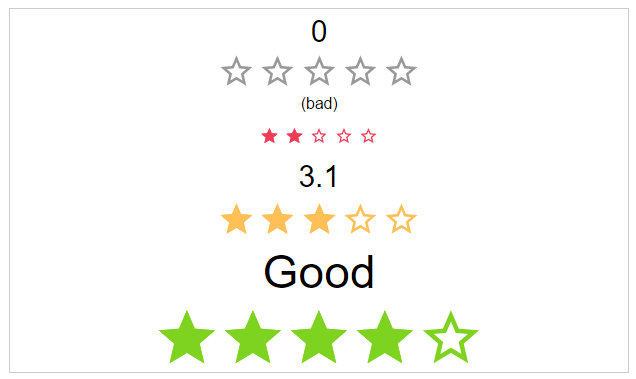
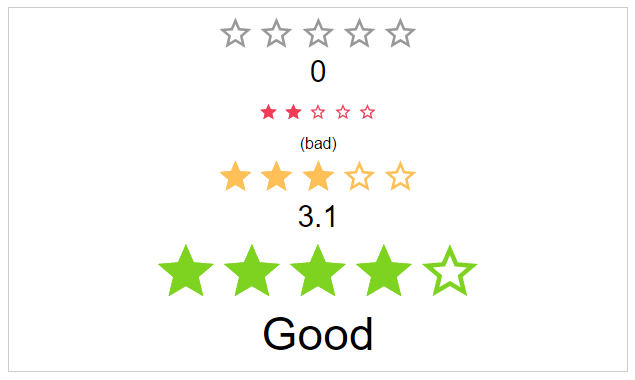
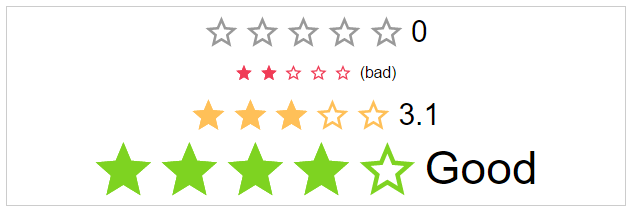
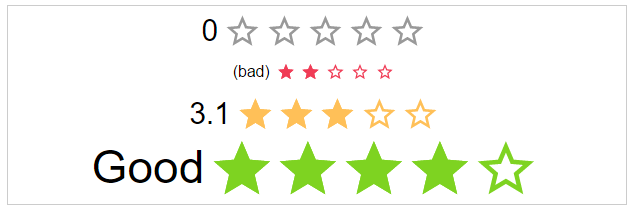
labelPosition: starRatingPosition (Optional)

The position of the label

Options: top, right, bottom, left

Default: left
`html
`
#### Style Modifier


starType: starRatingStarTypes (Optional)

The type of start resource to use.

Options: svg, icon

Default: svg
`html
`
staticColor: starRatingColor (Optional)

Possible color names for the stars.

Options: default, negative, ok, positive

Default: undefined
`html
`
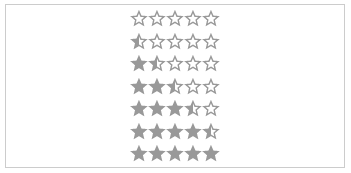
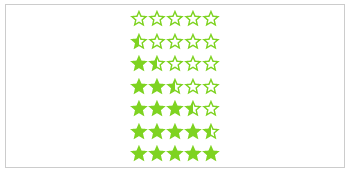
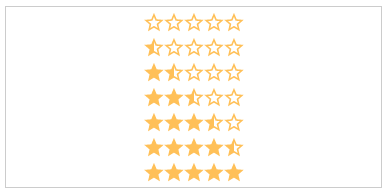
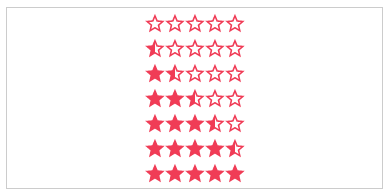
size: starRatingSizes (Optional)

The height and width of the stars.

Options: small, medium, large

Default: medium
`html
`



space: starRatingStarSpace (Optional)

If the start use the whole space or not.

Options: no, between, around

Default: no
`html
`


speed: starRatingSpeed (Optional)

The duration of the animation in ms.

Options: immediately, noticeable, slow

Default: noticeable
`html
`



direction: string (Optional)

The direction of the stars and label.

Options: rtl, ltr

Default: rtl
`html
`


disabled: boolean (Optional)

The click callback is disabled, colors are transparent

Default: false
`html
`
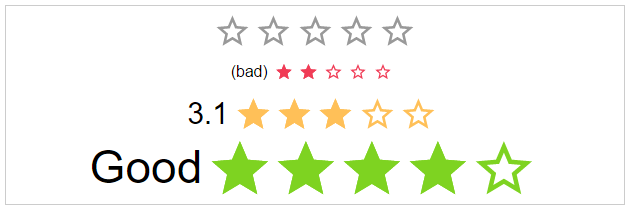
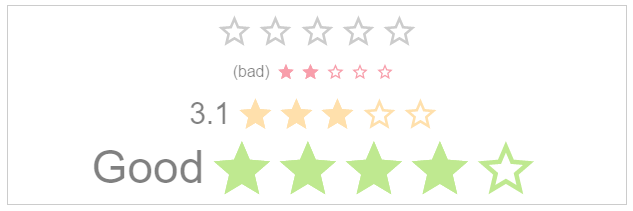
#### Control modifier


rating: number (Optional)

The actual star rating value

Default: no
`html
`
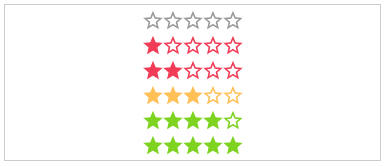
step: number (Optional)

The step interval of the control

Default: 1
`html
`
numOfStars: number (Optional)

The possible number of stars to choose from

Default: 5
`html
`
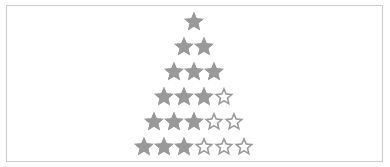
showHalfStars: boolean (Optional)

To show half stars or not

Options: true, false

Default: false
`html
`
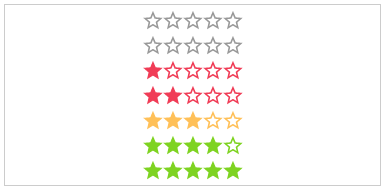
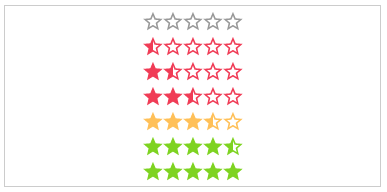
readOnly: boolean (Optional)

The click callback is disabled

Default: false
`html
`
id: string (Optional)

The html id attribute of the star rating

Default: undefined
`html
`
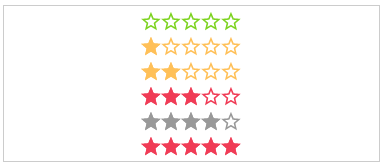
getColor: Function (Optional)

Calculation of the color by rating.

Params: rating, number,numOfStars and staticColor

Return: color name
`html
`
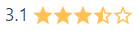
getHalfStarVisible: Function (Optional)

Calculation for adding the "half" class or not, depending on the rating value.

Params: rating

Return: boolean
`html
`
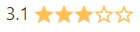
$3


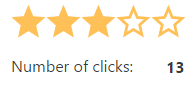
onClick: Function (Optional)

Callback function for star click event

Params: $event
`html
`
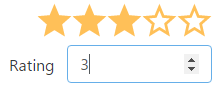
onRatingChange: Function (Optional)

Callback function for rating change event

Params: $event
`html
`
hoverEnabled: boolean (Optional)

An or disable hover interaction.

Default: false

Potions: true, false
`html
`
onHoverRatingChange: Function (Optional)

Callback function for hoverRating change event

Params: $event
`html
``
Shields and other draft


License
MIT © Michael Hladky