librarian-server
v1.4.1
Librarian is a local server for your iOS & Android builds, cause local is best!
0/weekUpdated 3 years agoMITUnpacked: 28.3 KB
Published by Siddharth Gupta
npm install librarian-server
> Librarian is an easy way to serve your iOS & Android builds on your local network, and make testing internal versions of your app effortless.

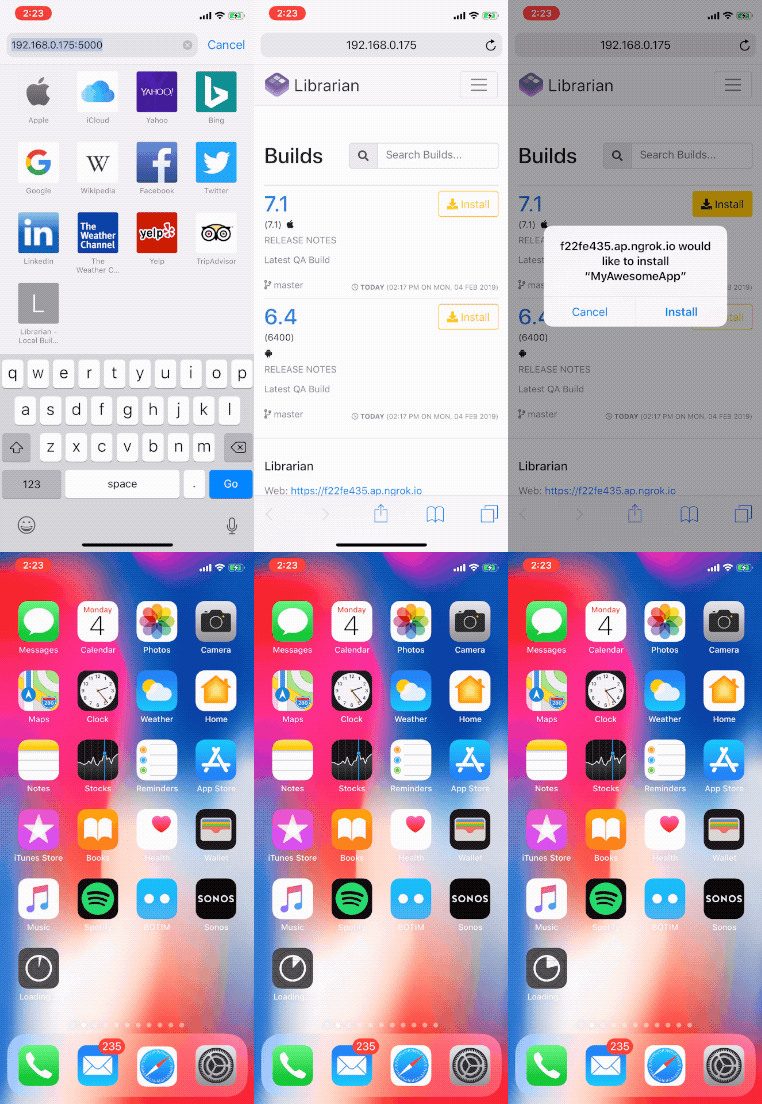
Highlights
- [x] Support for iOS IPA & Android APK
- [x] Simple & Quick Setup
- [x] Clean Web Interface
- [x] Easily add builds
- [x] Ability to have Internet accessible Public URLs for builds
- [x] Instant app installs on the local network, your testers don't have to wait!
- [x] No more dependency on Crashlytics Beta / Testflight
Install
``consoleEACCESS / Permissions
$ sudo npm i -g librarian-server
$ librarian setup
$ sudo npm link librarian-server # If you can get an error`
The setup will ask you a few questions to configure Librarian on your system. You can just press enter throughout the process to choose the default values.
Usage
$3
Run the following command to start the Librarian server.
`console`
$ librarian start
This will start the web interface, and will print the URL to it on the console, along with a QR code to the URL for quick access 😁
> Librarian uses ngrok tunneling to serve your localhost over the Internet using a secure HTTPS tunnel. Also, HTTPS is mandatory for iOS Builds to work.
$3
Submit builds to Librarian using:
`console`
$ librarian submit
The must be the full path to the IPA or APK file. Example: /Users/jenkins/MyApp.ipa, and should be accessible by Librarian.
You can pass in the following additional options along with the path of the build file.
Option | Short | Example | Description
--- | --- | --- | ---
--branch | -b | --branch master | git branch the build is from--notes | -n | --notes "Release Candidate Build" | release notes for the build--public | -p | Just add the flag --public | allow the build to be downloaded over the HTTPs tunnel (by default, builds can only be downloaded on the local network)
Librarian will autodetect the type of build iOS / Android using the file extension, will create a copy of the build in it's assets, and make it available for download on it's web interface.
> The Librarian server should be running while submitting a build.
Updating Librarian
Librarian follows semantic versioning. You can update by running:
`console``
$ npm i -g librarian-server
$ librarian update
Contributing
Librarian is built up of two parts:
- Librarian - The Command Line tool, written in NodeJS (this repository).
- Librarian Web - The Web Interface of Librarian, built in Jekyll.
Maintainers
Developed by biocross & designed by madebytushar
License
MIT