logdown
v3.3.1
Debug utility with markdown support that runs on browser and server
140.3K/weekUpdated 3 years agoMITUnpacked: 75.4 KB
Published by Caio Gondim
npm install logdown
logdown.js




logdown is a debug utility for the browser and the server with Markdown support, providing a single interface and a similar behavior between the browser and the server.
It doesn't have any dependencies for the browser version and it's only 2K gzipped.
You can see it in action in the example page or in the preview
below.
Installation
``bash`
$ npm install --save logdown
Preview
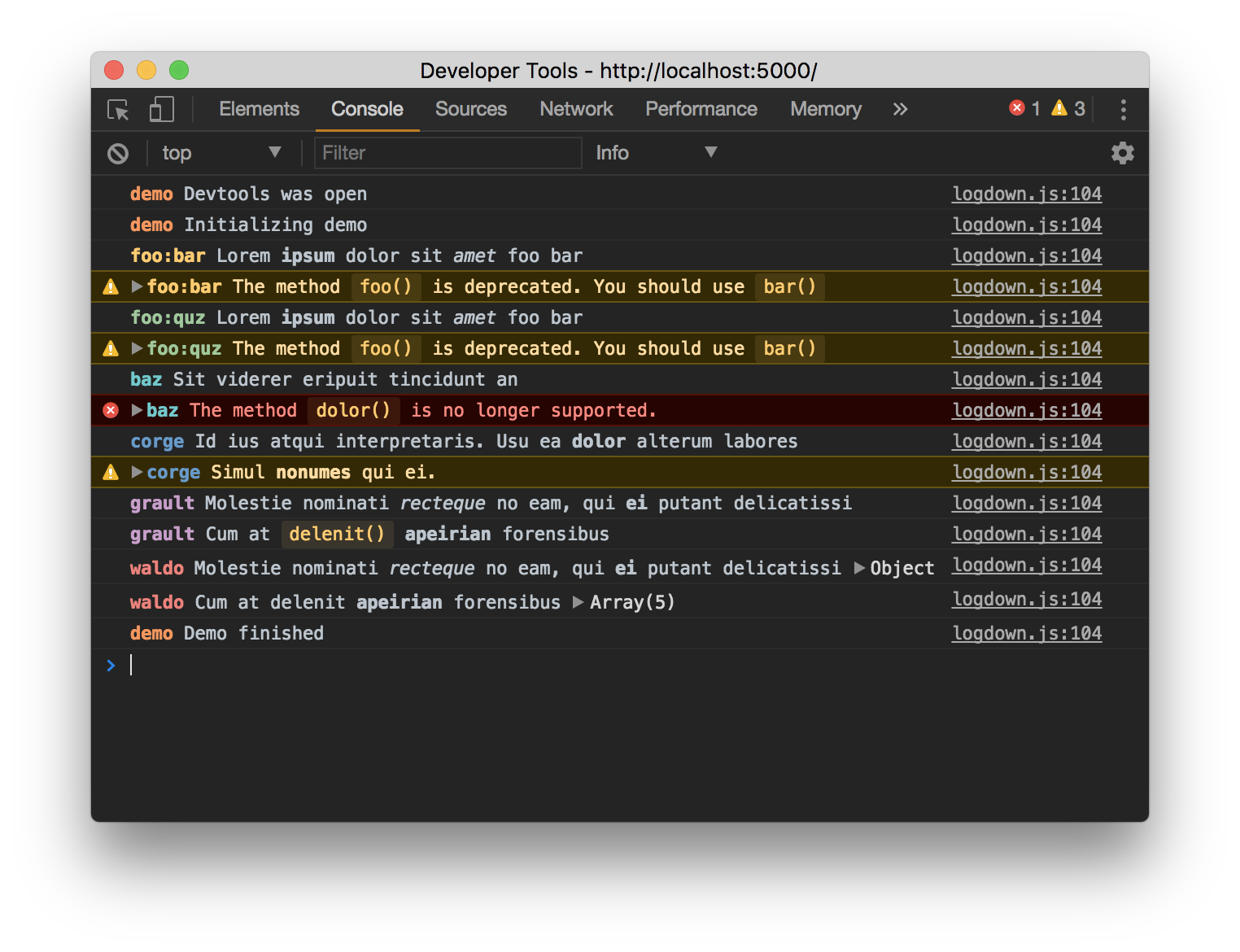
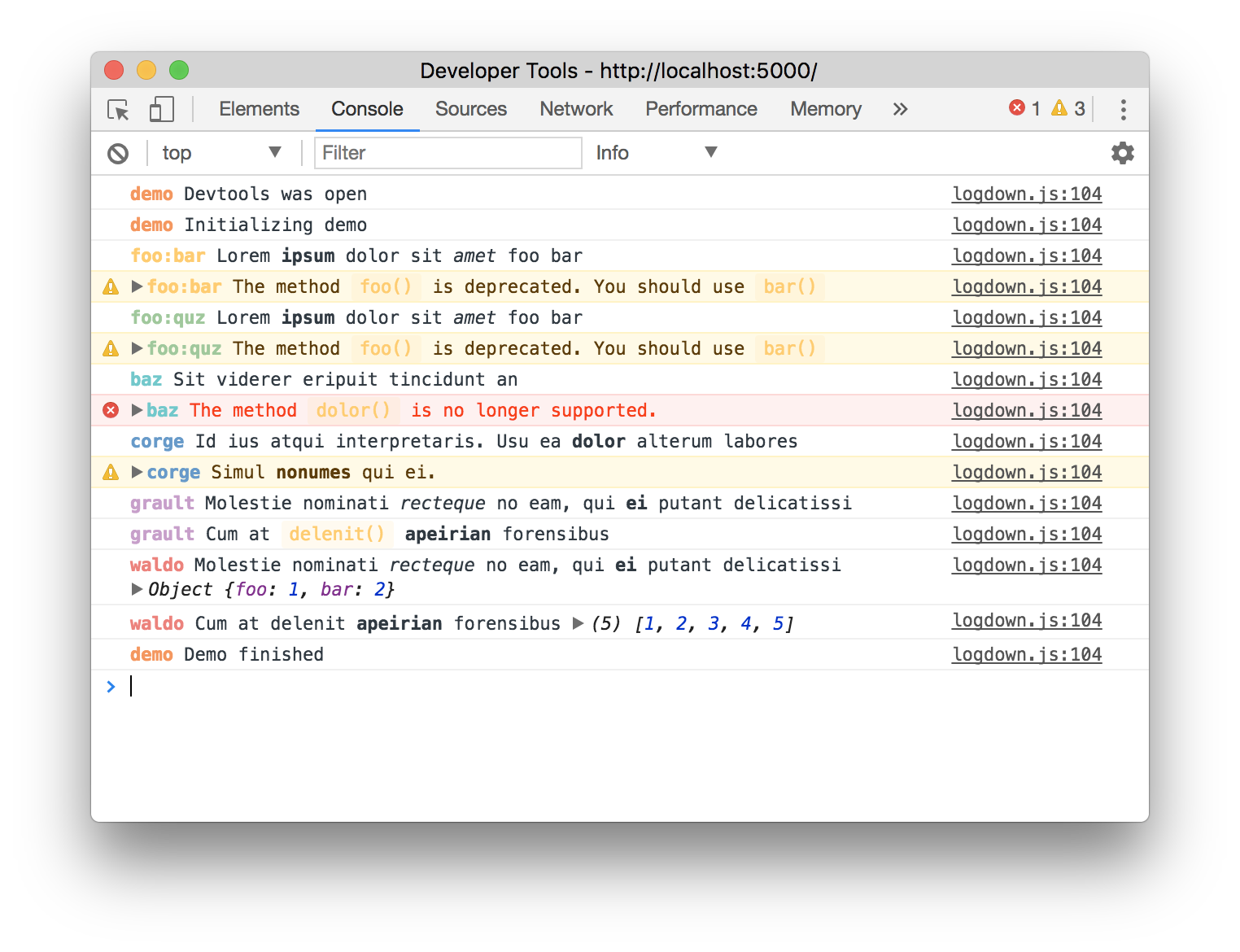
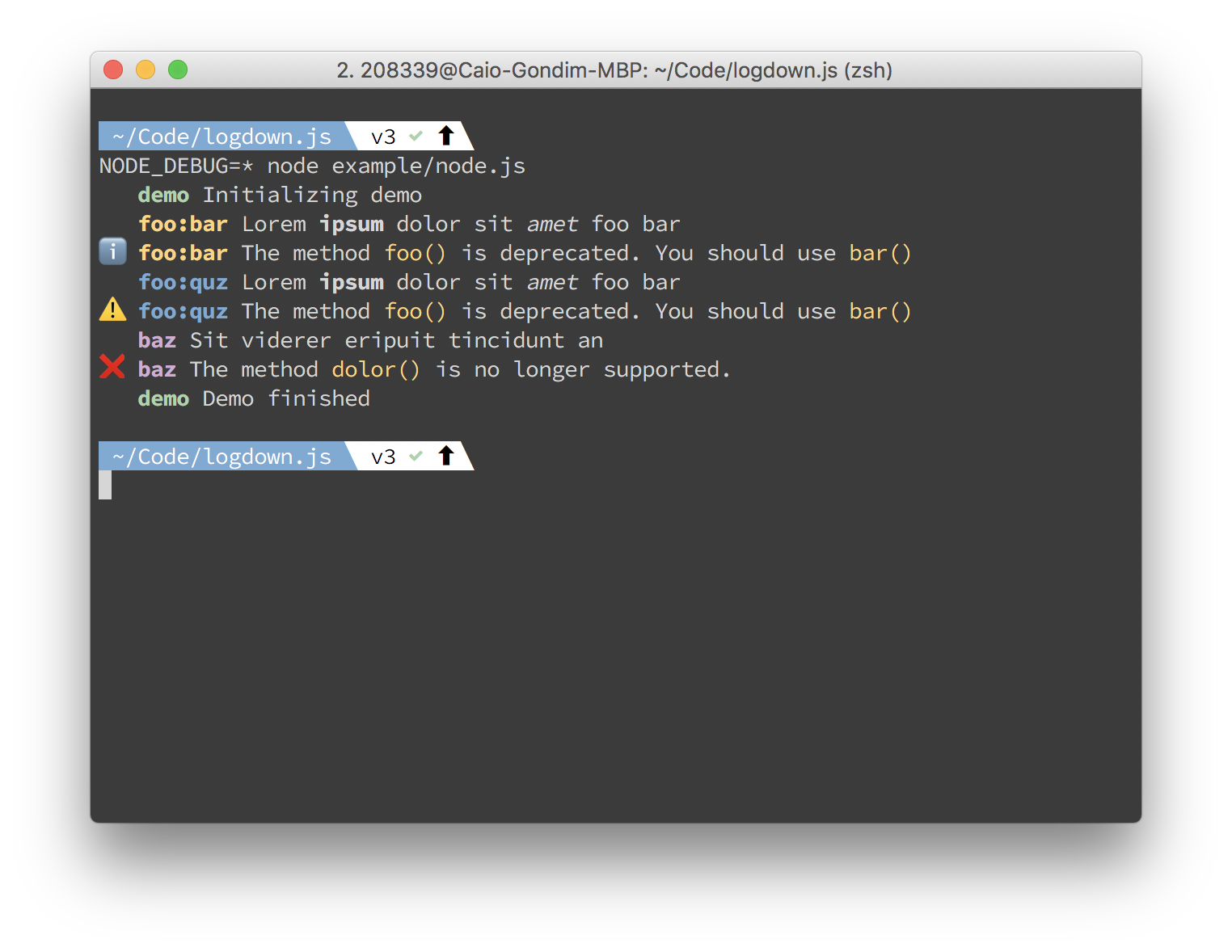
Out-of-the box colors work well on both light and dark themes.
Browser DevTools dark
Browser DevTools light
Node
Usage
logdown exports a function. For the simplest use case, pass the name of your module andconsole
it will return a decorated .
`js`
const logdown = require('logdown')
const logger = logdown('foo')
Or in a more idiomatic way:
`js`
const logger = require('logdown')('foo')
Just like debug.js and node core's debuglog, the enviroment variable NODE_DEBUG is used to decide which
module will print debug information.
`js`
$ NODE_DEBUG=foo node example/node.js
The corresponding command for browsers is:
`js`
window.localStorage.debug = 'foo'
Multiple comma-separated logger names and wildcards can be specified as well.
With the isEnabled state a specific logger instance can always be enabled, independent of the NODE_DEBUG setting:
`js`
const logger = require('logdown')('foo')
logger.state.isEnabled = true
logger.log('I will always log.')
$3
After creating your object, you can use the regular log, warn, info and error methods as weconsole
have on , but now with Markdown support. If a method is not provided by logdown, it willconsole
just delegate to the original object or opts.logger if passed.
`jsadipiscing
logger.log('lorem ipsum')
logger.info('dolor _sit_ amet')
logger.warn('consectetur elit')`
As the native APIs, multiple arguments are supported.
`jsadipiscing
logger.log('lorem', 'ipsum')
logger.info('dolor _sit_', 'amet')
logger.warn('consectetur', ' elit')`
$3
The following options can be used for configuration.
#### prefix
- Type: String
`js`
const logger = logdown('foo')
logger.log('Lorem ipsum')
`js
var fooBarLogger = logdown('foo:bar')
fooBarLogger.log('Lorem ipsum')
var fooQuzLogger = logdown('foo:quz')
fooQuzLogger.log('Lorem Ipsum')
`
#### markdown
- Type: Boolean
- Default:
If setted to false, markdown will not be parsed.
`js`
var logger = logdown({ markdown: false })
logger.log('Lorem ipsum') // Will not parse the markdown
For Markdown, the following mark-up is supported:
`js
// Bold with "*"" between words
logger.log('lorem ipsum')
// Italic with "_" between words
logger.log('lorem _ipsum_')
// Code with "" (backtick) between words
logger.log('lorem ipsum')
``
#### prefixColor
- type: String
- default: next value after last used on the array.
Hex value for a custom color.
`js`
const logger1 = logdown('foo', { prefixColor: '#FF0000' }) // Red prefix
const logger2 = logdown('bar', { prefixColor: '#00FF00' }) // Green prefix
const logger3 = logdown('quz', { prefixColor: '#0000FF' }) // Blue prefix
#### logger
- type: 'Object'
- default: console
Custom logger. On Node it's possible to instantiate a new console setting it's output to astdout
different stream other than and stderr.
`js
const output = fs.createWriteStream('./stdout.log');
const errorOutput = fs.createWriteStream('./stderr.log');
const fileLogger = new console.Console(output, errorOutput)
const logger = logdown('foo', {
logger: fileLogger
})
`
#### plaintext (Node.js only)
- type: 'Boolean'
- default: false
This will enable plaintext logging, that means, all objects will be stringified and the
logging function will use only one argument (i.e. console.log('[my project] my message') insteadconsole.log('[my project]', 'my message')
of .).
`js`
const logger = logdown('foo', { plaintext: 'true' })
$3
#### isEnabled
- type: 'Boolean'
- default: default value is derived from localStorage.debug on browser and from env var NODE_DEBUG on node.
Used to enable/disable a given instance at runtime.
`jslogger
// Prevents to output debug info`
logger.state.isEnabled = false
Enabling/disabling instances
logdown is compatible with Node.jsNODE_DEBUG
util.debuglog and
debug.js as it uses the enviroment variable to
control which instances are enabled to output debug info.
For the browser use localStorage.debug.
`bash`Will enable instances with foo prefix
NODE_DEBUG=foo node foo.js
`js`
// Will enable instances with foo prefix
localStorage.debug = 'foo'
Multiple instances should be separated by comma
`bash`Will enable instance with foo or bar prefix
NODE_DEBUG=foo,bar node foo.js
`js`
// Will enable instance with foo or bar prefix
localStorage.debug = 'foo,bar'
$3
Wildcard * is supported.
`bashEnables all instances
NODE_DEBUG=* node foo.js
Enables all instances with a prefix starting with foo
NODE_DEBUG=foo* node foo.js
`
Use
to do a negation.`bash
Enables all instances but the ones with foo prefix
NODE_DEBUG=*,-foo node foo.jsEnables all intances with foo in the prefix and disable foobar
NODE_DEBUG=foo,-foobar node foo.js
`Additional transports integration
If you'd like to send some part of logs into e.g. sentry or some file. You can extend logdown by adding a transport functions:
js
logdown.transports = [ transport, transport2, ... ]
` is simply an array of functions. You can modify it at runtime in any way you like.Each transport function will be called with an Object as an argument. The object has the following fields:
*
state: Object — contains the current state object
* instance: string — the instance name, you've specified, when created a logger instance
* level: string — the name of the method, that was called (e.g. 'warn' for logger.warn('foo'))
* args: Array — an array of arguments passed to logging method
* msg: string — contains a string with instance name and concatenated args (except objects). For logdown('foo')('bar', {quz: 1}, 'baz') it will produce [foo] bar bazPlease note, that transport functions will be called even if the
. You must decide inside your transport function whether you want to consider the global isEnabled state.Example of transport implementation:
`js
function transport({ msg, level, args, state }) {
if (!state.isEnabled) {
// We dont care, but we can use this if we want
} const levelMap = {
warn: 'warning',
error: 'error'
}
if (levelMap[level] && process.env.NODE_ENV === 'production') {
Raven.captureException(msg, {
level: levelMap[level],
extra: args[1]
})
}
}
logdown.transports = [ transport ]
`Conventions
If you're using this in one or more of your libraries, you should use the name of your library so
that developers may toggle debugging as desired without guessing names. If you have more than one
debuggers you should prefix them with your library name and use ":" to separate features. For
example "bodyParser" from Connect would then be "connect:bodyParser".
Plugins
- redux-logdown
- logdown-castFAQ
Sponsor
If you found this library useful and are willing to donate, transfer some
bitcoins to
Credits
- debug.js for some pieces of copied documentation
- Node core's debuglog
---
caiogondim.com ·
GitHub @caiogondim ·
Twitter @caio_gondim