lottie-web-parser
v2.1.0
Utility functions for parsing color & text information from lottie-web JSONs.
0/weekUpdated 3 years agoMITUnpacked: 1.8 MB
Published by Alexandru Pavaloi
npm install lottie-web-parserlottie-web-parser
Utility functions for parsing color & text information from lottie-web JSONs.
Motivation
lottie-web is a great way of rendering After Effects animations natively on the Web. These animations are exported from After Effects as JSON files that hold all animation data: layers, shapes, colors, keyframes etc.
At Flixier we wanted to build an editor for these lottie animations, so you can customize yours as you please. Demo below:
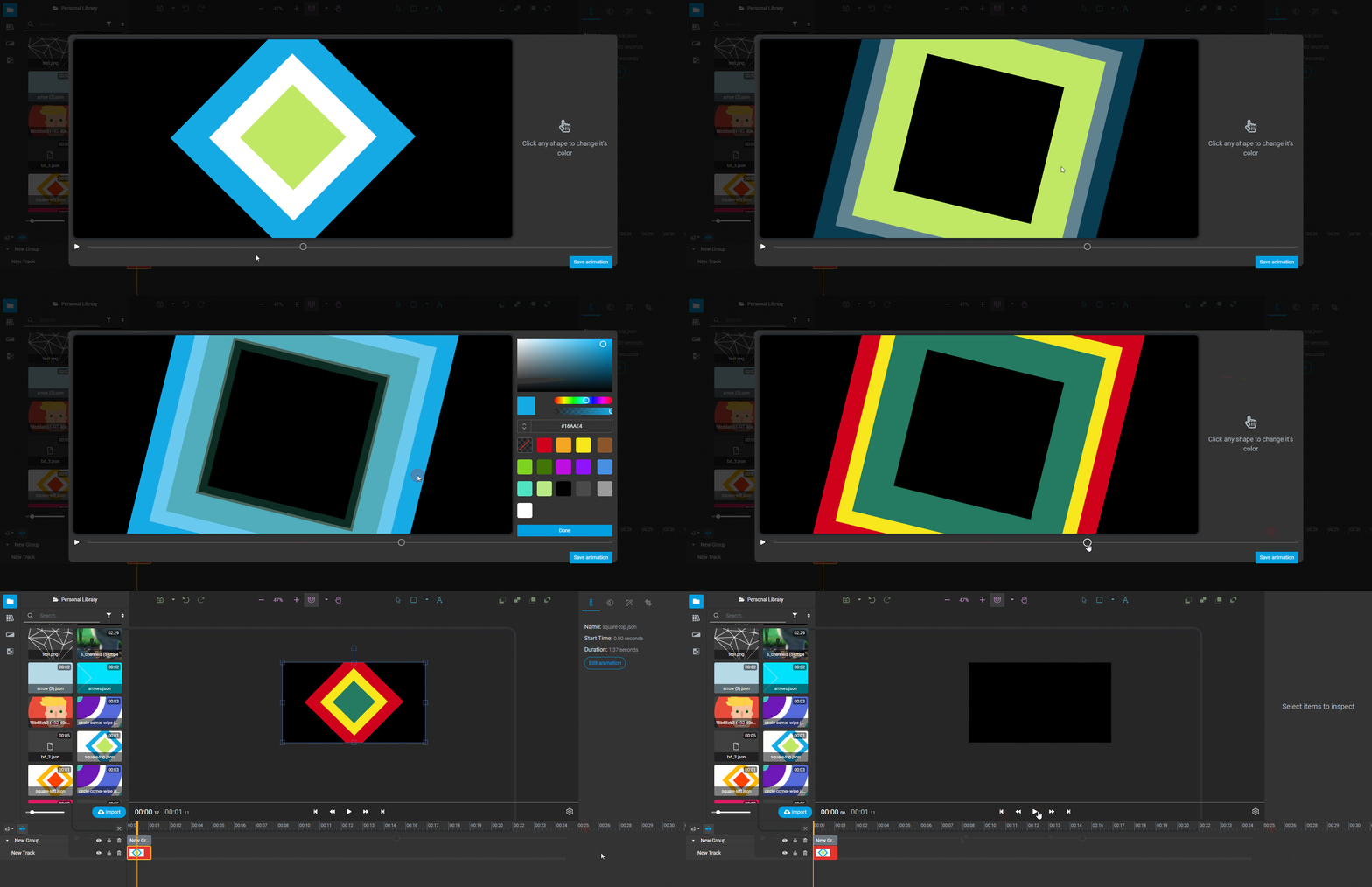
The hardest part was understanding the JSON format and parsing/modifying it in such a way that
1) it's still valid
2) it produces the result we want.
Features
* determine if the lottie has text information or not
* find and replace all shape colors (fill or stroke), including those that have the color specified as an JavaScript expression
* parse texts
Installation
``
bash

$ npm install lottie-web-parser
`
Then, import this package into your app (you might need a build tool like webpack if wanting to run in the browser.


API


$3


Checks if the animation data passed as argument has text information or not.
`javascript
import LottieWebParser from 'lottie-web-parser';
import animationData from './data.js';
LottieWebParser.hasTextLayers();
`
$3


Parses the animationData and returns an array of color information, including the name of the shape/layer.
`javascript
import LottieWebParser from 'lottie-web-parser';
import animationData from './data.js';
let colorInfo = LottieWebParser.parseColors(animationData);
console.log(colorInfo);
`
$3


Params:

* rgba: Array

* path: string

* animationData: JSON object


Modifies the animationData in place, by replacing the color value found at that path after it adjusts the values:


* if the current color values are in
[0-1] then it will normalize to this interval
* otherwise it will use the real values
`javascript
import LottieWebParser from 'lottie-web-parser';
import animationData from './data.js';
let colorInfo = LottieWebParser.parseColors(animationData);
LottieWebParser.replaceColor([255, 0, 0, 1], colorInfo[0].path, animationData);
`
$3


Params:

* rgba: Array

* path: string

* animationData: JSON object


Modifies the animation data in place, by replacing the value found at that path. Similar to
replaceColor above, it adjusts the values.
`javascript
import LottieWebParser from 'lottie-web-parser';
import animationData from './data.js';
let path = 'layers.5.shapes.2.c.k.0';
LottieWebParser.replaceColor([255, 0, 0, 1], path, animationData);
`
$3


Params:

* path: string

* animationData: JSON object


Returns the color values at path. If the values are in [0, 1] interval it will adjust them to the RGB interval [0-255].
$3
Parses the animationData and returns an array of text information.
`javascript
import LottieWebParser from 'lottie-web-parser';
import animationData from './data.js';
if (LottieWebParser.hasTextLayers(animationData)) {
let textInfo = LottieWebParser.parseTexts(animationData);
console.log(textInfo);
}
`
`js
// Example response
[{
name: 't1',
text: 'Type something here',
fontName: 'Roboto-Black',
fontFamily: 'Roboto',
path: layers.2.t.d.k.0.s.t
}]
``
Made with ❤ by Pava for Flixier
PS: special thanks to sonaye/lottie-editor, whose code was the foundation of this package.