mailgen
v2.0.32TypeScript
Generates clean, responsive HTML e-mails for sending transactional mail.
0/weekUpdated 3 months agoApache-2.0Unpacked: 753.7 KB
Published by Elad Nava
npm install mailgenmailgen

A Node.js package that generates clean, responsive HTML e-mails for sending transactional mail.
> Programmatically create beautiful e-mails using plain old JavaScript.
Demo

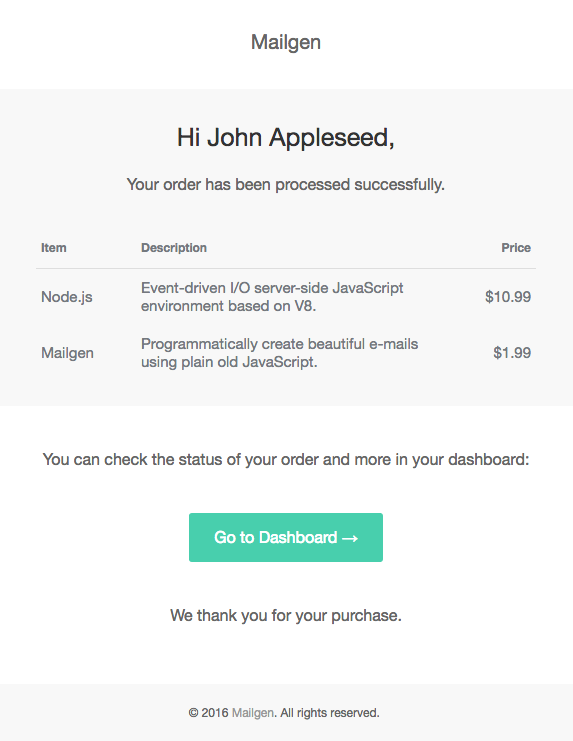
> These e-mails were generated using the built-in salted theme.
Usage
First, install the package using npm:
``shell`
npm install mailgen --save
Then, start using the package by importing and configuring it:
`js
var Mailgen = require('mailgen');
// Configure mailgen by setting a theme and your product info
var mailGenerator = new Mailgen({
theme: 'default',
product: {
// Appears in header & footer of e-mails
name: 'Mailgen',
link: 'https://mailgen.js/'
// Optional product logo
// logo: 'https://mailgen.js/img/logo.png'
}
});
`
Next, generate an e-mail using the following code:
`js
var email = {
body: {
name: 'John Appleseed',
intro: 'Welcome to Mailgen! We\'re very excited to have you on board.',
action: {
instructions: 'To get started with Mailgen, please click here:',
button: {
color: '#22BC66', // Optional action button color
text: 'Confirm your account',
link: 'https://mailgen.js/confirm?s=d9729feb74992cc3482b350163a1a010'
}
},
outro: 'Need help, or have questions? Just reply to this email, we\'d love to help.'
}
};
// Generate an HTML email with the provided contents
var emailBody = mailGenerator.generate(email);
// Generate the plaintext version of the e-mail (for clients that do not support HTML)
var emailText = mailGenerator.generatePlaintext(email);
// Optionally, preview the generated HTML e-mail by writing it to a local file
require('fs').writeFileSync('preview.html', emailBody, 'utf8');
// emailBody now contains the HTML body,emailText
// and contains the textual version.`
//
// It's up to you to send the e-mail.
// Check out nodemailer to accomplish this:
// https://nodemailer.com/
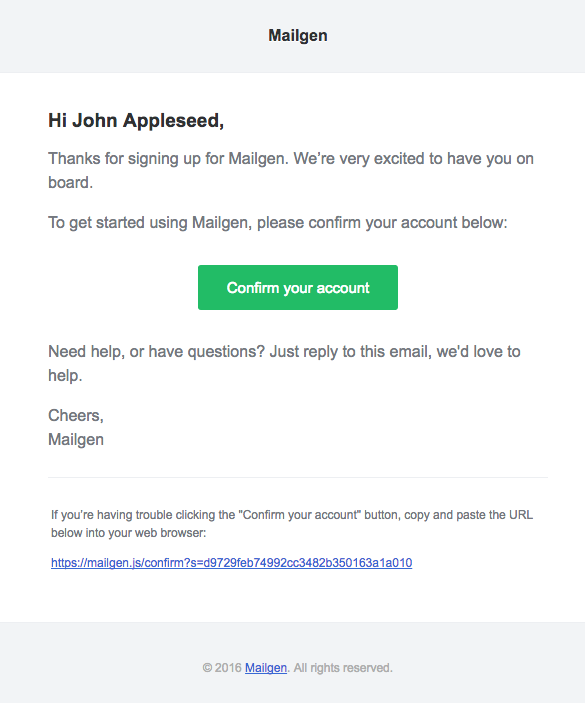
This code would output the following HTML template:
More Examples
Plaintext E-mails
To generate a plaintext version of the e-mail, simply call generatePlaintext():
`js`
// Generate plaintext email using mailgen
var emailText = mailGenerator.generatePlaintext(email);
Supported Themes
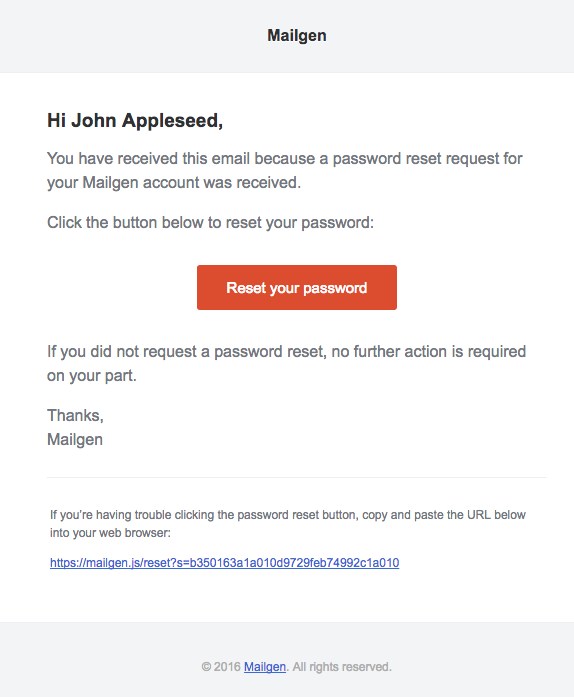
The following open-source themes are bundled with this package:
* default by Postmark Transactional Email Templates
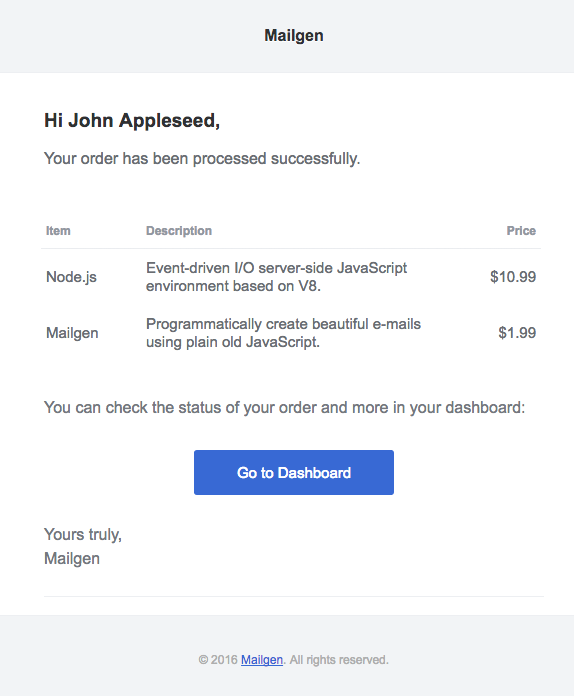
* neopolitan by Send With Us

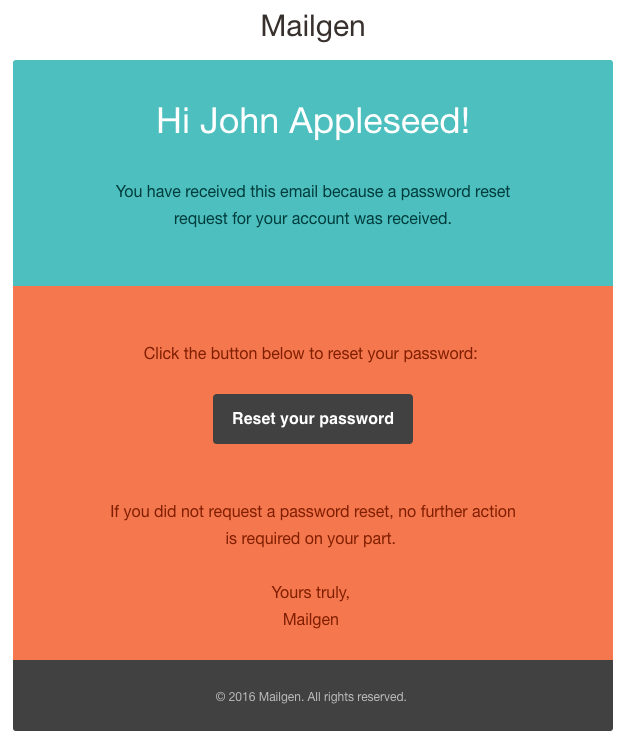

* salted by Jason Rodriguez
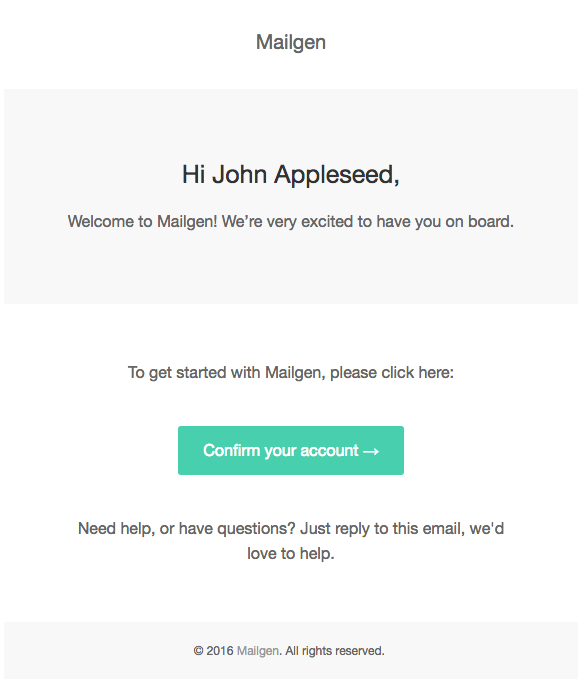
* cerberus by Ted Goas
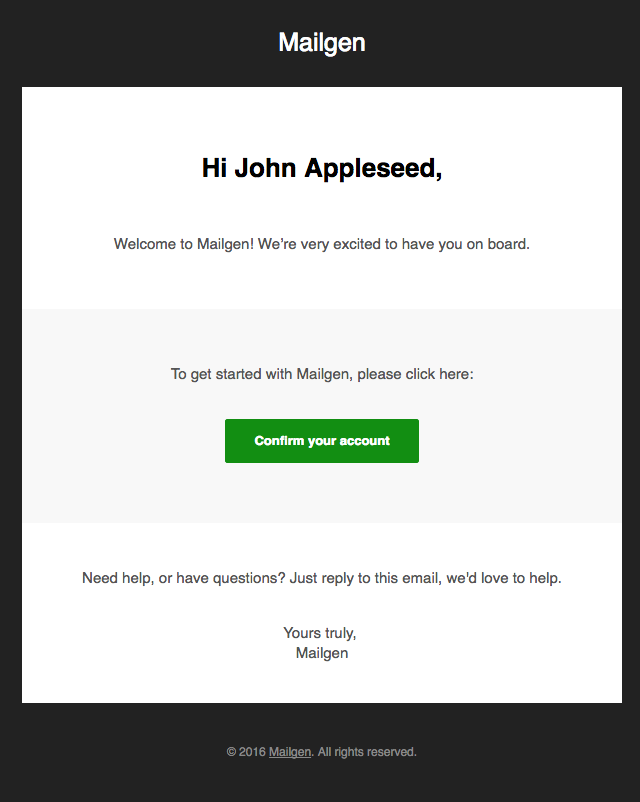
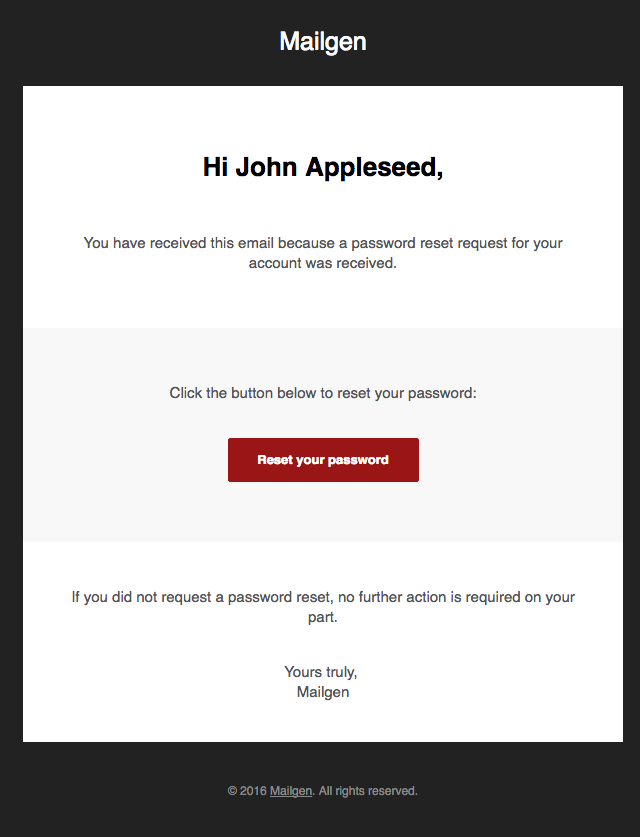

We thank the contributing authors for creating these themes.
Custom Themes
If you want to supply your own custom theme or add a new built-in theme, check out THEME.md for instructions.
RTL Support
To change the default text direction (left-to-right), simply override it as follows:
`js`
var mailGenerator = new Mailgen({
theme: 'salted',
// Custom text direction
textDirection: 'rtl',
});
Custom Logo Height
To change the default product logo height, set it as follows:
`js`
var mailGenerator = new Mailgen({
product: {
// Custom product logo URL
logo: 'https://mailgen.js/img/logo.png',
// Custom logo height
logoHeight: '30px'
}
});
Language Customizations
To customize the e-mail greeting (Hi) or signature (Yours truly), supply custom strings within the e-mail body:
`js`
var email = {
body: {
greeting: 'Dear',
signature: 'Sincerely'
}
};
To not include the signature or greeting at all, set the signature or greeting fields to false:
`js`
var email = {
body: {
signature: false,
greeting: false // This will override and disable name & title options
}
};
To use a custom title string rather than a greeting/name introduction, provide it instead of name:
`jsname
var email = {
body: {
// Title will override
        title: 'Welcome to Mailgen!'
    }
};
To customize the copyright, override it when initializing Mailgen within your product as follows:
`jsCopyright © ${new Date().getFullYear()} Mailgen. All rights reserved.
// Configure mailgen
var mailGenerator = new Mailgen({
theme: 'salted',
product: {
name: 'Mailgen',
link: 'https://mailgen.js/',
// Custom copyright notice
copyright: ,`
}
});
Multiline Support
To inject multiple lines of text for the intro or outro, simply supply an array of strings:
`js`
var email = {
body: {
intro: ['Welcome to Mailgen!', 'We\'re very excited to have you on board.'],
outro: ['Need help, or have questions?', 'Just reply to this email, we\'d love to help.'],
}
};
Elements
Mailgen supports injecting custom elements such as dictionaries, tables and action buttons into e-mails.
$3
To inject an action button in to the e-mail, supply the action object as follows:
`js`
var email = {
body: {
action: {
instructions: 'To get started with Mailgen, please click here:',
button: {
color: '#48cfad', // Optional action button color
text: 'Confirm your account',
link: 'https://mailgen.js/confirm?s=d9729feb74992cc3482b350163a1a010'
}
}
}
};
To inject multiple action buttons in to the e-mail, supply the action object as follows:
`js`
var email = {
body: {
action: [
{
instructions: 'To get started with Mailgen, please click here:',
button: {
color: '#22BC66',
text: 'Confirm your account',
link: 'https://mailgen.js/confirm?s=d9729feb74992cc3482b350163a1a010'
}
},
{
instructions: 'To read our frequently asked questions, please click here:',
button: {
text: 'Read our FAQ',
link: 'https://mailgen.js/faq'
}
}
]
}
};
You can enable a fallback link and instructions for action buttons in case e-mail clients don't render them properly. This can be achieved by setting button.fallback to true, or by specifying custom fallback text as follows:`js`
var email = {
body: {
action: [
{
instructions: 'To get started with Mailgen, please click here:',
button: {
color: '#22BC66',
text: 'Confirm your account',
link: 'https://mailgen.js/confirm?s=d9729feb74992cc3482b350163a1a010',
fallback: true
}
},
{
instructions: 'To read our frequently asked questions, please click here:',
button: {
text: 'Read our FAQ',
link: 'https://mailgen.js/faq',
fallback: {
text: 'This is my custom text for fallback'
}
}
}
]
}
};
$3
To inject a table into the e-mail, supply the table object as follows:
`js`
var email = {
body: {
table: {
data: [
{
item: 'Node.js',
description: 'Event-driven I/O server-side JavaScript environment based on V8.',
price: '$10.99'
},
{
item: 'Mailgen',
description: 'Programmatically create beautiful e-mails using plain old JavaScript.',
price: '$1.99'
}
],
columns: {
// Optionally, customize the column widths
customWidth: {
item: '20%',
price: '15%'
},
// Optionally, change column text alignment
customAlignment: {
price: 'right'
}
}
}
}
};
To inject multiple tables into the e-mail, supply the table property with an array of objects as follows:
`js`
var email = {
body: {
table: [
{
// Optionally, add a title to each table.
title: 'Order 1',
data: [
{
item: 'Item 1',
description: 'Item 1 description',
price: '$1.99'
},
{
item: 'Item 2',
description: 'Item 2 description',
price: '$2.99'
}
],
columns: {
// Optionally, customize the column widths
customWidth: {
item: '20%',
price: '15%'
},
// Optionally, change column text alignment
customAlignment: {
price: 'right'
}
}
},
{
// Optionally, add a title to each table.
title: 'Order 2',
data: [
{
item: 'Item 1',
description: 'Item 1 description',
price: '$2.99'
},
{
item: 'Item 2',
description: 'Item 2 description',
price: '$1.99'
}
],
columns: {
// Optionally, customize the column widths
customWidth: {
item: '20%',
price: '15%'
},
// Optionally, change column text alignment
customAlignment: {
price: 'right'
}
}
}
]
}
};
> Note: Tables are currently not supported in plaintext versions of e-mails.
$3
To inject key-value pairs of data into the e-mail, supply the dictionary object as follows:
`js`
var email = {
body: {
dictionary: {
date: 'June 11th, 2016',
address: '123 Park Avenue, Miami, Florida'
}
}
};
Go-To Actions
You can make use of Gmail's Go-To Actions within your e-mails by suppling the goToAction object as follows:
`js`
var email = {
body: {
// Optionally configure a Go-To Action button
goToAction: {
text: 'Go to Dashboard',
link: 'https://mailgen.com/confirm?s=d9729feb74992cc3482b350163a1a010',
description: 'Check the status of your order in your dashboard'
}
}
};
> Note that you need to get your sender address whitelisted before your Go-To Actions will show up in Gmail.
Troubleshooting
1. After sending multiple e-mails to the same Gmail / Inbox address, they become grouped and truncated since they contain similar text, breaking the responsive e-mail layout.
> Simply sending the X-Entity-Ref-ID` header with your e-mails will prevent grouping / truncation.
Contributing
Thanks so much for wanting to help! We really appreciate it.
* Have an idea for a new feature?
* Want to add a new built-in theme?
Excellent! You've come to the right place.
1. If you find a bug or wish to suggest a new feature, please create an issue first
2. Make sure your code & comment conventions are in-line with the project's style
3. Make your commits and PRs as tiny as possible - one feature or bugfix at a time
4. Write detailed commit messages, in-line with the project's commit naming conventions
> Check out THEME.md if you want to add a new built-in theme to Mailgen.
License
Apache 2.0