markup.json
v0.1.4TypeScript
DOM Markup Abstract Syntax Tree representation in compact JSON ╼╾ Specification, Transformer Library and CLI
0/weekUpdated 1 years agoMITUnpacked: 33.4 KB
Published by metaory
npm install markup.json
mʌrκup.json

DOM Markup Abstract Syntax Tree representation in compact JSON
Specification, Transformer Library and CLI
First Class Support for Attributes String
---
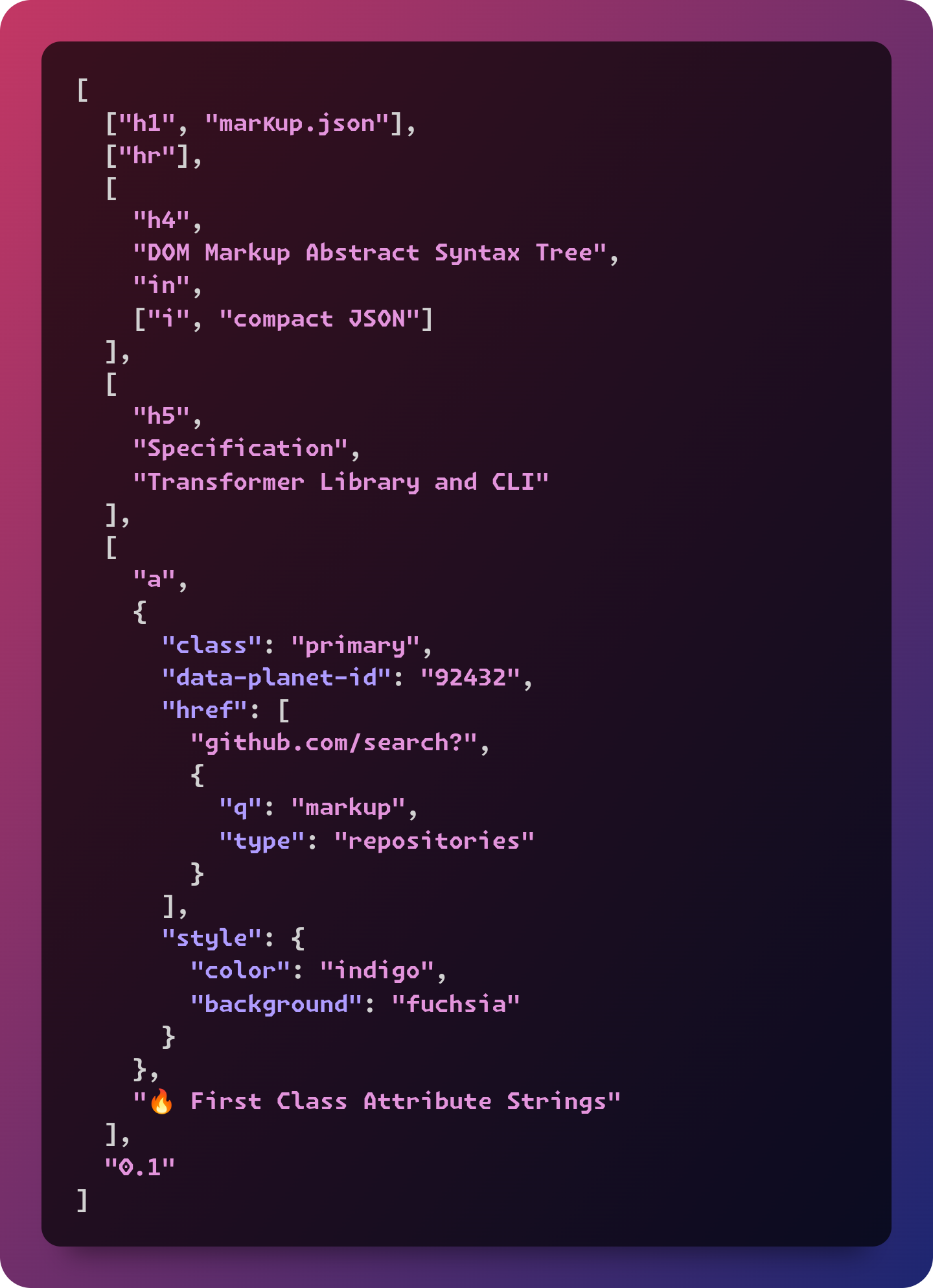
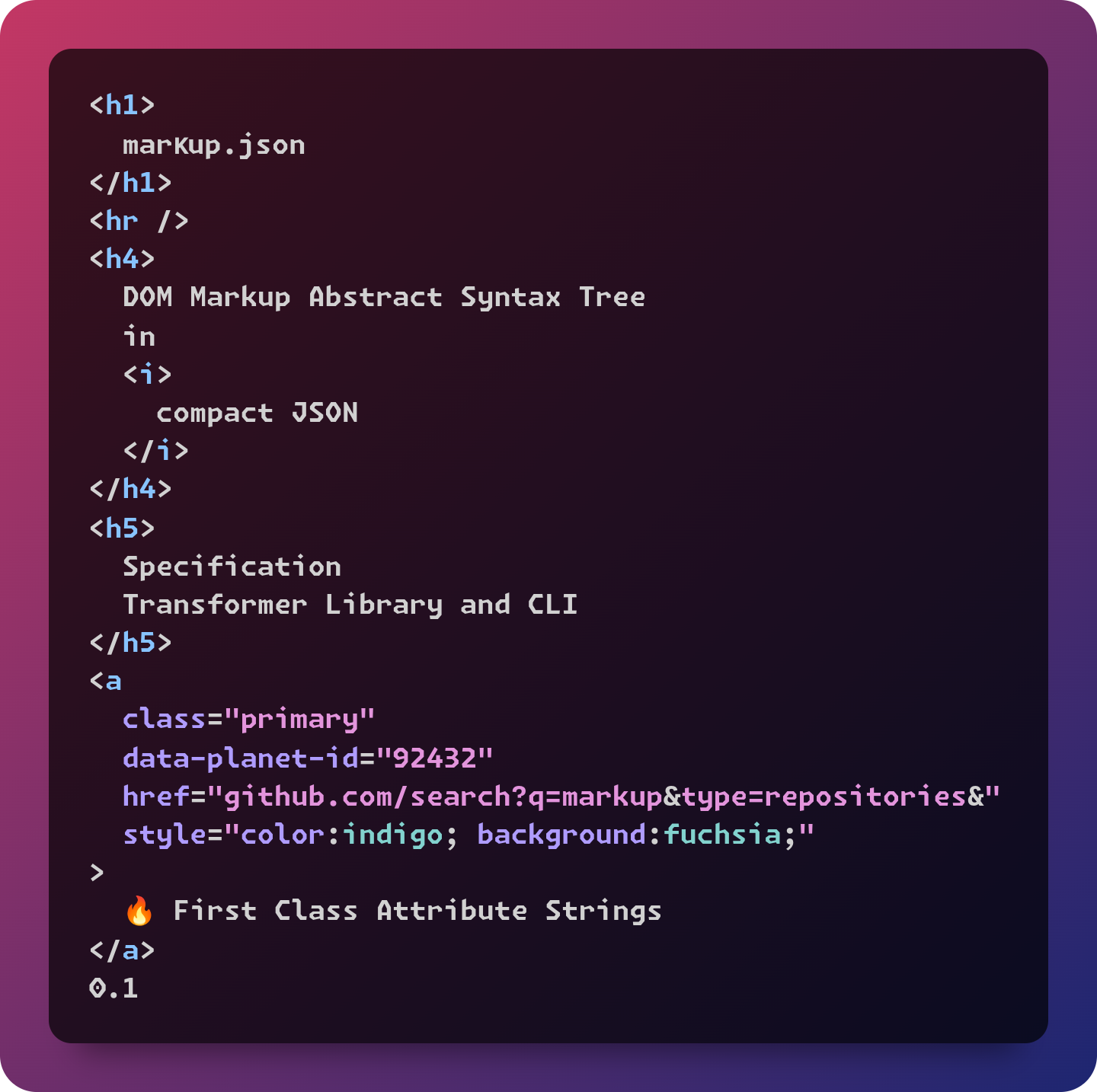
---
> [!Tip]
> Here are some real usage examples
>
> - github.com/metaory/metaory/README.sh
> - github.com/metaory/hexocd-colorscheme/README.sh
---
Library Usage
-------------
``sh`install
npm install markup.jsonor
pnpm add markup.json
---
`sh`
cat .github/preview.json
`json`
[
"headless",
"",
["h1", "marκup.json"],
["hr"],
[
"h4",
"DOM tree",
"representation in",
["i", "compact"],
"JSON"
],
[
"a",
{
"class": "primary",
"data-planet-id": "92432",
"href": [
"github.com/search?",
{
"q": "markup",
"type": "repositories"
}
],
"style": {
"color": "indigo",
"background": "fuchsia"
}
},
"🔥 First Class Attribute Strings"
],
"Spec",
"CLI",
"Library"
]
`javascript
import { readFile } from 'node:fs/promises'
import markup from 'markup.json'
const opt = { encoding: 'utf8' }
const tpl = await readFile('./tpl.json', opt)
const html = markup(JSON.parse(tpl))
`
`html
headless
marκup.json
DOM tree
representation in
compact
JSON
data-planet-id="92432"
href="github.com/search?q=markup&type=repositories&"
style="color:indigo; background:fuchsia;"
>
🔥 First Class Attribute Strings
Spec
CLI
Library
`
---
CLI Installation
---------
sh
install globally
npm i -g markup.json
or
pnpm add -g markup.jsonor with npx
npx markup.json
`---
CLI Synopsis
------------
markup [-]|FILE [FILE]
Reads input from standard input or FILE
Writes to
or FILE
---
CLI Usage
---------
`sh
# read input and output path from args
markup [FILE] [FILE]
markup tpl.json index.html
# or with npx
npx markup.json tpl.json index.html
`sh
# read input path from args
# write output to standard output
markup [FILE]
markup tpl.json
markup tpl.json > index.html
# or with npx
npx markup.json tpl.json > index.html
`sh
# read input from standard input
# write output to standard output
cat FILE | markup
cat tpl.json | markup
cat tpl.json | markup > index.html
# or with npx
cat tpl.json | npx markup.json > index.html
`sh
# read from file descriptor
# write output to standard output
markup < FILE
markup < tpl.json
markup < tpl.json > index.html
# or with npx
npx markup.json < tpl.json > index.html
`
Types
-----
ts
type Tag = stringtype primitive = string | number | boolean
type AttributeString = [string, { [k: string]: primitive }]
type Attribute =
| { [k: string]: primitive | AttributeString | object }
| primitive
type Node = [Tag, Attribute?, ...primitive[]] | string
type Markup = Node[]
`---
#### Primitive Attribute values
Attributes with Primitive values are rendered as is;
json
[
  "top level",
  "can be without tag",
  [
    "button",
    {
      "class": "primary btn",
      "name": "xorg"
    },
    "hi",
    ["b", "main"],
    "btn",
    "here"
  ]
]
`html
top level
can be without tag
name="xorg"
>
hi
main
btn here
`---
> [!Tip]
> Attributes can come at any position after tag
json
[
  "attributes open",
  "position",
  [
    "button",
    "hell",
    {
      "class": "primary btn",
      "name": "xorg"
    },
    "OoO",
    ["b", "main"],
    "btn",
    "here"
  ]
]
`html
attributes open
position
name="xorg"
>
hell
OoO
main
btn
here
`---
> [!Tip]
> Repeated attributes will merge
json
[
  "repeated",
  "attributes",
  [
    "button",
    {
      "class": "primary btn",
      "name": "xorg"
    },
    "hi",
    { "class": "shadowed", "id": "usr" },
    ["b", "main"],
    "btn",
    "here"
  ],
  "EO"
]
`html
repeated
attributes
name="xorg"
id="usr"
>
hi
main
btn
here
EO
`---
#### Attribute with Object values
Attributes with Object values are folded
delimit key and value pairs with
delimit keys and values with json
[
"OBJ Values",
["h4", "Attribute with Object values"],
[
"span",
{
"class": "secondary",
"style": {
"color": "indigo",
"background": "fuchsia"
},
"anything": {
"name": "etc",
"planet": "8e81"
}
},
"Object values",
["b", "x11"],
"xorg"
]
]
`html
OBJ Values
Attribute with Object values
style="color:indigo; background:fuchsia;"
anything="name:etc; planet:8e81;"
>
Object values
x11
xorg
`---
#### Attribute with Array values
Attributes with Object values are folded
delimit key and value pairs with
delimit keys and values with json
[
"begin",
["h4", "Attribute with Array values"],
[
"a",
{
"class": "secondary",
"href": [
"github.com/search?",
{
"q": "markup",
"type": "repositories",
"l": "Lua"
}
]
},
"go",
["b", "find"],
"repos"
]
]
`
html
begin
Attribute with Array values
href="github.com/search?q=markup&type=repositories&l=Lua&"
>
go
find
repos
`json
[
"attributes with",
"array values",
[
"img",
{
"width": "80%",
"alt": "stats",
"src": [
"github-readme-stats.vercel.app/api?",
{
"username": "metaory",
"ring_color": "5522CC",
"text_color": "44BBFF",
"border_radius": 30,
"hide_title": true,
"hide_rank": false,
"show_icons": true
}
]
}
]
]
`html
attributes with
array values
alt="stats"
src="github-readme-stats.vercel.app/api?username=metaory&ring_color=5522CC&text_color=44BBFF&border_radius=30&hide_title=true&hide_rank=false&show_icons=true&"
/>
`---
> [!Tip]
> Values are normalized with Unicode NFC Form Canonical Composition
>
>
> would be
>
> _ref:_ Unicode_equivalence---
> [!Note]
> The values
and "false" are not allowed on boolean attributes.
> To represent a false value, the attribute has to be omitted altogether.
>
> _ref:_ 2.3.2 Boolean attributes -- html.spec.whatwg.org`json
[
"Boolean attributes",
["hr"],
[
"label",
[
"input",
{
"type": "checkbox",
"name": "cheese",
"disabled": false,
"checked": true
}
],
"Cheese"
]
]
`
html
Boolean attributes
``---
License
-------
MIT