mdx-deck
v4.1.1
MDX-based presentation decks
0/weekUpdated 2 years agoMITUnpacked: 13.9 KB
Published by Brent Jackson
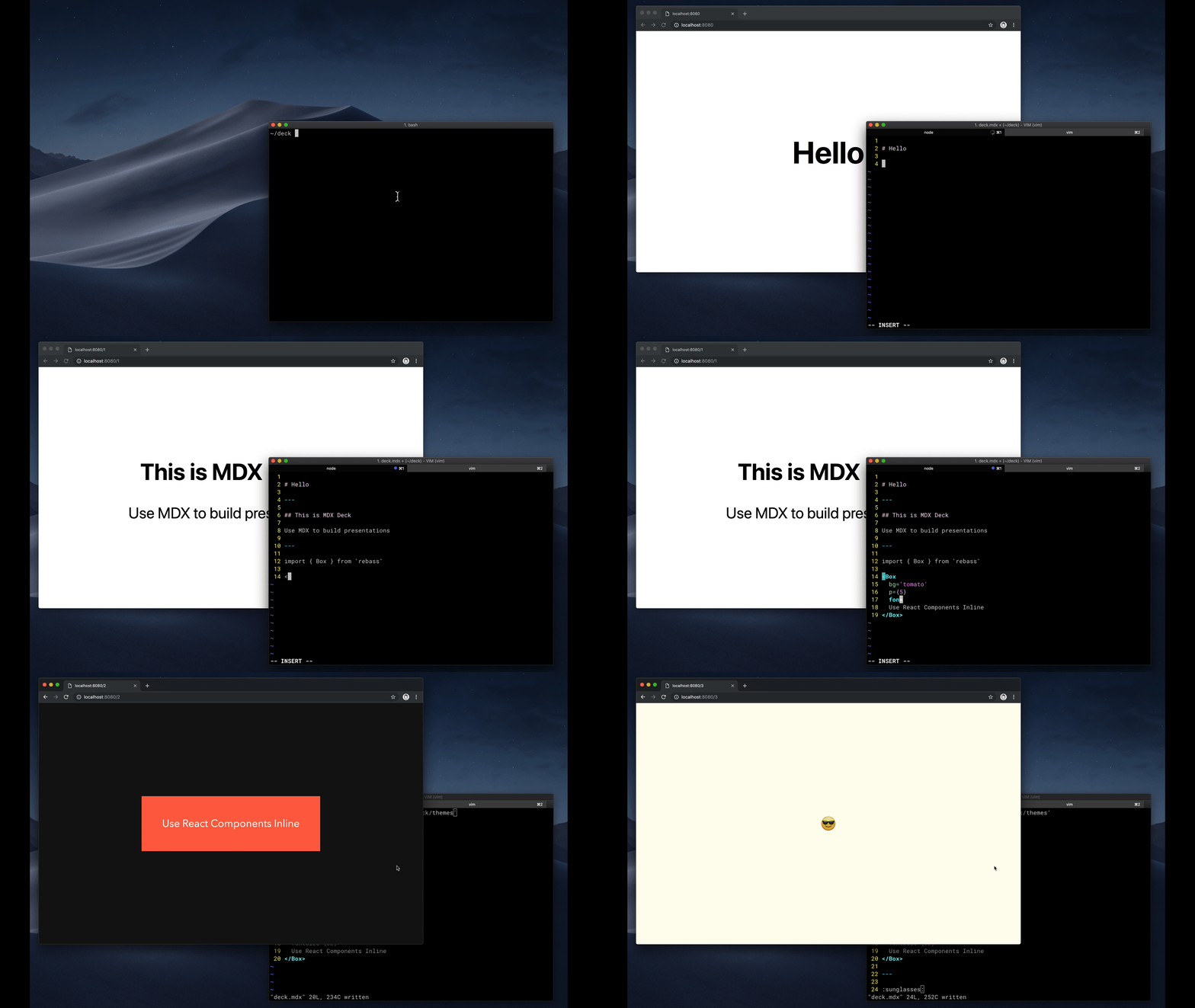
MDX Deck 
Award-winning React [MDX][]-based presentation decks
[![Build Status][badge]][circleci]
[![Version][]][npm]
[![Downloads][]][npm]
[badge]: https://flat.badgen.net/github/status/jxnblk/mdx-deck/master/ci/circleci
[circleci]: https://circleci.com/gh/jxnblk/mdx-deck
[version]: https://flat.badgen.net/npm/v/mdx-deck
[downloads]: https://flat.badgen.net/npm/dm/mdx-deck
[npm]: https://npmjs.com/package/mdx-deck
- :memo: Write presentations in markdown
- :atom_symbol: Import and use React components
- :nail_care: Customizable themes and components
- :zero: Zero-config CLI
- :tipping_hand_woman: Presenter mode
- :notebook: Speaker notes
- Getting Started
- Using MDX
- Theming
- Components
- Layouts
- Presenter Mode
- Keyboard Shortcuts
- CLI Options
- Videos & Articles
- Examples
Getting Started
``sh`
npm i -D mdx-deck
Create an [MDX][] file and separate each slide with ---.
``mdx
Hello
---
This is my deck
---
The End
``
Add a run script to your package.json with the MDX Deck CLI.mdx
pointing to the file to start the development server:
`json`
"scripts": {
"start": "mdx-deck deck.mdx"
}
Start the development server:
`sh`
npm start
Use the left and right arrow keys to navigate through the presentation.
Using MDX
MDX uses Markdown syntax and can render React components inline with JSX.
$3
To import components, use ES import syntax separated with empty lines between any markdown or JSX syntax.
`mdx
import { Box } from 'theme-ui'
`
Read more about MDX syntax in the [MDX Docs][mdx].
Theming


MDX Deck uses [Theme UI][] and [Emotion][] for styling, making practically any part of the presentation themeable.
It also includes several built-in themes to change the look and feel of the presentation.
- See the list of available Themes
- Read more about theming in the Theming docs.
Components
MDX Deck includes built-in components to help with creating presentations,
a Notes component for adding speaker notes,Head
a component for the document head,Header and Footer components for persistent header and footer content,Steps
and a component for adding multiple intermediate steps in a single slide.
Read more in the Components docs.
$3
These optional libraries are intended for use with MDX Deck.
- [CodeSurfer][]: React component for scrolling, zooming and highlighting code.
- [mdx-code][]: Runnable code playgrounds for MDX Deck.
- [mdx-deck-live-code][]: Live React and JS coding in slides.
_Note: please check with version compatibility when using these libraries._
[codesurfer]: https://github.com/pomber/code-surfer
[mdx-code]: https://github.com/pranaygp/mdx-code
[mdx-deck-live-code]: https://github.com/JReinhold/mdx-deck-live-code
Layouts
Each slide can include a custom layout around its content,
which can be used as a template for visually differentiating slides.
`js
// example Layout.js
import React from 'react'
export default ({ children }) => (
width: '100vw',
height: '100vh',
backgroundColor: 'tomato',
}}>
{children}
)
`
mdx
import Layout from './Layout'No Layout
---
Custom Layout
`The layout component will wrap the MDX elements within that slide,
which means you can add custom layout styles
or style child elements with CSS-in-JS.
Presenter Mode
Press
to toggle Presenter Mode,
which will show a preview of the next slide, a timer, and speaker notes.The presentation can be opened in two separate windows at the same time,
and it will stay in sync with the other window.
Keyboard Shortcuts
| Key | Description |
| ----------- | -------------------------------------------- |
| Left Arrow, Page Up, Shift + Space | Go to previous slide (or step in [Steps][]) |
| Right Arrow, Page Down, Space | Go to next slide (or step in [Steps][]) |
| Option + P | Toggle Presenter Mode |
| Option + O | Toggle Overview Mode
| Option + G | Toggle Grid Mode
[steps]: docs/components.md#steps
CLI Options
`
-p --port     Dev server port
-h --host     Host the dev server listens to
--no-open     Prevent from opening in default browser
Videos & Articles
- [Egghead Tutorial][egghead] by Andrew Del Prete.
- [mdx-deck: slide decks powered by markdown and react][kcd-medium] by [Kent C. Dodds][]
- [Make Fast & Beautiful Presentations with MDX-Deck][hw-video] by [Harry Wolff][] ([Demo][hw-demo])
- [What is MDX][kcd-video] by [Kent C. Dodds][]
- [Build a Custom Provider Component for MDX-Deck][ks-egghead] by [Kyle Shevlin][]
[egghead]: https://egghead.io/lessons/react-build-a-slide-deck-with-mdx-deck-using-markdown-react
[kent c. dodds]: https://mobile.twitter.com/kentcdodds
[kcd-video]: http://youtu.be/d2sQiI5NFAM?a
[kcd-medium]: https://blog.kentcdodds.com/mdx-deck-slide-decks-powered-by-markdown-and-react-bfc6d6af20da
[hw-video]: https://www.youtube.com/watch?v=LvP2EqCiQMg&feature=youtu.be
[hw-demo]: https://github.com/hswolff/mdx-deck-demo
[harry wolff]: https://mobile.twitter.com/hswolff
[ks-egghead]: https://egghead.io/lessons/javascript-build-a-custom-provider-component-for-mdx-deck
[kyle shevlin]: https://twitter.com/kyleshevlin
Examples
See how others have used MDX Deck for their presentations.
- [Design Systems & React][design-systems-react] by Diana Mounter
- [Bringing Brazil to the Cloud, Now][brazil-now] by Guillermo Rauch
- [Simplify React][simplify-react] by Kent C. Dodds
- [I Got 99 Problems but GraphQL Ain't One][99-problems] by Sara Vieira
- [Stop de #divFest][stop-div-fest] by Sara Vieira
- [MDX, authors and richer JAMstack content][mdx-talk] by Josh Dzielak
- [Components as Data: A Cross Platform GraphQL Powered Component API][components-as-data] by Luke Herrington
- [A short history of webdevs future 🔮][webdev-intro] by Hendrik Wallbaum
$3
The following examples will open in CodeSandbox.
- Basic Example
- Syntax Highlighting
- Steps
- Head
- Header & Footer
---
$3
- [MDX][]
- [Gatsby][]
- [Theme UI][]
- [Emotion][]
- [Spectacle][]
[mdx]: https://mdxjs.com/
[gatsby]: https://gatsbyjs.org
[spectacle]: https://github.com/FormidableLabs/spectacle
[emotion]: https://emotion.sh
[theme ui]: https://theme-ui.com
[design-systems-react]: https://github-ds.now.sh/#0
[brazil-now]: https://braziljs.now.sh
[simplify-react]: https://simply-react.netlify.com/#0
[99-problems]: https://99-problems-graphql-aint-one.now.sh/#0
[stop-div-fest]: https://stop-div-fest.now.sh/
[mdx-talk]: https://mdx-talk.developermode.com/
[components-as-data]: https://componentsasdata.lukeherrington.com
[webdev-intro]: https://webdev-intro.talks.hoverbaum.net/