menneu
v0.5.2TypeScript
Ménneu - Component-based extensible document processor
0/weekUpdated 3 years agoISCUnpacked: 2.5 MB
Published by shellyln
npm install menneuMénneu
Component-based extensible document processor
✒️Render the { markdown | lsx | html } document templates into a ✨beautiful✨ { pdf | html | image }📑📊📈📰📄 formats.


You can easily build the complex documents written in Markdown, HTML and LSX
that including images, charts, UML diagrams, barcodes and 2d codes (QR Code).
And get the output as a PDF, PNG and JPEG rendered by Puppeteer, or the HTML that packed into the single file.
Furthermore, you can insert the data from the file into the document with the control statements.
----
Examples
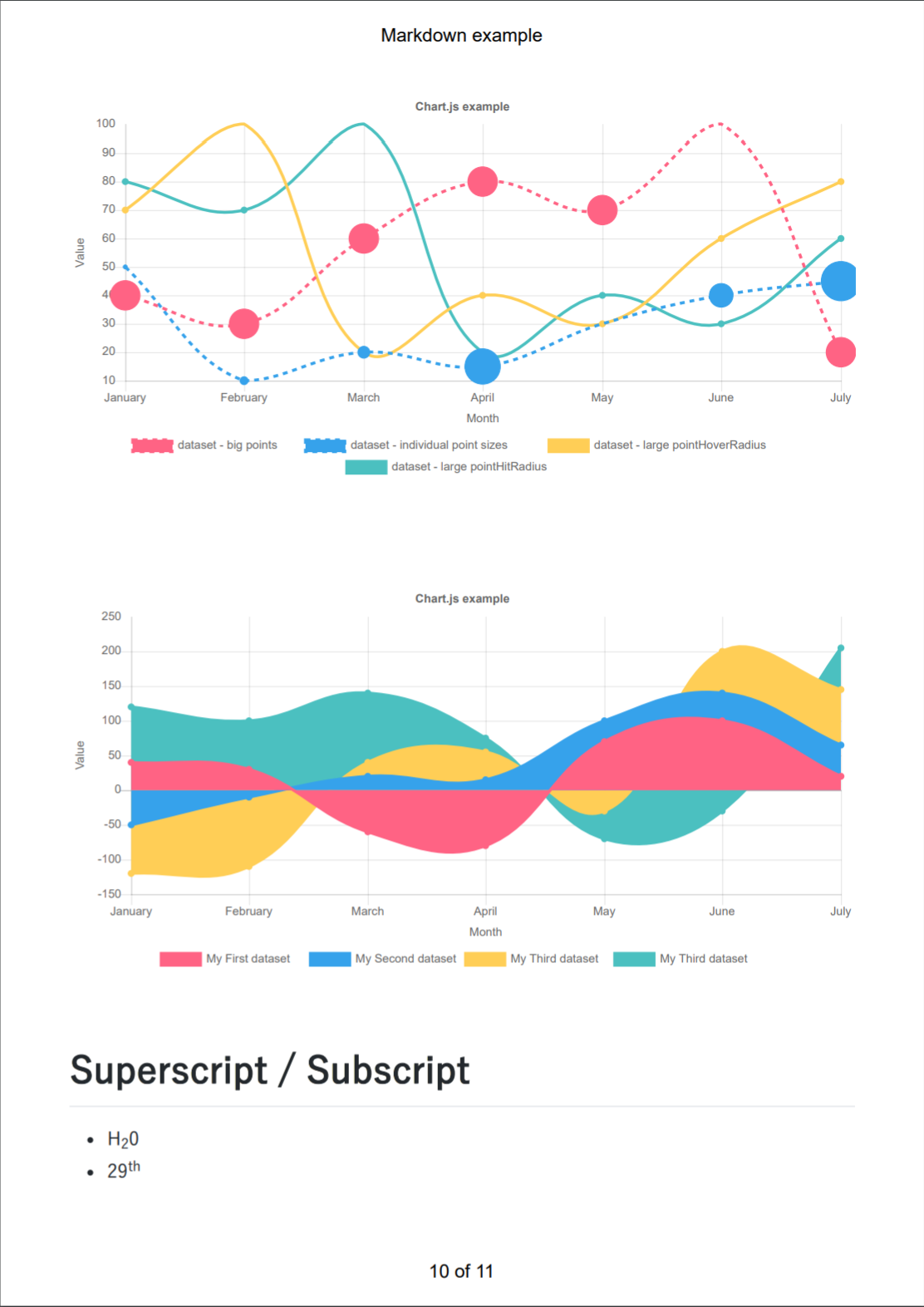
Markdown Demo source / |
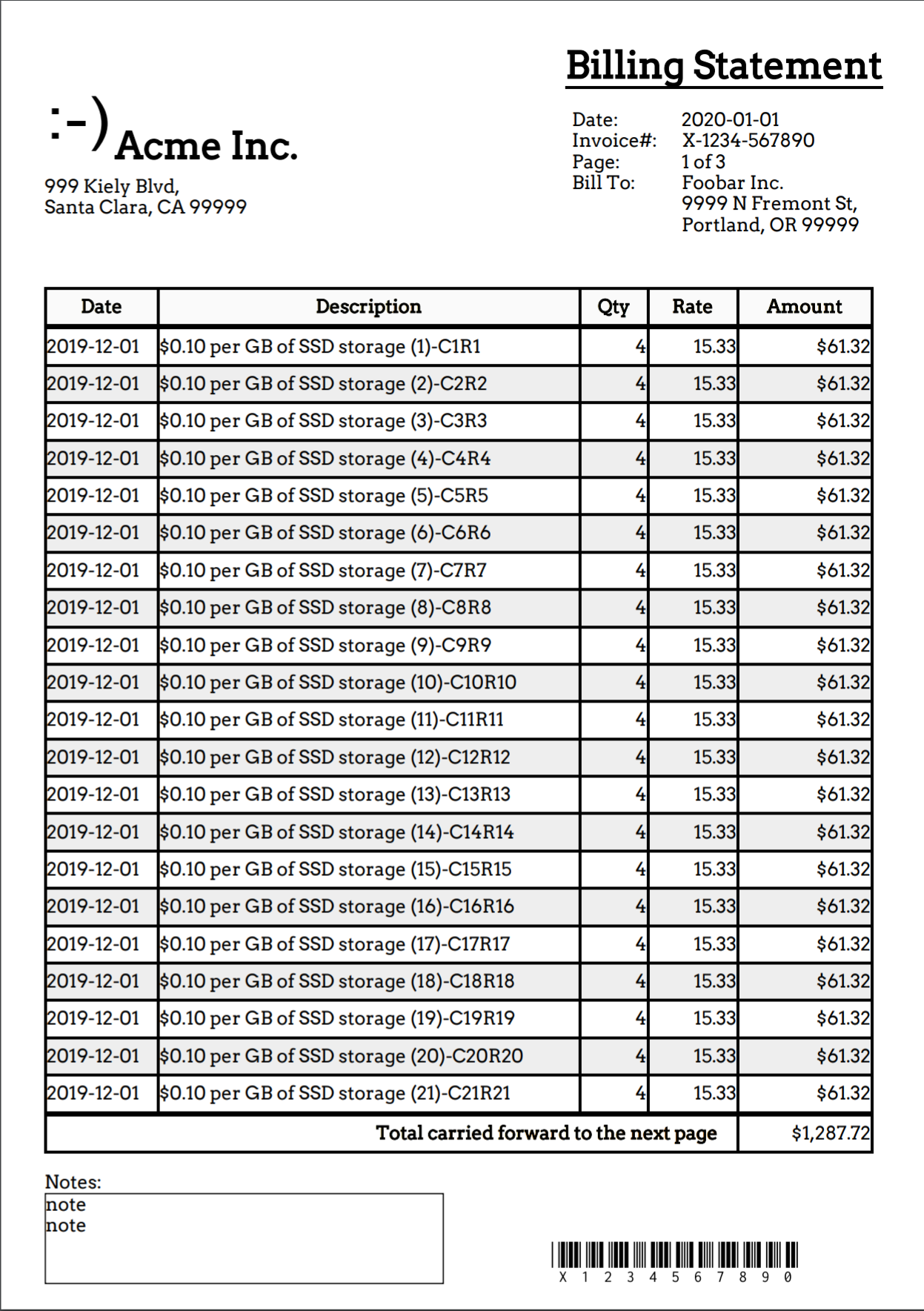
Billing Statement source / |
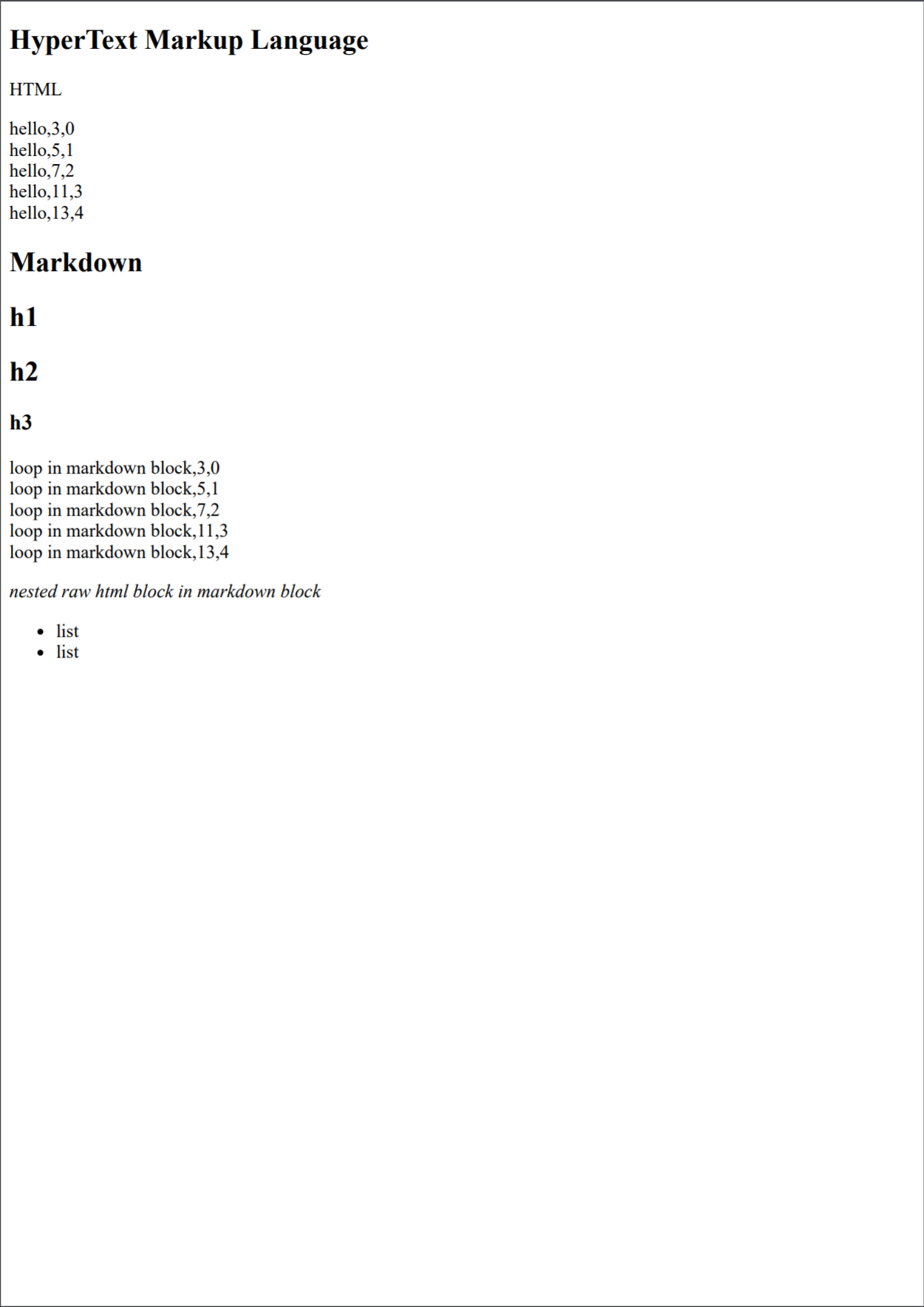
HTML Demo source / |
|
Testing the basic and extended markdown syntaxes. |
Reporting example that markuped up with Lisp LSX syntax. |
Testing the html template that embedding Lisp LSX. |
Real world examples
* mdne - Markdown Neo Edit
A simple markdown and code editor powered by Markdown-it, Ace and Carlo.
* Ménneu Reporting App for kintone
Create ✨beautiful✨ 📑📊reports📈📰 easily with Ménneu + kintone.
You can easily build the complex documents written in Markdown,
HTML and LSX that including 🖼images, 📊charts, 🔷UML diagrams,
barcodes and 2d codes (QR Code).
* Kanban board for kintone
----
Getting started
$3
install via NPM:
``
bash

$ npm install -g menneu
`
and run Ménneu:
`bash
$ menneu README.md --raw -o README.pdf
`
$3

##### Prerequirements
`bash
$ npm install -g menneu
`
##### Install

Download the source archive from https://github.com/shellyln/menneu/archive/master.zip and extract it.
`cmd
> cd menneu\shell-ext\windows
> make-sendto-shortcuts.cmd
`
$3


install via NPM:
`bash
$ npm install menneu --save
`
and import Ménneu in your code:
`ts
// index.mjs
import './extension'; // * To import without using webpack,
// use node with the
// --experimental-modules --no-warnings options.
// * If node>=12, --es-module-specifier-resolution=node
                      //   option is additionally required.

import { render } from 'menneu/modules';

import fs from 'fs';

import util from 'util';

const writeFileAsync = util.promisify(fs.writeFile);


(async () => {

    try {

        const buf = await render('# Hello!', {}, {

            rawInput: true,

            inputFormat: 'md',

            dataFormat: 'object',

            outputFormat: 'pdf',

        });

        await writeFileAsync('./hello.pdf', buf);

    } catch (e) {

        console.log(e);

    }

})();
`
`ts
// extension.js
const fs = require('fs');
require.extensions['.css'] = function (module, filename) {
module.exports = fs.readFileSync(filename, 'utf8');
};
`
> NOTE: To build it, you should use webpack + raw-loader (or other packagers and/or plugins) to load CSS as string.
>
> You can also import from the .mjs file on a node with the --experimental-modules --no-warnings options enabled,
> and import menneu/modules/* paths.
>> If you run it on node>=12, --es-module-specifier-resolution=node option is additionally required.
See these (1) (2) examples.
> NOTICE:
> Use with webpack >= 5
>

> If you get the error:

>

>
`
> Module not found: Error: Can't resolve '(importing/path/to/filename)'

> in '(path/to/node_modules/path/to/dirname)'

> Did you mean '(filename).js'?
> ``
>

> Add following setting to your webpack.config.js.
>
> `js
> {
> test: /\.m?js/,
> resolve: {
> fullySpecified: false,
> },
> },
> `
>

> On
webpack >= 5, the extension in the request is mandatory for it to be fully specified
> if the origin is a '.mjs' file or a '.js' file where the package.json contains '"type": "module"'.
$3
Install via NPM, or download UMD from release page.
> #### If you wish to use UMD single file on browser, Please write as below:
> * index.html
> `html
>
>
>
> `
> #### If you wish to use UMD single file on Node.js w/o installing react, Please write as below:

> * menneu-umd-bootstrap.js

> `js
> // Usage: echo "# Hello" | node ./menneu-umd-bootstrap.js - -of html
>
> const Module = require('module');
> const loader = Module._load;
> Module._load = (request, parent) => {
> if (request === 'react' || request === 'react-dom' || request === 'react-dom/server') {
> return ({});
> }
> return loader(request, parent);
> };
>
> const menneu = require('./menneu.min.js');
> menneu.run();
> `
----


Playground


https://shellyln.github.io/menneu/playground.html


Express starter with the browser


Ménneu Markdown Notebook

Edit markdown locally w/o installing any apps.


GUI Editor


mdne - Markdown Neo Edit

A simple markdown and code editor powered by Ace and Carlo.


----


CLI
`
menneu -h

menneu --help


menneu InputFilePath [OPTIONS]

menneu - [OPTIONS]
`
* InputFilePath
    * Path to input document template file.

    * If
- is set, read from STDIN.
If -i or --in is set in the OPTIONS, InputFilePath* points a path of data file.
#### Options
* -h, --help
* Show this help.
-i InFilePath, --in InFilePath*
InFilePath*: Path to input document template file.
-if InFormatName, --in-format InFormatName*
InFormatName* : lsx | lisp | md | markdown | html | htm
    * Input document template file format.

    * This format is set automatically from template file's extension.

* If it is not set, Defailt is md.
* --raw
    * Disable Lisp block expansion.

        * This option can be set for
md | markdown | html | htm .
-c ConfigJsonOrJsPath, --config ConfigJsonOrJsPath*
ConfigJsonOrJsPath* : Path to menneu.config.js | menneu.config.json .
* Default is menneu.config.js | menneu.config.json that is in the same directory to input file.
* If no menneu.config.js | menneu.config.json files is in the same directory to input file,
use menneu.config.js | menneu.config.json in the current working directory.
-df DataDormatName, --data-format DataDormatName*
DataDormatName* : json | lisp
    * The file format of the data applied to the document template.

    * This format is set automatically from data file's extension.

* If it is not set, defailt is json.
-d DataPath*
DataPath* : Path to data file.
-of OutFormatName, --out-format OutFormatName*
OutFormatName* : html | pdf | png | jpeg
    * Output file format.

    * This format is set automatically from output file's extension.

* If it is not set, defailt is pdf.
-o OutPath, --out OutPath*
OutPath*: Path to output file.
* If this option is not present, it is output to STDOUT.
-t TempDir, --tmpdir TempDir*
TempDir*: Path to temporary directory that to generate the temporary html file passing to the Puppeteer.
* -ti, --tmp-indir
     Set TempDir* to the parent directory of the input document file.

        * It is default option.

* -tc, --tmp-cwd
     Set TempDir* to the current working directory.

* -to, --tmp-os
     Set TempDir* to the system temporary directory.

* -tm, --tmp-mem
    * No temporary directory is used. Pass a data URL to the Puppeteer.

*
--dark-theme
    * Use dark theme to render markdown.

*
--watch
* Watch changes of the parent directory of InputFilePath forever.
* If changes are detected, update the output.
----
Config file
.js or .json are available.
`js
const escapeHtml = (s) => s
.replace(/&/g, "&")
.replace(/ .replace(/>/g, ">")
.replace(/"/g, """)
.replace(/'/g, "'");
module.exports = {
title: 'example', // Document title of markdown.
// bodyStyle: '', // style of markdown.
markdownBodyStyle: // "markdownBody" style of markdown.
'font-family: "Yu Gothic Medium", "Microsoft JhengHei", arial, sans-serif;',
// tocIncludeLevel: [1, 2], // Headings levels to use (2 for h2:s etc)
// https://github.com/Oktavilla/markdown-it-table-of-contents/blob/master/README.md#options
// rawInput: true, // Disable Lisp block expansion.
// inputFormat: 'md', // Input document template file format. (md | html | lsx)
// dataFormat: 'json', // The file format of the data applied to the document template. (json | lisp)
// outputFormat: 'pdf', // Output file format. (pdf | html | png | jpeg)
// darkTheme: true, // Use dark theme to render markdown.
// launchOptions: // Puppeteer's option. See "puppeteer.launch(options)".
// { headless: false }, // https://github.com/GoogleChrome/puppeteer/blob/v1.8.0/docs/api.md#puppeteerlaunchoptions
// navigateOptions: {}, // Puppeteer's option. See "page.goto(url, options)".
// https://github.com/GoogleChrome/puppeteer/blob/master/docs/api.md#pagegotourl-options
// imageOptions: {}, // Puppeteer's option. See "page.screenshot([options])".
// https://github.com/GoogleChrome/puppeteer/blob/master/docs/api.md#pagescreenshotoptions
pdfOptions: { // Puppeteer's option. See "page.pdf(options)".
// https://github.com/GoogleChrome/puppeteer/blob/master/docs/api.md#pagepdfoptions
width: '210mm',
height: '297mm',
printBackground: true,
landscape: false,
preferCSSPageSize: false,
displayHeaderFooter: true,
headerTemplate:
,
footerTemplate:
of
,
},
globals: { // Lisp global variables.
"$now": () => (new Date).toLocaleDateString('en-US'),
"$to-locale-string": (...args) => args.slice(-1)[0].toLocaleString(...(args.slice(0, -1))),
"$dir": (...args) => console.dir(...args),
"qwerty": "asdfgh",
},
// noDefaultComponents: true, // Disable default components.
components: { // Additional RedAgate components.
// See also https://github.com/shellyln/red-agate/tree/master/packages/red-agate
Greeting: (props) => Hello, ${props.to}! ${props.children},
},
// noDefaultMarkdownPlugins: // Disable default markdown-it plugins.
// true,
// markdownPlugins: // Additional markdown-it plugins.
// [{ plugin: require('markdown-it-'), options: [] }],
markdownCustomContainers: [{ // See https://github.com/markdown-it/markdown-it-container
name: 'content',
}, {
name: 'spoiler',
validate: (params) => {
return params.trim().match(/^spoiler\s+(.*)$/);
},
render: (tokens, idx) => {
const m = tokens[idx].info.trim().match(/^spoiler\s+(.*)$/);
if (tokens[idx].nesting === 1) {
// opening tag
return '' + escapeHtml(m[1]) + '
\n';
} else {
// closing tag
return '\n';
}
},
}],
// replacementMacros: [{
// re: /\!\!\!([\s\S]+?)\!\!\!/g,
// fn: 'lsx', // evaluate input as LSX script
// }, {
// re: /\$\$\$\{(.)([\s\S]+?)\}\$\$\$/g,
// fn: async (m, p0, p1) =>
// ${p0}${p1},
// async: true,
// }, {
// re: /\$\{(.)([\s\S]+?)\}/g,
// fn: (m, p0, p1) =>
// ${p0}${p1},
// }],
// plantUmlServerUrl: // markdown-it-plantuml server URL
// 'https://www.example.com/plantuml',
// tocIncludeLevel: // markdown-it-table-of-contents TOC levels
// [1, 2, 3],
};
`
You can also export configuration by using the function.
`js
module.exports = (env) => {
// env is following object:
// {
// styles: {
// normalizeCss: string,
// markdownCss: string,
// markdownDarkCss: string,
// highlightCss: string,
// paperCss: string,
// },
// moment: object,
// Liyad: object,
// RedAgateUtil: object,
// RedAgateSvgCanvas: object,
// RedAgateMath: object,
// RedAgate: object,
// React: object,
// ReactDom: object,
// components: object,
// highlightJs: object,
// markdownit: object,
// markdownitPlugins: {
// markdownitContaier: object,
// markdownitEmoji: object,
// markdownitSub: object,
// markdownitSup: object,
// markdownitIns: object,
// markdownitMark: object,
// markdownitCheckbox: object,
// markdownitPlantuml: object,
// markdownitMath: object,
// markdownitImsize: object,
// markdownitAnchor: object,
// markdownitToc: object,
// markdownitFootnote: object,
// markdownitDeflist: object,
// markdownitAbbr: object,
// },
// getMarkdownIt: function,
// getMarkdownRoot: function,
// }
// The function should return the configuration object.
return {
...
};
};
`
----
Features
$3
Markdown is parsed into HTML by markdown-it
and converting from HTML into PDF by puppeteer .
Following markdown-it plugins are available by default:
* markdown-it-anchor
* markdown-it-checkbox
* markdown-it-container
* markdown-it-emoji
* markdown-it-imsize
* markdown-it-math
* markdown-it-plantuml
* markdown-it-table-of-contents
* markdown-it-sub
* markdown-it-sup
* markdown-it-ins
* markdown-it-mark
* markdown-it-footnote
* markdown-it-deflist
* markdown-it-abbr
You can append other plugins by configureing the menneu.config.js .
HTML source files are also available.
$3
See Liyad for more informations about Lisp and LSX syntax and operators.
$3
In the markdown or HTML documents, you can start Lisp block.
The block starts with %%%( and ends with pair parenthesis ) .
* You should escape following characters in the document:
* \ -> \\
* """ -> \"\"\"
* %%% -> \%\%\%
#### Conditional branch
`markdown
%%%($last ;; "$last" is a function that evaluate parameters, and returns last parameter.
($set ($data isMorning) false)
($set ($data name) "World")
nil ;; "nil" is zero length array. it will replace to zero length string by document processor.
)
%%%($=if ($get $data isMorning)
"""Markdown
Good morning, %%%($get $data name)!
""")
%%%($=if ($not ($get $data isMorning))
"""Markdown
Hello, %%%($get $data name)!
""")
`
is equivalent to
`markdown
Hello, World!
`
#### Repeating
`markdown
Greeting
%%%($=for ($list "World" "Jane" "Joe")
"""Markdown
Hello, %%%($get $data)!
""")
Good morning!
`
is equivalent to
`markdown
Greeting
Hello, World!
Hello, Jane!
Hello, Joe!
Good morning!
`
#### Variables
* The data file is parsed and set to $data variable.
Data file:
`json
{
"foo": 1,
"bar": "World"
}
`
Document template:
`markdown
Hello, %%%($get $data bar)!
`
Result:
`html
Hello, World!
`
* To define the variable, use $let function in the Lisp block.
Document template:
`markdown
%%%($let a "A")
%%%($get a)
`
Result:
`html
A
`
* To set the value to the variable, use $set function in the Lisp block.
Document template:
`markdown
%%%($let a "A")
%%%($set a "B")
%%%($get a)
`
Result:
`html
B
`
* To set the value to the object property or array index, you can also use $set function.
Document template:
`markdown
%%%($let a (# ;; "#" is object literal function.
(foo 1)
(bar ($list "World" "Jane" "Joe")) ))
%%%($set (a bar 1) "John")
%%%($get a bar 1)
`
Result:
`html
John
`
#### Functions
Document template:
`markdown
%%%($last
($defun fac (n)
($if (== n 0)
1
(* n ($self (- n 1))) ) )
nil)
Factorial of 3 is %%%(fac 3).
`
Result:
`html
Factorial of 3 is 6.
`
#### LSX DOM elements
You can markup standard HTML and SVG tags witten in LSX notation.
Document template:
`markdown
%%%(style (@ (dangerouslySetInnerHTML ".content { font-style: italic; color: red; }")))
`
Result:
`html
`
#### Components
You also can markup with RedAgate tag-lib components.
Document template:
`lisp
%%%(Greeting (@ (to "Menneu")) "Good morning!")
%%%(Svg (@ (width 100)
(height 100)
(unit "mm") )
(Canvas (-> (ctx) (::ctx@moveTo 10 10)
(::ctx@lineTo 190 190)
(::ctx:strokeStyle="rgba(255,128,0,0.2)")
(::ctx@stroke)
(::ctx@beginPath) ))
(Rect (@ (x 5)
(y 67)
(width 70)
(height 11)
(strokeColor "blue")
(stroke) ))
(Qr (@ (x 5)
(y 7)
(cellSize 0.8)
(data "Hello") ))
(Code128(@ (x 35)
(y 7)
(elementWidth 0.66)
(height 15)
(quietHeight 0)
(textHeight 7)
(font "7px 'OCRB'")
(data "Hello") ))
(Gtin13 (@ (x 10)
(y 37)
(elementWidth 0.66)
(height 15)
(quietHeight 0)
(textHeight 7)
(font "7px 'OCRB'")
(data "123456789012") )) )
`
menneu.config.js:
`js
module.exports = {
...
components: {
Greeting: (props) => Hello, ${props.to}! ${props.children},
},
...
};
`
Result:
`html
Hello, Menneu! Good morning!
`
Following components are available by default:
* Utilities
* Do
* Facet
* Resource bundlers
* Asset
* Image
* Script
* Style
* Font
* SingleFont
* HTML and XML
* Html4_01_Strict
* Html4_01_Transitional
* Html4_01_Frameset
* Xhtml1_0_Strict
* Xhtml1_0_Transitional
* Xhtml1_0_Frameset
* Html5
* Xml
* HtmlImposition
* SVG and Canvas
* Svg
* Ambient
* Arc
* Canvas
* Circle
* Curve
* GridLine
* Group
* Line
* Path
* Pie
* Polygon
* Rect
* RoundRect
* SvgAssetFragment
* SvgFragment
* Text
* SvgImposition
* Printer marks
* PrinterMarks
* Barcodes and 2D codes
* Code128
* Code39
* Ean13 / Gtin13
* Ean8 / Gtin8
* Ean5
* Ean2
* UpcA
* UpcE
* Itf
* JapanPostal
* Nw7
* Qr
* Markdown
* MarkdownRoot
* Markdown
* This is using the markdown-it.
* HTML fragments
* RawHtml
* Math ML
* Math
* This is using the markdown-it-math.
* Mml
* Charts and UML graphs
* Chart
* This is using the Chart.js and chartjs-plugin-datalabels.
* PlantUml
* This is using the markdown-it-plantuml.
* PlantUmlLite
* Style sheets
* NormalizeCss
* Include a Normalize.css stylesheet into the document.
* MarkdownCss
* Include a github-markdown-css stylesheet into the document.
* HighlightCss
* Include a highlight.js stylesheet into the document.
* PaperCss
* Include a paper-css stylesheet into the document.
----
APIs
$3
`ts
export async function render(source: string, data: any, options: RenderOptions): Promise;
`
Render the document from document template.
* returns : Buffer of output document.
* source : Document template.
* data : Data (json string | lisp string | object)
* options : Render options.
$3
`ts
export async function processDocument(config: CliConfig): Promise;
`
Read input file or STDIN, read config file, render and output document into file or STDOUT.
* returns : Buffer of output document.
* config : Configurations that specified by command line options.
$3
`ts
export async function run();
`
Main of CLI app.
Parse command line options and call processDocument().
$3
`ts
export interface MarkdownOptions {
noDefaultMarkdownPlugins?: boolean;
markdownPlugins?: Array<{
plugin: any,
options: any[],
}>;
markdownCustomContainers?: Array<{
name: string,
validate?: (params: string) => boolean,
render?: (tokens: any[], index: number) => string,
marker?: string,
}>;
}
export interface FormatOptions {
rawInput?: boolean;
inputFormat: 'markdown' | 'md' | 'html' | 'htm' | 'lsx' | 'lisp';
dataFormat: 'lisp' | 'json' | 'object';
outputFormat: 'html' | 'pdf' | 'png' | 'jpeg';
}
export interface RenderOptions extends MarkdownOptions, FormatOptions {
title?: string;
navigateOptions?: any;
imageOptions?: any;
pdfOptions?: any;
globals?: object;
noDefaultComponents?: boolean;
components?: object;
}
export interface CliConfig extends FormatOptions {
useStdin: boolean;
inputPath?: string;
configPath?: string;
configFormat: 'js' | 'json' | 'object';
dataPath?: string;
useStdout: boolean;
outputPath?: string;
watch?: boolean;
}
``
----
License
ISC
Copyright (c) 2018 - 2020 Shellyl_N and Authors.
Bundled softwares' license
* github-markdown-css: license (MIT)
* highlight.js: license (BSD 3-Clause)
* normalize.css: license (MIT)