mingit
v2.4.0
An extremely minified git alias with tab completion
0/weekUpdated 7 months agoISCUnpacked: 289.2 KB
Published by Evan Sendra
npm install mingit

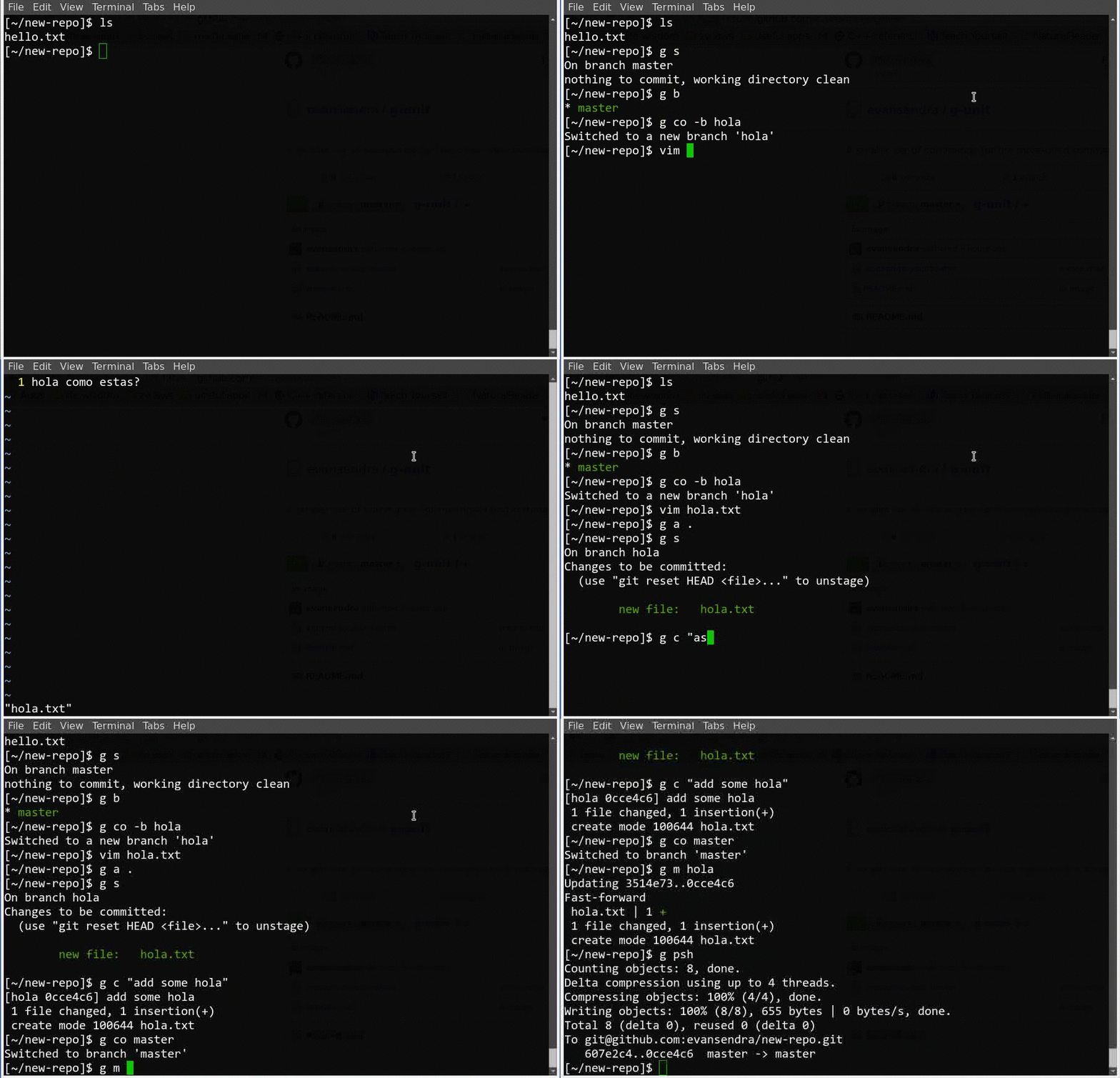
An extremely minified alias for git commands with tab completion. Because who wants git commit -m "blah blah blah" to make every change?
[//]: # (
Getting started
$3
_Using ohmyzsh? See Use mingit with Oh My Zsh_
The below works out of the box for zsh on mac or bash on windows. If using bash on mac, change the value of use-mac-bash in [package.json] to true:
npm install -g mingit && source ~/.mingit.sh
You must execute source ~/.mingit.sh or source ~/.zshrc if using zsh on mac, or open a new terminal, then you can try out the Commands below.
Tested on Mac OS X El Capitan. If this doesn't work for you, see Manual Install
$3
Supporting the minimal number of highly-used commands
g a . // git add .
g b other-branch // git branch other-branch
g b which // git branch --show-current (note this assumes git version >= 2.22)
g c -m "made some changes" // git commit -m "made some changes"
g co master // git checkout master
g d // git diff
g dst // git diff --staged
g f // git fetch
g i // git init
g m hotfix // git merge hotfix
g pll // git pull
g psh // git push
g r // git reset
g rsto // git restore
g s // git status
This doesn't destroy command line parameters, so for example typing
g psh origin magic // pushes local to origin/magic
or any other number of parameters on different commands works as "git push origin magic" would. Also, since command line parameters are not destoryed, using g by itself instead of git followed by a command also works:
g stash // works just as well with any git subcommand
It also keeps tab completion. So when you want to switch to another branch, just
$ g co
HEAD master second-branch ORIG_HEAD
as you normally would.
Manual Install
$3
If on linux, append [scripts/bashrc] to ~/.bashrc to use shortened commands.
cat ./.bashrc >> ~/.bashrc
$3
For zsh:
* Copy [scripts/zsh-mingit] to ~/.mingit.sh
* Copy [scripts/git-completions.bash] to ~/.git-completions-mingit.sh
Then add the following to your ~/.zshrc file:
# start mingit #
zstyle ':completion:::git:*' script ~/.git-completions-mingit.bash
autoload -Uz compinit && compinit -u
source ~/.mingit.sh
compdef g='git'
# end mingit #
For bash:
Append the contents of [scripts/bash_profile] to your ~/.bash_profile:
cat ./.bash_profile >> ~/.bash_profile
$3
If on windows, append [scripts/win-bashrc] to ~/.bashrc (create it if it doesn't exist) in your home directory (find home by echo $HOME on your git bash setup...probably /c/users/$USER).
Now use the mingit commands instead of the git commands to save tons of time while using git.
Uninstall
As of v7 of npm, uninstall scripts don't work :( However, you can easily uninstall this alias by running node scripts/uninstall.js before executing the below.
$ npm uninstall -g mingit
Contributing
If you have an idea for a new command or a bug to report, please open an issue or submit a pull request. If you want to add a new command, please make sure it is a commonly used git command and that it is not already aliased by mingit. When submitting PRs for new commands, ensure you update all relevant commands files as well as the README (see 749b4dc for an example of adding a new command).