multiplerun
v3.0.0TypeScript
If you have installed [iTerm.app](https://www.iterm2.com/) on your Mac. Your iTerm will opened like this.
117/weekUpdated 3 years agoMITUnpacked: 71.0 KB
Published by SSen
npm install multiplerunRun multiple terminals (or iTerm split panes) at once
If you have installed iTerm.app on your Mac. Your iTerm will opened like this.
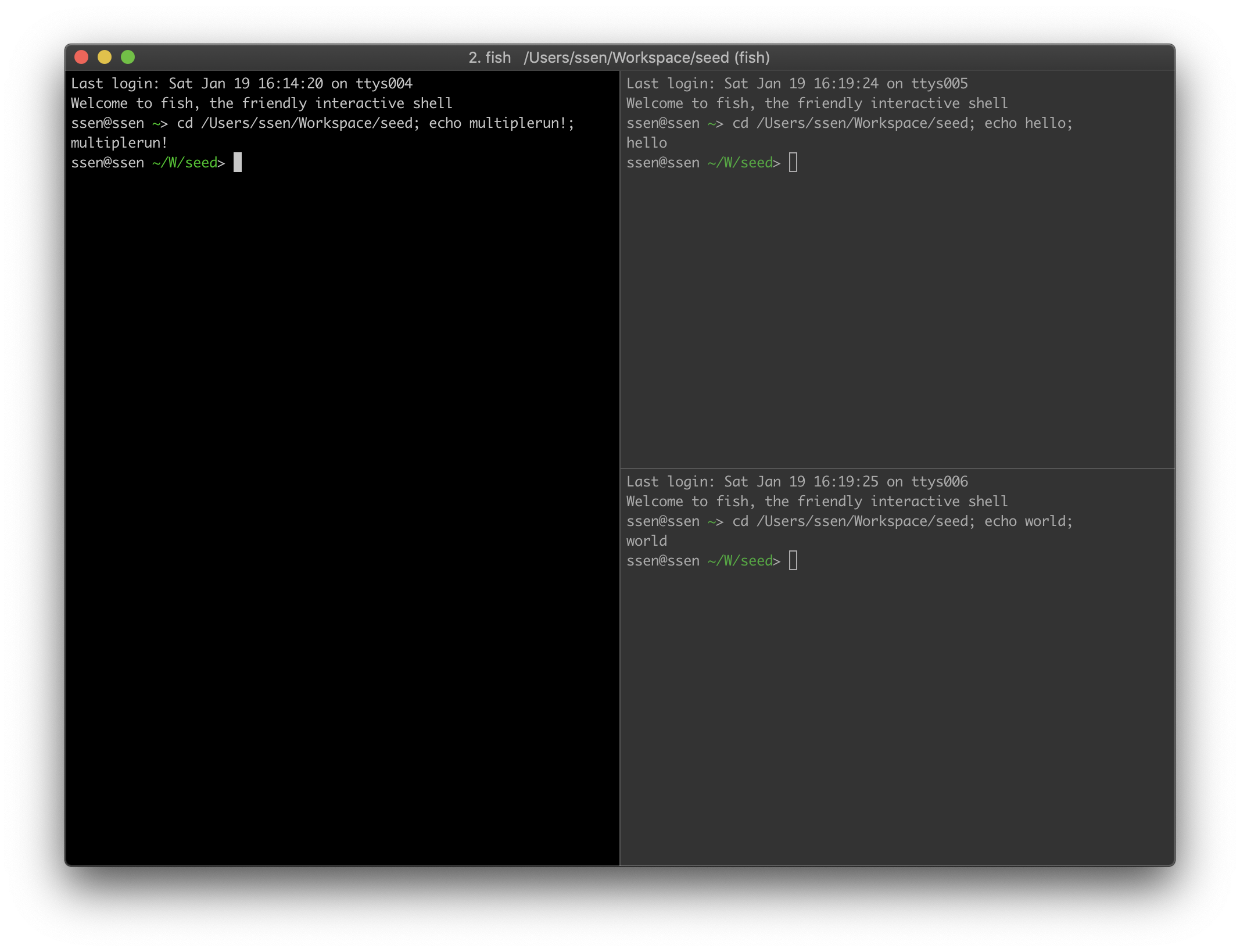
If you don't have iTerm, those commands will be executed via default terminal app (cmd.exe or Terminal.app)
Usage
And add config
``yaml`
test:
- echo multiplerun!
- - echo hello
- echo world
`sh`
npx multiplerun test
Usage on package.json
`sh`
npm install multiplerun --save-devyarn add multiplerun --dev
And add config to your package.json
`json`
{
"name": "some-package",
"scripts": {
"multiplerun-test": "multiplerun test"
},
"multiplerun": {
"test": ["echo multiplerun!", ["echo hello", "echo world"]]
}
}
`sh`
npm run multiplerun-test
Run in script
`js
import multiplerun from 'multiplerun';
multiplerun(['echo multiplerun!', ['echo hello', 'echo world']]);
`
API
packages/src/multiplerun/types.ts
`ts
export type Command = { command: string; wait: number; cwd: string };
export type Commands = (Command | Command[])[];
export type ConfigCommand =
| string
| { command: string; wait?: number; cwd?: string };
export type ConfigCommands = (ConfigCommand | ConfigCommand[])[];
export type Options = {
cwd?: string;
};
`
`ts``
function multiplerun(commands: ConfigCommands, options?: Options);