ngx-kjua
v20.0.0TypeScript
Angular QR-Code generator component.
0/weekUpdated 7 months agoMITUnpacked: 116.0 KB
Published by werthd
npm install ngx-kjua

 
If you find my work useful you can buy me a coffee, I am very thankful for your support.

ngx-kjua
> Angular QR-Code generator component.
This is basically an Angular-wrapper for kjua by Lars Jung.
Breaking changes v16.1.0
Fromm the
v16.1.0 this library use the standalone component, and not the module anymore. See how to implement it
Demo
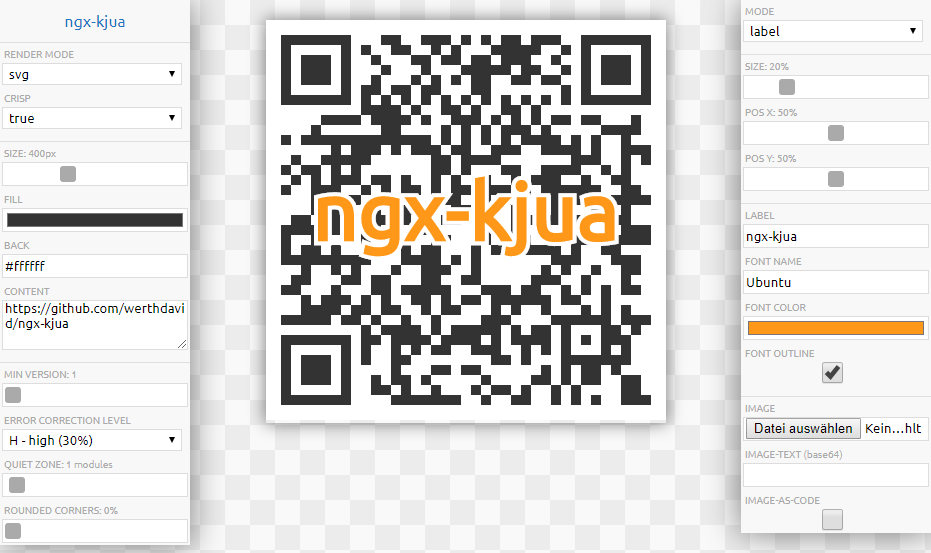
StackBlitz Example for encoding Contacts, Calendar entries, WiFi-settings and more. You can use iPhone's default Camera App, it will decode QR-Codes!
StackBlitz Example with 300 codes at once (async rendering)
StackBlitz Example for generating a PDF with jspdf
Installation
To install this package, run:
``bash`
npm i ngx-kjua --save
Then import it into your Angular AppModule:
`typescript
// Common imports
import { NgModule / , ... / } from '@angular/core';
// Import the package's module
import { NgxKjuaComponent } from 'ngx-kjua';
@NgModule({
declarations: [ / AppComponent ... / ],
imports: [
// BrowserModule,
// ...
NgxKjuaComponent,
// other imports...
],
// ...
})
export class AppModule { }
`
Usage
Once the package is imported, you can use it in your Angular application:
$3
`html`
>
$3
`html`
[renderAsync]="false"
[render]="'svg'"
[crisp]="true"
[minVersion]="1"
[ecLevel]="'H'"
[size]="400"
[ratio]="undefined"
[fill]="'#333'"
[back]="'#fff'"
[rounded]="100"
[quiet]="1"
[mode]="'plain'"
[mSize]="30"
[mPosX]="50"
[mPosY]="50"
[label]="'label text'"
[fontname]="'sans-serif'"
[fontcolor]="'#ff9818'"
[image]="undefined"
[cssClass]="'image-auto'"
>
Options
:exclamation: Caution: When adding images, label or similar, this will reduce the readability of the QR-code. Consider using a higher error correction level (e.g. L) in those cases.
$3
As you can set the size of the image, the amount of 'modules' (black/white boxes that make up the QR-code) is calculated based on the size and the amount of quiet modules. The calculation can result in an odd number so that a module is e.g. 4.5 pixels big. The resulting image will be drawn fuzzy if crisp is set to false. Setting it to true will result in 'sharp' lines.
#### crisp false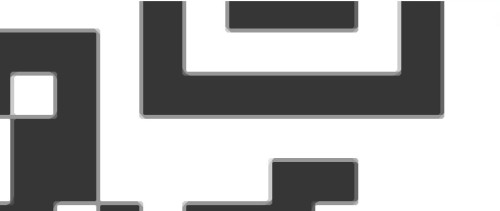
#### crisp true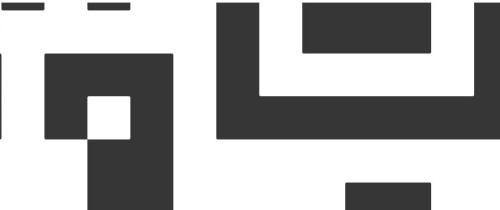
$3
Kjua lets you embed a text or image to the code. This can be set with the setting mode
.
This can reduce the readability of the code!$3

$3

$3
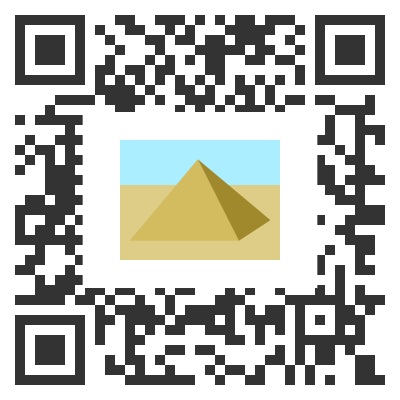
This mode let's you "cut out" parts of the QR-code and at the same time add an image.
$3
Use this, if you want a label AND an image. In these modes mSize, mPosX and mPosY can be provided as an array.
In mode labelimage, the first value (index 0) of the mSize, mPosX and mPosY arrays is used for the label,
the second value (index 1) is used for image and vice versa. Also in labelimage mode, the label is drawn before the
image is drawn and therefore kinda "in the background" if the two overlap.$3
*
text encoded content (defaults to )
* render render-mode: 'image', 'canvas', 'svg' (defaults to image)
* crisp render pixel-perfect lines (defaults to true)
* minVersion minimum version: 1..40 (defaults to 1)
* ecLevel error correction level: 'L', 'M', 'Q' or 'H' (defaults to L)
* size size in pixel (defaults to 200, min 24 or higher, depend on how much character you're using)
* fill code color (defaults to #333)
* back background color (defaults to #fff, for transparent use '' or null)
* rounded roundend corners in pc: 0..100 (defaults to 0, not working if renderis set to svg)
* quiet quiet zone in modules (defaults to 0)
* mode modes: 'plain', 'label', 'image' or 'clear' (defaults to plain, set label or image property if you change this)
* mSize label/image size in pc: 0..100 (defaults to 30)
* mPosX label/image pos x in pc: 0..100 (defaults to 50)
* mPosY label/image pos y in pc: 0..100 (defaults to 50)
* label additional label text (defaults to )
* fontname font for additional label text (defaults to sans-serif)
* fontcolor font-color for additional label text (defaults to #333)
* fontoutline draw an outline on the label text in the color of the back (defaults to true)
* image additional image (defaults to undefined, use an HTMLImageElement or base64-string)
* imageAsCode draw the image as part of the code (defaults to false)
* renderAsync weather or not rendering is done inside "requestAnimationFrame"-call (defaults to false, use true if you want to generate more than one code (e.g. batch))
* cssClass additional css-class that will be appended to the div-container that contains the qr-code (defaults to undefined)More details can be found on larsjung.de/kjua
$3
If you plan to render more than one barcode (e.g. batch-generation) I recommend using
renderAsync-flag. It executes the rendering inside a "requestAnimationFrame"-call.$3
The component comes with a helper-class (
QrCodeHelper`), that helps you with generating Codes that have information like a Contact encoded.Currently it supports the generation of:
* SMS: number with optional pre-defined text
* Call
* Geo-Information: a point on the map with Latitude and Longitude
* Events
* Email: recipient with an optional subject and text
* WiFi: SSID with optional password and a flag for hidden WiFis
* Contact Information: name with optional address, telephone-number(s), email, url.
Contact Encoding is done with MECard-format and NOT VCard! VCard gives a longer string and therefore a
bigger code which potentially has a negative impact on readability for scanners.
You can, of course, create a VCard string as well but the format is more complex.
$3
See the example above.
It works with pure kjua and has in fact nothing to do with ngx-kjua but I thought somebody might find it useful.