node-i2cssh
v2.0.0
i2cssh with the help of node and osascript
0/weekUpdated 3 years agoUnlicenseUnpacked: 469.3 KB
Published by Philipp Eschenbach
npm install node-i2csshnode-i2cssh
i2cssh with the support of osascript and node.
It is highly inspired by the original i2cssh and the AppleScript version of it (i2cssh).
It only runs from within iTerm2 (>2.9)!.
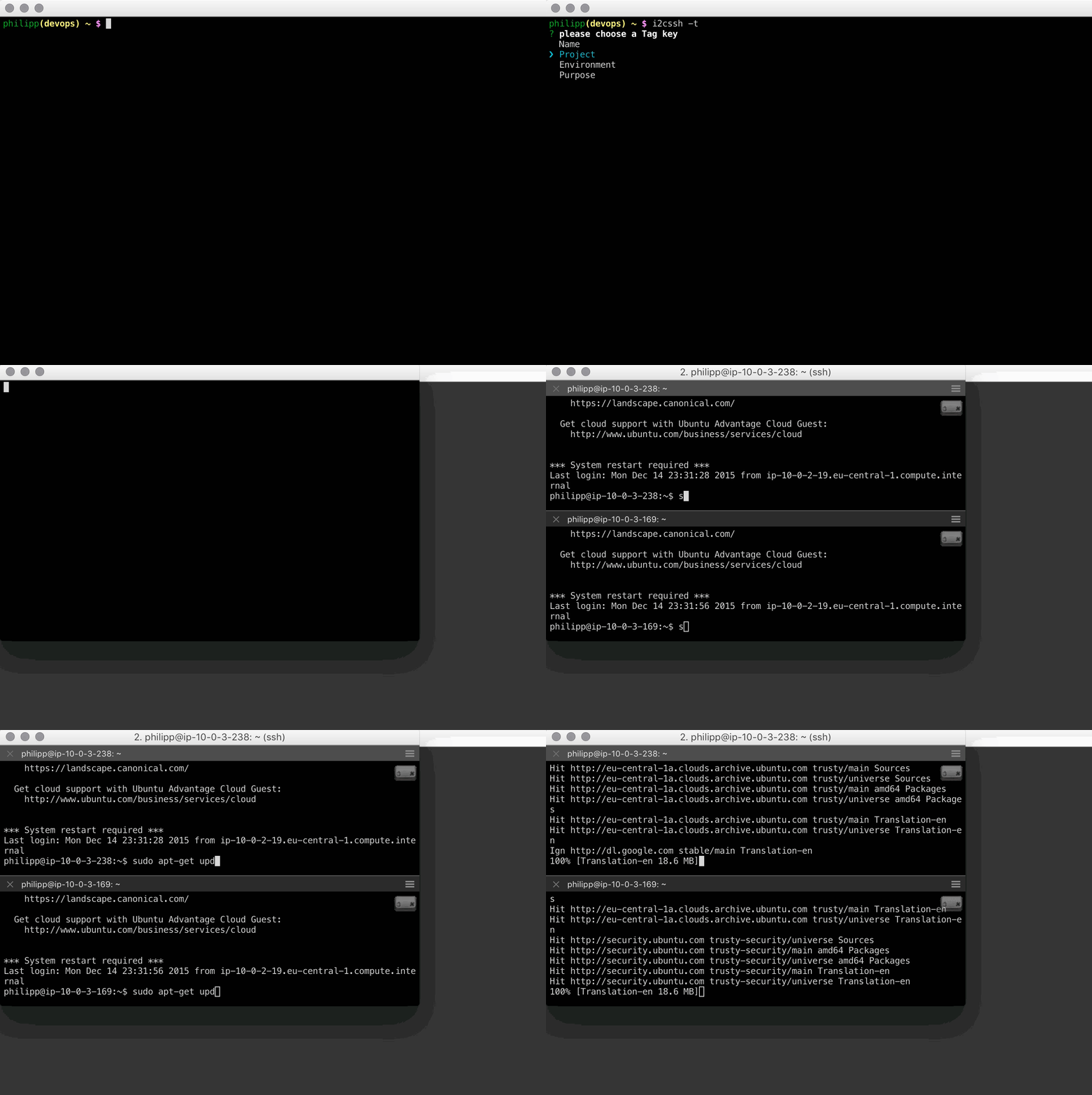
The goal of this project is to create an alternative that is working with the newest iTerm2 and enhance it with features for the cloud like ssh to all ec2 instances that have a special tag.
Installation
npm -g install node-i2csshUsage
i2cssh 1.example.com 2.example.com 3.example.comConfiguration
by default, node-i2cssh is checking for a file called .i2csshrc in the users home directory. This can be overwritten with the -C option.
see i2csshrc.example.yml for an annotated example configuration
Options
$3
overwrites the default config file location
i2cssh -C ~/workspace/gitrepo/i2csshconfig.yml$3
adds the given clusters hosts from the config to the hosts to connect to.
i2cssh -c dev -c staging$3
starts the broadcast mode immediatly after all tabs are created
i2cssh -b foo1.bar foo2.bar foo3.bar$3
ec2 tag in the format of $NAME=$VALUE (the
= separator can be overridden in .i2csshrc -- see i2csshrc.example.yml).i2cssh -t env=staging -t end=devOptionally: you can run
i2cssh -tto get asked to which tag you want to connect to. Downside: you can only choose one key-value pair.
$3
Change the username to connect with
i2cssh -u philipp foo1.barresults in
ssh philipp@foo1.barEC2 Integration
For the EC2 integration to work, you need to have
AWS_SECRET_ACCESS_KEY and AWS_ACCESS_KEY_ID set as environment variables.I recommend using envchain and creating some alias for i2cssh wrapping it into envchain like
alias i2cssh="envchain aws i2cssh $@"You'll also need to defined the aws region in your .i2csshrc. see the example config for more information
ToDo
* fully support original .i2csshrc
* DONE ~~broadcast: (true/false) # Enable/disable broadcast on start~~
* login:
* profile:
* rank: (true/false) # Enable sending LC_RANK as an environment variable
* columns:
* rows:
* sleep:
* environment: # Send the following enviroment variables
* fully support original command line options
* DONE ~~-c, --clusters clus1,clus2 Comma-separated list of clusters specified in ~/.i2csshrc~~
* -m, --machines a,b,c Comma-separated list of hosts
* -f, --file FILE Cluster file (one hostname per line)
* -A, --forward-agent Enable SSH agent forwarding
* DONE (-u, --user) ~~-l, --login LOGIN SSH login name~~
* -e, --environment KEY=VAL Send environment vars (comma-separated list, need to start with LC_)
* -r, --rank Send LC_RANK with the host number as environment variable
* -F, --fullscreen Make the window fullscreen
* --columns COLUMNS Number of columns (rows will be calculated)
* --rows ROWS Number of rows (columns will be calculated)
* DONE ~~-b, --broadcast Start with broadcast input (DANGEROUS!)~~
* -nb, --nobroadcast Disable broadcast
* -p, --profile PROFILE Name of the iTerm2 profile (default: Default)
* -s, --sleep SLEEP Number of seconds to sleep between creating SSH sessions
* -X, --extra EXTRA_PARAM Additional ssh parameters (e.g. -Xi=myidentity.pem)