node-red-contrib-opensky-network
v0.1.0
Node-RED node for OpenSky Network
0/weekUpdated 3 years agoApache-2.0Unpacked: 1.8 MB
Published by kazuhitoyokoi
npm install node-red-contrib-opensky-networknode-red-contrib-opensky-network
================
Node-RED node to retrieve flight data from OpenSky Network API.
Install
To install the stable version, use the Menu - Manage palette - Install
option and search for node-red-contrib-opensky-network, or run the following
command in your Node-RED user directory, typically ~/.node-red
npm install node-red-contrib-opensky-network
Usage
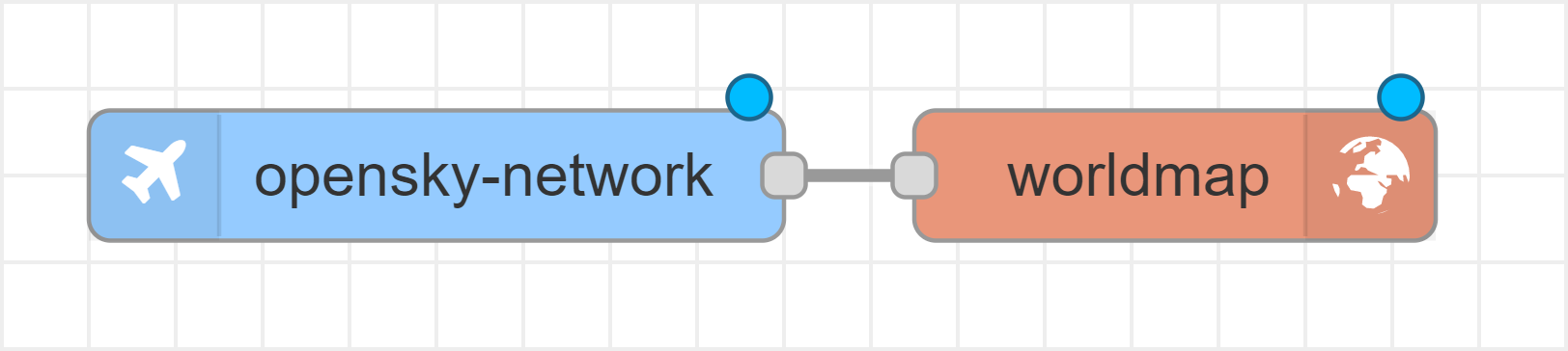
(1) Place the OpenSky Network node to the workspace on the Node-RED flow editor
(2) Add and connect to the worldmap node in node-red-contrib-web-worldmap
module
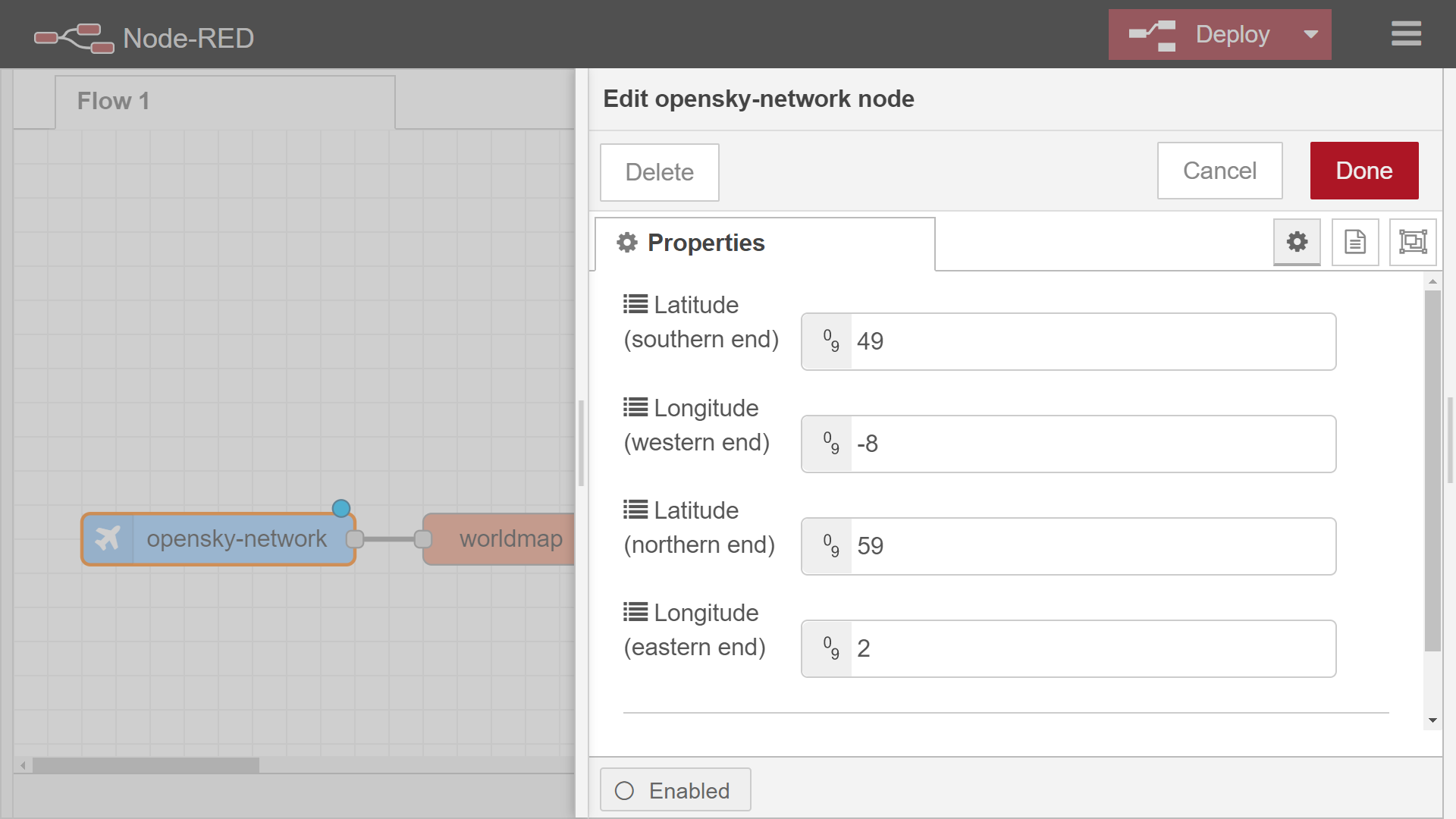
(3) Input 4 values (southern latitude, western longitude, north latitude, and eastern longitude) to the property of the OpenSky Network node
(4) Deploy the flow and open the worldmap UI via http://localhost:1880/worldmap/.
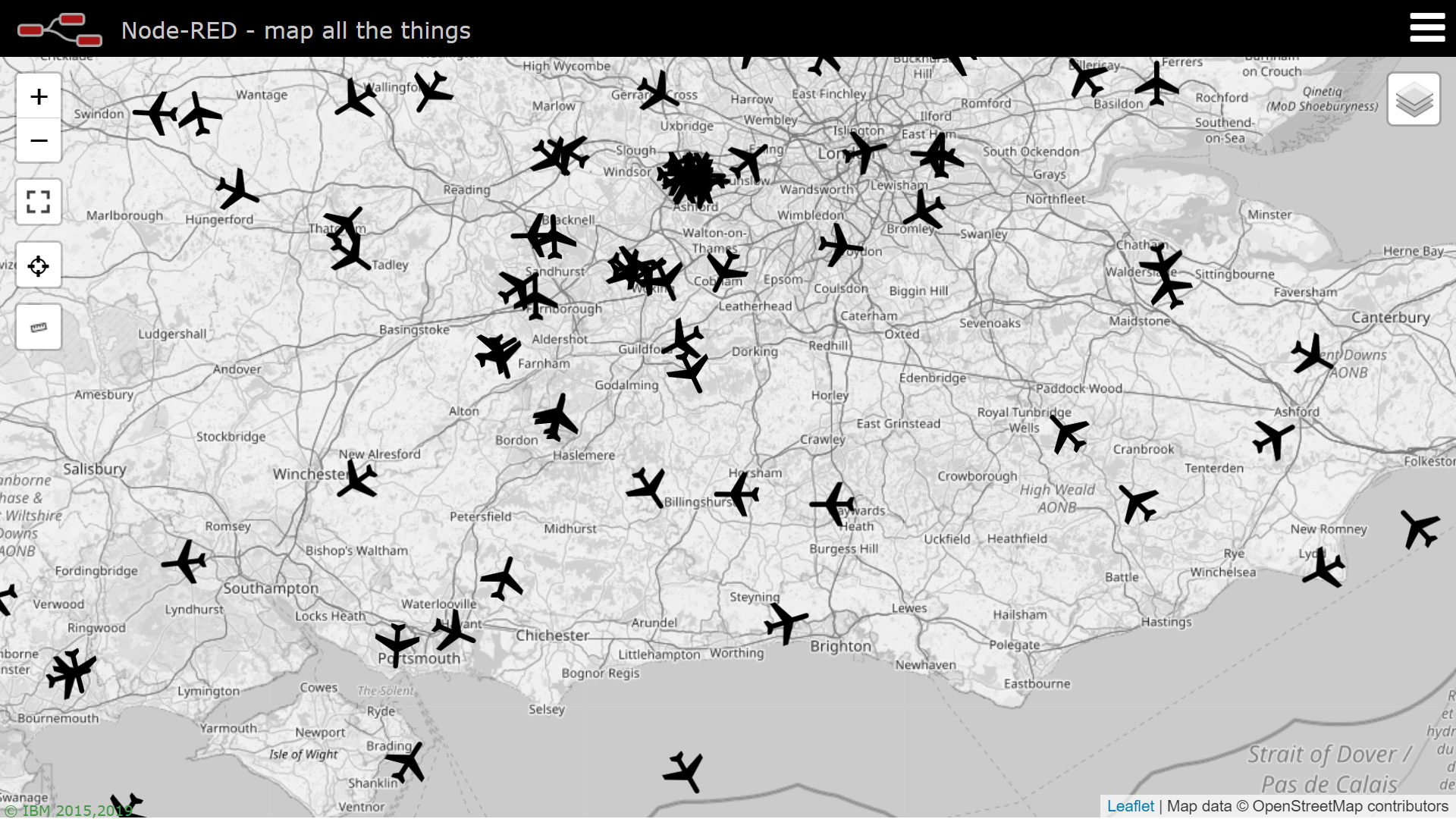
After opening the worldmap UI, you can see flight data on the UI in real-time.
Demonstration
The demonstration slides and video in Japanese are available on the following URL.
- Slide: https://www.slideshare.net/ssuserbeb7c0/nodered-248861446/5
- Video: https://youtu.be/d9CFfAIWX0I?t=2245