om-perfect-scrollbar
v2.0.1TypeScript
Minimalistic but perfect custom scrollbar plugin
0/weekUpdated 3 years agoMITUnpacked: 501.1 KB
Published by AMC BI Team & OM
npm install om-perfect-scrollbar

perfect-scrollbar
Minimalistic but perfect custom scrollbar plugin




Official documentation
The official documentation can be found here.
To read documentation for versions < 1.0, please visit
v0.8.1.________
Why perfect-scrollbar?
perfect-scrollbar is minimalistic but perfect (for us, and maybe for most
developers) scrollbar plugin.
* No change on design layout
* No manipulation on DOM tree
* Use plain scrollTop and scrollLeft
* Scrollbar style is fully customizable
* Efficient update on layout change
We hope you will love it!
Live preview
Check out the Live Preview snippet. You can fork it right away for testing and experimenting purposes.
More useful plugins
You'll find some example plugins below, you can explore all of them here
Datatable Plugin| Treeview Plugin| Filter Plugin
------------ | ------------- | -------------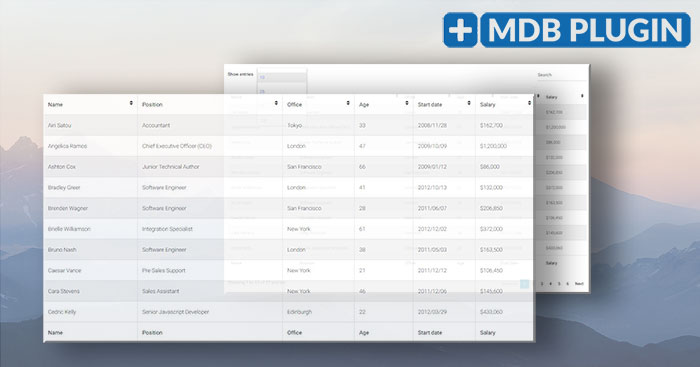 |
| 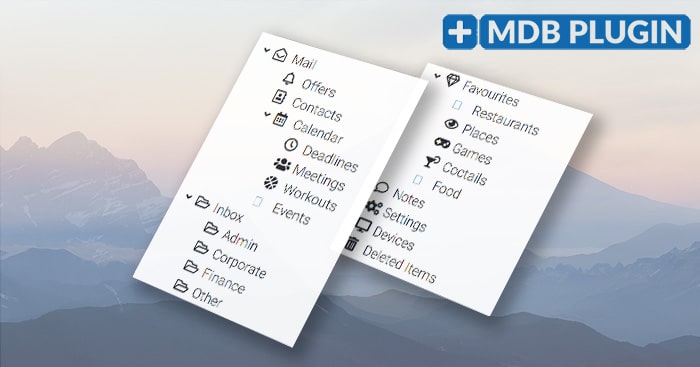 |
| 
_________
Table of Contents
* Install
* Before using perfect-scrollbar
* Caveats
* How to use
* Options
* Events
* Helpdesk
* IE Support
* License
* Related resources
* Social media
Install
#### Download now
You can manually download perfect-scrollbar here.
#### npm
You can install and use perfect-scrollbar with npm. It's registered
as perfect-scrollbar.
``
$ npm install om-perfect-scrollbar
#### From sources
If you want to use the development version of the plugin, build from source
manually. The development version may be unstable.
`
$ git clone https://github.com/omishyn/perfect-scrollbar.git
$ cd perfect-scrollbar
$ npm install
$ npm run build
#### Unofficial sources
Sources not mentioned above are not maintained officially. If there are issues
of the following sources, please ask and resolve in each repository.
Before using perfect-scrollbar
The following requirements should meet.
* the container must have a position style.
* the container must be a normal container element.
The following requirements are included in the basic CSS, but please keep in
mind when you'd like to change the CSS files.
* the container must have an overflow: hidden css style.absolute
* the scrollbar's position must be .bottom
* the scrollbar-x must have or top, and the scrollbar-y must haveright
or left.
Finally, scroll hooking is generally considered as a bad practice, and
perfect-scrollbar should be used carefully. Unless custom scroll is really
needed, using browser-native scroll is always recommended.
Caveats
perfect-scrollbar emulates some scrolls, but not all of the kinds. It also does not work
in some situations. You can find these cases in Caveats.
Basically, items listed in the caveats are hacky to implement and may not be
implemented in the future. If the features are really needed, please consider
using browser-native scroll.
How to use
First of all, please check if the container element meets the requirements and
the main CSS is imported.
`html`
Import via ES modules:
`js`
import PerfectScrollbar from 'om-perfect-scrollbar';
Or in browser:
`html`
To initialise:
`js
const container = document.querySelector('#container');
const ps = new PerfectScrollbar(container);
// or just with selector string
const ps = new PerfectScrollbar('#container');
`
It can be initialised with options.
`js`
const ps = new PerfectScrollbar('#container', {
wheelSpeed: 2,
wheelPropagation: true,
minScrollbarLength: 20
});
If the size of your container or content changes, call update.
`js`
ps.update();
If you want to destroy the scrollbar, use destroy.
`js`
ps.destroy();
ps = null; // to make sure garbages are collected
If you want to scroll to somewhere, just update scrollTop.
`js`
const container = document.querySelector('#container');
container.scrollTop = 0;
You can also get information about how to use the plugin from code in examples/.
Options
$3
It is a list of handlers to scroll the element.
Default: ['click-rail', 'drag-thumb', 'keyboard', 'wheel', 'touch']
$3
The scroll speed applied to mousewheel event.
Default: 1
$3
If this option is true, when the scroll reaches the end of the side, mousewheel
event will be propagated to parent element.
Default: true
$3
If this option is true, swipe scrolling will be eased.
Default: true
$3
When set to an integer value, the thumb part of the scrollbar will not shrink
below that number of pixels.
Default: null
$3
When set to an integer value, the thumb part of the scrollbar will not expand
over that number of pixels.
Default: null
$3
This sets threshold for ps--scrolling-x and ps--scrolling-y classes to
remain. In the default CSS, they make scrollbars shown regardless of hover
state. The unit is millisecond.
Default: 1000
$3
When set to true, and only one (vertical or horizontal) scrollbar is visible
then both vertical and horizontal scrolling will affect the scrollbar.
Default: false
$3
When set to true, the scrollbar in X-axis will not be available, regardless of
the content width.
Default: false
$3
When set to true, the scroll bar in Y-axis will not be available, regardless of
the content height.
Default: false
$3
The number of pixels the content width can surpass the container width without
enabling the X-axis scroll bar. Allows some "wiggle room" or "offset break", so
that X-axis scroll bar is not enabled just because of a few pixels.
Default: 0
$3
The number of pixels the content height can surpass the container height without
enabling the Y-axis scroll bar. Allows some "wiggle room" or "offset break", so
that Y-axis scroll bar is not enabled just because of a few pixels.
Default: 0
Events
perfect-scrollbar dispatches custom events.
`js`
container.addEventListener('ps-scroll-x', () => {/ ... /});
$3
This event fires when the y-axis is scrolled in either direction.
$3
This event fires when the x-axis is scrolled in either direction.
$3
This event fires when scrolling upwards.
$3
This event fires when scrolling downwards.
$3
This event fires when scrolling to the left.
$3
This event fires when scrolling to the right.
$3
This event fires when scrolling reaches the start of the y-axis.
$3
This event fires when scrolling reaches the end of the y-axis (useful for
infinite scroll).
$3
This event fires when scrolling reaches the start of the x-axis.
$3
This event fires when scrolling reaches the end of the x-axis.
You can also watch the reach state via the reach property.
`js
const ps = new PerfectScrollbar(/ ... /);
console.log(ps.reach.x); // => 'start' or 'end' or null
console.log(ps.reach.y); // => 'start' or 'end' or null
``
Helpdesk
If you have any idea to improve this project or any problem using this, please
feel free to upload an issue.
For common problems, there is a FAQ wiki
page. Please check the page before uploading an issue.
Also, the project is not actively maintained. No maintainer is paid, and most of
us are busy on our professional or personal works. Please understand that it may
take a while for an issue to be resolved. Uploading a PR would be the fastest
way to fix an issue.
IE Support
The plugin is developed to work in modern MS browsers including Edge and IE11,
but may have some issues in IE11 mainly because of IE rendering bug concerning
sync update on scroll properties. The problem is mentioned in
Caveats too.
IE<11 is not supported, and patches to fix problems in IE<=10 will not be
accepted. When old IEs should be supported, please fork the project and make
modification locally.
License
Related resources
Social Media
- Dribbble
- YouTube