paintcode
v2.2.0
libreria para colorear codigo html
0/weekUpdated 1 years agoISCUnpacked: 19.5 KB
Published by staricofflionel@gmail.com
npm install paintcodepaintcode
$3
Colorea tu código para que se vea elegante
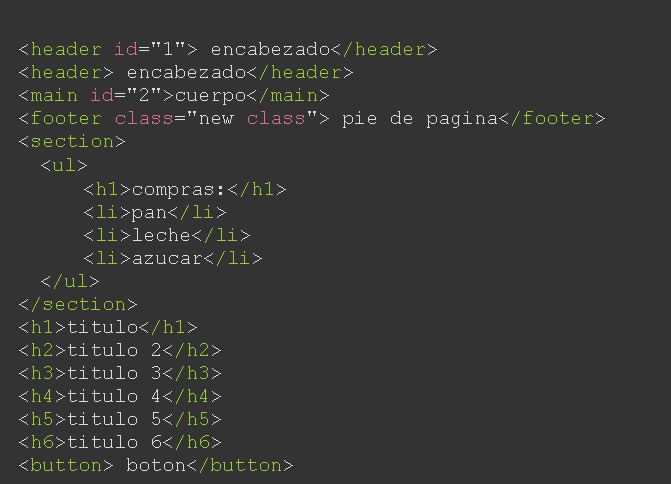
#
Desde npm:
npm i codepaint
$3
import ColorearHtml from './node_modules/paintcode/Paint.js'


new ColorearHtml();
#
Solo debes colocar el script en tu html y agregar la clase colorear al padre:
#
   <script type="module" >

       import ColorearHtml from 'https://lionelstaricoff.github.io/paint-code/Paint.js';

       new ColorearHtml();

      <script>
#
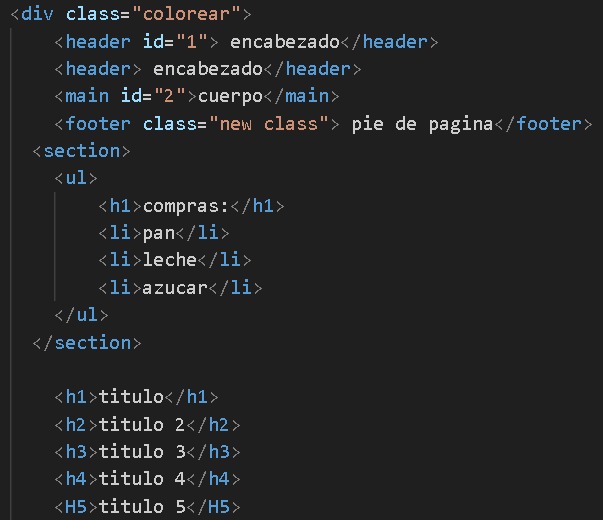
Utiliza el constructor
$3
   <script type="module" >

       import ColorearHtml from 'https://lionelstaricoff.github.io/paint-code/Paint.js';

      new ColorearHtml('red','blue','black','yellow');

      <script>
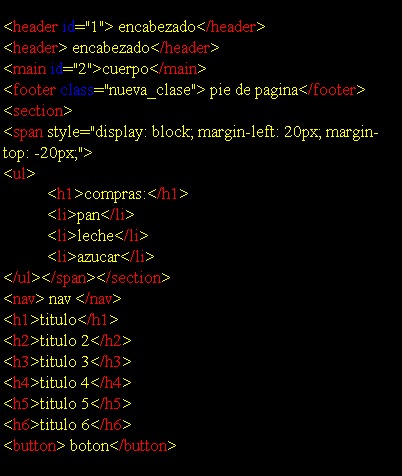
#
Utiliza el constructor Builder
$3
   <script type="module" >

       import ColorearHtml from 'https://lionelstaricoff.github.io/paint-code/Paint.js';


     ColorearHtml.Builder()

                           .etiquetas('rgb(26, 76, 76)')

                           .background('#333')

                           .atributos('hsl(350, 100%, 88%)')

                           .letras('hwb(0 100% 0%)')

                           .build()

      <script>
Clase estatica colores:
$3
   <script type="module" >

       import ColorearHtml from 'https://lionelstaricoff.github.io/paint-code/Paint.js';


     ColorearHtml.Builder()

              .etiquetas(ColorearHtml.colores.naranja('90%'))

              .background(ColorearHtml.colores.azul(.8))

              .atributos(ColorearHtml.colores.negro())

              .letras(ColorearHtml.colores.blanco())

              .build()

      <script>
#
$3
   <script type="module" >


        import('https://lionelstaricoff.github.io/paint-code/Paint.js')

                .then(module => module.default)


                .then(data => {


                 globalThis.color =  class colorearModule extends  data{};


                 globalThis.color.Builder()

                    .etiquetas('blue')

                    .background('red')

                    .atributos('green')

                    .letras('black')

                    .build();

                })

                .catch(error => console.error(error));


      <script>
Agregando clase ColorearHtmlInnerText() para colorear html colocado como InnerText dentro de un elemento del DOM
<div class="innertext coloreartext">
<script type="module" >
const p = document.querySelector('.innertext')
p.innerText =;
<div id="doble_button">
<span> X </span>
<input type="button" value="Guardar_bbdd">
<input type="button" value="cargar_bbdd">
</div>
import('https://lionelstaricoff.github.io/paint-code/Paint.js')
.then(module => new module.ColorearHtmlInnerText( 'green','red','#333','white') )
<script>
© Todos los derechos recervados por mi Staricoff Lionel