pm-theme
v3.16.21
Easy CSS Themes for ProtonMail.
0/weekUpdated 3 years agoMITUnpacked: 1.0 MB
Published by Austin Delamar
npm install pm-themeCustom Themes for ProtonMail
This is a collection of simple color themes for the ProtonMail web app. 🎨
Dark Theme
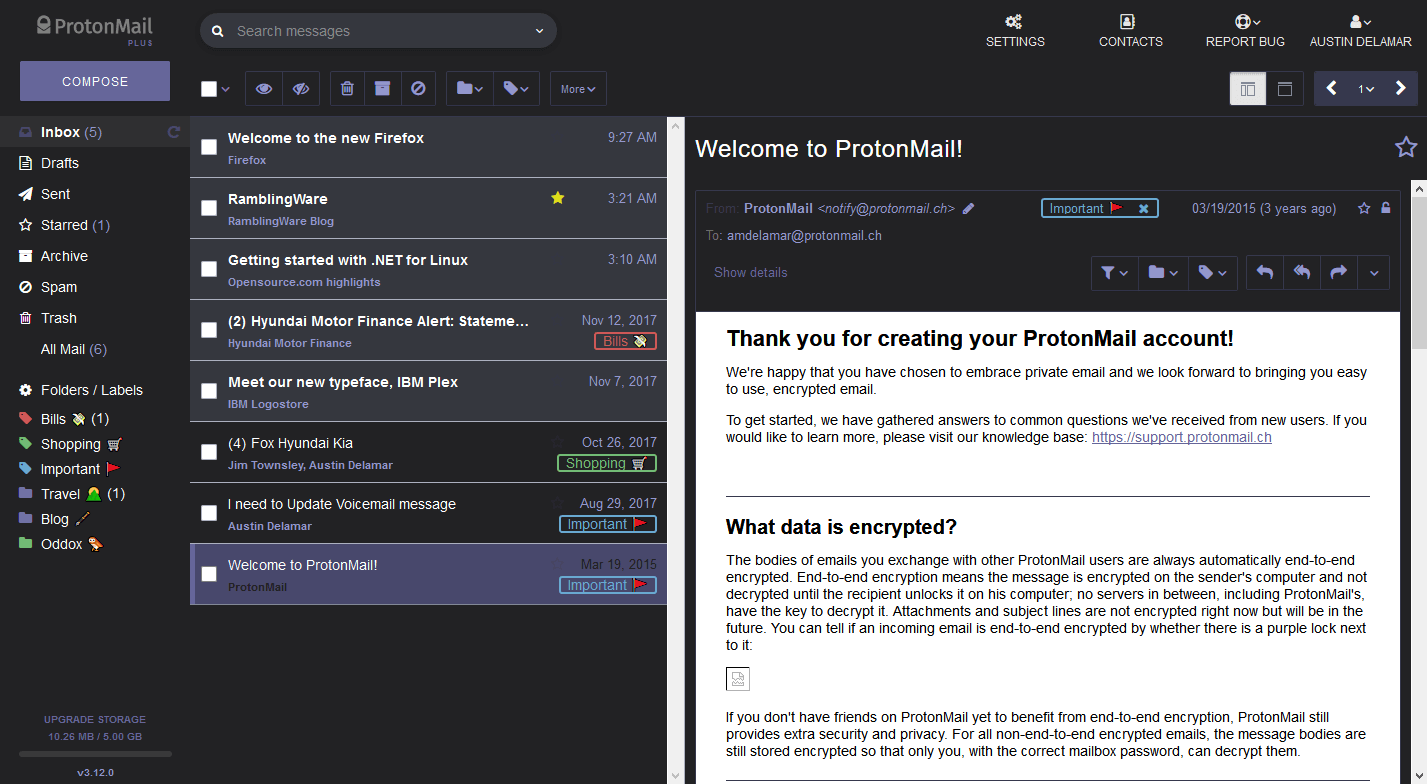
Copy the CSS directly and edit the colors.
Flat Theme
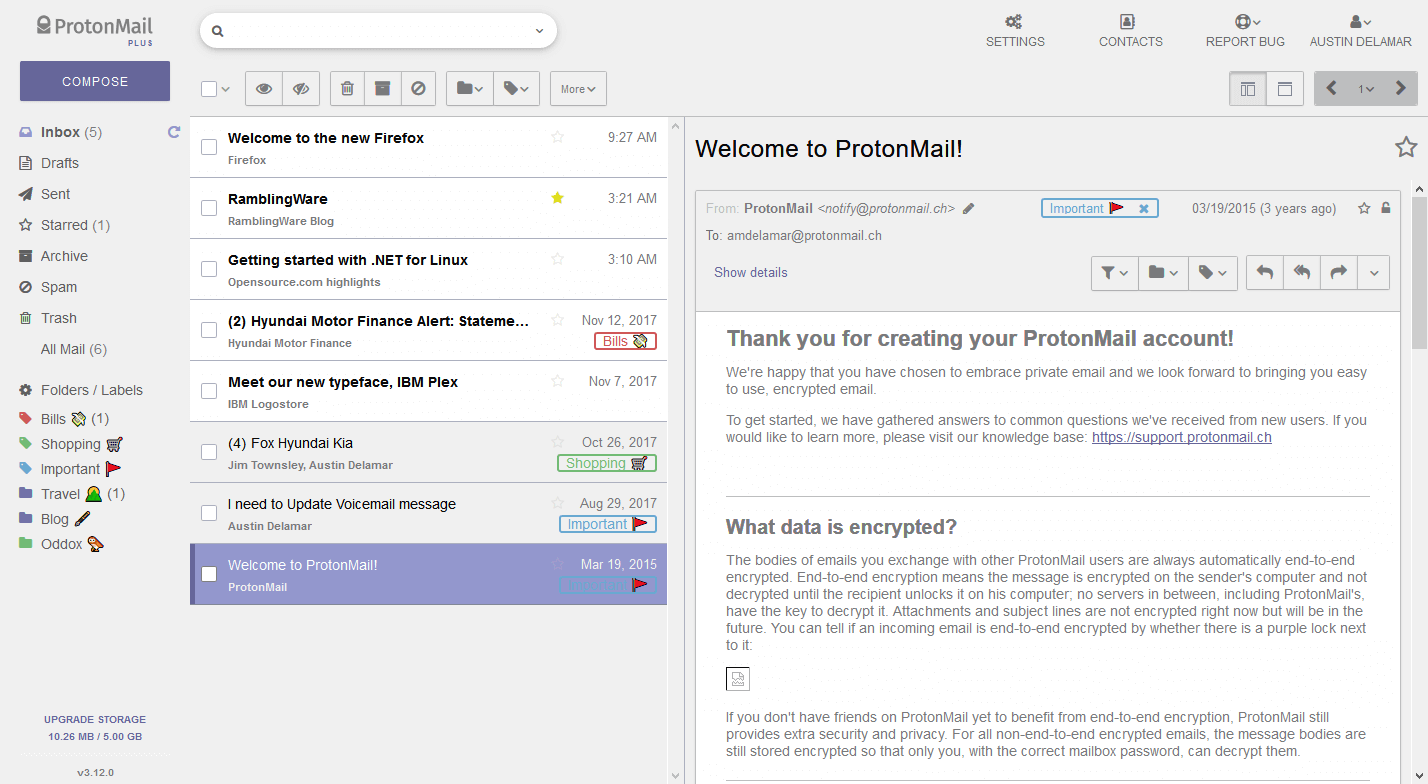
Copy the CSS directly and edit the colors.
Background Image Theme
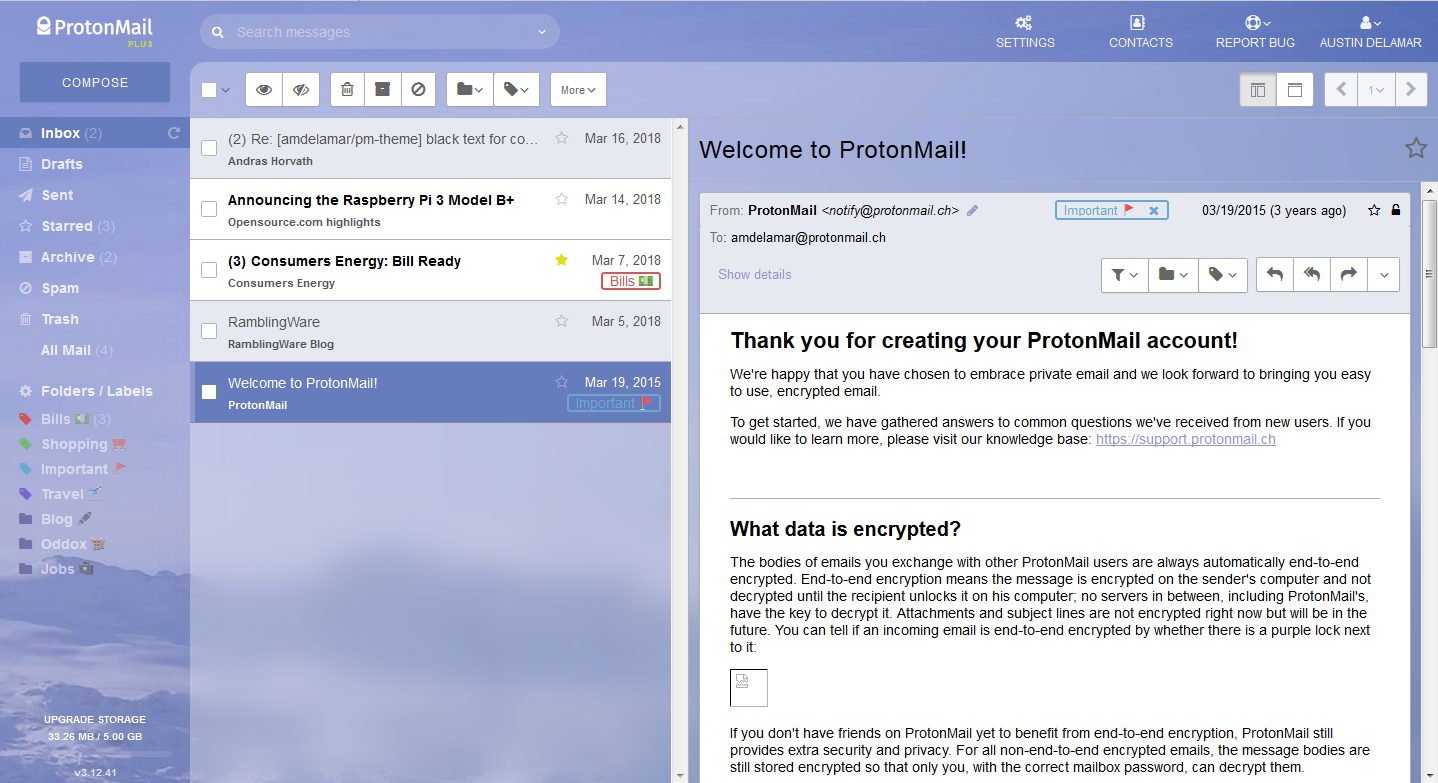
Copy the CSS directly and customize the variable --image to your own image url. (Might not work with Content-Security-Policy blocking remote content anymore.)
GM Theme

Copy the CSS directly and edit the colors.
Customize
1. Copy a CSS theme above.
1. Paste in ProtonMail under Settings > Appearance > Custom Theme.
1. Customize the colors (or leave default).
1. Enjoy!
You can customize the theme colors to your liking:
``css
/ First paste any CSS theme. /
/ Now you can set your colors. /
:root {
--theme1: #3652d1; / Blue instead of Red /
}
`
The #xxx value is hexidecimal color value. And the root keyword is a CSS variable, that just sets the color values globally. These themes have been simplified to 7 "core" colors so you can easily make a custom color palette of your choice. You can also generate a pretty color palette from this site.
`css`
:root {
/ Core Theme Colors /
--theme1: #66669a; / Purple /
--theme2: #5f5f60; / Dark Grey /
--theme3: #f0f0f0; / Light Grey /
--theme4: #bcbdbf; / Grey /
--theme5: #797a7c; / Medium Grey /
--theme6: #9397cd; / Light Purple /
--theme7: #fefefe; / White /
}
Enjoy!
Notes
- This is only available for the WEB version and not the MOBILE app.
- Some of these themes aren't always the best. If you have any problems you can open an issue here.
- If you're trying to use @import, the Content-Security-Policy (CSP) header blocks @import statements from loading remote content. To get around this, please copy and paste the entire contents of the CSS theme rather than the @import line.
Privacy and Performance
~~The above code used a CSS import statement for ease of use and quickly trying out a theme. However, the CSS import statement causes files to load sequentially instead of parallel, thus slowing down your pages load performance. Also, if your privacy is of the utmost importance, then I wouldn't use the CSS import statment from above. It potentially could reveal your behavior e.g. identifying when you load up ProtonMail using which specific theme. To avoid this, please copy & paste the entire contents of the CSS file, rather than use the import statement.~~ This is no longer a concern, now that the Content-Security-Policy (CSP) Header blocks @import statements from loading remote content.
Contribute
Spot a problem or bug? You can open an issue here.
I'll accept pull requests to the master` branch too. Please make sure to minify the CSS as well.
Share with friends
- Copy, edit, and share any of these themes.
- Licensed as MIT and free forever.