PostCSS plugin to correct viewport height value `vh` to real viewport height as stated by CSS Tricks in article https://css-tricks.com/the-trick-to-viewport-units-on-mobile/
npm install postcss-viewport-height-correction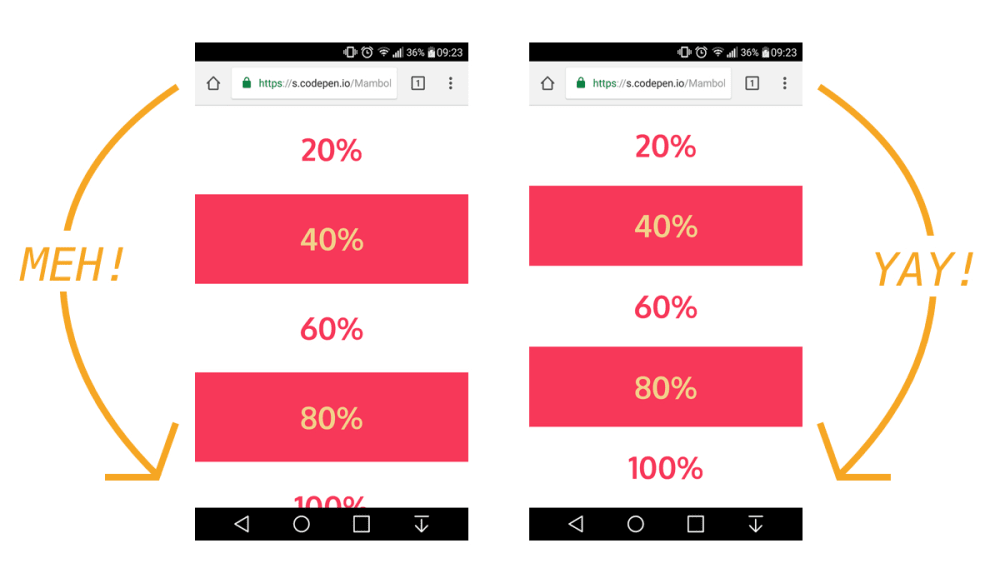
shell
yarn add postcss-viewport-height-correction
--- OR ----
npm install --save postcss-viewport-height-correction
`And then add this javascript to
(for React), or add to template.html (for Preact).
`js
var customViewportCorrectionVariable = 'vh';
function setViewportProperty(doc) {
var prevClientHeight;
var customVar = '--' + ( customViewportCorrectionVariable || 'vh' );
function handleResize() {
var clientHeight = doc.clientHeight;
if (clientHeight === prevClientHeight) return;
requestAnimationFrame(function updateViewportHeight(){
doc.style.setProperty(customVar, (clientHeight * 0.01) + 'px');
prevClientHeight = clientHeight;
});
}
handleResize();
return handleResize;
}
window.addEventListener('resize', setViewportProperty(document.documentElement));
`[PostCSS]: https://github.com/postcss/postcss
Check you project for existed PostCSS config:
in the project root, section in package.json
or in bundle config.If you already use PostCSS, add the plugin to plugins list:
`diff
module.exports = {
plugins: [
+ require('postcss-viewport-height-correction'),
require('autoprefixer')
]
}
`If you do not use PostCSS, add it according to [official docs]
and set this plugin in settings.
[official docs]: https://github.com/postcss/postcss#usage
Configuration
You really will rarely need this. Use this when you have some conflicting css variable.
We use as variable to fix the viewport height. You can use --pvh or any other variable of your choice.Configure postcss to use your variable.
`diff
module.exports = {
plugins: [
+ require('postcss-viewport-height-correction')({ variable: 'pvh' }),
require('autoprefixer')
]
}
`Also change variable name in javascript you added. Change
value to your variable.
`diff
+ var customViewportCorrectionVariable = 'pvh'
- var customViewportCorrectionVariable = 'vh'
`> NOTE: Only use plain alphabetical characters as custom variable name.
> We are using regex to patch viewport value, any variable with special characters can lead to unknown issues.
Inspiration
The viewport height which we use as "vh" unit in css does not give the actual viewport height but gives the height of the browser window. This plugin is an implememtation of CSS Tricks article on this issue.Example Output
css
.foo {
    / Input example /
    height: 100vh;
}.bar {
    min-height: 50vh;
    max-height: 75vh;
    margin: -1vh;
}
`css
.foo {
/ Output example /
height: 100vh;
height: calc(var(--vh, 1vh) 100); / corrected viewport height using css custom variables */
}.bar {
min-height: calc(var(--vh, 1vh) * 50);
max-height: calc(var(--vh, 1vh) * 75);
margin: calc(var(--vh, 1vh) * -1);
}
``