potree-core
v2.0.12TypeScript
Potree wrapper for three.js applications
0/weekUpdated 1 months agoMITUnpacked: 339.4 KB
Published by Tentone
npm install potree-corePotree Core 2.0


- This project was originally based on Potree Viewer 1.6 and is now since version 2.0 based on the shiukaheng fork of the Potree-Loader.
- Potree is a web based pouint cloud visualizer project created by Markus Schütz.
- This project contains only the main parts of the potree project adapted to be more easily used as a independent library, the code was adapted from the original repositorys.
- Support for pointclouds from LAS, LAZ, Binary files.
- Some features require support for the following GL extensions
- EXT_frag_depth, WEBGL_depth_texture, OES_vertex_array_object
Demo
- Live demo at https://tentone.github.io/potree-core/
- Double click the models to raycast the scene and create marker points.
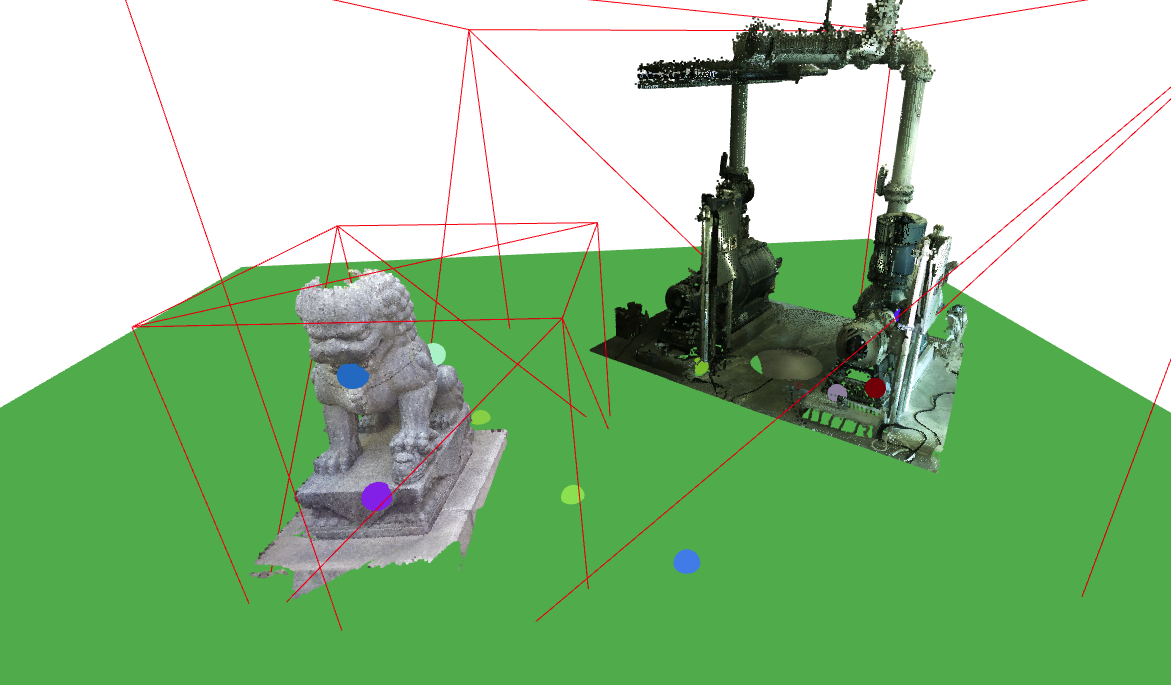
Example
- The project can be build running the commands
npm install and npm run build.
- Download the potree build from the build folder or add it to your project using NPM.
- Include it alonside the worker folder in your project (can be found on the source folder).
- The build is a ES module, that can be imported to other projects, threejs should be available as a peer dependency.
- Bellow its a fully functional example of how to use this wrapper to load potree point clouds to a three.js project
``
javascript

const scene = new Scene();

const camera = new PerspectiveCamera(60, 1, 0.1, 10000);


const canvas = document.getElementById("canvas");


const renderer = new WebGLRenderer({canvas:canvas});


const geometry = new BoxGeometry(1, 1, 1);

const material = new MeshBasicMaterial({color: 0x00ff00});

const cube = new Mesh(geometry, material);

scene.add(cube);


const controls = new OrbitControls(camera, canvas);

camera.position.z = 10;


const pointClouds = [];


const baseUrl = "data/test/";

const potree = new Potree();

potree.loadPointCloud("cloud.js", url => ${baseUrl}${url},).then(function(pco) {
scene.add(pco);
pointClouds.push(pco);
});
function loop()
{
potree.updatePointClouds(pointClouds, camera, renderer);
controls.update();
renderer.render(scene, camera);
requestAnimationFrame(loop);
};
loop();
`
Custom Request Manager

   - The potree core library uses a custom request manager to handle the loading of point cloud data.

   - The request manager can be replaced by a custom implementation, for example to use a custom caching system or to handle requests in a different way.
`javascript
class CustomRequestManager implements RequestManager
{
fetch(input: RequestInfo | URL, init?: RequestInit): Promise {
throw new Error("Method not implemented.")
}
async getUrl(url: string): Promise {
return url;
}
}
`
Notes

 - Since potree-core is meant to be used as library and not as a full software as potree some features are not available.

 - EDL shading is not supported by potree core.

 - Removed classification and clipping functionality.

 - Removed Arena 4D point cloud support.

 - Removed Entwine Point Tile file support.

 - GUI elements were removed from the library

   - PotreeViewer

   - Controls, Input, GUI, Tools

   - Anotations, Actions, ProfileRequest

   - Potree.startQuery, Potree.endQuery and Potree.resolveQueries

   - Potree.timerQueries

   - Potree.MOUSE, Potree.CameraMode

   - PotreeRenderer, RepRenderer, Potree.Renderer

     - JQuery, TWEEN and Proj4 dependencies


Potree Converter

 - Use the (Potree Converter)[https://github.com/potree/PotreeConverter/releases] tool to create point cloud data from LAS, ZLAS or BIN point cloud files

 - Potree Converter 1.8 creates a multi file structure with each node as an individual file.

 - Potree Converter 2.1 creates a single file for all points and separates files for hierarchy index, its faster to create files. Requires a HTTP server configured for file streaming.

 - Tool to create hierarquical structure used for point-cloud rendering using potree-core.

 - There are two main versions 2.1 witch generates 4 contained files with point data, hierarchy,

 - To generate a folder output from a input file run the command
.\PotreeConverter '..\input.laz' -o ../output
$3

 - The potree converter tool only supports las and laz files, so textural file formats such as .pts, .xyz, have to be first converted into a supported format.

 - The TXT2LAS tool from the (LASTools)[https://github.com/LAStools/LAStools] repository can be used for this effect.

 - To run the tool use the command
.\txt2las64 -i input.pts -ipts -parse xyziRGB -set_scale 0.001 0.001 0.001 -set_version 1.4 -o output.laz`
### To Do
- Supports logarithmic depth buffer (just by enabling it on the threejs renderer), useful for large scale visualization.
- Point clouds are automatically updated, frustum culling is used to avoid unnecessary updates (better update performance for multiple point clouds).