rc-tooltip
v6.4.0TypeScript
React Tooltip
2.5M/weekUpdated 1 years agoMITUnpacked: 56.2 KB
Published by silentcloud
npm install rc-tooltiprc-tooltip
React Tooltip
[![NPM version][npm-image]][npm-url]
[![npm download][download-image]][download-url]
[![build status][github-actions-image]][github-actions-url]
[![Codecov][codecov-image]][codecov-url]
[![bundle size][bundlephobia-image]][bundlephobia-url]
[![dumi][dumi-image]][dumi-url]
[npm-image]: http://img.shields.io/npm/v/rc-tooltip.svg?style=flat-square
[npm-url]: http://npmjs.org/package/rc-tooltip
[travis-image]: https://img.shields.io/travis/react-component/tooltip/master?style=flat-square
[travis-url]: https://travis-ci.com/react-component/tooltip
[github-actions-image]: https://github.com/react-component/tooltip/workflows/CI/badge.svg
[github-actions-url]: https://github.com/react-component/tooltip/actions
[codecov-image]: https://img.shields.io/codecov/c/github/react-component/tooltip/master.svg?style=flat-square
[codecov-url]: https://app.codecov.io/gh/react-component/tooltip
[david-url]: https://david-dm.org/react-component/tooltip
[david-image]: https://david-dm.org/react-component/tooltip/status.svg?style=flat-square
[david-dev-url]: https://david-dm.org/react-component/tooltip?type=dev
[david-dev-image]: https://david-dm.org/react-component/tooltip/dev-status.svg?style=flat-square
[download-image]: https://img.shields.io/npm/dm/rc-tooltip.svg?style=flat-square
[download-url]: https://npmjs.org/package/rc-tooltip
[bundlephobia-url]: https://bundlephobia.com/package/rc-tooltip
[bundlephobia-image]: https://badgen.net/bundlephobia/minzip/rc-tooltip
[dumi-url]: https://github.com/umijs/dumi
[dumi-image]: https://img.shields.io/badge/docs%20by-dumi-blue?style=flat-square
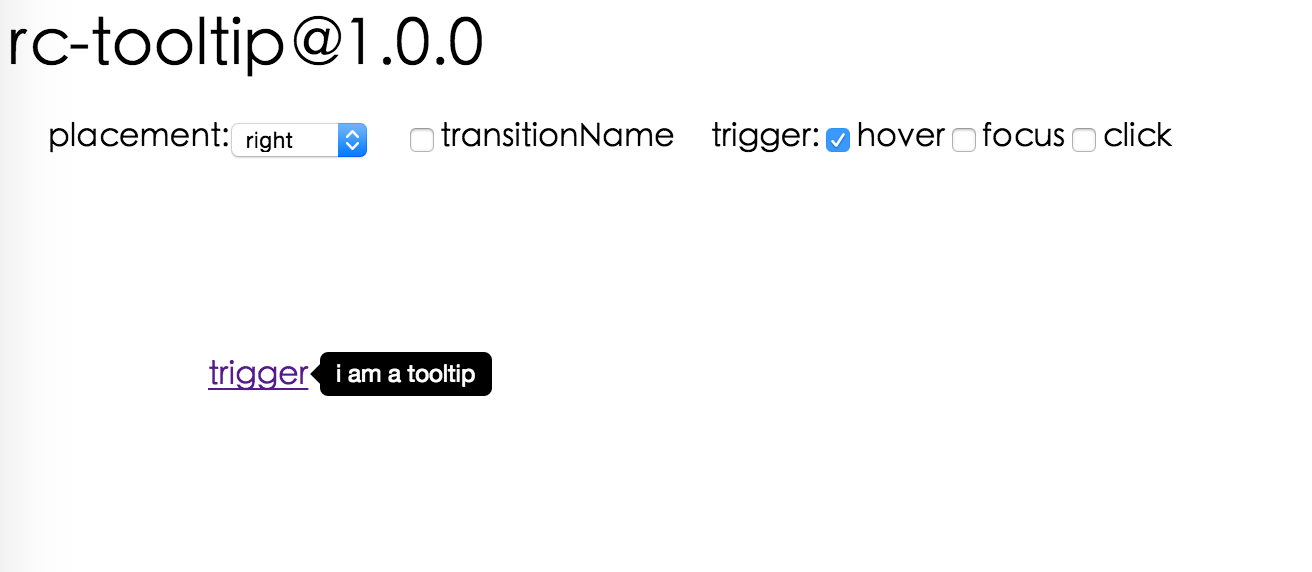
Screenshot
Browsers support
|  IE / Edge |
  Firefox |
  Chrome |
  Safari |
  Opera |
| --------------------------------------------------------------------------------------------------------------------------------------------------------------------------------------------------------------- | ----------------------------------------------------------------------------------------------------------------------------------------------------------------------------------------------------------------- | ------------------------------------------------------------------------------------------------------------------------------------------------------------------------------------------------------------- | ------------------------------------------------------------------------------------------------------------------------------------------------------------------------------------------------------------- | --------------------------------------------------------------------------------------------------------------------------------------------------------------------------------------------------------- |
| IE 8 + ✔ | Firefox 31.0+ ✔ | Chrome 31.0+ ✔ | Safari 7.0+ ✔ | Opera 30.0+ ✔ |
Install

Usage
``js
var Tooltip = require('rc-tooltip');
var React = require('react');
var ReactDOM = require('react-dom');
// By default, the tooltip has no style.
// Consider importing the stylesheet it comes with:
// 'rc-tooltip/assets/bootstrap_white.css'
ReactDOM.render(
hover
container,
);
`
Examples
npm start and then go to
Online demo:
API
$3
| name | type | default | description |
| -------------------- | ----------------------------------------- | ------------------- | ---------------------------------------------------------------------------------------------------------------------------------------------------------------- |
| trigger | string \| string\[] | 'hover' | which actions cause tooltip shown. enum of 'hover','click','focus' |
| visible | boolean | false | whether tooltip is visible |
| defaultVisible | boolean | false | whether tooltip is visible by default |
| placement | string | 'right' | tooltip placement. enum of 'top','left','right','bottom', 'topLeft', 'topRight', 'bottomLeft', 'bottomRight', 'leftTop', 'leftBottom', 'rightTop', 'rightBottom' |
| motion | object | | Config popup motion. Please ref demo for example |
| onVisibleChange | (visible: boolean) => void; | | Callback when visible change |
| afterVisibleChange | (visible: boolean) => void; | | Callback after visible change |
| overlay | ReactNode \| () => ReactNode | | tooltip overlay content |
| overlayStyle | object | | deprecated, Please use styles={{ root: {} }} |classNames={{ root: {} }}
| overlayClassName | string | | deprecated, Please use |
| prefixCls | string | 'rc-tooltip' | prefix class name of tooltip |
| mouseEnterDelay | number | 0 | delay time (in second) before tooltip shows when mouse enter |
| mouseLeaveDelay | number | 0.1 | delay time (in second) before tooltip hides when mouse leave |
| getTooltipContainer | (triggerNode: HTMLElement) => HTMLElement | () => document.body | get container of tooltip, default to body |
| destroyTooltipOnHide | boolean | false | destroy tooltip when it is hidden |
| align | object | | align config of tooltip. Please ref demo for usage example |
| showArrow | boolean \| object | false | whether to show arrow of tooltip |
| zIndex | number | | config popup tooltip zIndex |
| classNames | classNames?: { root?: string; body?: string;}; | | Semantic DOM class |
| styles | styles?: {root?: React.CSSProperties;body?: React.CSSProperties;}; | | Semantic DOM styles |
Important Note
Tooltip requires a child node that accepts an onMouseEnter, onMouseLeave, onFocus, onClick event. This means the child node must be a built-in component like div or span, or a custom component that passes its props to its built-in component child.
Accessibility
For accessibility purpose you can use the id prop to link your tooltip with another element. For example attaching it to an input element:
`js`
id={this.props.name}>
...
aria-describedby={this.props.name}/>
If you do it like this, a screenreader would read the content of your tooltip if you focus the input element.
NOTE: role="tooltip" is also added to expose the purpose of the tooltip element to a screenreader.
Development
`bash`
npm install
npm start
Test Case
`bash`
npm test
npm run chrome-test
Coverage
`bash`
npm run coverage
License
rc-tooltip` is released under the MIT license.