react-columns
v1.2.1
React component for rendering columns from a list of children with horizontal ordering
199/weekUpdated 3 years agoMITUnpacked: 64.1 KB
Published by Thomas Hermann
npm install react-columnsreact-columns
[![Travis][build-badge]][build]
[![npm package][npm-badge]][npm]
[![Coveralls][coveralls-badge]][coveralls]
React component for rendering columns from a list of children with horizontal ordering
[build-badge]: https://img.shields.io/travis/novascreen/react-columns/master.svg?style=flat-square
[build]: https://travis-ci.org/novascreen/react-columns
[npm-badge]: https://img.shields.io/npm/v/react-columns.svg?style=flat-square
[npm]: https://www.npmjs.org/package/react-columns
[coveralls-badge]: https://img.shields.io/coveralls/novascreen/react-columns/master.svg?style=flat-square
[coveralls]: https://coveralls.io/github/novascreen/react-columns
Installation
npm install --save react-columns
Features
* Static number of columns
* Dynamic number of columns based on media queries ([matchMedia][matchmedia])
* Height aware ordering of items
* Put gap between columns
Demo
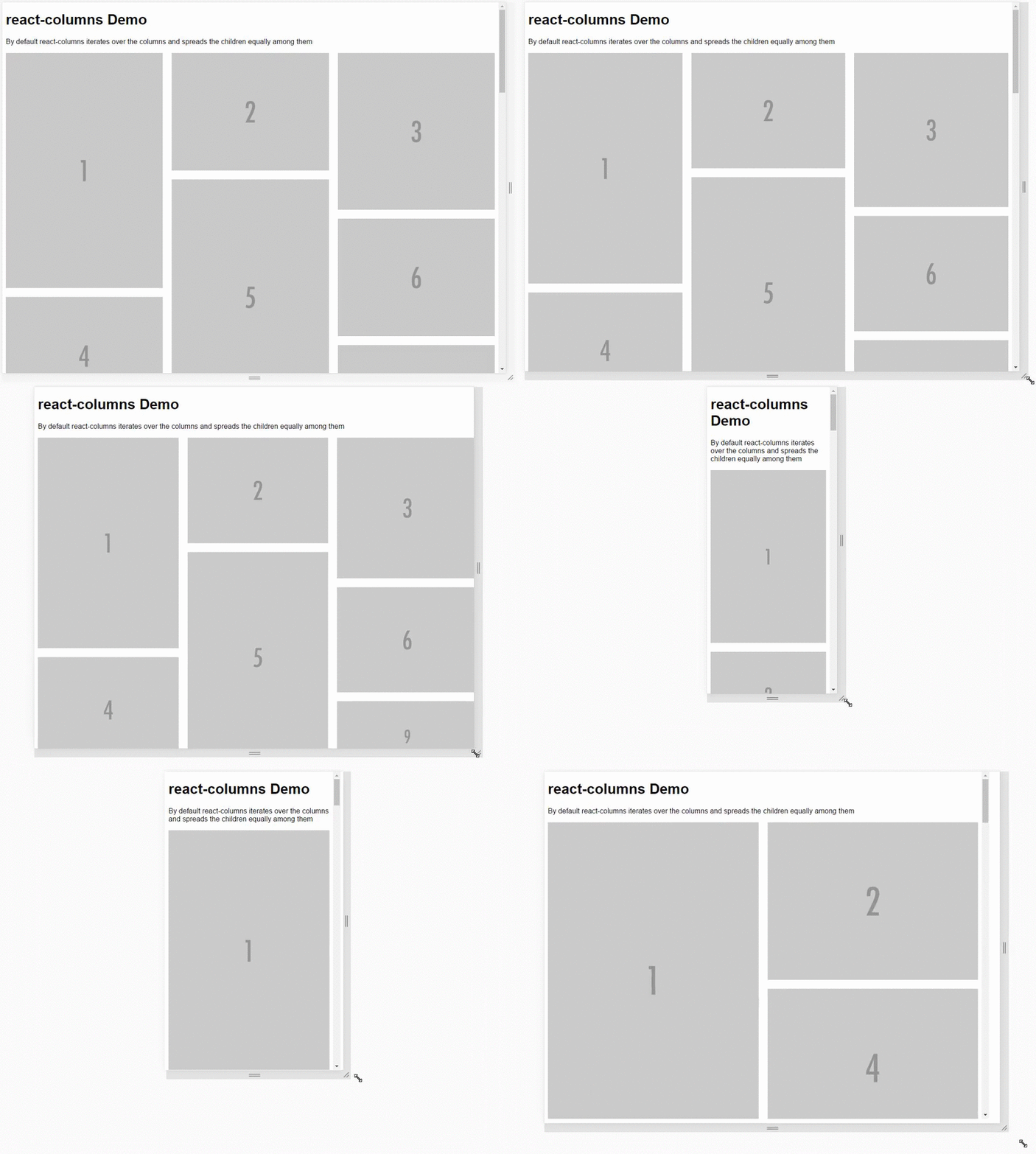
See this [component in action][demo]
Usage
Simply pass a list of nodes to the
If you know the dimensions of your nodes upfront you can pass those in as a separate property and Columns will fill up the columns more intelligently by looping through the nodes and always adding it to the shortest column.
$3
``jsx`
var Columns = require('react-columns');
function Component(){
return (
);
}
$3
`jsx`
var Columns = require('react-columns');
function Component(){
var queries = [{
columns: 2,
query: 'min-width: 500px'
}, {
columns: 3,
query: 'min-width: 1000px'
}];
return (
);
}
$3
`jsx`
var Columns = require('react-columns');
function Component(){
var dimensions = [
{ width:800, height: 1200 },
{ width: 800, height: 600 },
{ width: 800, height: 800 },
{ width: 800, height: 600 },
{ width: 800, height: 1200 },
{ width: 800, height: 600 },
{ width: 800, height: 400 },
{ width: 800, height: 400 },
{ width: 800, height: 400 },
{ width: 800, height: 800 },
];
return (
);
}
Properties
* className {String} (default: '')
Lets you pass in a class for the most outer element of the component.
* rootStyles {Object} (default: { overflowX: 'hidden' })
Styles applied to the most outer element. This avoids horizontal scrolling when using gap since the negative margin technique is used to create the gaps. You might want to remove this and handle it at a node higher up in the DOM tree.
* columns {Number} (default: 3)
Sets the amount of columns statically.
* queries {Array} (default: [])
Takes an array of objects defining how many columns should be used when a specific media query matches.
The last matching media query will be used, just like when you're writing CSS.
* queries[].query {String}
A media query or shortened single rule media query like min-width: 500px
* queries[].columns {Number}
Number of columns
* dimensions {Array} (default: [])
List of dimensions corresponding to the child nodes passed into the component
Columns calculates the aspect ratio and uses that to determine the relative heights of the nodes and columns. If you're dealing with images you can pass in the original size of the image.
* dimensions[].width {Number}
The width of node
* dimensions[].height {Number}
The height of the node
* gap {String} (default: 0px`)
Gap between columns as number or string with unit.
License
MIT
[matchmedia]: http://caniuse.com/#feat=matchmedia
[demo]: http://novascreen.github.io/react-columns/