react-datepicker2
v3.3.13TypeScript
react datepicker component. (include persian jalaali calendar)
reactreact-datepickerreact-datepicker2react-jalaali-datepickerjalaali-datepickerjalaalidatepickercomponentreact componentreact-component
0/weekUpdated 3 years agoMITUnpacked: 6.9 MB
Published by mohammadreza berneti
npm install react-datepicker2React DatePicker2


A simple and reusable Datepicker component for React (with persian jalali calendar support) Demo.
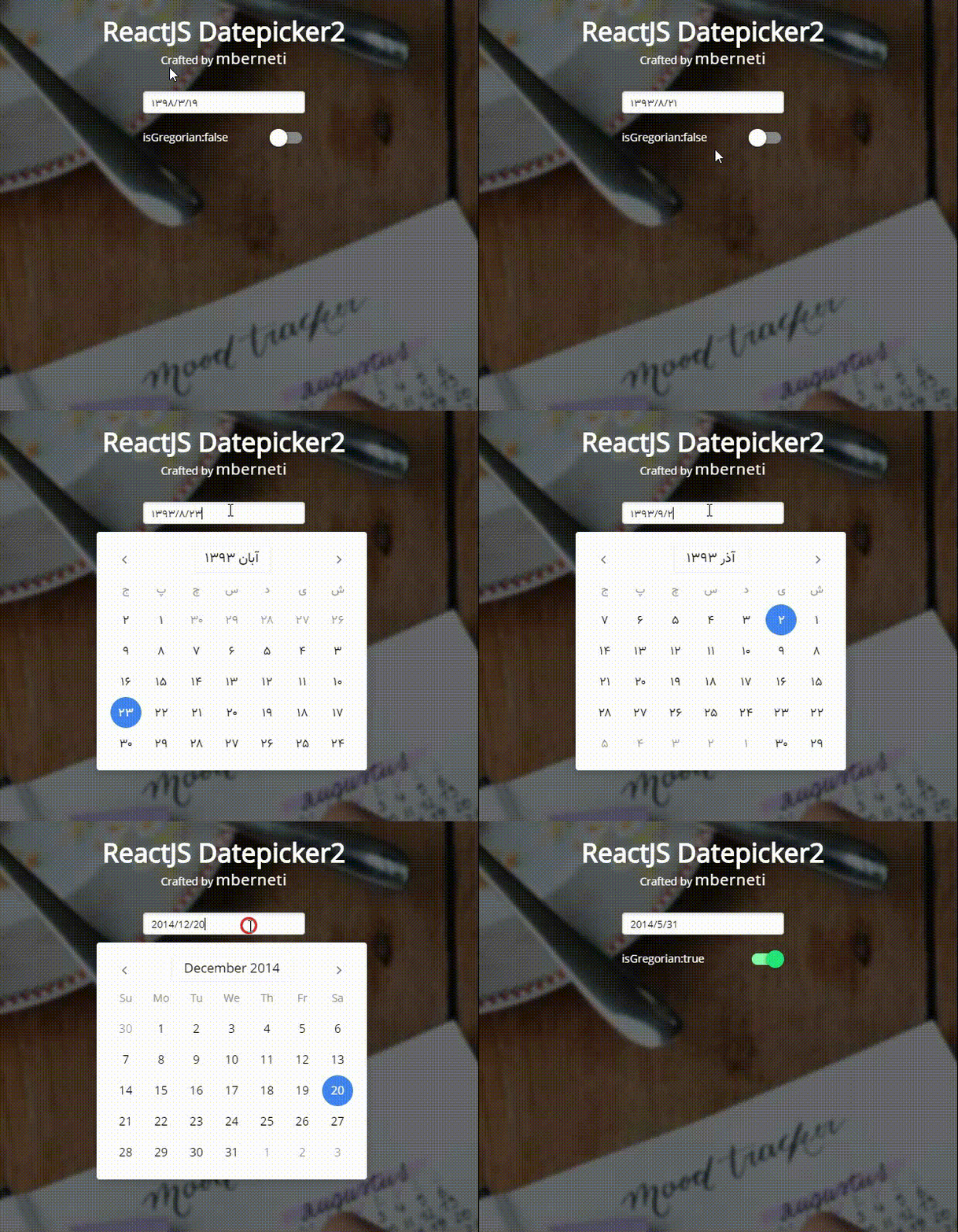
This package uses react-persian-datepicker project under the hood.
Installation
The package can be installed via NPM:
``
npm install react-datepicker2 --save
`
At this point you can import react-datepicker2 and its styles in your application as follows:
`js
import DatePicker from 'react-datepicker2';
`
Below is a simple example on how to use the Datepicker in a React view.
`js
import React from 'react'
import moment from 'moment-jalaali'
import DatePicker from 'react-datepicker2';
export default class ReactClass extends React.Component {
constructor(props) {
super(props);
this.state = { value: moment() };
}
render() {
return
value={this.state.value}
/>
}
}
`
Configuration


The most basic use of the DatePicker can be described with:
`js
this.setState({ value })} value={this.state.value} />
`
Local Development


The
master branch contains the latest version of the Datepicker2 component. To start your example app, you can run npm install then npm start`. This starts a simple webserver on http://localhost:8080.
Todo
- [x] Write some tests
- [x] Improve documentation
- [x] Remove css loading dependency
- [x] UI improvements
- [x] Adding new highlight feature
- [x] Adding new year picker feature
- [x] Adding typescript support
- [ ] Adding new rangepicker feature
Built With
* moment-jalaali - A Jalaali (Jalali, Persian, Khorshidi, Shamsi) calendar system plugin for moment.js.
Thanks
Special thanks to @mohebifar for his open-source project which this component is based on.
Contributing
Contributions are welcome and will be fully credited.
I'd be happy to accept PRs for that.
License
Copyright (c) 2016 mberneti Inc. and individual contributors. Licensed under MIT license, see LICENSE for the full license.
Contributors ✨
Thanks goes to these wonderful people (emoji key):


This project follows the all-contributors specification. Contributions of any kind welcome!