react-jinke-music-player
v4.24.2TypeScript
Maybe the best beautiful HTML5 responsive player component for react
reactreactjsplayermusicaudioreact-playerreact-jinke-music-playerreact-music-playerreact-audio-playercd-player
1.6K/weekUpdated 3 years agoMITUnpacked: 631.3 KB
Published by Jinke.Li
npm install react-jinke-music-player

react-jinke-music-player
:musical_note: Maybe the best beautiful HTML5 responsive player component for react : )









:package: Installation
using yarn :
``bash`
yarn add react-jinke-music-player
using npm :
`bash`
npm install react-jinke-music-player --save
:framed_picture: Screenshots
> mini mode
> Light Theme
> Dark Theme
> mobile
:sparkles: Feature list
- [x] Beautiful ui and animation
- [x] Responsive
- [x] Support theme switch
- [x] Support typescript (d.ts)
- [x] Support lyric
- [x] Support audio list sortable
- [x] Play list
- [x] Full player features
- [x] Server-Side Rendering
- [x] Import in Browser
- [x] Complete hook function
- [x] Custom operation ui
- [x] Custom downloader
- [x] Support destroy player
- [x] Support glass background
- [x] Media session (v4.11.0)
- [x] Support internationalization (v4.11.0)
- [x] Customize theme (v4.11.0)
- [x] Customize audio duration (v4.13.0)
- [x] Customize player icon (v4.17.0)
- [x] Follow the theme of the system (v4.16.0)
- [x] Audio volume fadeIn/fadeOut (v4.20.0)
:eyes: Example
> live example :
- https://lijinke666.github.io/react-music-player/
> local example : http://localhost:8081/
:memo: Usage
`jsx
import React from 'react'
import ReactDOM from 'react-dom'
import ReactJkMusicPlayer from 'react-jinke-music-player'
import 'react-jinke-music-player/assets/index.css'
ReactDOM.render(
document.getElementById('root'),
)
`
:clipboard: API
| Name | Type | Default | Description |
| ---- | ---- | ------- | ----------- |
| className | string | - | Additional CSS class for the root DOM node |-
| audioLists | [AudioListProps[]](#bulb-audiolistprops) | | Detail |light
| theme | \| dark \| auto | dark | color of the music player theme dark, light, auto (follow system) | light |zh_CN
| locale | \| en_US \| CustomLocale | en_US | Detail | light |-
| icon | Customize player icon | | Customize player icon | light |object
| defaultPosition | | {top:0,left:0} | audio controller initial position with left,top,right,and bottom |number
| playModeShowTime | | 600 | play mode toggle show time (ms) |object
| bounds | ,number | body | specifies movement boundaries. Accepted values: parent restricts movement within the node's offsetParent (nearest node with position relative or absolute), or a selector, restricts movement within the targeted node An object with left, top, right, and bottom properties. These indicate how far in each direction the draggable can be moved. |boolean
| preload | ,string | false | Whether to load audio immediately after the page loads. can be set to auto | metadata | none true | falseifpreload=true preload="auto" |boolean
| remember | | false | The next time you access the player, do you keep the last state |boolean
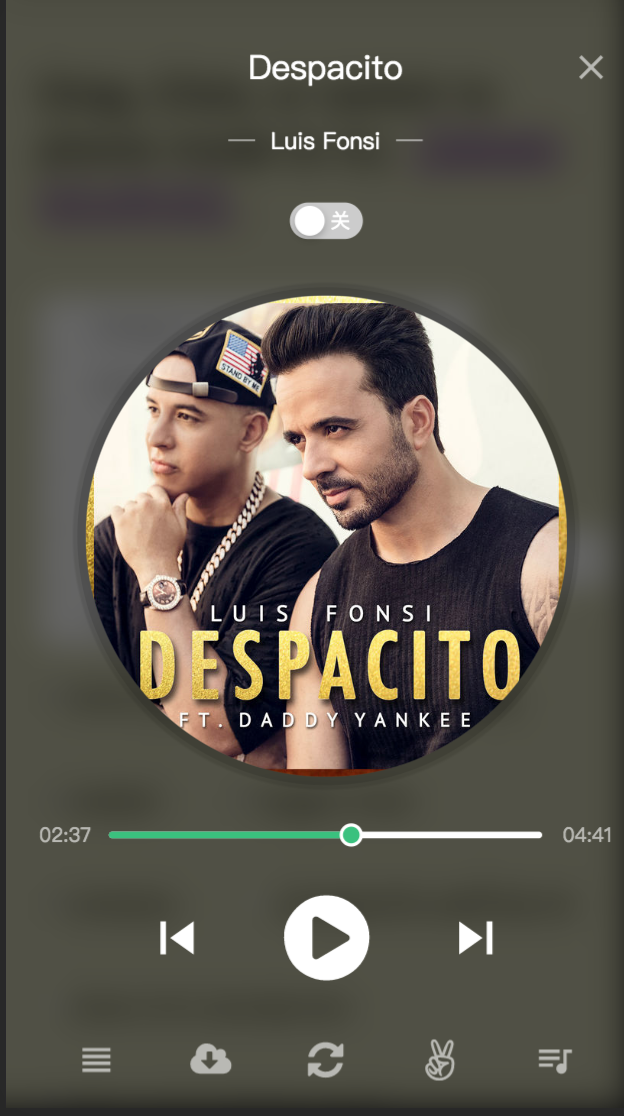
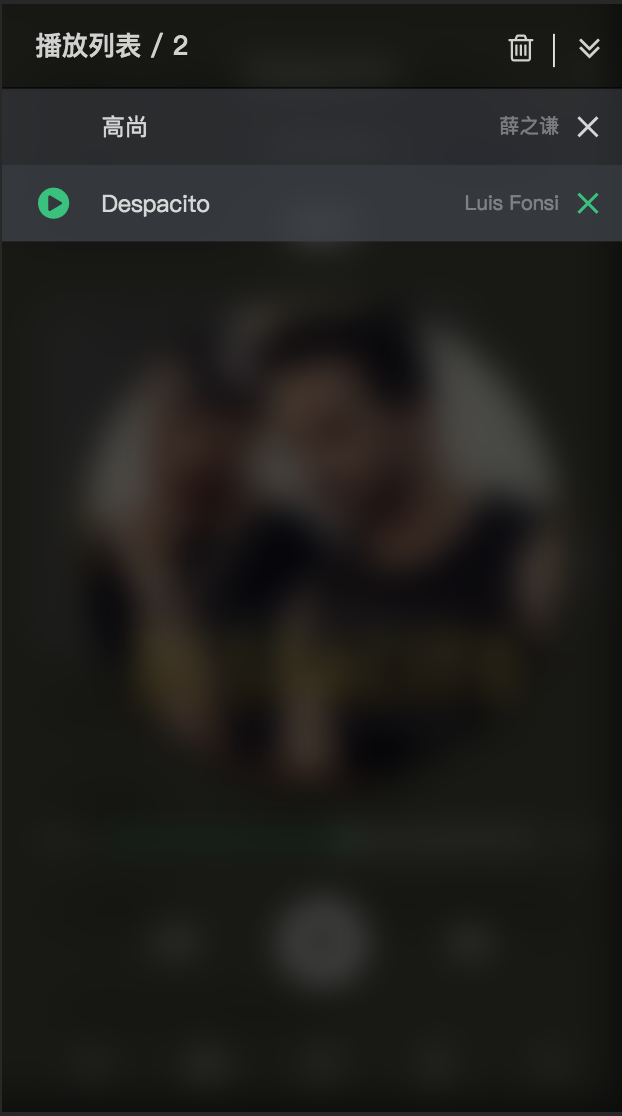
| glassBg | | false | Whether the player's background displays frosted glass effect |boolean
| remove | | true | The Audio Can be deleted |number
| defaultPlayIndex | | 0 | Default play index of the audio player |number
| playIndex | | 0 | play index of the audio player |string
| defaultPlayMode | | order | default play mode of the audio player options can be set to order,orderLoop,singleLoop,shufflePlay or omitted |string
| mode | | mini | audio theme switch checkedText can be set to mini,full or omitted |boolean
| once | | false | The default audioPlay handle function will be played again after each pause, If you only want to trigger it once, you can set 'true' |boolean
| autoPlay | | true | Whether the audio is played after loading is completed. mobile devices are invalid autoplay-policy-changes |boolean
| toggleMode | | true | Whether you can switch between two modes, full => mini or mini => full |boolean
| drag | | true | audio controller is can be drag of the "mini" mode |boolean
| seeked | | true | Whether you can drag or click the progress bar to play in the new progress. |boolean
| showMiniModeCover | | true | audio cover is show of the "mini" mode |boolean
| showMiniProcessBar | | false | audio progress circle bar is show of the "mini" mode |boolean
| showProgressLoadBar | | true | Displays the audio load progress bar. |boolean
| showPlay | | true | play button display of the audio player panel |boolean
| showReload | | true | reload button display of the audio player panel |boolean
| showDownload | | true | download button display of the audio player panel |boolean
| showPlayMode | | true | play mode toggle button display of the audio player panel |boolean
| showThemeSwitch | | true | theme toggle switch display of the audio player panel |boolean
| showLyric | | false | audio lyric button display of the audio player panel |boolean
| showMediaSession | | false | https://web.dev/media-session/ |string
| lyricClassName | | - | audio lyric class name |ReactNode \| boolean \| string
| extendsContent | | - | Extensible custom content like <> |number
| defaultVolume | | 1 | default volume of the audio player , range 0-1 |boolean
| loadAudioErrorPlayNext | | true | Whether to try playing the next audio when the current audio playback fails |boolean
| responsive | | true | Whether to turn on the response mode, if set false, audio controller always show desktop ui |function(audioInfo)
| onAudioDownload | | - | audio is downloaded handle |function(audioInfo)
| onAudioPlay | | - | audio play handle |function(audioInfo)
| onAudioPause | | - | audio pause handle |function(audioInfo)
| onAudioSeeked | | - | When the user has moved/jumped to a new location in audio handle |function(volume)
| onAudioVolumeChange | | - | When the volume has changed handle min = 0.0 max = 1.0 |function(currentPlayId,audioLists,audioInfo)
| onAudioEnded | | - | The single song is ended handle |function(currentPlayId, audioLists, audioInfo)
| onAudioAbort | | - | audio load abort The target event like {...,audioName:xx,audioSrc:xx,playMode:xx} |function(audioInfo)
| onAudioProgress | | - | audio play progress handle |function(errMsg,currentPlayId, audioLists, audioInfo)
| onAudioError | | - | audio load failed error handle |function(audioInfo)
| onAudioReload | | - | audio reload handle |function(currentPlayId,audioLists,audioInfo)
| onAudioListsChange | | - | audio lists change handle |function(currentPlayId,audioLists,audioInfo)
| onAudioPlayTrackChange | | - | audio current play track change handle |function(playMode)
| onAudioPlayModeChange | | - | play mode change handle |function(panelVisible)
| onAudioListsPanelChange | | - | audio lists panel change handle |function(theme)
| onThemeChange | | - | theme change handle |function(mode)
| onModeChange | | - | mode change handle |function(oldIndex,newIndex)
| onAudioListsSortEnd | | - | audio lists sort end handle, use SortableJS |function(lineNum, currentLyric)
| onAudioLyricChange | | - | audio lyric change handle |() => HTMLElement
| getContainer | \| Selectors | document.body | Return the mount node for Music player |(instance: HTMLAudioElement) => void
| getAudioInstance | | - | get origin audio element instance , you can use it do everything |boolean
| autoHiddenCover | | false | Auto hide the cover photo if no cover photo is available |(audioInfo: ReactJkMusicPlayerAudioInfo) => Promise
| onBeforeAudioDownload | | - | transform download audio info before |boolean
| clearPriorAudioLists | | false | Replace a new playlist with the first loaded playlist and reset playIndex to 0 |boolean
| autoPlayInitLoadPlayList | | false | Play your new play list right after your new play list is loaded turn false. |boolean
| spaceBar | | false | Play and pause audio through space bar (Desktop effective). |boolean
| showDestroy | | false | Destroy player button display |function(currentPlayId,audioLists,audioInfo)
| onBeforeDestroy | | - | custom destroy handler before |function(currentPlayId,audioLists,audioInfo)
| onDestroyed | | - | player destroyed handle |function(downloadInfo: TransformedDownloadAudioInfo)
| customDownloader | | - | custom download handle |function(mode,audioLists,audioInfo)
| onCoverClick | | - | audio cover clicked handle |function(playIndex)
| onPlayIndexChange | | - | audio play index change handle |boolean
| quietUpdate | | false | Detail |(audioInfo, isMobile) => ReactNode
| renderAudioTitle | | - | use locale.audioTitle to set audio tag title, the api can render custom jsx element for display |string
| mobileMediaQuery | | (max-width: 768px) and (orientation : portrait) | custom mobile media query string, eg use the mobile version UI on iPad. { fadeIn: number(ms), fadeOut: number(ms) }
| volumeFade | | - | audio fade in and out. Detail |object
| sortableOptions | | {swap: true, animation: 100, swapClass: 'audio-lists-panel-sortable-highlight-bg'} | SortableJs Options |boolean
| restartCurrentOnPrev | | false | Restarts the current track when trying to play previous song, if the current time of the song is more than 1 second |
:bulb: Custom operation ui
Support feature:
- play
-
-
-
-
-
-
-
-
-
-
-
-
-
- SortableJS methods
`jsx`
class App extends React.Component {
constructor() {
this.audioInstance = null
}
render() {
return (
<>
this.audioInstance = instance
}}
/>
)
}
}
:bulb: Glass bg
`jsx`
:bulb: Custom downloader
Default use downloadjs, you can use any download library
eg. attribute
`jsx
const customDownloader = (downloadInfo) => {
const link = document.createElement('a')
link.href = downloadInfo.src // a.mp3
link.download = downloadInfo.filename || 'test'
document.body.appendChild(link)
link.click()
}
;
customDownloader={customDownloader}
/>
// use onBeforeAudioDownload
const onBeforeAudioDownload = () => {
return Promise.resolve({
src: '1.mp3',
})
}
const customDownloader = (downloadInfo) => {
console.log(downloadInfo.src) // 1.mp3
}
;
onBeforeAudioDownload={onBeforeAudioDownload}
/>
`
:bulb: Destroy player
`jsx
const onBeforeDestroy = (currentPlayId, audioLists, audioInfo) => {
return new Promise((resolve, reject) => {
// your custom validate
if (window.confirm('Are you confirm destroy the player?')) {
// if resolve, player destroyed
resolve()
} else {
// if reject, skip.
reject()
}
})
}
const onDestroyed = (currentPlayId, audioLists, audioInfo) => {
console.log('onDestroyed:', currentPlayId, audioLists, audioInfo)
}
;
onBeforeDestroy={onBeforeDestroy}
onDestroyed={onDestroyed}
/>
`
:bulb: Media session
>
`jsx`
// so cool, so easy !!!


:bulb: Internationalization
> Version: 4.11.0
`jsx
import Locale from 'react-jinke-music-player/lib/config/locale'
// Two languages are provided by default
// one of zh_CN | en_US
//
// Custom override
const customLocale = {
playModeText: {
order: '',
orderLoop: '',
singleLoop: '',
shufflePlay: ''
},
openText: '',
closeText: '',
emptyText: '',
clickToPlayText: '',
clickToPauseText: '',
nextTrackText: '',
previousTrackText: '',
reloadText: '',
volumeText: '',
playListsText: '',
toggleLyricText: '',
toggleMiniModeText: '',
destroyText: '',
downloadText: '',
lightThemeText: '',
darkThemeText: '',
switchThemeText: '',
removeAudioListsText: '',
controllerTitle: '',
emptyLyricText: '',
clickToDeleteText: (name) => ,
audioTitle: ''
// audioTitle: (audioInfo) =>
}
// Support partial override, auto merge
`
:bulb: Customize Theme
`jsx`
import ReactJkMusicPlayer from 'react-jinke-music-player'
import 'react-jinke-music-player/lib/styles/index.less'
`less`
@primary-color: #31c27c;
@default-color: #d9d9d9;
@bg-color: #f7f8fa;
@border-color: #d9d9d9;
@panel-bg-light: #fff;
@controller-bg-light: #fff;
@music-player-panel-height: 80px;
@lists-panel-width: 480px;
@lists-panel-height: 410px;
@lists-panel-item-bg: #40444b;
@lists-panel-item-bg-light: #fff;
@panel-header-height: 50px;
@panel-bg: rgba(0, 0, 0, 0.7);
@font-color: #444;
@player-width: 80px;
@player-height: @player-width;
@base-color: rgba(255, 255, 255, 0.6);
@common-animate-type: cubic-bezier(0.43, -0.1, 0.16, 1.1);
@common-animate-time: 350ms @common-animate-type;
@progress-load-bar-bg-color: rgba(0, 0, 0, 0.11);
@progress-load-bar-bg-color-light: rgba(0, 0, 0, 0.06);
@progress-bar-bg-color-light: rgba(0, 0, 0, 0.09);
@progress-bar-bg-color-dark: #fff;
@player-lyric-color: @primary-color;
@player-lyric-font-size: 36px;
@player-lyric-font-size-mobile: 16px;
@player-lyric-z-index: 999;
> Customize in webpack
`diff
// webpack.config.js
module.exports = {
rules: [{
test: /\.less$/,
use: [
...
{
loader: 'less-loader',
+ options: {
+ modifyVars: {
+ 'primary-color': '#444',
+ // or
+ 'hack': true; @import "your-less-file-path.less";, // Override with less file`
+ },
+ javascriptEnabled: true,
+ },
}],
}],
}
> Customize in less file
`less`
@import 'react-jinke-music-player/lib/styles/index.less';
@import 'your-theme-file.less';
:bulb: Customize audio duration
> Default: by this.audio.duration, if cannot get current play audio's duration, you can customize to set.
`jsx
duration: 100.00
}]} />
`
:bulb: Customize player icon
`ts`
export interface ReactJkMusicPlayerIcon {
pause?: React.ReactNode | string
play?: React.ReactNode | string
destroy?: React.ReactNode | string
close?: React.ReactNode | string
delete?: React.ReactNode | string
download?: React.ReactNode | string
toggle?: React.ReactNode | string
lyric?: React.ReactNode | string
volume?: React.ReactNode | string
mute?: React.ReactNode | string
next?: React.ReactNode | string
prev?: React.ReactNode | string
playLists?: React.ReactNode | string
reload?: React.ReactNode | string
loop?: React.ReactNode | string
order?: React.ReactNode | string
orderLoop?: React.ReactNode | string
shuffle?: React.ReactNode | string
loading?: React.ReactNode | string
}
:bulb: Follow the theme of the system
`jsx`
:bulb: Quiet update
`jsx
/**
* Don't interrupt current playing state when audio list updated
* eg. (A) is current playing...
* [A,B] => [A,C,B]
* [A,B] => [A,B,C]
*
* if (A) not in updated audio lists
* [A,B] => [C]
* (C) is playing
*/
function App() {
const [audioLists, setAudioLists] = useState([
{ musicSrc: 'A' },
{ musicSrc: 'B' },
])
useEffect(() => {
setTimeout(() => {
setAudioLists([{ musicSrc: 'A' }, { musicSrc: 'C' }, { musicSrc: 'B' }])
}, 1000)
}, [setAudioLists])
return (
clearPriorAudioLists
audioLists={audioLists}
/>
)
}
`
:bulb: Import in browser
`html`
href="https://unpkg.com/react-jinke-music-player@4.18.1/assets/index.css"
/>
:bulb: Server-Side Rendering
`jsx
// components/Player.js
import React from 'react'
import ReactJkMusicPlayer from 'react-jinke-music-player'
import styles from 'react-jinke-music-player/assets/index.module.css'
export const Player = () =>
// pages/_app.js
import dynamic from 'next/dynamic'
const PlayerWithNoSSR = dynamic(() => import('../components/Player'), {
ssr: false,
})
`
:bulb: Customize mobile media query
> eg. Use mobile UI on a iPad device
`jsx`
// Default '(max-width: 768px) and (orientation : portrait)'
:bulb: Audio volume fade in and fade out
`jsx`
:pencil: Development
`bashhttp://localhost:8084/
git clone https://github.com/lijinke666/react-music-player.git
yarn # npm install
yarn start # npm start
open
:hourglass: Test case
`bash`
npm run test
:bulb: AudioListProps
> Like This
`ts`
interface ReactJkMusicPlayerAudioListProps {
name: string | React.ReactNode,
musicSrc: string | () => Promise
cover: string,
singer?: string | React.ReactNode,
duration?: number,
lyric?: string,
[key: string]: any
}>
:bulb: AudioInfo
> Like This
`ts``
interface ReactJkMusicPlayerAudioInfo {
cover: string
currentTime: number
duration: number
ended: boolean
musicSrc: string
muted: boolean
name: string
networkState: number
paused: boolean
played: any
readyState: number
startDate: any
volume: number
lyric: string
[key: string]: any
}
:two_men_holding_hands: Contributors
> Special thanks: @JeffreyCA
!https://github.com/lijinke666/react-music-player/graphs/contributors