react-native-action-bar
v2.0.5
An Android-like action bar for react-native
0/weekUpdated 3 years agoMITUnpacked: 123.3 KB
Published by Adrien Thiery
npm install react-native-action-barreact-native-action-bar
An Android-like action bar for react-native
For react-native v0.39+
:warning: Breaking change for versions < 2.*
The component has been redone so it hasn't much in common.
Check that README for versions lower than 2.*
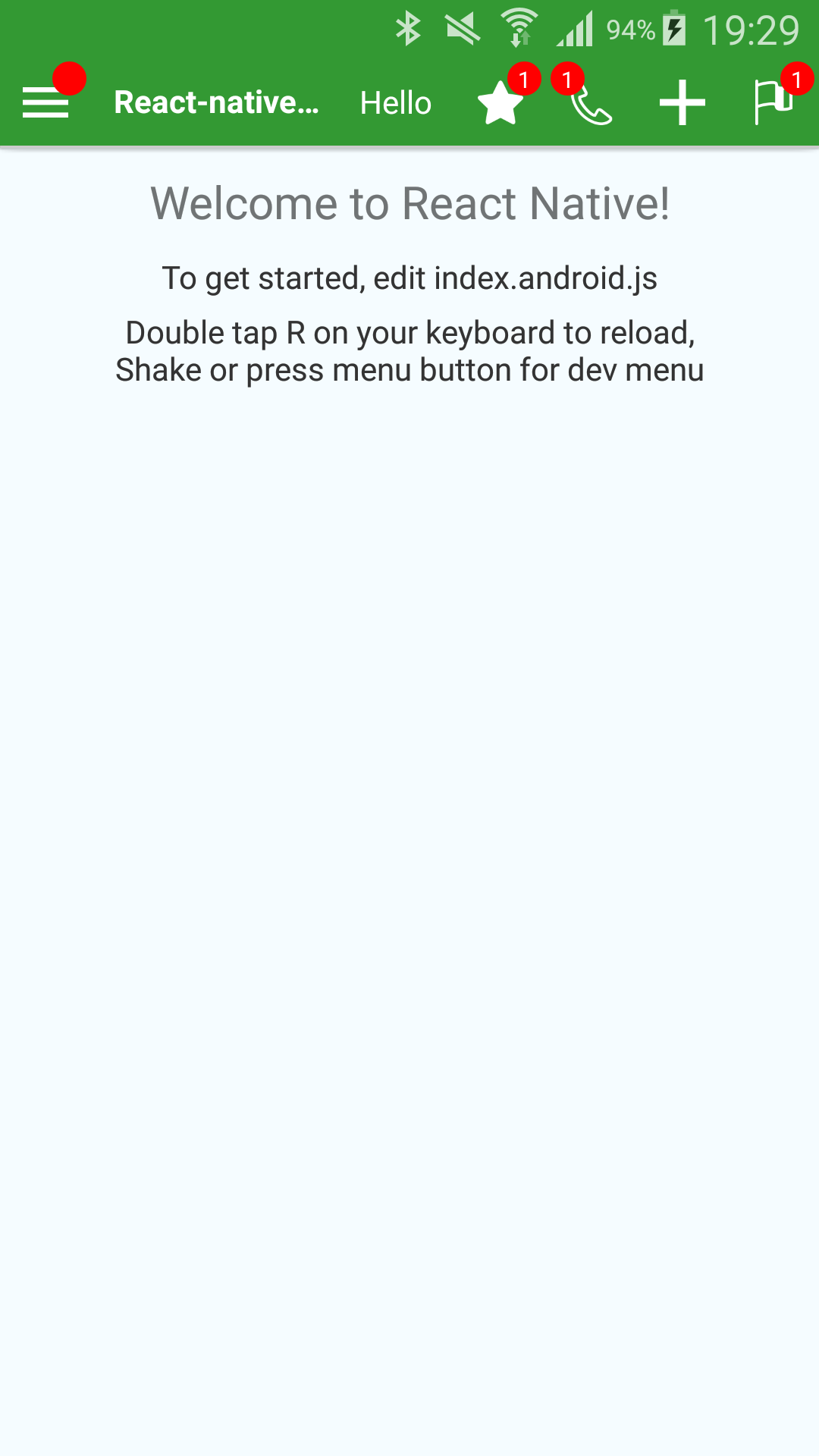
Example
iOS | Android
:-------------------------:|:-------------------------: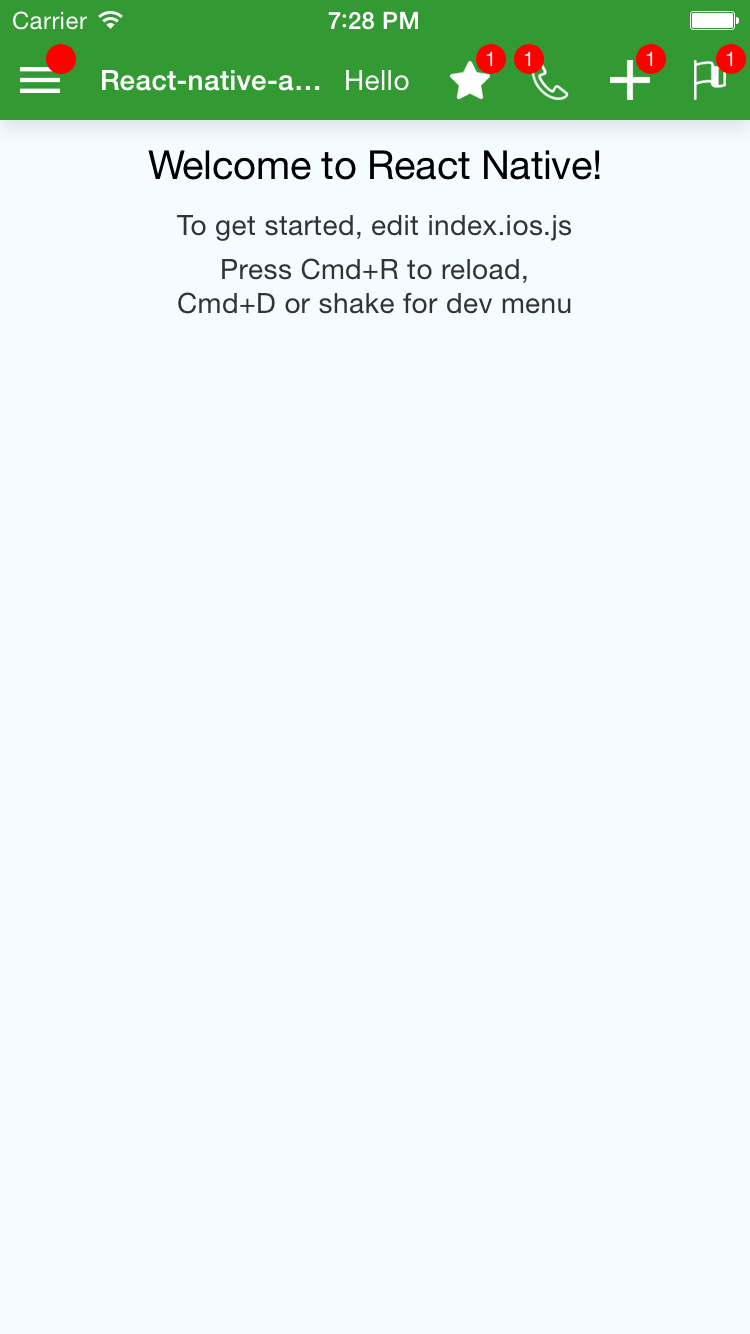 |
| 
``js`
title={'React-native-action-bar Example'}
rightText={'Hello'}
leftIconName={'menu'}
leftBadge={''}
onLeftPress={() => console.log('Left!')}
onTitlePress={() => console.log('Title!')}
rightIcons={[
{
name: 'star',
badge: '1',
onPress: () => console.log('Right Star !'),
},
{
    name: 'phone',
    badge: '1',
    onPress: () => console.log('Right Phone !'),
    isBadgeLeft: true,
},
{
name: 'plus',
onPress: () => console.log('Right Plus !'),
},
{
name: 'flag',
badge: '1',
onPress: () => console.log('Right Flag !'),
},
{
image: require('my-custom-image.png'), // To use a custom image
badge: '1',
onPress: () => console.log('Right Custom image !'),
},
]}
/>
Are you looking for React-native's ToolbarAndroid?
To allow more customization, I do not use ToolbarAndroid, however, this might be what you are looking for instead of my package.
react-native-action-bar is here to provide a similar top screen bar but that looks the same on Android and iOS.
Properties
Property Name | Type | Comment
--- | --- | ---
allowFontScaling | React.PropTypes.bool | If you want to allow font scaling on the title and the right text (false by default)false
backgroundColor | React.PropTypes.string | The background color of the Bar
badgeColor | Badge.propTypes.backgroundColor | The color of all badges
badgeTextColor | Badge.propTypes.color | The color of the text of the badges
containerStyle | ViewPropTypes.style | Style of the container of the bar (has the backgroundColor)
disableShadows | React.PropTypes.bool | If you want the ActionBar to drop a shadow or not (The default is )false
disableStatusBarHandling | React.PropTypes.bool | If you want the ActionBar to set the color/style of the StatusBar (The default is )2
elevation | React.PropTypes.number | On Android, to 'control' the Shadow dropped by the bar (default is )''
iconContainerStyle | ViewPropTypes.style | See the Icon component (applies to all Icons (left and right)
iconImageStyle | Image.propTypes.style | See the Icon component (applies to all Icons (left and right)
isLeftBadgeLeft | React.PropTypes.bool | Position of the badge on the left Icon
leftBadge | Badge.propTypes.content | Text of the badge on the left Icon ( is a valid value, it will display an empty badge. undefined is needed to not have the badge displayed)require()
leftIconContainerStyle | Icon.propTypes.containerStyle | See the Icon component
leftIconImage | Icon.propTypes.source | An image to use as Icon (). Don't use remote images ({ uri: ... }) as it will have bad performance, but I guess you canList of predefined Icons
leftIconImageStyle | Icon.propTypes.imageStyle | See the Icon component
leftIconName | Icon.propTypes.name | The name of one of the predefined Icons (see )TouchableWithoutFeedback
leftTouchableChildStyle | ViewPropTypes.style | The style of the View inside the element for the left IconTouchableWithoutFeedback
leftZoneContentContainerStyle | ViewPropTypes.style | The style of the View around the element for the left IcononPress
onLeftPress | React.PropTypes.func | The function to execute for the left IcononPress
onRightTextPress | React.PropTypes.func | The function to execute for the Text that you can display on the right of the TitleonPress
onTitlePress | React.PropTypes.func | The function to execute for the TitleTouchableWithoutFeedback
renderLeftSide | React.PropTypes.func | A function to override the rendering of the part left of the Title
renderRightSide | React.PropTypes.func | A function to override the rendering of the part right of the Title
rightIconContainerStyle | Icon.propTypes.containerStyle | See the Icon component
rightIconImageStyle | Icon.propTypes.imageStyle | See the Icon component
rightIcons | React.PropTypes.arrayOf(
React.PropTypes.shape({
...Icon.propTypes,
badge: Badge.propTypes.content,
onPress: React.PropTypes.func.isRequired,
}),
) | See below
rightText | React.PropTypes.string | The text to display on the right
rightTextStyle | Text.propTypes.style | Style of the text to display on the right
rightTouchableChildStyle | ViewPropTypes.style | The style of the View inside the element for all the Icons on the right750ms
rightZoneContentContainerStyle | ViewPropTypes.style | The style of the View around all the Icons + Text on the right
throttleDelay | React.PropTypes.number | The delay to throttle the presses on the Icons (The default is )View
title | React.PropTypes.string | The Text of the Title
titleContainerStyle | ViewPropTypes.style | The style of the containing the Text element for the TitleText
titleStyle | Text.propTypes.style | The style of the element for the Title
rightIcons elements example
`
{
name: 'phone',
badge: '1',
onPress: () => console.log('Right Phone !'),
isBadgeLeft: true,
}
Predefined Icons
Right now the following Icons are defined:
*  back
back
*  flag
flag
*  loading
*  location
*  menu
menu
*  phone
phone
*  plus
plus
*  star
star
*  star-outline
Example
See an implementation example in the Example folder