react-native-animated-pagination-dots
v0.1.73TypeScript
FlatList animated pagination dots
12.8K/weekUpdated 3 years agoMITUnpacked: 131.4 KB
Published by Sanjaajamts Munkhbold
npm install react-native-animated-pagination-dotsReact Native Animated Pagination Dots
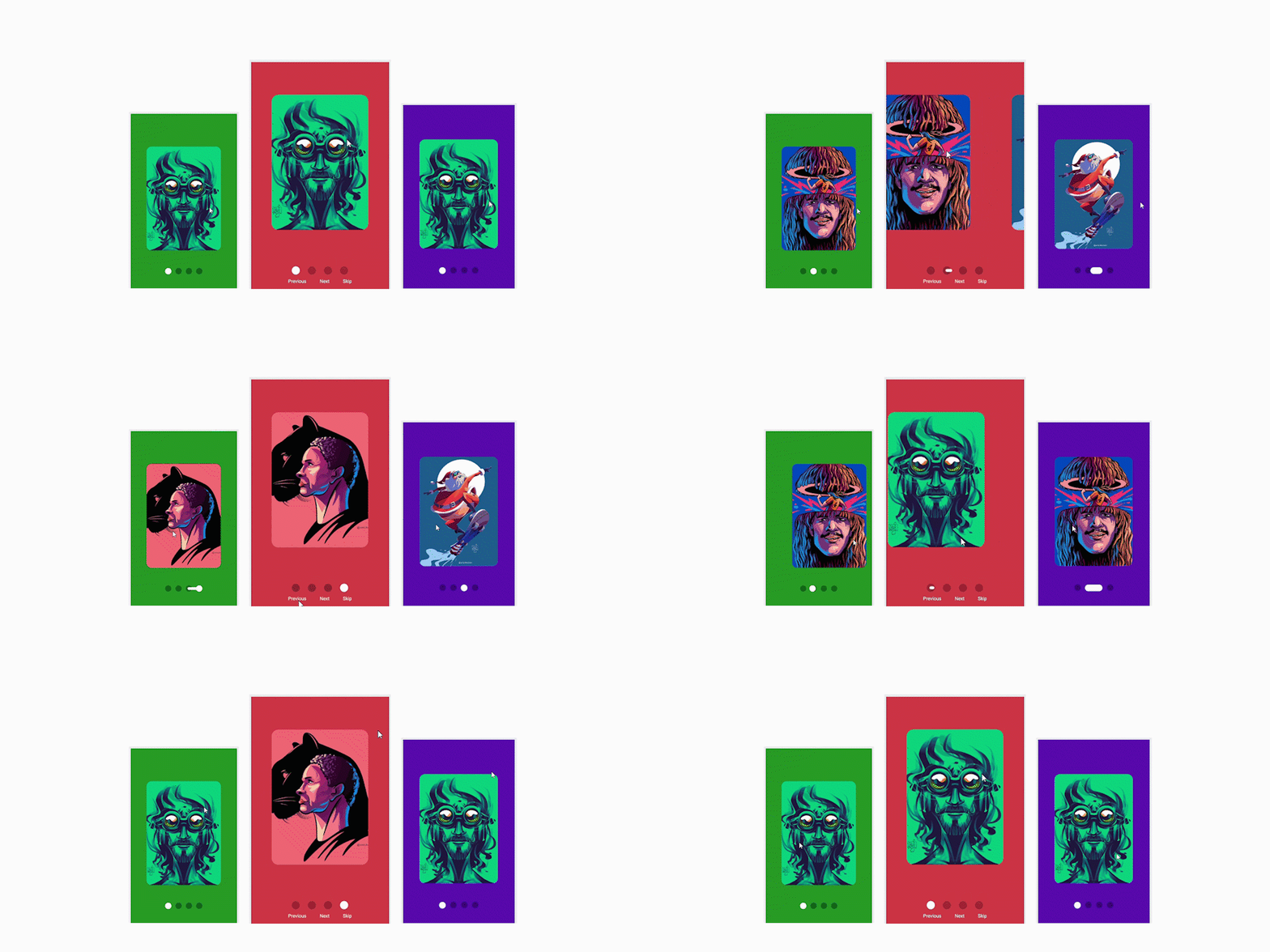
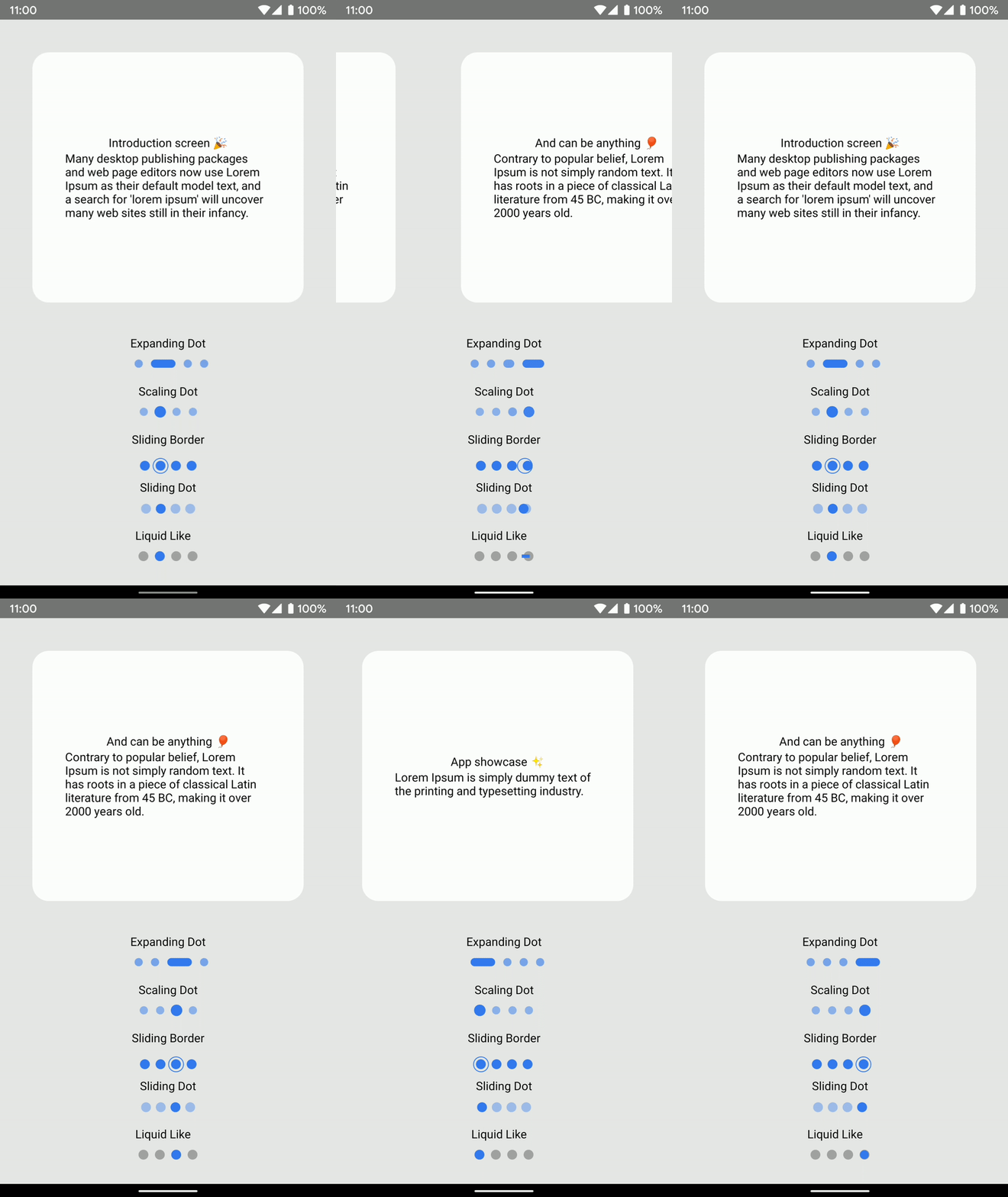
FlatList animated pagination dots. Some (maybe all)
ideas and credits goes to
Catalin Miron 👏.
This package does not use any dependencies but Animated API.
Now uses react-native-svg for the LiquidLike
Few days ago I made a reddit post,
and people requested to open source it.
For more Copy & Paste stuff, go check example folder
TODO
iOS Device Test
Worm Dot Indicator
Liquid Like Indicator
Next, Prev, Skip button implementation
Landscape test
Dots direction such as Vertical and Horizontal
Installation
``sh`
npm install react-native-animated-pagination-dots
yarn add react-native-animated-pagination-dots
Usage
For the ViewPager, check their own repo
`
js
import {ExpandingDot} from "react-native-animated-pagination-dots";const SLIDER_DATA = [
{
key: '1',
title: 'App showcase ✨',
description:
'Lorem Ipsum is simply dummy text of the printing and typesetting industry.',
},
{
key: '2',
title: 'Introduction screen 🎉',
description:
"Many desktop publishing packages and web page editors now use Lorem Ipsum as their default model text, and a search for 'lorem ipsum' will uncover many web sites still in their infancy. ",
},
];
const scrollX = React.useRef(new Animated.Value(0)).current;
keyExtractor={keyExtractor}
showsHorizontalScrollIndicator={false}
onScroll={Animated.event(
[{ nativeEvent: { contentOffset: { x: scrollX } } }],
{
useNativeDriver: false,
}
)}
pagingEnabled
horizontal
decelerationRate={'normal'}
scrollEventThrottle={16}
renderItem={renderItem}
/>
expandingDotWidth={30}
scrollX={scrollX}
inActiveDotOpacity={0.6}
dotStyle={{
width: 10,
height: 10,
backgroundColor: '#347af0',
borderRadius: 5,
marginHorizontal: 5
}}
containerStyle={{
top: 30,
}}
/>
`
$3
js
import React from 'react';
import {
StyleSheet,
View,
Dimensions,
Animated,
TouchableOpacity,
Text,
StatusBar,
} from 'react-native';
import { LiquidLike } from 'react-native-animated-pagination-dots';const { width } = Dimensions.get('screen');
const data = [
{
image:
'https://cdn.dribbble.com/users/3281732/screenshots/13661330/media/1d9d3cd01504fa3f5ae5016e5ec3a313.jpg?compress=1&resize=1200x1200',
backgroundColor: '#7bcf6e',
},
{
image:
'https://cdn.dribbble.com/users/3281732/screenshots/11192830/media/7690704fa8f0566d572a085637dd1eee.jpg?compress=1&resize=1200x1200',
backgroundColor: '#4654a7',
},
{
image:
'https://cdn.dribbble.com/users/3281732/screenshots/9165292/media/ccbfbce040e1941972dbc6a378c35e98.jpg?compress=1&resize=1200x1200',
backgroundColor: '#7370cf',
},
{
image:
'https://cdn.dribbble.com/users/3281732/screenshots/11205211/media/44c854b0a6e381340fbefe276e03e8e4.jpg?compress=1&resize=1200x1200',
backgroundColor: '#db4747',
},
];
const imageW = width * 0.7;
const imageH = imageW * 1.4;
const ButtonNavigation = () => {
const scrollX = React.useRef(new Animated.Value(0)).current;
const keyExtractor = React.useCallback((_, index) => index.toString(), []);
//Current item index of flatlist
const [activeIndex, setActiveIndex] = React.useState(0);
let flatListRef = React.useRef(null);
const gotoNextPage = () => {
if (activeIndex + 1 < data.length) {
// @ts-ignore
flatListRef.current.scrollToIndex({
index: activeIndex + 1,
animated: true,
});
}
};
const gotoPrevPage = () => {
if (activeIndex !== 0) {
// @ts-ignore
flatListRef.current.scrollToIndex({
index: activeIndex - 1,
animated: true,
});
}
};
const skipToStart = () => {
// @ts-ignore
flatListRef.current.scrollToIndex({
index: data.length - 1,
animated: true,
});
};
//Flatlist props that calculates current item index
const onViewRef = React.useRef(({ viewableItems }: any) => {
setActiveIndex(viewableItems[0].index);
});
const viewConfigRef = React.useRef({ viewAreaCoveragePercentThreshold: 50 });
const renderItem = React.useCallback(({ item }) => {
return (
width: imageW,
height: imageH,
borderRadius: 20,
resizeMode: 'cover',
}}
source={{ uri: item.image }}
/>
);
}, []);
return (
{data.map((item, index) => {
const inputRange = [
(index - 1) * width,
index * width,
(index + 1) * width,
];
const colorFade = scrollX.interpolate({
inputRange,
outputRange: [0, 1, 0],
});
return (
style={[
StyleSheet.absoluteFillObject,
{ backgroundColor: item.backgroundColor, opacity: colorFade },
]}
/>
);
})}
onViewableItemsChanged={onViewRef.current}
viewabilityConfig={viewConfigRef.current}
data={data}
renderItem={renderItem}
keyExtractor={keyExtractor}
showsHorizontalScrollIndicator={false}
pagingEnabled
horizontal
decelerationRate={'normal'}
scrollEventThrottle={16}
onScroll={Animated.event(
[{ nativeEvent: { contentOffset: { x: scrollX } } }],
{
useNativeDriver: false,
}
)}
/>
scrollX={scrollX}
dotSize={18}
dotSpacing={6}
lineDistance={7}
lineHeight={4}
inActiveDotOpacity={0.2}
activeDotColor={'#fff'}
containerStyle={{ flex: 1 }}
/>
onPress={() => gotoPrevPage()}
>
Previous
onPress={() => gotoNextPage()}
>
Next
skipToStart()}>
Skip
);
};
const styles = StyleSheet.create({
container: {
flex: 1,
justifyContent: 'center',
alignItems: 'center',
},
itemContainer: {
flex: 1,
width,
justifyContent: 'center',
alignItems: 'center',
},
buttonContainer: {
flexDirection: 'row',
},
button: {
margin: 20,
fontWeight: '700',
},
buttonText: {
color: '#fff',
},
});
export default ButtonNavigation;
``Props
$3
| Name | Type | Default | Description |
| inActiveDotOpacity | number | 0.5 | In active dot opacity |
| expandingDotWidth | number | 20 | Active dot width |
| data | Array<Object> | required | Array which is used for flatlist iteration |
| scrollX | Animated.Value | required | Gestures, like panning or scrolling, and other events can map directly to animated values using Animated.event(). For example, when working with horizontal scrolling gestures, you would do the following in order to map event.nativeEvent.contentOffset.x to scrollX (an Animated.Value) |
| dotStyle | ViewStyle | width: 10, | Basic styling for each dot. |
| containerStyle | ViewStyle | position: "absolute", | Basic styling for dots container. |
$3
| Name | Type | Default | Description |
| activeDotScale | number | 1.4 | Active dot scale number |
| inActiveDotOpacity | number | 0.5 | In active dot opacity |
| data | Array<Object> | required | Array which is used for flatlist iteration |
| scrollX | Animated.Value | required | Gestures, like panning or scrolling, and other events can map directly to animated values using Animated.event(). For example, when working with horizontal scrolling gestures, you would do the following in order to map event.nativeEvent.contentOffset.x to scrollX (an Animated.Value) |
| dotStyle | ViewStyle | width: 10, | Basic styling for each dot. |
| containerStyle | ViewStyle | position: "absolute", | Basic styling for dots container. |
$3
| Name | Type | Default | Description |
| dotSize | number | 12 | Each dot size !IMPORTANT Do not adjust dot size through dotStyle, otherwise it'll misbehave |
| marginHorizontal | number | 3 | Margin between dots !IMPORTANT Do not adjust dot margin through dotStyle, otherwise it'll misbehave |
| data | Array<Object> | required | Array which is used for flatlist iteration |
| scrollX | Animated.Value | required | Gestures, like panning or scrolling, and other events can map directly to animated values using Animated.event(). For example, when working with horizontal scrolling gestures, you would do the following in order to map event.nativeEvent.contentOffset.x to scrollX (an Animated.Value) |
| dotStyle | ViewStyle | backgroundColor: '#347af0', | Basic styling for each dot. |
| containerStyle | ViewStyle | position: "absolute", | Basic styling for dots container. |
| slidingIndicatorStyle | ViewStyle | backgroundColor: '#347af0', | Basic styling for Sliding indicator dot. |
$3
| Name | Type | Default | Description |
| dotSize | number | 24 | Each dot size !IMPORTANT Do not adjust dot size through dotStyle, otherwise it'll misbehave |
| borderPadding | number | -5 | Padding between dot and border. Should be good between -5 and 3, test it out. |
| data | Array<Object> | required | Array which is used for flatlist iteration |
| scrollX | Animated.Value | required | Gestures, like panning or scrolling, and other events can map directly to animated values using Animated.event(). For example, when working with horizontal scrolling gestures, you would do the following in order to map event.nativeEvent.contentOffset.x to scrollX (an Animated.Value) |
| dotStyle | ViewStyle | backgroundColor: '#347af0' | Basic styling for each dot. |
| containerStyle | ViewStyle | position: "absolute", | Basic styling for dots container. |
| slidingIndicatorStyle | ViewStyle | borderWidth: 1, | Basic styling for sliding bordered dot style. |
$3
| Name | Type | Default | Description |
| dotSize | number | 12 | Each dot size |
| dotSpacing | number | 3 | Margin between dots |
| inActiveDotOpacity | number | 0.5 | In active dot opacity |
| inActiveDotColor | string | #000 | In active dot color |
| activeDotColor | string | #347af0 | Active dot color |
| data | Array<Object> | required | Array which is used for flatlist iteration |
| scrollX | Animated.Value | required | Gestures, like panning or scrolling, and other events can map directly to animated values using Animated.event(). For example, when working with horizontal scrolling gestures, you would do the following in order to map event.nativeEvent.contentOffset.x to scrollX (an Animated.Value) |
| lineHeight | number | 4 | Line height for sliding dot |
| lineDistance | number | 8 | Line travel distance between dots |
| containerStyle | ViewStyle | flexDirection: "row" | Basic styling for dots container. |
Contributing
See the contributing guide to learn how to contribute to the repository and the development workflow.
License
MIT