react-native-animated-wheel-picker
v1.1.3TypeScript
A cross-platform wheel picker use Reanimted 2 implementation.
0/weekUpdated 3 years agoMITUnpacked: 57.2 KB
Published by Bundit
npm install react-native-animated-wheel-pickerreact-native-animated-wheel-picker
!TypeScript
!Android
!IOS

A cross-platform wheel picker use Reanimated 2 implementation.
Preview
style="width:100%;">
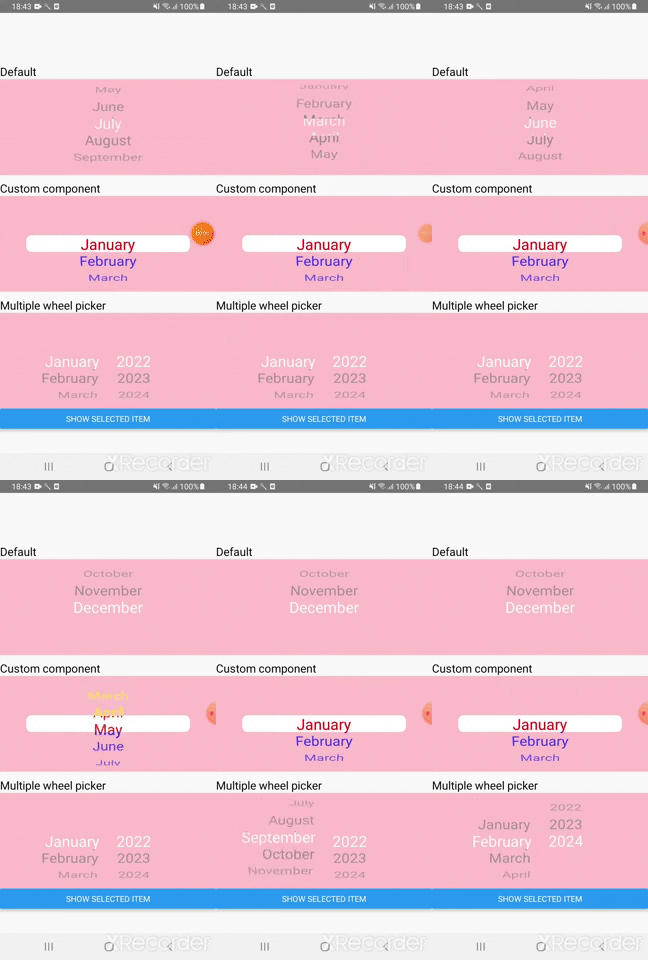
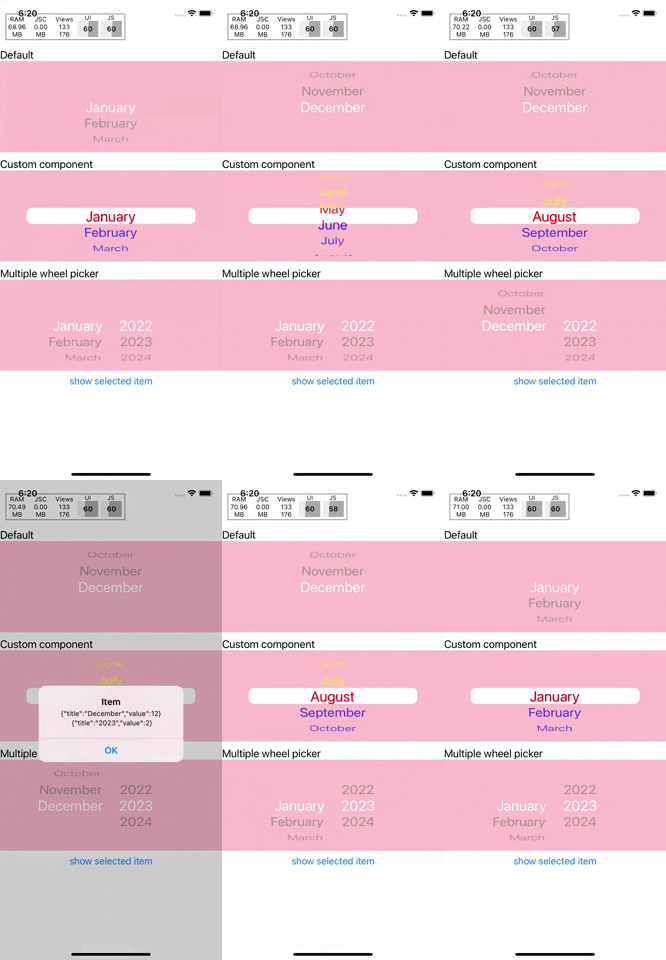
Features
- Smooth scroll animations
- Custom text style, view style, mask component style
- Animations built by react-native-reanimated
Installation
``sh`
npm install react-native-animated-wheel-picker
orsh`
yarn add react-native-animated-wheel-picker
Need to install peer dependencies , react-native-gesture-handler, @react-native-masked-view/masked-view.
Usage
`js
import Picker from "react-native-animated-wheel-picker";
// ...
const DATA = [
{ title: '2022', value: 1 },
{ title: '2023', value: 2 },
{ title: '2024', value: 3 },
];
const WheelPicker = () => {
const [year, setYear] = useState();
return (
textStyle={{ fontSize: 27 }}
onSelected={(item) => setYear(item)}
/>
);
};
`
Props
Inherite ViewProps
| Name | Type | Default | Description |
| -------------------------------- | -------------------- | ------------------------------ | ------------------------------------------------------------------------------------------------------------------------------------------ |
| pickerData | {"title":string,"value":any} | REQUIRED | Data for each element "title" key display on picker item |itemHeight
| | number | 30 | Height of each picker item |visible
| | number | 5 | Visible item on picker initialIndex
| | number | 0 | Set initial selected item |maskedComponents
| | JSX.Element or JSX.Element[] | MaskedComponent | The component masked picker view |contentContainerStyle
| | StyleProp| undefined | Item view style textStyle
| | StyleProp | undefined | Item text style |onSelected
| | ({"title":string,"value":any},index:number) => void |REQUIRED | Callback when user select item that will return element of pickerData array
$3
`js
height: itemHeight * Math.trunc(visible / 2),
backgroundColor: 'grey',
}}
/>
height: itemHeight * Math.trunc(visible / 2),
backgroundColor: 'grey',
}}
/>
;
``
Credit
- Animation tutor https://www.youtube.com/watch?v=PVSjPswRn0U
Contributing
See the contributing guide to learn how to contribute to the repository and the development workflow.
License
MIT