Cross Platform React Native component. Supports selecting payment method, adding cards manually and using the camera.
npm install react-native-checkoutCheckout component with validation for React Native (iOS and Android). Supports Stripe, Apple Pay. You can override the entire style for the components.
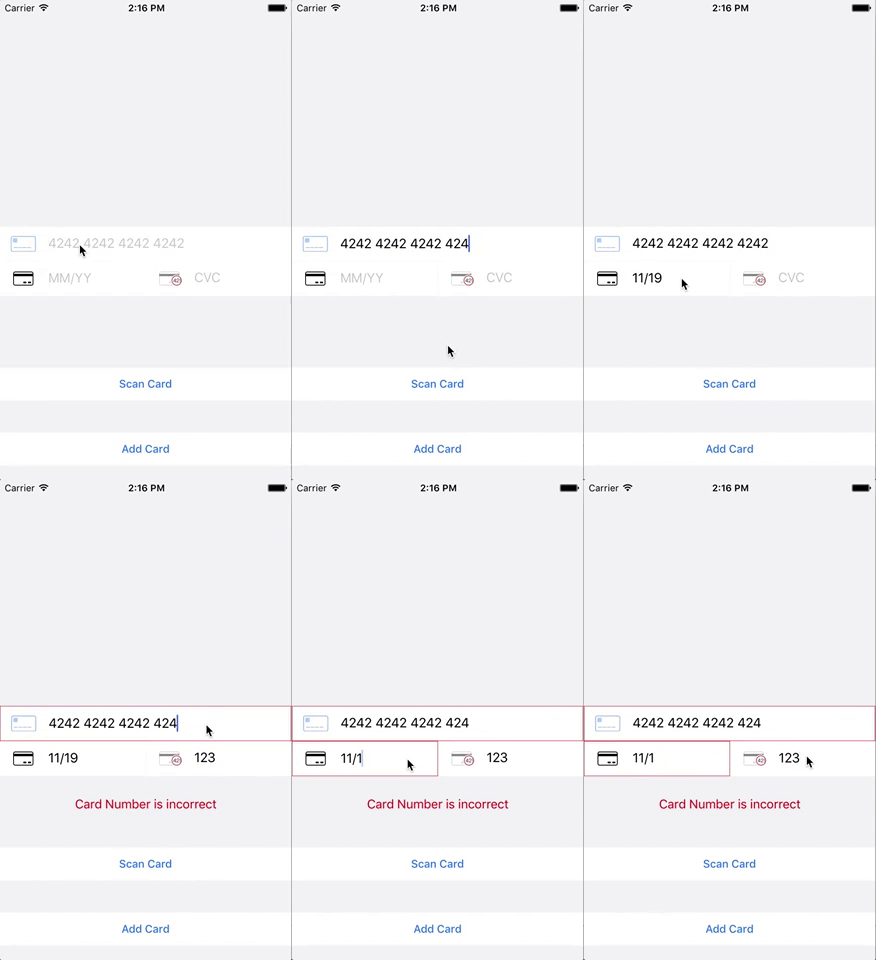
#### Add Cards
#### Select Payment Method

Everything was designed with Stripe in mind, should also work with other payment gateways.
yarn add react-native-checkout or npm i react-native-checkout --save
yarn add react-native-awesome-card-io or npm i react-native-awesome-card-io --save
react-native link react-native-awesome-card-io <- Scan card functionality
See our full example for more details.

``
import { AddCard } from 'react-native-stripe-checkout'
console.log()`
return Promise.resolve(cardNumber) //return a promise when you're done
}}
styles={{}} // Override default styles
onCardNumberBlur={() => console.log('card number blurred')}
onCardNumberFocus={() => console.log('card number focused')}
onCvcFocus={() => console.log('cvc focused')}
onCvcBlur={() => console.log('cvc blurred')}
onExpiryFocus={() => console.log('expiry focused')}
onExpiryBlur={() => console.log('expiry blurred')}
onScanCardClose={() => console.log('scan card closed')}
onScanCardOpen={() => console.log('scan card opened')}
activityIndicatorColor="pink"
addCardButtonText="Add Card"
scanCardButtonText="Scan Card"
scanCardAfterScanButtonText="Scan Card Again"
scanCardVisible={true}
placeholderTextColor="black"
cardNumberPlaceholderText="4242 4242 4242 4242"
expiryPlaceholderText="MM/YY"
cvcPlaceholderText="CVC"
cardNumberErrorMessage="Card Number is incorrect"
expiryErrorMessage="Expiry is incorrect"
cvcErrorMessage="CVC is incorrect"
scanCardContainer={/Custom component/}
/>
#### Custom styling
You can merge in your own styles. See the default styles for details.
`
import { SelectPayment } from 'react-native-stripe-checkout'
applePayHandler={() => console.log('apple pay happened')} // optional
paymentSources={[
{last4: '1234', brand: 'American Express', more: 'stuff' },
{last4: '2345', brand: 'Visa', more: 'stuff' },
{last4: '2345', brand: 'Master Card', more: 'stuff' },
]} // mandatory, See: Customer Object -> sources -> data for Stripe format.
addCardHandler={() => console.log('Add Card Pressed!')}
selectPaymentHandler={(paymentSource) => console.log(paymentSource)}
styles={{}} // Override default styles
/>
`
#### Custom styling
You can merge in your own styles. See the default styles for details.
Automatically adds cards to stripe
`
import { StripeAddCard } from 'react-native-stripe-checkout'
addCardTokenHandler={(stripeCardToken) => {
console.log(stripeCardToken)
}}
{/ Other props from AddCard / }
/>
``
payment package provides card validation, which itself was based on the excellent library by Stripe.
Stripe's iOS library and checkout library