react-native-country-picker-modal
v2.0.0TypeScript
react-native country picker
0/weekUpdated 3 years agoMITUnpacked: 267.7 KB
Published by Xavier Carpentier
npm install react-native-country-picker-modal
Country Picker for React Native.




| iOS | Android | Web |
| ------------------------------------------------------------------------------------------------- | ------------------------------------------------------------------------------------------------- | ------------------------------------------------------------------------------------------------- |
| 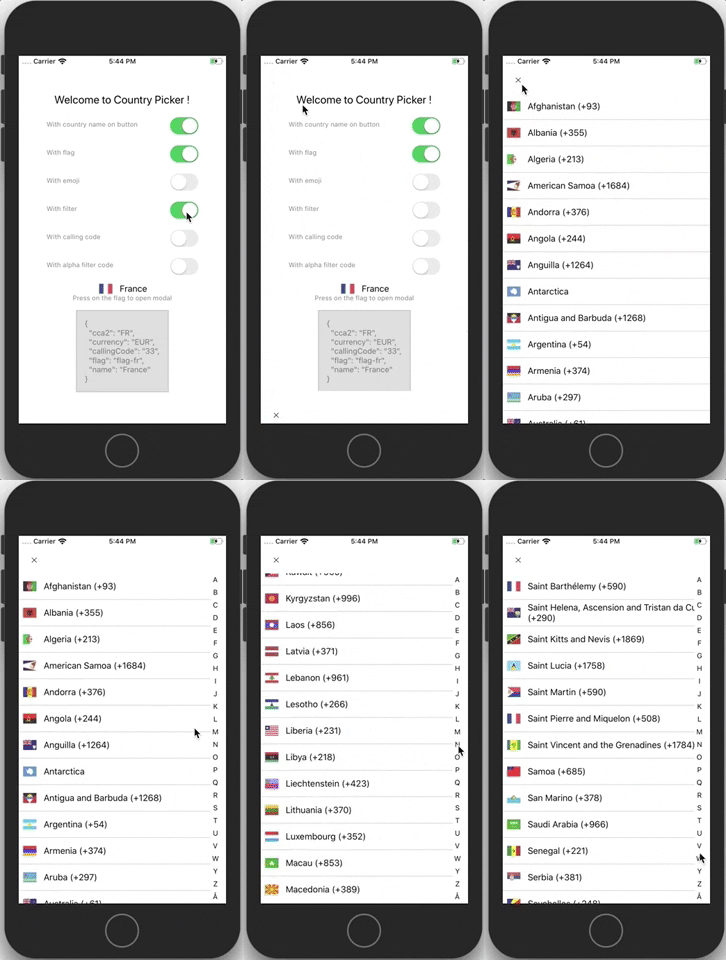 |
| 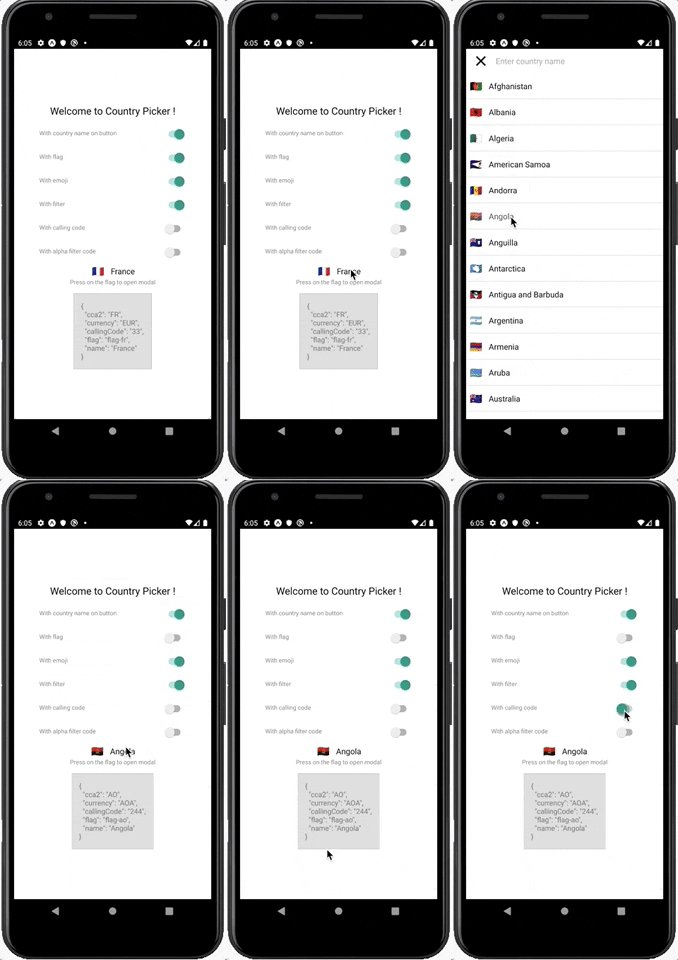 |
|  |
|
Demo
- 🎉 GO TO WEB DEMO 🎉
- snack example
Installation
``bash`
$ yarn add react-native-country-picker-modal
Basic Usage
For more complete example open App.tsx
`tsx
import React, { useState } from 'react'
import { View, Text, StyleSheet, PixelRatio, Switch } from 'react-native'
import CountryPicker from 'react-native-country-picker-modal'
import { CountryCode, Country } from './src/types'
const styles = StyleSheet.create({
// ...
})
export default function App() {
const [countryCode, setCountryCode] = useState
const [country, setCountry] = useState
const [withCountryNameButton, setWithCountryNameButton] = useState
false,
)
const [withFlag, setWithFlag] = useState
const [withEmoji, setWithEmoji] = useState
const [withFilter, setWithFilter] = useState
const [withAlphaFilter, setWithAlphaFilter] = useState
const [withCallingCode, setWithCallingCode] = useState
const onSelect = (country: Country) => {
setCountryCode(country.cca2)
setCountry(country)
}
return (
value={withCountryNameButton}
onValueChange={setWithCountryNameButton}
/>
value={withEmoji}
onValueChange={setWithEmoji}
/>
value={withFilter}
onValueChange={setWithFilter}
/>
value={withCallingCode}
onValueChange={setWithCallingCode}
/>
value={withAlphaFilter}
onValueChange={setWithAlphaFilter}
/>
countryCode,
withFilter,
withFlag,
withCountryNameButton,
withAlphaFilter,
withCallingCode,
withEmoji,
onSelect,
}}
visible
/>
{country !== null && (
)}
)
}
`
Props
- countryCode: CountryCoderegion?
- :Regionsubregion?
- : SubregioncountryCodes?
- : CountryCodetheme?
- : Themetranslation?
- : TranslationLanguageCodemodalProps?
- : ModalPropsfilterProps?
- : CountryFilterPropsflatListProps?
- : FlatListPropswithAlphaFilter?
- : booleanwithCallingCode?
- : booleanwithCurrency?
- : booleanwithEmoji?
- : booleanwithCountryNameButton?
- : booleanwithCurrencyButton?
- : booleanwithCallingCodeButton?
- : booleanwithFlagButton?
- : booleanwithCloseButton?
- : booleanwithFilter?
- : booleanwithFlag?
- : booleanwithModal?
- : booleanvisible?
- : booleancontainerButtonStyle?
- : StyleProp
- (props: (FlagButton['props'])): ReactNode (FlagButton props)renderCountryFilter?
- (props: CountryFilter['props']): ReactNode (CountryFilter props is TextInputProps)onSelect
- (country: Country): void (Country)onOpen
- (): voidonClose
- (): voidcloseButtonImage?
- : ImageSourcePropTypecloseButtonStyle?
- : StylePropcloseButtonImageStyle?
- : StylePropdisableNativeModal?
- : boolean (you have to wrap your all app with CountryModalProvider)preferredCountries
- : CountryCode preferred countries they appear first (withAlphaFilter must be false)
Dark theme example
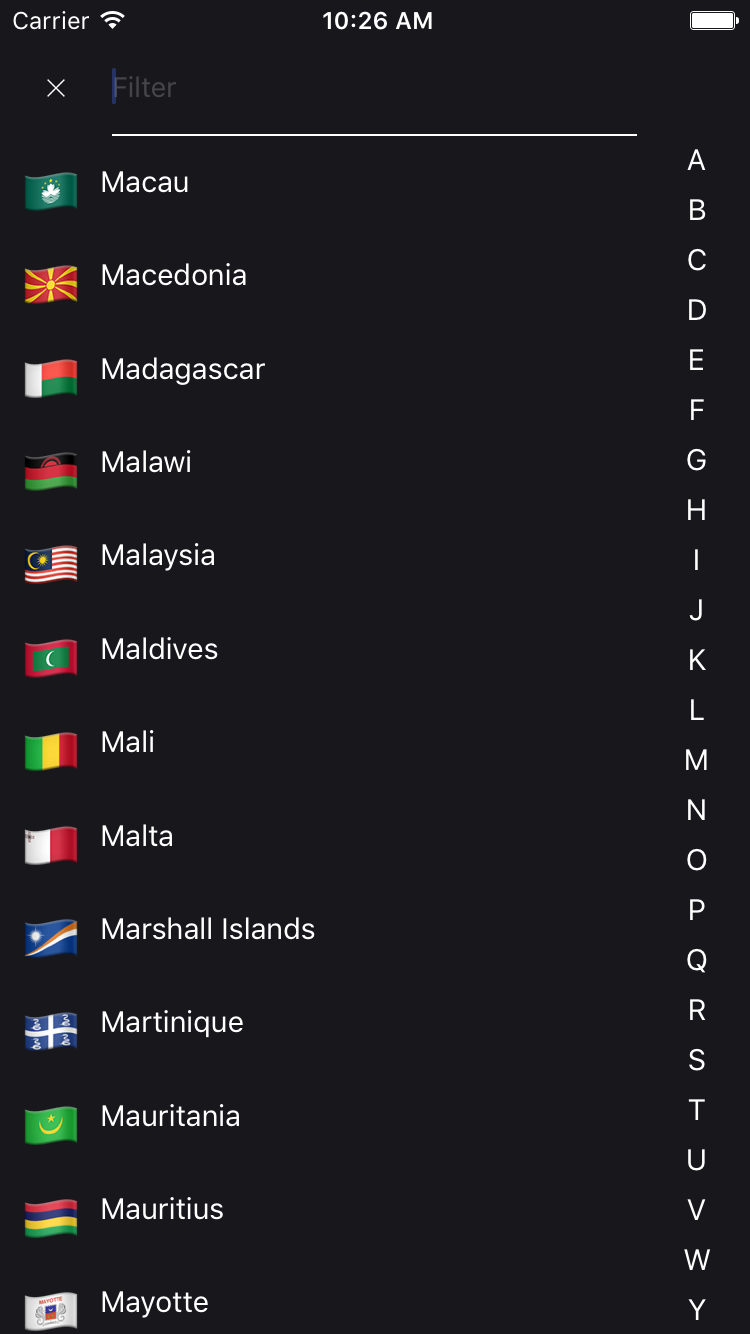
A simple example to display a CountryPicker component with a dark theme.
`tsx
import CountryPicker, { DARK_THEME } from 'react-native-country-picker-modal'
const MyDarkView = () =>
``
Dependencies
- world-countries : https://www.npmjs.com/package/world-countries
FAQ
$3
YES
$3
YES : It used the world-countries package and image is stored into json and base64.
Tiers lib using this lib
- react-native-phone-verification
See also
Contribution
- @xcapentier The main author.
Questions
Feel free to contact me or create an issue
> made with ♥
Licence
Hire an expert!
Looking for a ReactNative freelance expert with more than 12 years experience? Contact me from my website!