react-native-draggable
v3.3.0TypeScript
draggable
0/weekUpdated 3 years agoMITUnpacked: 30.7 KB
Published by tongyy
npm install react-native-draggablereact-native-draggable
 

$3
Draggable item for react-native!
``
npm install react-native-draggable
import Draggable from 'react-native-draggable';
How to use
`
return (
);
Demo
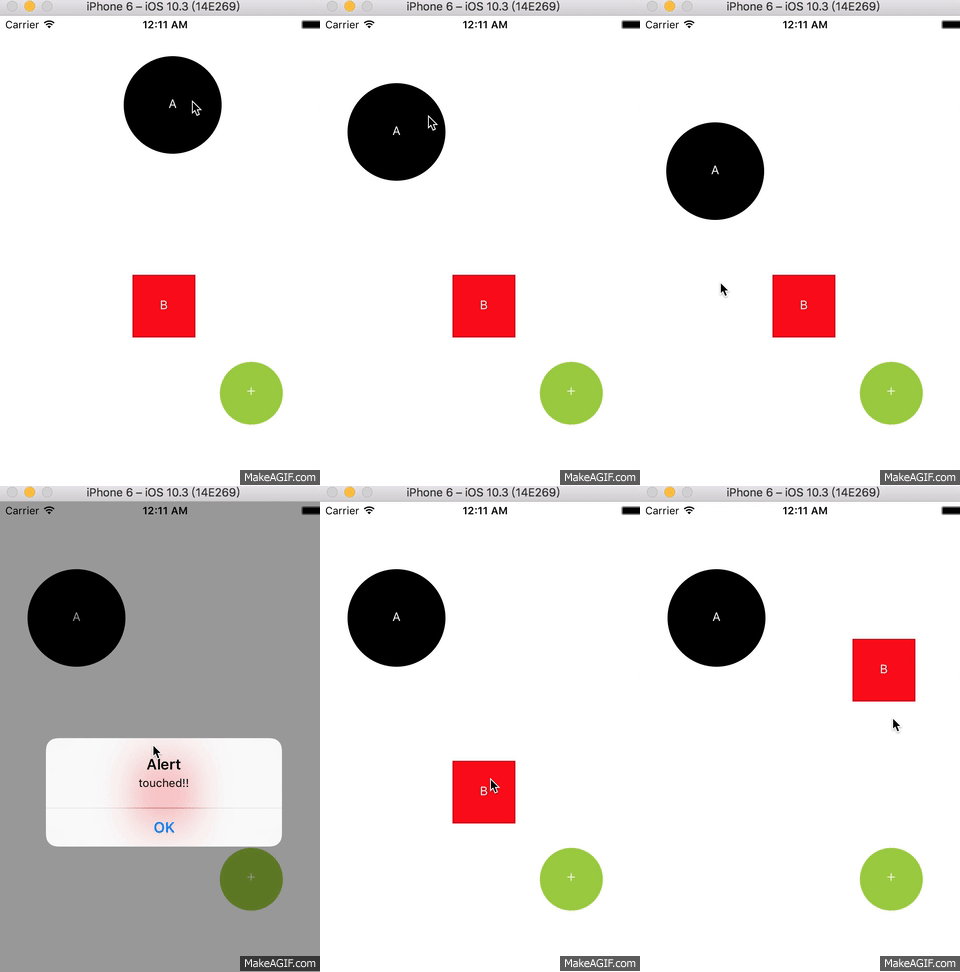
in my project => 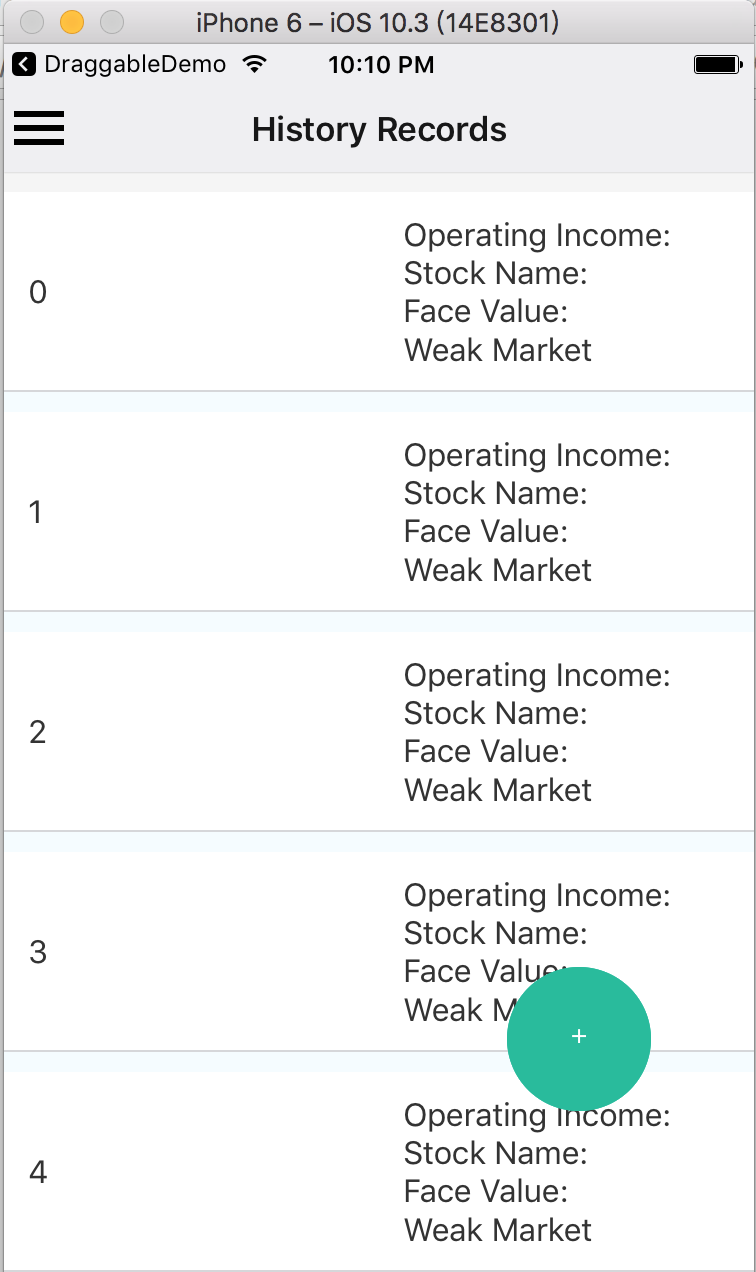
`
return (
renderSize={80}
x={200}
y={300}
onDragRelease={this._changeFace}
onLongPress={()=>console.log('long press')}
onShortPressRelease={()=>console.log('press drag')}
onPressIn={()=>console.log('in press')}
onPressOut={()=>console.log('out press')}
/>
);
Props spec & Example
Properties
| Prop | Type | Example | Default | Description |
| :------------ |:---------------:|:---------------:|:---------------:|:-----|
| renderText | string | 'ANY' | '+' | text of draggable |
| isCircle | bool | {true} | --- | render as circle
| renderSize | number | {36} | {36} | draggable size |
| imageSource | source | require('./img/xxx.png') | --- | image source|
| renderColor | string | 'black' | --- | Colors|
| children | Component |
| shouldReverse | bool | {false} | {false} | should draggable spring back to start when released |
| disabled | bool | {false} | {false} | should draggable be disabled |
| debug | bool | {false} | {false} | should show a debug visualization |
| touchableOpacityProps | Object | { activeOpactiy: .1 } | --- | props passed to TouchableOpacity component |
| animatedViewProps | Object | { accessibilityHint: 'drag' } | --- | props passed to Animated.View component |
| x | number |{0}| 0 | initial position x |
| y | number |{0}| 0 | initial position y |
| z | number |{1}| 1 | z-index / elevation |
| minX | number |{0}| --- | min X value for left edge of component |
| minY | number |{0}| --- | min Y value for top edge of component |
| maxX | number |{0}| --- | max X value for right edge of component |
| maxY | number |{0}| --- | max Y value for bottom edge of component |
Events
| Event | Type | Arguments| Description |
| :------------ |:---------------:|:---------------:|:-----|
| onDrag | func | event, gestureState | called every frame component is moved |
| onShortPressRelease | func | event | called when a press is released that isn't a long press or drag |
| onDragRelease | func | event, gestureState, bounds | called when a drag is released |
| onLongPress | func | event | called when a long press is started |
| onPressIn | func | event | called when a press is started |
| onPressOut | func | event | called when a press is stopped, or the component is dragged |
| onRelease | func | event, wasDragging | called at the end of interaction, regardless if press or drag |
| onReverse | func | | called when a drag is released, if shouldReverse is true |
$3
#### event
| Argument | Description |
| :------------ |:---------------|
| changedTouches | Array of all touch events that have changed since the last event |
| identifier | The ID of the touch |
| locationX | The X position of the touch, relative to the element |
| locationY | The Y position of the touch, relative to the element |
| pageX | The X position of the touch, relative to the root element |
| pageY | The Y position of the touch, relative to the root element |
| target | The node id of the element receiving the touch event |
| timestamp | A time identifier for the touch, useful for velocity calculation |
| touches | Array of all current touches on the screen |
#### gestureState
| Argument | Description |
| :------------ |:---------------|
| stateID | ID of the gestureState- persisted as long as there at least one touch on screen|
| moveX | the latest screen coordinates of the recently-moved touch|
| moveY | the latest screen coordinates of the recently-moved touch |
| x0 | the screen coordinates of the responder grant |
| y0 | the screen coordinates of the responder grant |
| dx | accumulated distance of the gesture since the touch started |
| dy | accumulated distance of the gesture since the touch started |
| vx | current velocity of the gesture |
| vy | current velocity of the gesture |
| numberActiveTouches | Number of touches currently on screen |
| gestureState | called at the end of interaction, regardless if press or drag |
#### bounds
| Argument | Description |
| :------------ |:---------------|
| left | as x at the top left corner |
| top | as y at the top left corner |
| right | as x at the bottom right corner |
| bottom | as y at the bottom right corner |
Methods (not supported above V2.0.0)
| Method | Params | Description |
| :------------ |:---------------:|:-----|
| reversePosition | --- | use onReverse callback instead. manually reset Draggable to start position |
| getPosition| --- |use onDragRelease callback instead. get the accurate coordinates x,y from the bounds|
What's next?
This Draggable is used to be a Draggable Button in my project.
Let me know if you have any idea or demand, let's discuss and develop it.