react-native-google-calendar-view
v0.1.5TypeScript
A highly customizable Google Calendar-style scheduler for React Native, supporting custom event rendering and flexible layouts.
0/weekUpdated 1 weeks agoMITUnpacked: 220.2 KB
Published by omshankarshah
npm install react-native-google-calendar-view📅 React Native Google Calendar View
A fully customizable, performant, and interactive Google Calendar-style scheduler for React Native.
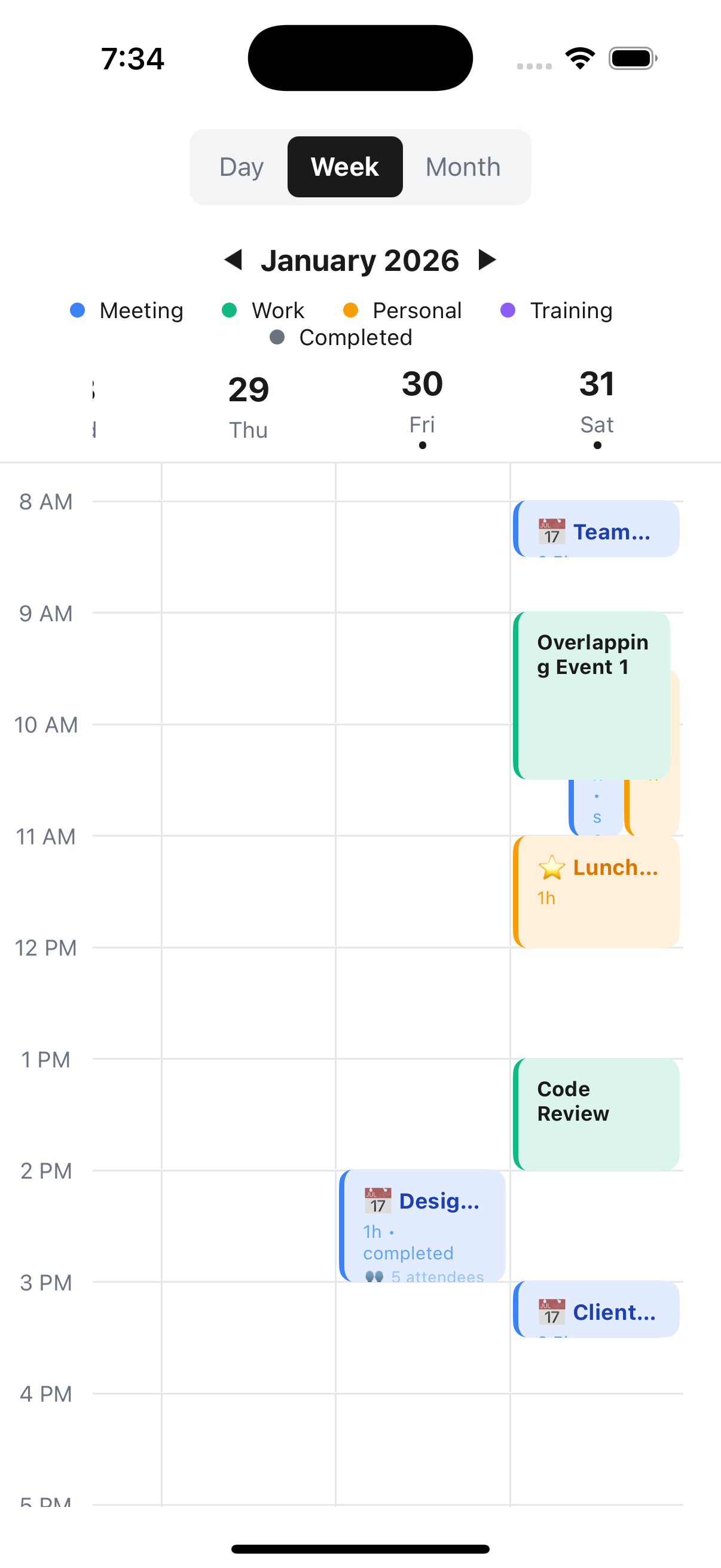
Designed to look and feel premium, with smooth Reanimated transitions, smart auto-scrolling, and complete control over event rendering.
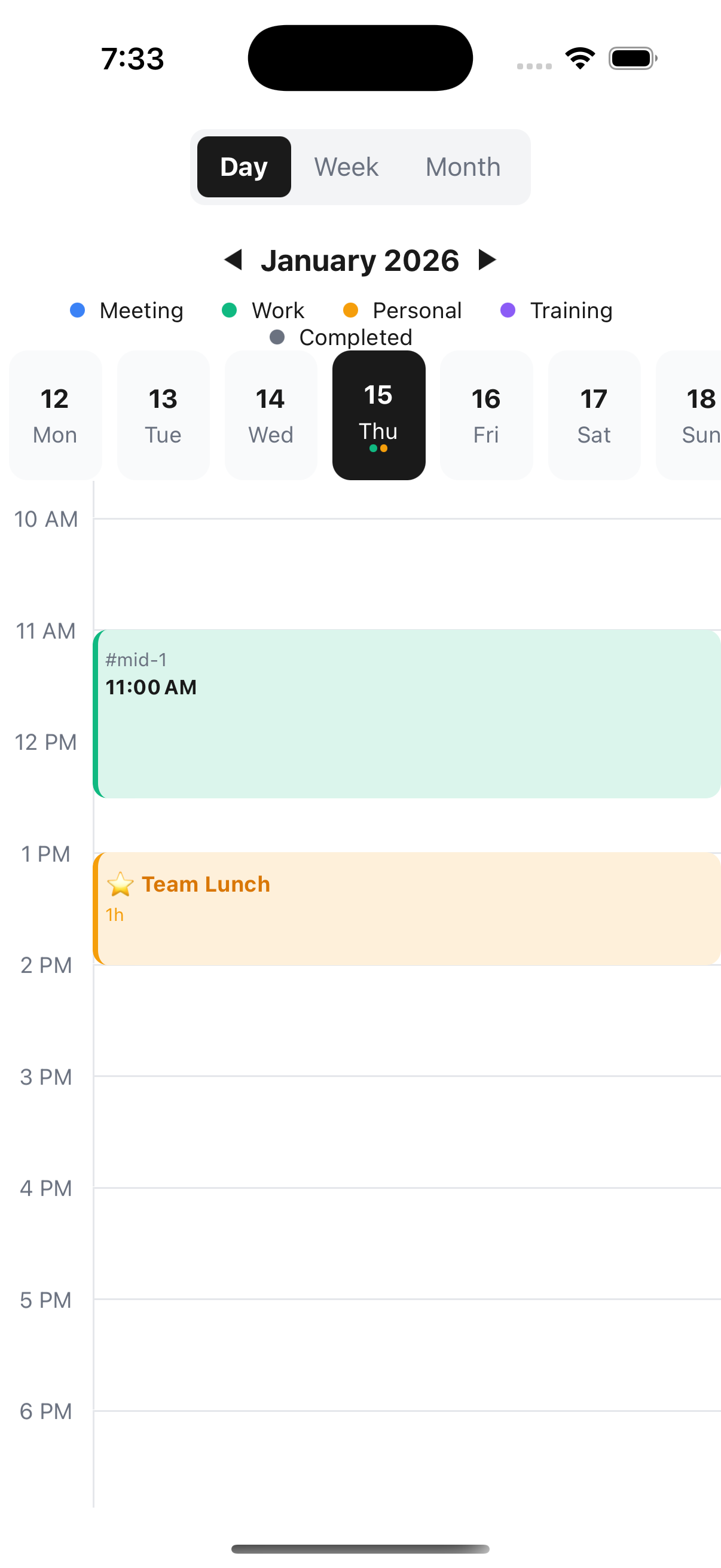
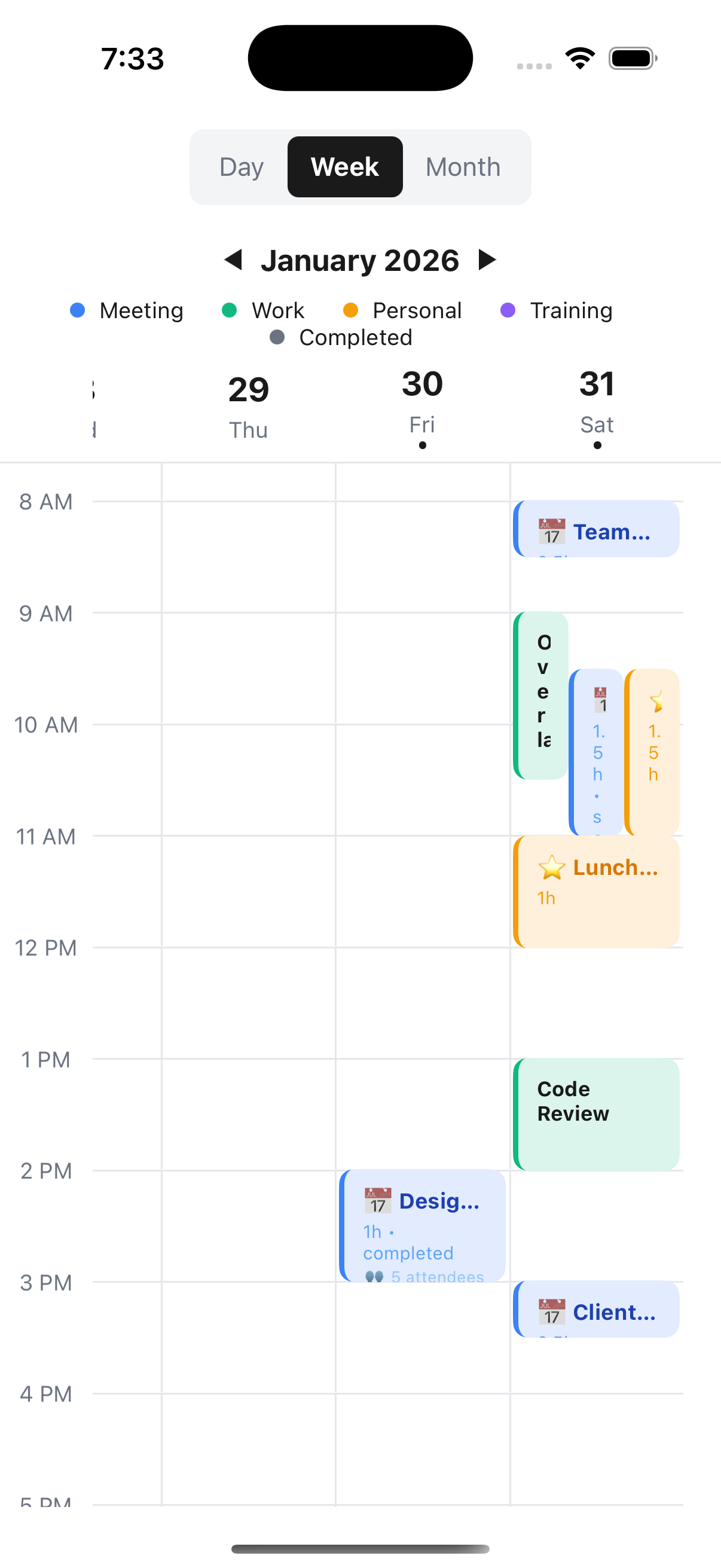
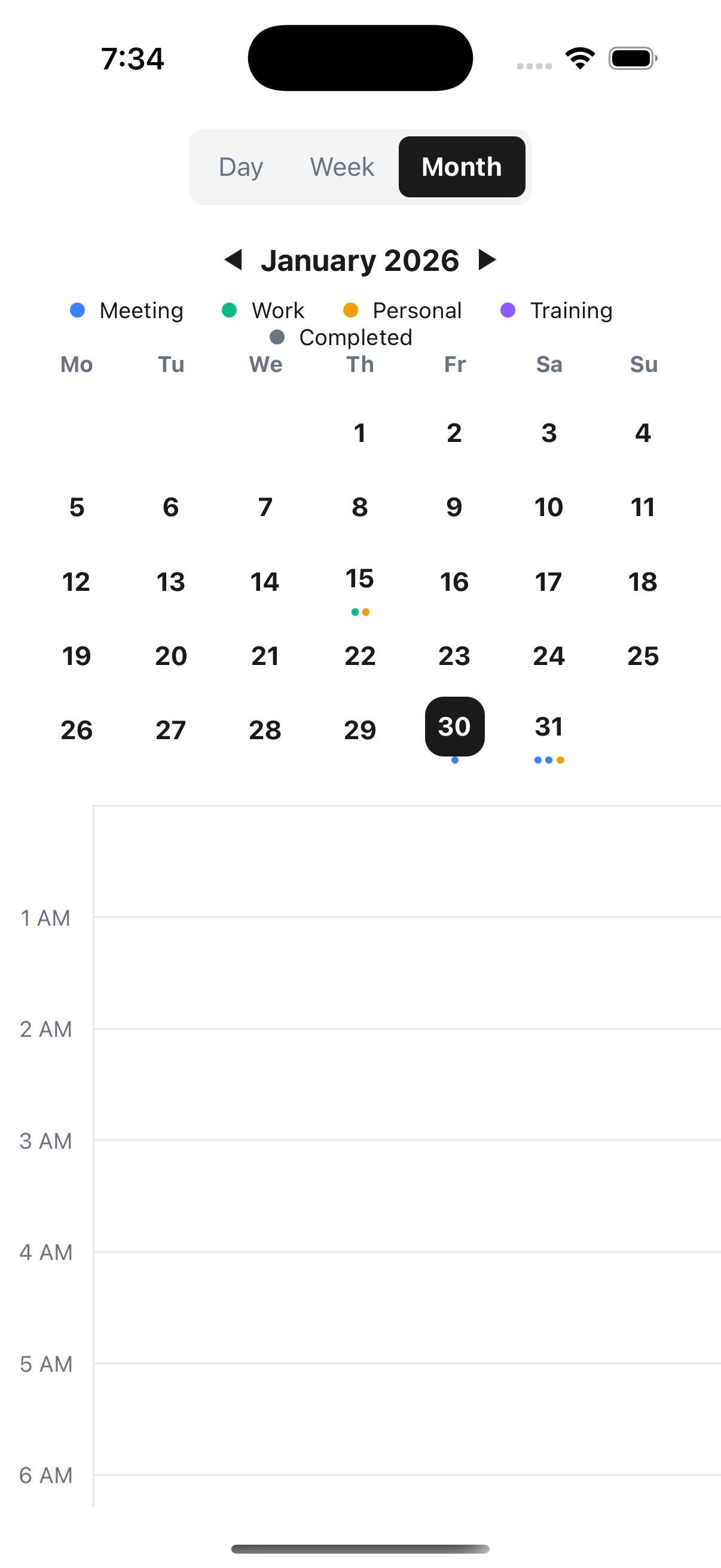
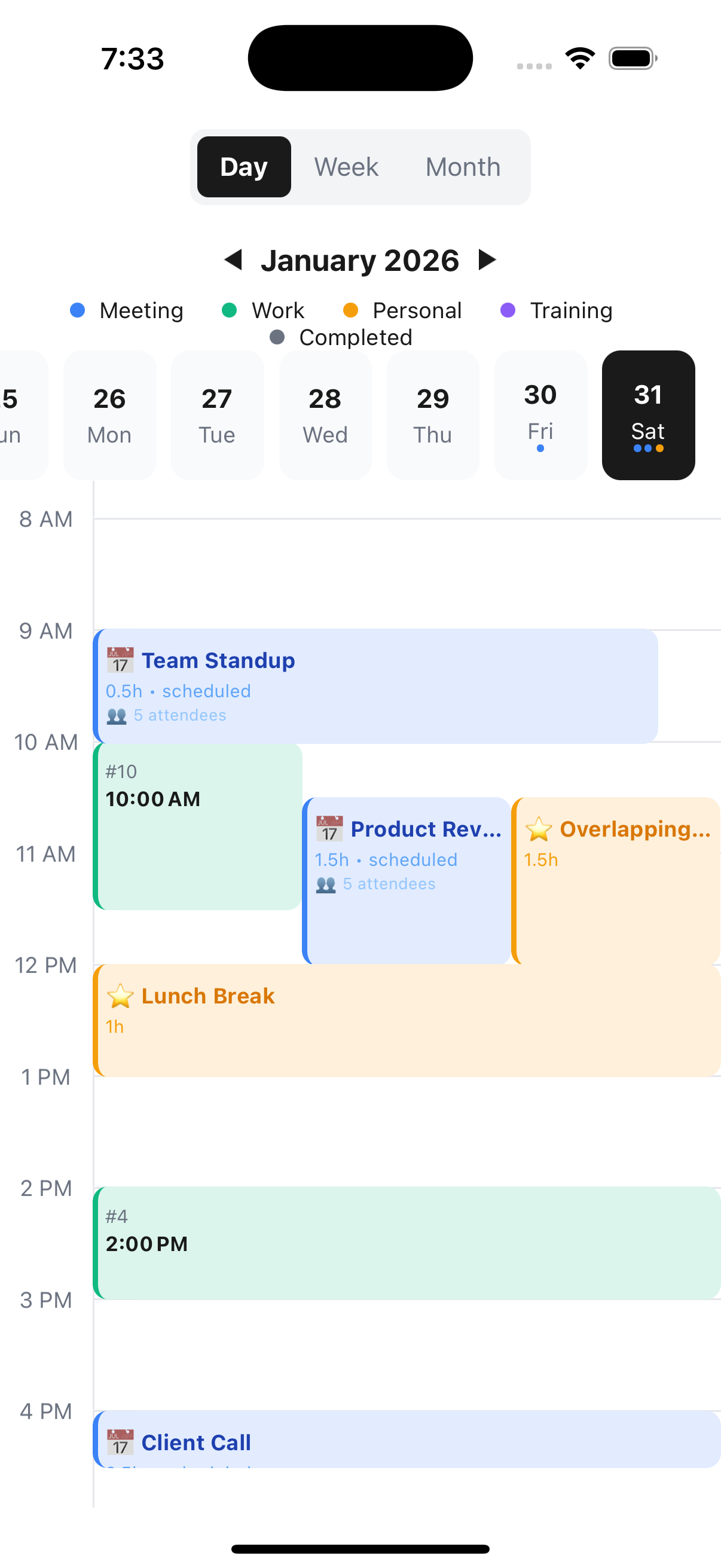
📸 Screenshots


✨ Features
- 🎨 Fully Customizable Event Cards: The visual star of this library. Render anything inside an event card while we handle the complex positioning and overlapping logic.
- 📱 Three View Modes: Day, Week, and Month views with native-like transitions.
- 👆 Interactive: Whole-card touch handling, swipe gestures for months, and smooth panning.
- ⚡ Performance First: Built with react-native-reanimated for 60fps animations.
- 🔄 Smart Navigation:
- Auto-scrolls to the first event when switching days.
- Interactive month paging (swipe just like native apps).
- Intelligent date selection logic.
- 📊 Smart Layout: Handles overlapping events automatically and beautifully.
- 🌈 Theming: Full control over colors, fonts, and grid spacing.
- 📝 TypeScript: 100% typed API.
🚀 Installation
``bash`
npm install react-native-google-calendar-view
or
`bash`
yarn add react-native-google-calendar-view
$3
This library interacts with react-native-reanimated for animations. Ensure you have the following installed:
`bash`
npm install react-native-reanimated
> Don't forget to add the Reanimated babel plugin to your babel.config.js.
📖 Usage
$3
`tsx
import React from 'react';
import { View } from 'react-native';
import {
CustomCalendar,
CalendarEvent,
} from 'react-native-google-calendar-view';
const events: CalendarEvent[] = [
{
id: '1',
title: 'Code Review',
start: new Date(new Date().setHours(10, 0)),
duration: 1.5,
status: 'scheduled',
},
];
export default function App() {
return (
);
}
`
🎨 Styling & Customization
This library shines when you customize it.
$3
You are not stuck with a default look. Use renderEventCard to provide your own component. The library wraps your component in a Pressable that handles positioning and clicks, allowing you to focus purely on the inner design.
`tsx
import { Text, View, StyleSheet } from 'react-native';
// ... inside your component
renderEventCard={(event, viewMode, isSelected, toggleSelection) => (
styles.cardContainer,
{ backgroundColor: isSelected ? 'blue' : 'lightblue' },
]}
>
{event.start.getHours()}:00 - {event.duration}h
{/ You can add icons, user avatars, status indicators, etc. /}
)}
/>;
const styles = StyleSheet.create({
cardContainer: {
flex: 1, // Ensure it fills the card area
padding: 8,
borderRadius: 6,
overflow: 'hidden',
},
cardTitle: {
fontSize: 14,
fontWeight: 'bold',
color: '#333',
},
cardTime: {
fontSize: 12,
color: '#666',
},
});
`
$3
Customize different sections of the calendar container.
`tsx`
colors: {
primary: '#6200ee',
backgroundColor: '#f5f5f5',
timeLabel: '#888',
todayHighlight: '#ff0000',
},
fonts: {
bold: 'Roboto-Bold',
},
}}
styles={{
// Override specific container styles
container: { padding: 10 },
}}
/>
$3
`tsx`
{/ Render dots, icons, or counts /}
/>
)}
/>
📚 API Reference
$3
| Prop | Type | Default | Description |
| ------------------------ | ---------------------------- | ------------ | -------------------------------------------------- |
| events | CalendarEvent[] | [] | Array of event objects. |initialDate
| | Date | new Date() | The starting date. |viewMode
| | 'day' \| 'week' \| 'month' | 'day' | Current view. Can be controlled state. |onViewChange
| | (mode) => void | - | Callback when view changes. |onDateChange
| | (date) => void | - | Callback when selected date changes. |onEventPress
| | (event) => void | - | Callback when an event card is pressed. |renderEventCard
| | Function | - | Core Feature: Custom renderer for event cards. |theme
| | CalendarTheme | - | Color and font customization. |startHour
| | number | 1 | Start hour for the grid (0-23). |timeSlots
| | string[] | 24h | Custom Y-axis labels. |headerLayout
| | 'row' \| 'column' | 'row' | Layout direction for the header. |legendPosition
| | 'left' \| 'right' | 'left' | Position of the legend relative to date navigator. |legendItems
| | LegendItem[] | - | Array of { label, color } for the legend. |styles
| | CalendarStyles | - | Overrides for specific component styles. |labels
| | CalendarLabels | - | Custom labels for UI text. |renderHeaderRight
| | () => ReactNode | - | Render custom content in the header. |renderEventMarkers
| | (date, events) => Node | - | Custom renderer for month view dots/markers. |renderTimeLabel
| | (time) => Node | - | Custom renderer for time slots. |getEventContainerStyle
| | (event) => ViewStyle` | - | Function to return dynamic styles for event cards. |
🤝 Contributing
See the contributing guide to learn how to contribute to the repository and the development workflow.
📄 License
MIT
---
Made with ❤️ by Om Shankar Shah