react-native-image-filter-kit
v0.8.0TypeScript
Various image filters for iOS & Android
0/weekUpdated 3 years agoMITUnpacked: 2.2 MB
Published by iyegoroff
npm install react-native-image-filter-kitreact-native-image-filter-kit


Various image filters for iOS & Android.
Status
- iOS & Android:
- filter components work as combinable wrappers for standard Image and ImageBackground components
- resulting images are being cached in memory and can be
extracted into temporary files of original resolution
- additional filters can be developed as separate modules
- react-native:
- supported versions:
| react-native | min Android SDK | min iOS version |
| ---------------- | --------------- | --------------- |
| >=0.64.0 | 21 | 9.0 |
| >=0.57.1 <0.64.0 | 17 | 9.0 |
Installation
with react-native ">=0.64.0"$3
$3
|
with react-native ">=0.61.0 <0.64.0"$3
$3
$3- Modify `` dependencies { - Modify android/app/build.gradle ` ... defaultConfig { - Modify android/gradle/wrapper/gradle-wrapper.properties ` |
with react-native ">=0.60.0 <0.61.0"$3$ npm i react-native-image-filter-kit@0.5.18 -S $3$ cd ios && pod install && cd .. $3- Modify android/build.gradle ` dependencies { allprojects { - Modify android/app/build.gradle ` ... defaultConfig { - Modify android/gradle/wrapper/gradle-wrapper.properties ` |
with react-native ">=0.58.0 <0.60.0"$3$ npm i react-native-image-filter-kit@0.4.14 -S $3$ react-native link react-native-image-filter-kit $3If you use Cocoapods add the following line to your Podfile: ` $ cd ios && pod install && cd .. $3Install manually if react-native link $3- Modify android/build.gradle ` |
with react-native ">=0.57.1 <0.58.0"$3$ npm i react-native-image-filter-kit@0.3.9 -S $3$ react-native link react-native-image-filter-kit $3If you use Cocoapods add the following line to your Podfile: ` $ cd ios && pod install && cd .. $3Install manually if react-native link $3Open android/build.gradle |
Scope
The purpose of this module is to support most of the native image filters on each platform and to provide a common interface for these filters. If the filter exists only on one platform, then its counterpart will be implemented using renderscript on Android and cikernel on iOS. If you need only color matrix filters - better use a lightweight predecessor of this module.
Example
`javascript
import { Image } from 'react-native'
import {
SoftLightBlend,
Emboss,
Earlybird,
Invert,
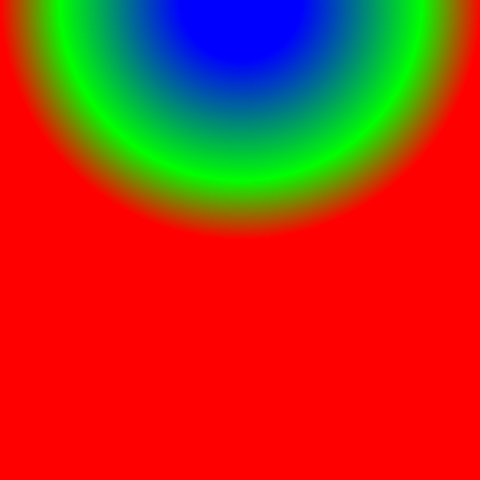
RadialGradient
} from 'react-native-image-filter-kit'
const result = (
dstTransform={{
scale: 'CONTAIN'
}}
dstImage={
source={require('./parrot.png')}
resizeMode={'contain'}
/>
}
/>
}
srcTransform={{
anchor: { x: 0.5, y: 1 },
translate: { x: 0.5, y: 1 }
}}
srcImage={
stops={[0.25, 0.75, 1]}
center={{ x: '50w', y: '100h' }}
/>
}
/>
}
/>
}
/>
)
`
| original image | result |
|---|---|
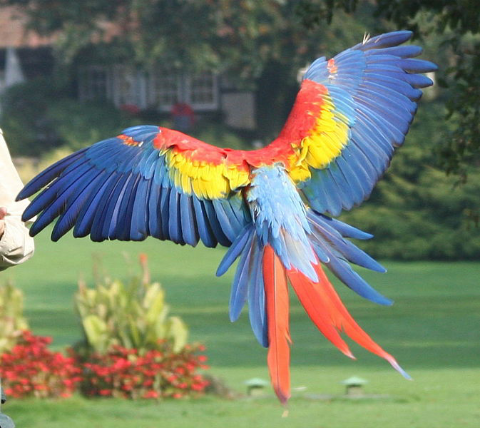 | 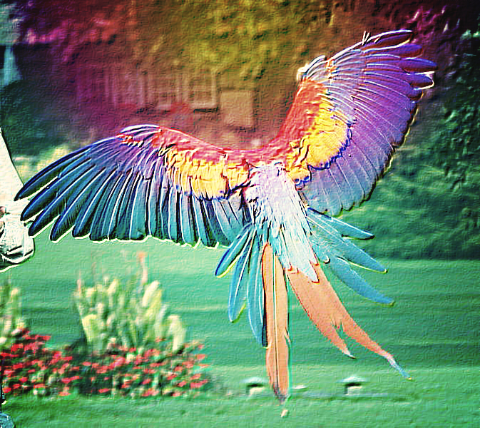 |
filter steps
|
|
|
| ||||||||
|---|---|---|---|---|---|---|---|---|---|---|---|
|
|
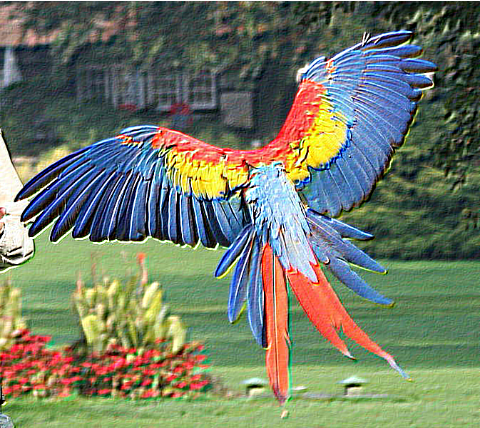
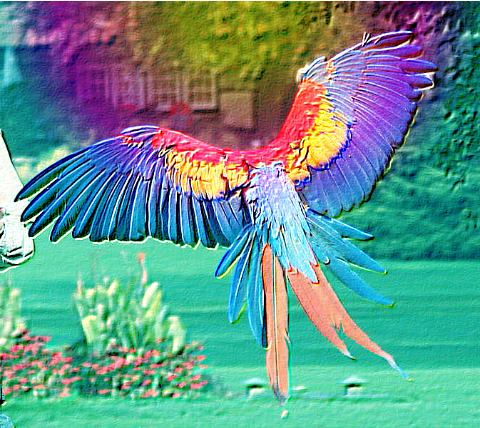

Reference
- Types
- Functions
- Image extraction
- Color matrix filters
- Blur filters
- Convolve matrix filters
- Generators
- Composition filters
- Blend filters
- CSSGram filters
- Android-only filters
- iOS-only filters
Caveats
- blurRadius Image prop will not work in conjunction with this library, instead of it just use BoxBlur filter
- When running on pre-Lollipop (SDK < 21) Android devices you may experience TooManyBitmapsException, which results in image is not being rendered (this can be logged with onFilteringError prop). It looks like this is a relatively rare case which arises on low-end devices when filtering wallpaper-sized images (like 1920 × 1080 pixels). The common workarounds are:
- using smaller images
- using ColorMatrix filter with concatColorMatrices instead of wrapping the image with multiple color matrix based filters
- adding android:largeHeap="true" to android/app/src/main/AndroidManifest.xml
- replacing standard with alternative one provided by this module:
``diff
... + import iyegoroff.imagefilterkit.MainReactPackageWithFrescoCache;
public class MainApplication extends Application implements ReactApplication {
...
List
// Packages that cannot be autolinked yet can be added manually here, for example:
// packages.add(new MyReactNativePackage());
- return packages;
+ return MainReactPackageWithFrescoCache.inject(packages);
}
...
`
After this change will not throw TooManyBitmapsException immediately and will clear Fresco image caches, trim bitmap pool memory and try to filter the image again several times until succeed or reach the limit of retries, specified by clearCachesMaxRetries prop.``
- If you are using react-native-asset with "<=0.4.14" version of this library - switch to iyegoroff/react-native-asset#with-key. In order to prevent unlinking of .cikernel files provided by react-native-image-filter-kit use react-native-asset the following way: npx iyegoroff/react-native-asset#with-key -a YOUR-OWN-ASSETS -k YOUR-APP-ID
Credits
- CSSGram filters are taken from cssgram project by @una
- EdgeDetection, Emboss and FuzzyGlass filters are taken from android-graphics-demo project by @chiukiskia` sources
- Parrot image by
Robert01
- Blend filters are based on
- File save functionality is based on react-native-view-shot project by @gre