react-native-infinity
v0.0.15
A React Native Starter For All Platforms
27/weekUpdated 3 years agoMITUnpacked: 585.8 KB
Published by codypearce
npm install react-native-infinityReact Native Infinity

CLI that generates React Native projects targeting any combination of platforms
iOS, Android, Web, Electron, Windows, MacOS
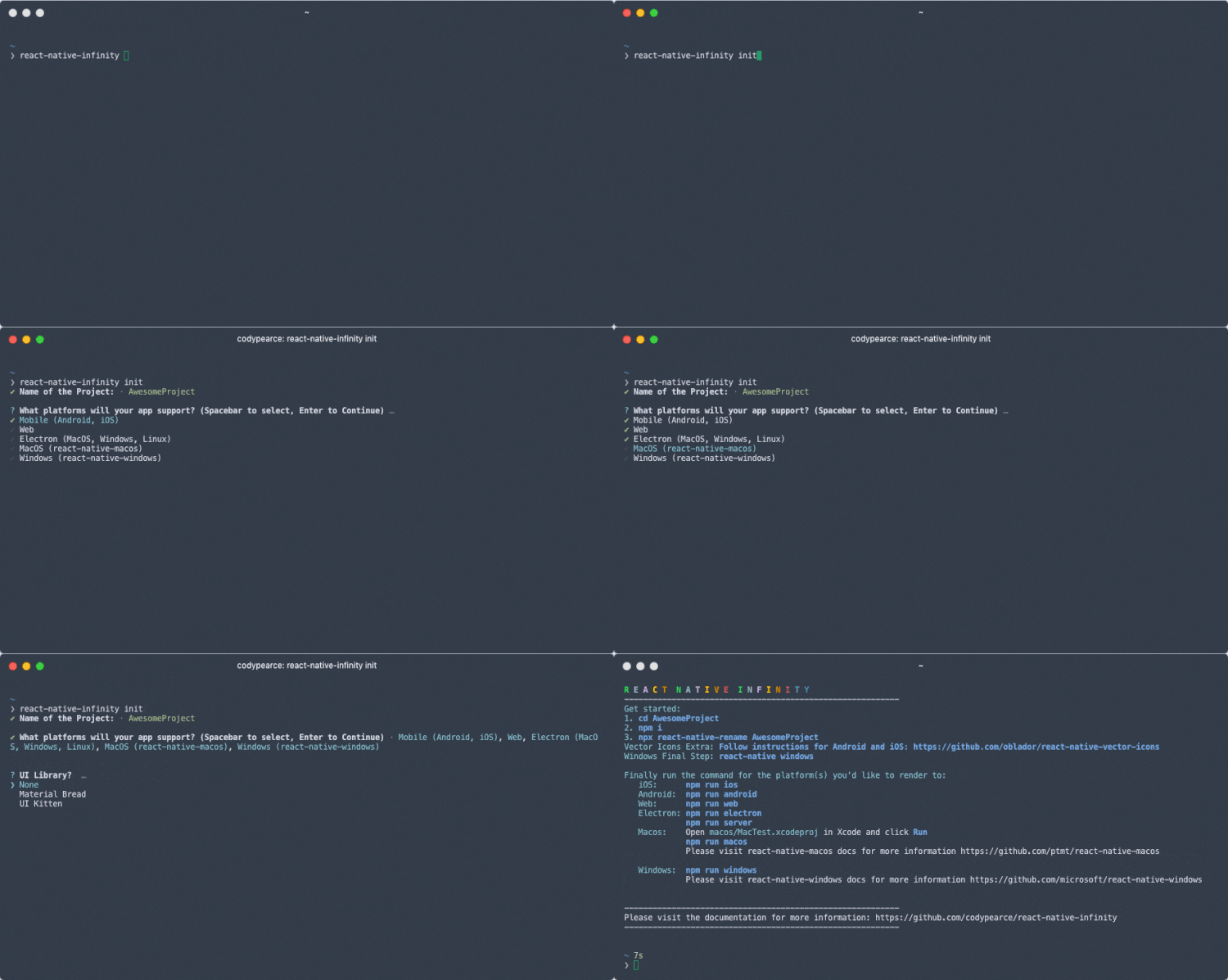
You can use the interactive tool in the docs to generate the CLI command you need, or simply use npx react-native-infinity init to use the CLI interactive tool.
* __Multi-Platform__ - Choose any combination of 6 platforms to target (iOS, Android, Web, Electron, Windows, MacOS)
* __Add Platform__ - Add another platform anytime with add-platform command
* __UI Library__ - Add cross-platform UI libraries (Material Bread, UI Kitten)
* __Interactive GUI__ - Online GUI to select platforms and libraries to get started
* __Interactive CLI__ - Select platforms and libraries by answers questions in your terminal
Getting Started
- Installation
- init
- add-platform
- list
- Project
- Platforms
- UI Libraries
Installation
You can install the project globally or use npx:
Install globally
``
$ npm install react-native-infinity -g
Using npx: `
$ npx react-native-infinity
❯ init
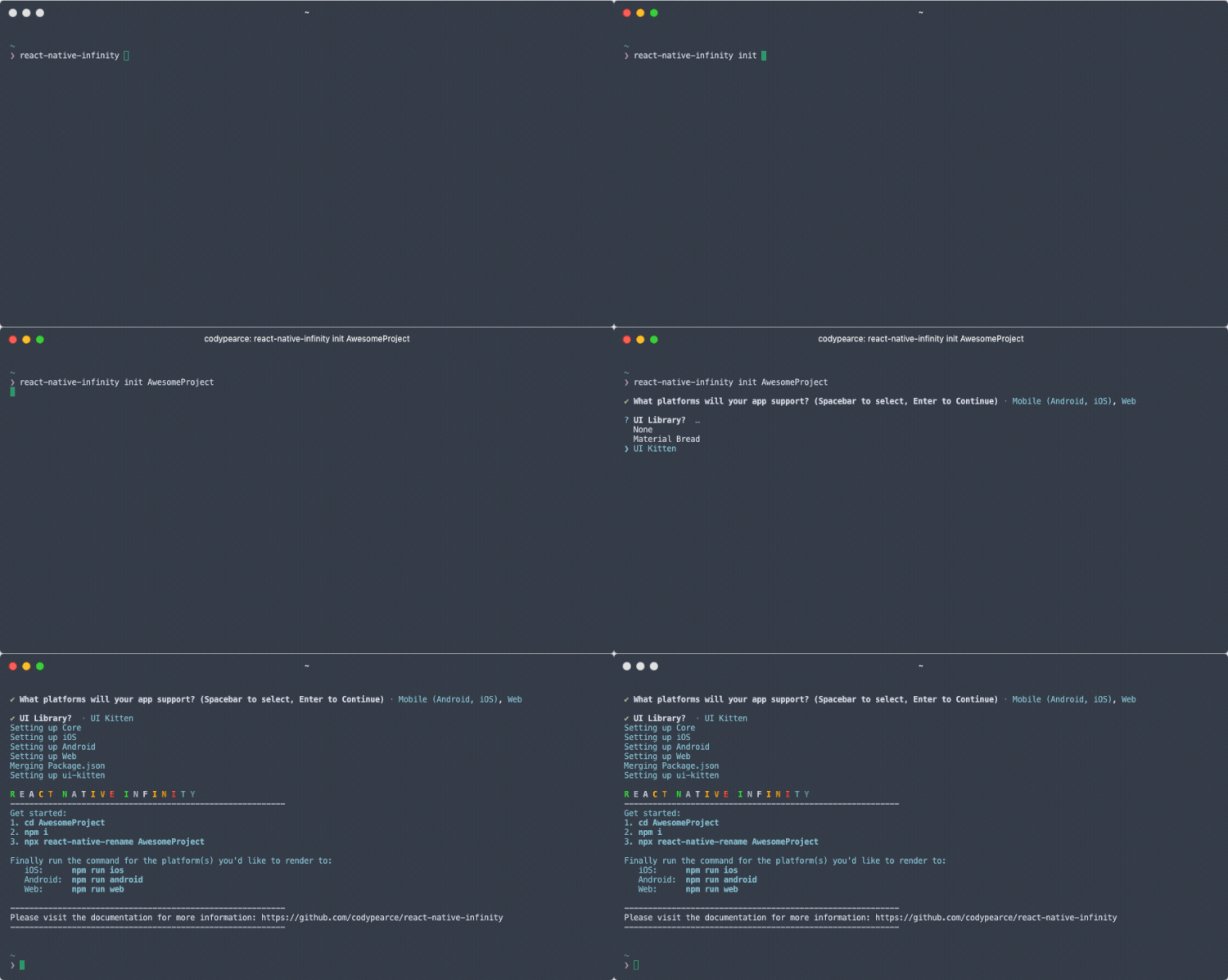
init without a parameter will run an interactive prompt to gather the name, platforms, and UI library for the project.
init with the parameter provides the name of the app without using the interactive prompt. Although there are additional options and paramters, they are only used with the GUI tool on the website.
❯ add-platform
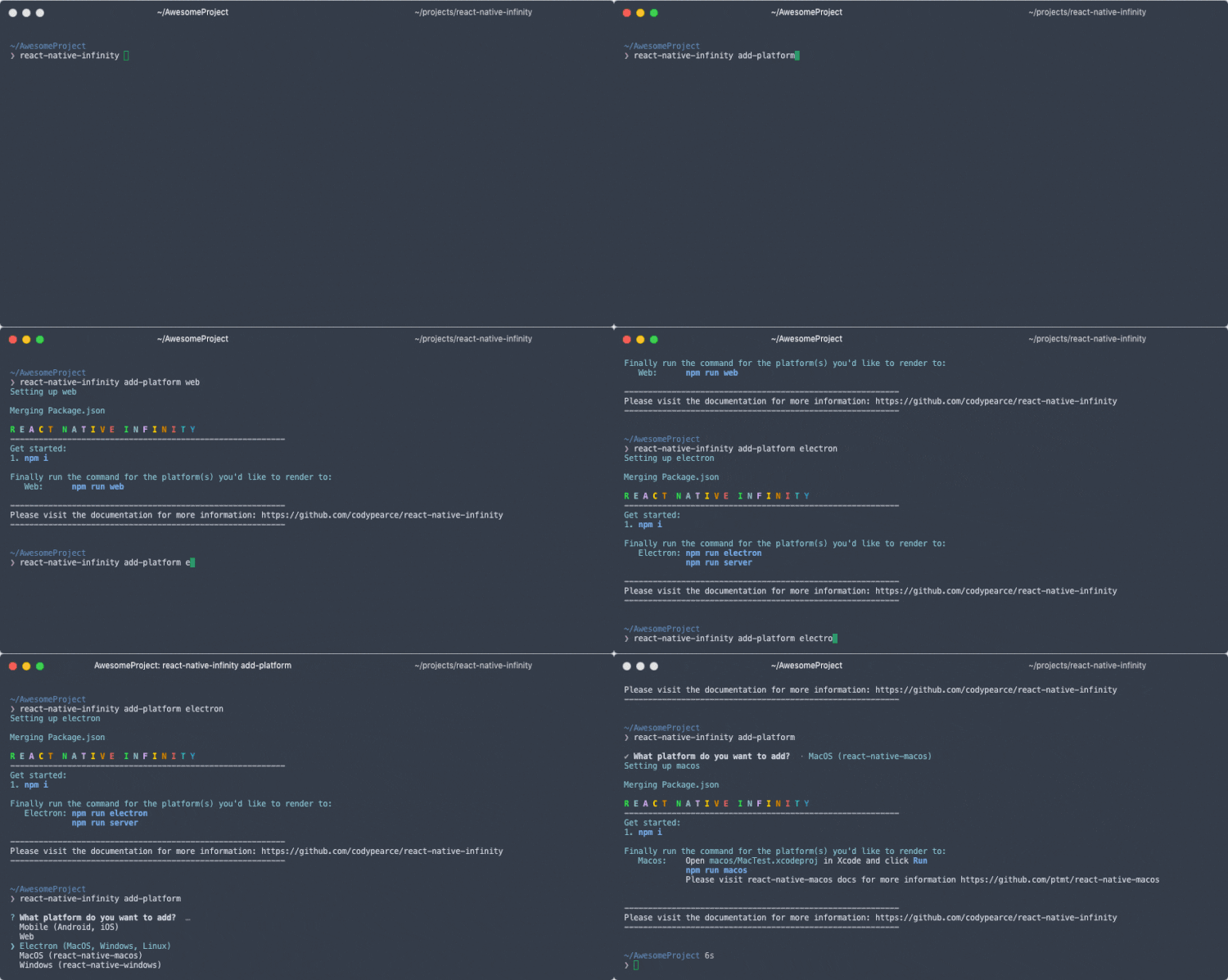
add-platform without a parameter starts a prompt to select a platform to add to your project.
add-platform with a parameter accepts a lowercase string indicating the platform to add.
`
npx react-native-infinity add-platform electron
Supported platform strings:
* mobile
* web
* electron
* macos
* windows
❯ list
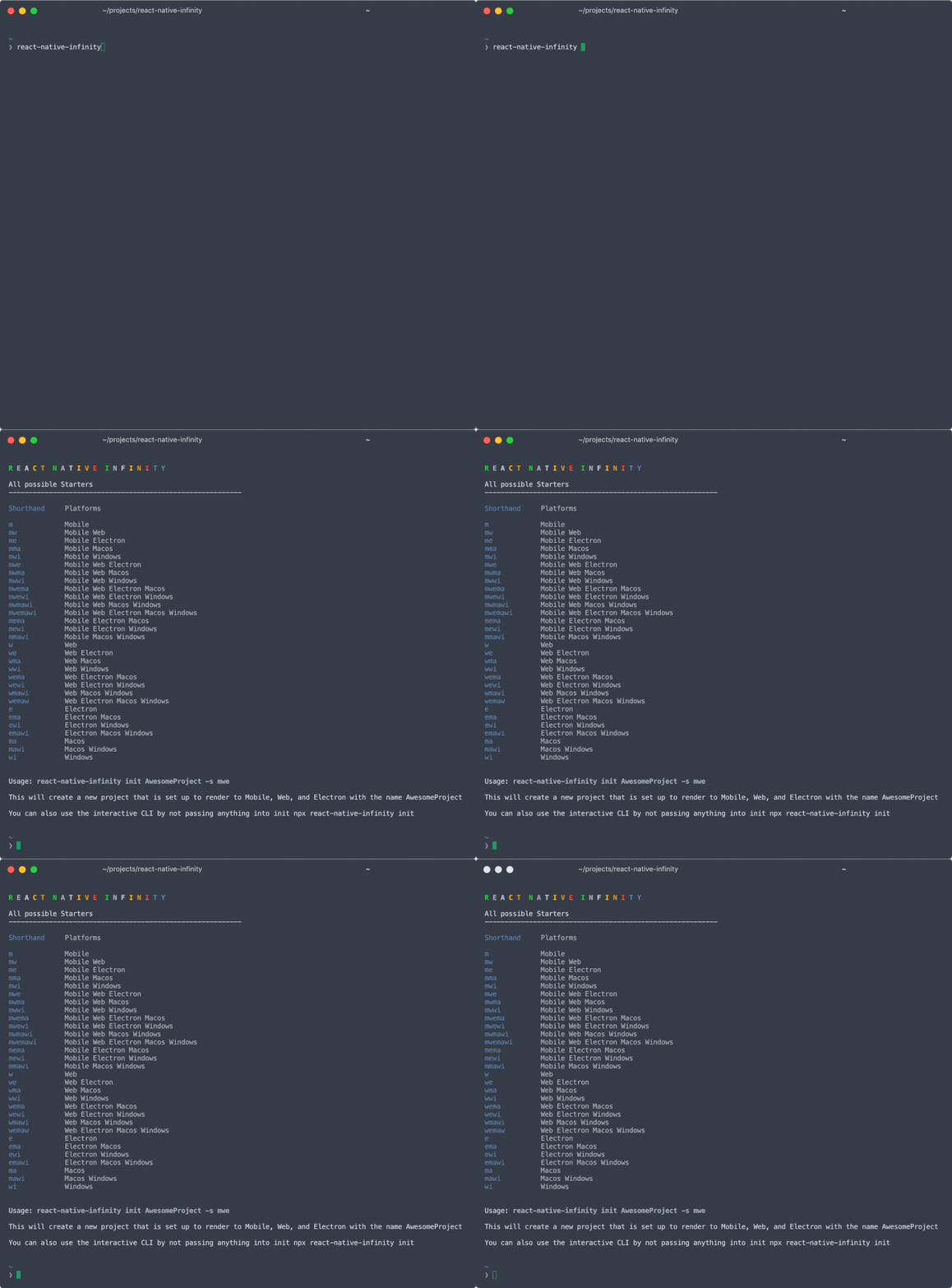
list lists all supported platforms with the shorthand name the GUI supports
Project
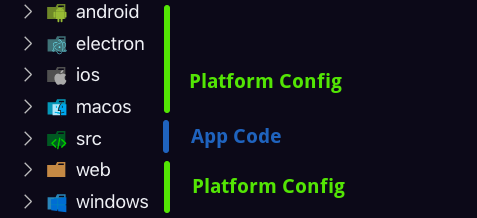
React Native separates application code into src
and platform configuration into android and ios. React Native Infinity extends this idea to more platforms. All application code lives in src while each platform ios, android, web, electron, macos, windows has it's own folder that contains configuration files, including webpack config. By separating out configuration in this way we can more easily pick and choose what platforms our apps should support both at initialization and later on.
This project is an experiment and meant as a starting off point for rendering on other platforms, not a full solution for all cases, some extra steps might be required for some platforms.
Platforms
$3
React Native on the web is supported by react-native-web, please check the documentation to learn more.`
npm run web
Config:
. Config sets up an alias for react-native to react-native-web. Runs on localhost:8080.`
npm run build-web
Uses to build a production web build to ./web/dist.
$3
Electron with React requires two commands to run and uses react-native-web.`
npm run electron
Starts the Electron window using config ./electron/main.js and `
npm run server
Runs react in the electron window using config ./electron/webpack.config.js.
$3
MacOS is supported by react-native-macos, please read the documentation for more information.
react-native-macos requires two commands to run an app:`
npm run macos-start
Starts the packager
npm run macos
This command aliases which opens a window.
$3
Windows is supported by react-native-windows, please read the documentation for more information.
react-native-windows has some extra requirements to get running and requires React Native 0.59.10 at this time. Their Getting Started Guide is very helpful for getting up and running.`
npm run windows
This command aliases .
$3
`
npm run android
Simply runs , read the React Native docs for more information.
$3
`
npm run ios
Simply runs , read the React Native docs for more information.
UI Libraries
By extending the idea of isolated configuration further, we can easily copy over configuration for UI library setup as another step in initialization. Currently there are not many UI libraries that provide explicit support for all platforms, if you know of any more that should be added, please do not hesitate to create an issue or PR.$3
Material Bread supports all platforms and configuration is pretty simple, however, it does require setting up react-native-vector-icons and react-native-svg if rendering on Android or IOS. Please read the docs for more information.$3
UI Kitten recently added support for react-native-web, and configuration is very easy: simply select UI Kitten during init`. Please read the documentation for more information.