react-native-interactive-image-gallery
v0.1.2
A React Native image gallery browser with interactive animations
0/weekUpdated 3 years agoMITUnpacked: 211.8 KB
Published by Alvaro Medina Ballester
npm install react-native-interactive-image-galleryreact-native-interactive-image-gallery


A React Native component to display a gallery of images.
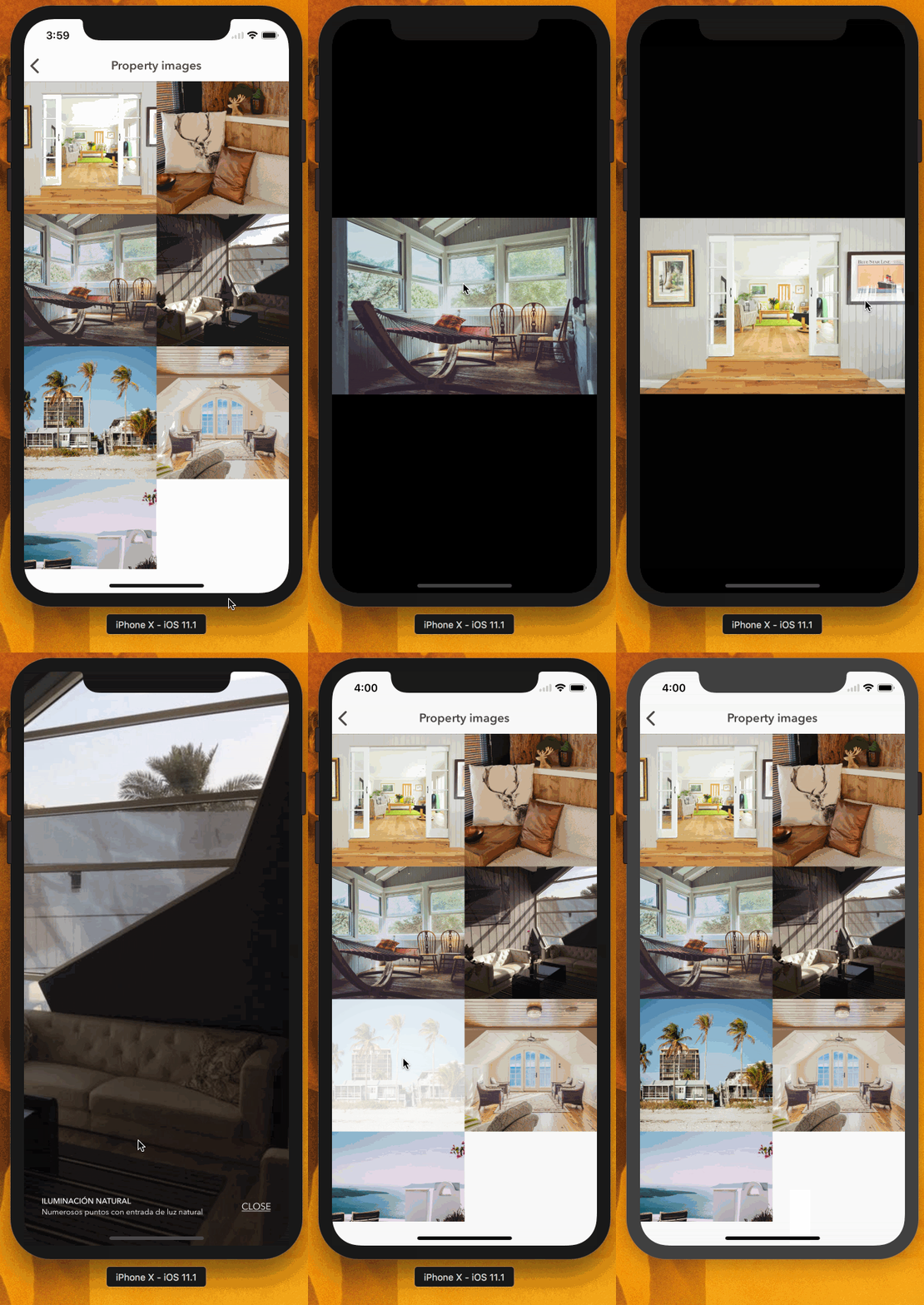
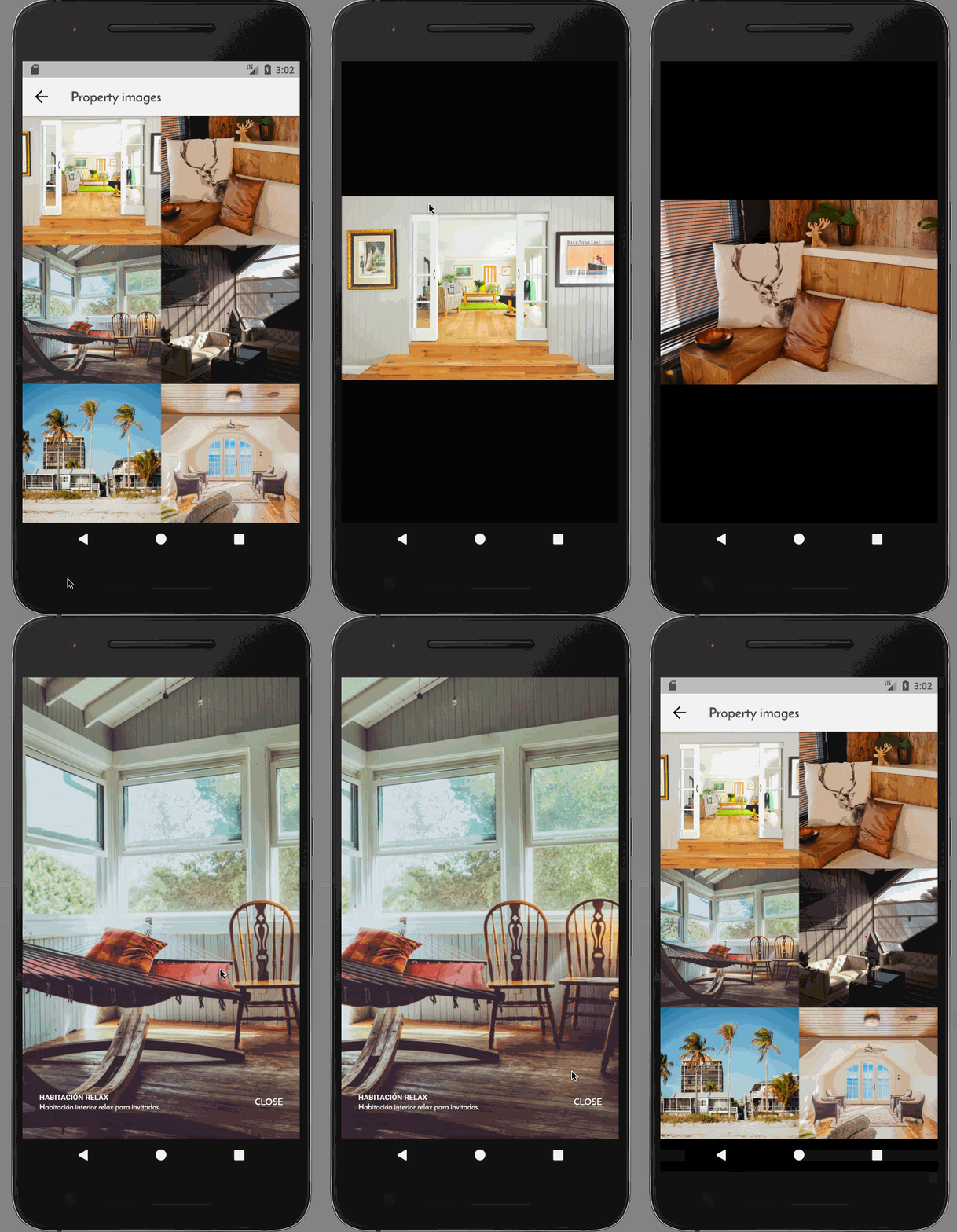
Getting started
$ yarn addreact-native-interactive-image-gallery
$3
$ react-native link react-native-interactive-image-gallery
$3
#### iOS
1. In Xcode, in the project navigator, right click Libraries ➜ Add Files to [your project's name]
2. Go to node_modules ➜ react-native-interactive-image-gallery and add
RNIKInteractiveImageLibrary.xcodeproj
3. In XCode, in the project navigator, select your project. Add
libRNIKInteractiveImageLibrary.a to your project's Build Phases ➜ Link Binary With Libraries
4. Run your project (Cmd+R)<
#### Android
No additional setup needed.
Usage
``javascript
import ImageBrowser from 'react-native-interactive-image-gallery'
class Images extends React.PureComponent
render() {
const imageURLs: Array
API
The component accepts the following props
$3
| Prop | Type | Mandatory |
| ------------------------------------- | --------------------- | --------- |
| images | Array | Yes |onPressImage
| | Function |topMargin
| | number |closeText
| | string |infoTitleStyles
| | Animated.View.style |infoDescriptionStyles
| | Animated.View.style |enableTilt
| (experimental, iOS only) | boolean |
Where ImageSource represents
$3
| Name | Type | Mandatory |
| ------------- | -------- | --------- |
| id | string | Yes |URI
| | string | Yes |thumbnail
| | string | Yes |title
| | string |description
| | string |
Aknowledgements
Thanks to Eric Vicenti (https://github.com/ericvicenti) and
his talk at React Native EU 2017
called "Practical Hacks for delightful interactions" for the inspiration and the
iOS animations present in this library
The main idea of the library and some parts of the code were inspired or taken
from his presentation, available at
this repo.
License
MIT.
Author
Álvaro Medina Ballester
Built with 💛 by APSL.