react-native-intro-screens
v1.4.2
React Native plugin implementing a parallax effect welcome page using base on react-native-swiper, similar to the one found in Google's app like Sheet, Drive, Docs...
0/weekUpdated 3 years agoISCUnpacked: 31.3 KB
Published by nico2che
npm install react-native-intro-screensreact-native-intro-screens
React Native component
Implementing a parallax effect welcome page using base on react-native-swiper, similar to the one found in Google's app like Sheet, Drive, Docs...
This component is based on this no longer followed frequently: react-native-app-intro



Table of Content
1. Example
2. Installation
3. Usage
4. Properties
5. Contributing
Example
$3

$3
For React Native <=60
``bash`
$ npm i rn-falcon-app-intro@1.2.3
For React Native >=60bash`
$ npm i react-native-intro-screens
$3
You can use pageArray quick generation your app intro with parallax effect. With the basic usage, the Android status bar will be updated to match your slide background color.
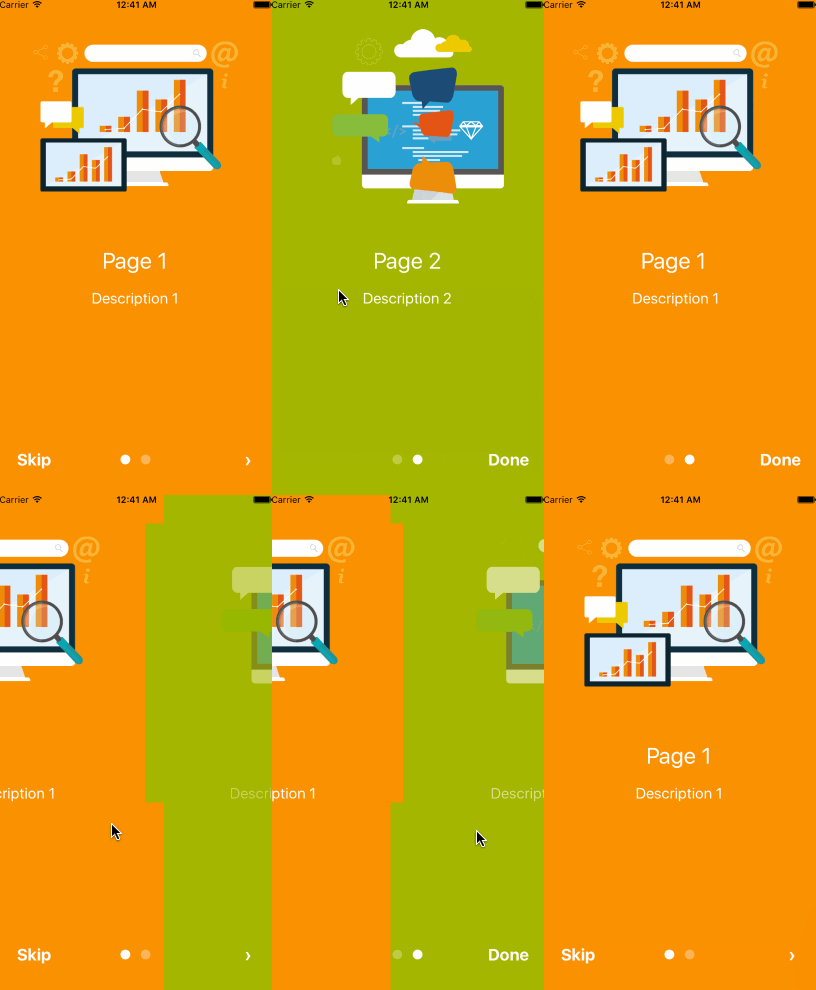

`javascript
import React, { Component } from 'react';
import { AppRegistry, Alert } from 'react-native';
import AppIntro from 'react-native-intro-screens';
function Example() {
const onSkipBtnHandle = (index) => {
Alert.alert('Skip');
console.log(index);
}
const doneBtnHandle = () => {
Alert.alert('Done');
}
const nextBtnHandle = (index) => {
Alert.alert('Next');
console.log(index);
}
const onSlideChangeHandle = (index, total) => {
console.log(index, total);
}
const pageArray = [{
title: 'Page 1',
description: 'Description 1',
img: 'https://goo.gl/Bnc3XP',
imgStyle: {
height: 80 * 2.5,
width: 109 * 2.5,
},
backgroundColor: '#fa931d',
fontColor: '#fff',
level: 10,
}, {
title: 'Page 2',
description: 'Description 2',
img: require('../assets/some_image.png'),
imgStyle: {
height: 93 * 2.5,
width: 103 * 2.5,
},
backgroundColor: '#a4b602',
fontColor: '#fff',
level: 10,
}];
return (
onDoneBtnClick={this.doneBtnHandle}
onSkipBtnClick={this.onSkipBtnHandle}
onSlideChange={this.onSlideChangeHandle}
pageArray={pageArray}
/>
);
}
AppRegistry.registerComponent('Example', () => Example);
`
$3
If you need customized page like my Example, you can pass in View component into AppIntro component and set level. Remember any need use parallax effect component, Need to be inside.
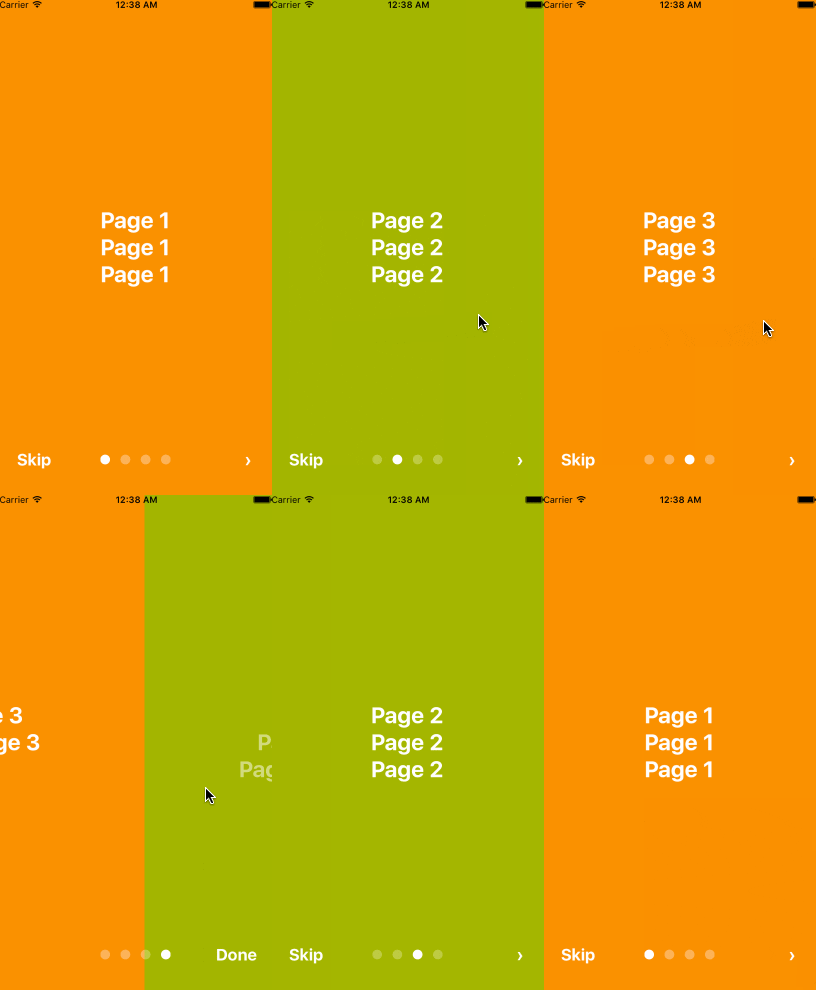
`javascript
import React, { Component } from 'react';
import {
AppRegistry,
StyleSheet,
Text,
View,
} from 'react-native';
import AppIntro from 'react-native-intro-screens';
const styles = StyleSheet.create({
slide: {
flex: 1,
justifyContent: 'center',
alignItems: 'center',
backgroundColor: '#9DD6EB',
padding: 15,
},
text: {
color: '#fff',
fontSize: 30,
fontWeight: 'bold',
},
});
function Example() {
return (
);
}
AppRegistry.registerComponent('Example', () => Example);
`
And in Android, image inside view component, view need width、height.
`javascript`
top: 80,
left: 30,
width: windows.width,
height: windows.height,
}} level={20}
>
Properties
| Prop | PropType | Default Value | Description |
|----------------|----------|-------------------------|------------------------------------------------------------------------------------------------------------------------------------------------------------------------------------------------------------------------------------------------------------------------------------------------------------------------------------------------------------------|
| dotColor | string | 'rgba(255,255,255,0.3)' | Bottom of the page dot color |
| activeDotColor | string | '#fff' | Active page index dot color |
| rightTextColor | string | '#fff' | The bottom right Text Done、>
 color                                                                                                                                                                                                                                                                                                                            |
| leftTextColor  | string   | '#fff'                  | The bottom left Text
Skip color |
| onSlideChange | (index, total) => {} | | function to call when the pages change |
| onSkipBtnClick | (index) => {} | | function to call when the Skip button click |
| onDoneBtnClick | func | | function to call when the Done button click |
| onNextBtnClick | (index) => {} | | function to call when the Next '>' button click |
| doneBtnLabel | string、Text element | Done | The bottom right custom Text label |
| skipBtnLabel | string、Text element | Skip | The bottom left custom Text label |
| nextBtnLabel | string、Text element | › | The bottom left custom Text label |
| pageArray | array | | In the basic usage, you can input object array to render basic view example: `[[{title: 'Page 1', description: 'Description 1', img: 'https://goo.gl/uwzs0C', imgStyle: {height: 80 2.5, width: 109 2.5 }, backgroundColor: '#fa931d', fontColor: '#fff', level: 10 }]`` , level is parallax effect level ,if you use pageArray you can't use custom view || defaultIndex | number | 0 | number of the index of the initial index |
| showSkipButton | bool | true | a boolean defining if we should render the skip button |
| showDoneButton | bool | true | a boolean that defines if we should render the done button |
| showDots | bool | true | a boolean that defines if we should render the bottom dots |
| scrollEnabled | bool | true | a boolean that defines if swiping is enabled or disabled |
| width | number | default width of the device | a number that defines the width of the view swiper |
| height | number | default height of the device | a number that defines the height of the view swiper |
| flexContainer | number | 1 | a number that defines the flex value of the view swiper |
##### Children View Properties
| Prop | PropType | Default Value | Description |
|-------|----------|---------------|-----------------------|
| level | number | | parallax effect level |
Contributing
Pull requests are always welcome! Feel free to open a new GitHub issue for any changes that can be made.