react-native-prefix-picker
v2.0.2
A simple iOS and Android picker for React Native
0/weekUpdated 3 years agoMIT
Published by Saro Vindigni
npm install react-native-prefix-pickerReact Native Prefix Picker ![Build Status]()    
A simple iOS and Android picker for React Native
Introduction
React Native Prefix Picker is simple, customizable and easy to use Picker in React Native. Works with both Android and IOS.
NEW VERSION
Now the prefixs are preloaded
Installation
``
npm i react-native-prefix-picker --save
Demo
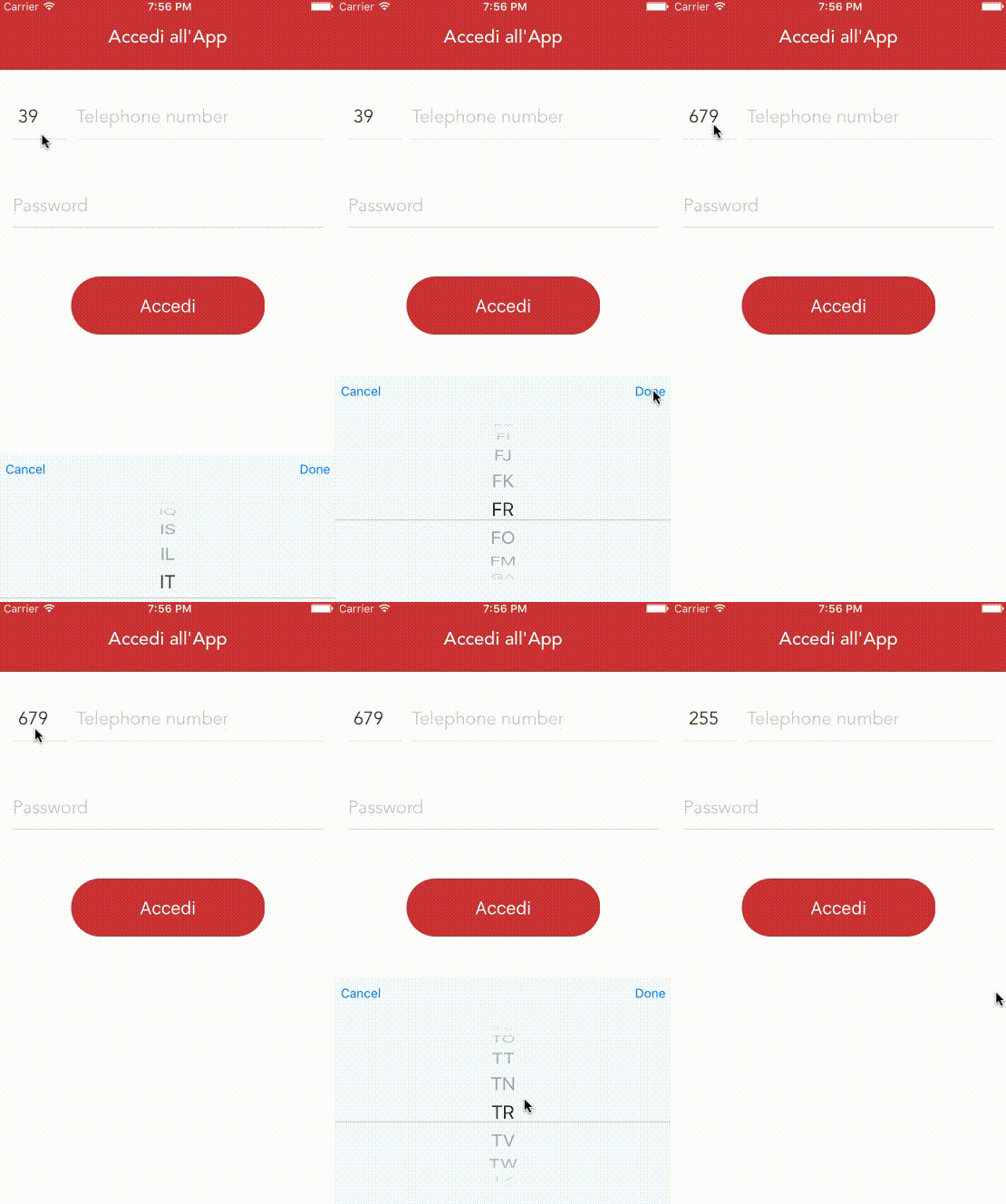
Usage
import React, {
Component,
View,
Text,
} from 'react-native';
import { Select} from 'react-native-prefix-picker';class Login extends Component {
constructor(props) {
super(props);
this.state = {
prefix: '',
};
}
render() {
return (
flex: 1,
backgroundColor: 'white',
marginTop: 80,
padding: 20,
}}
>
width: 80,
height: 64,
marginRight: 8,
}}
styleLabel={{
fontSize: 14,
}}
styleValue={{
fontSize: 14,
}}
transparent
onSubmit={(option) => {
this.setState({
prefix: option,
});
}}
/>
fontSize: 40,
textAlign: 'center',
margin: 10,
color: '#f87f1d',
}}
>
TEST
);
}
}
export default Login;
Configuration
##### Picker:
| Property | Type | Default | Description |
|---------------|----------|--------------|----------------------------------------------------------------|
| style | object | | Custom styles to be applied if supplied |
| styleLabel | object | | Custom styles to be applied if supplied |
| styleValue | object | | Custom styles to be applied if supplied |
| itemStyle | object | | Custom styles to be applied if supplied. |
| buttonColor | string | #007AFF | Custom styles to be applied if supplied. |
| disabled | bool | false | If true, disable all interactions for this component. |
| selectedValue | string | null | The default value. |
| onSubmit | function | required | function will be called when item button is pressed |
| transparent | bool | false | Transparent style for Modal |