Add Your Own Component To Bottom Sheet Whatever You Want (Android & iOS)
npm install react-native-raw-bottom-sheetPlease pay close attention if you are upgrading the RBSheet from version 2 to version 3.
- Functional Components: Starting from v3.0.0, RBSheet has been completely rewritten using Functional Components. This improves performance and aligns with modern React practices.
- Prop Removal & Renaming: Several props have been removed and renamed for improved clarity and maintainability. Please refer to the updated documentation for a complete list of available props and their intended behavior.


- Super Lightweight Component
- Add Your Own Component To Bottom Sheet
- Customize Whatever You Like
- Support Drag Down Gesture
- Support All Orientations
- Support Both Android And iOS
- Smooth Animation
- Zero Configuration
- Zero dependency
- Millions of Downloads
| Showcase iOS | Showcase Android |
| :--------------------------------------------------------------------------------------------------------------------: | :--------------------------------------------------------------------------------------------------------------------: |
| 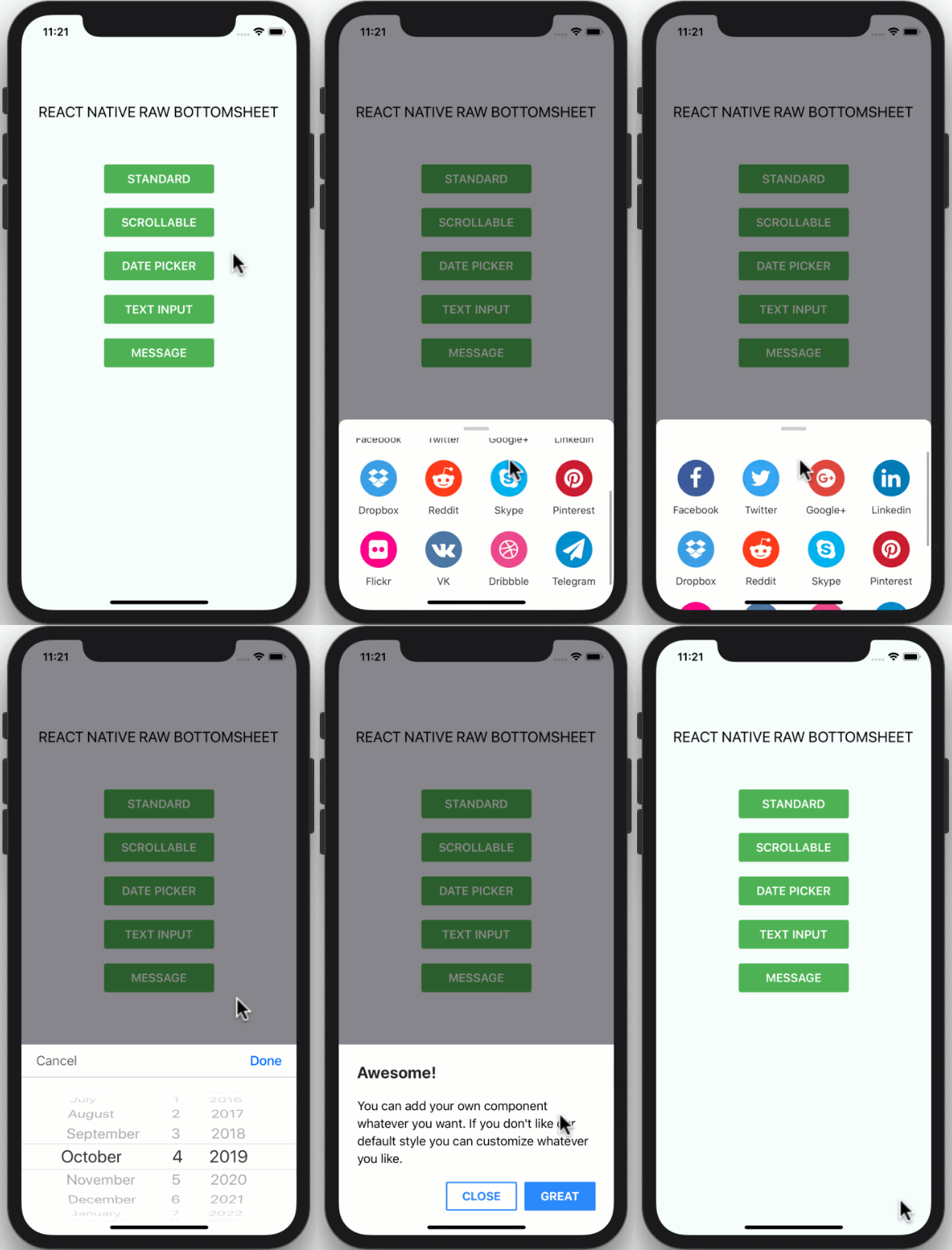 | 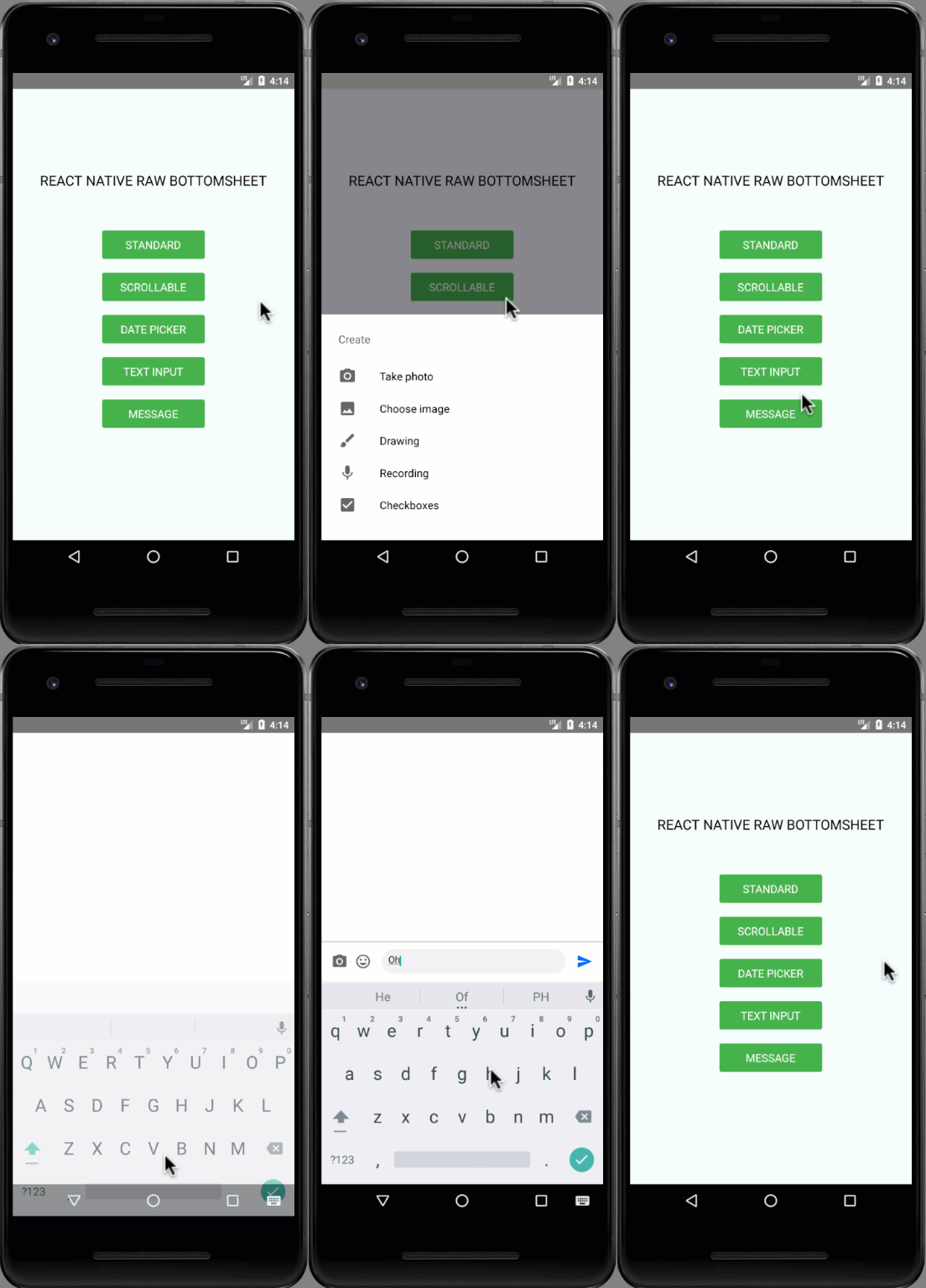 |
``
npm i react-native-raw-bottom-sheet --save
`
yarn add react-native-raw-bottom-sheet
Please check the example folder to explore more example codes.
#### Single Bottom Sheet
`jsx
import React, {useRef} from 'react';
import {View, Button} from 'react-native';
import RBSheet from 'react-native-raw-bottom-sheet';
export default function Example() {
const refRBSheet = useRef();
return (
onPress={() => refRBSheet.current.open()}
/>
useNativeDriver={true}
customStyles={{
wrapper: {
backgroundColor: 'transparent',
},
draggableIcon: {
backgroundColor: '#000',
},
}}
customModalProps={{
animationType: 'slide',
statusBarTranslucent: true,
}}
customAvoidingViewProps={{
enabled: false,
}}>
);
}
`
#### Multiple Bottom Sheet
`jsx
const refRBSheet = useRef([]);
const renderItem = ({item, index}) => {
return (
onPress={() => refRBSheet.current[index].open()}>
);
};
`
| Props | Type | Description | Default |
| ----------------------- | -------- | ------------------------------------------------------------------------------------------------------------------------------------------------------ | -------- |
| height | number | The height of bottom sheet. | 260 |
| openDuration | number | Duration of the animation when opening bottom sheet. | 300 (ms) |
| closeDuration | number | Duration of the animation when closing bottom sheet. | 200 (ms) |
| closeOnPressMask | boolean | Press the outside area (mask) to close bottom sheet. | true |
| closeOnPressBack | boolean | Press hardware back android to close bottom sheet (Android only). | false |
| draggable | boolean | Enable the drag-down gesture to close the bottom sheet. | false |
| dragOnContent | boolean | The draggable is only worked on the draggable icon. Set this to true
if you want to drag on the content as well (doesn't work with ScrollView). | false    |
| useNativeDriver         | boolean  | Use the native driver to run smoother animation.                                                                                                       | false    |
| customStyles            | object   | Add custom styles to bottom sheet.                                                                                          | {}       |
| customModalProps        | object   | Add custom props to modal.                                                                                 | {}       |
| customAvoidingViewProps | object   | Add custom props to KeyboardAvoidingView.                                                   | {}       |
| onOpen                  | function | Callback function that will be called after the bottom sheet has been opened.                                                                          | null     |
| onClose                 | function | Callback function that will be called after the bottom sheet has been closed.                                                                          | null     |
`jsdraggable
customStyles: {
wrapper: {...}, // The Root of component (Change the mask's background color here).
container: {...}, // The Container of bottom sheet (The animated view that contains your component).
draggableIcon: {...} // The style of Draggable Icon (If you set to true).`
}
| Method Name | Description | Usage |
| ----------- | --------------------------------- | ---------------------------- |
| open | The method to open bottom sheet. | refRBSheet.current.open() |refRBSheet.current.close()
| close | The method to close bottom sheet. | |
I'm really glad you're reading this, because we need volunteer developers to help bring this project to life.
#### How to contribute:
1. Clone this repository
2. Open project, then run yarn to install devDependenciesexample
3. Add your magic code for contribution
4. Test your code
- Navigate to folderyarn
- Run & yarn start to run the example projectexample/App.js
- Test your code in
5. Update to update documentation (Optional)__tests__
6. Write unit testing in folder (Optional)index.d.ts` to update typing (Optional)
7. Update
8. Make a pull request, Genius!
This project is licensed under the MIT License - see the LICENSE.md file for details.
Made with ❤️ by NY Samnang.