react-native-recaptcha-that-works
v2.0.0TypeScript
⚛ A reCAPTCHA bridge for React Native that works.
0/weekUpdated 2 years agoMITUnpacked: 39.9 KB
Published by Douglas Nassif Roma Junior
npm install react-native-recaptcha-that-worksreCAPTCHA for React Native (Android and iOS)


A reCAPTCHA library for React Native (Android and iOS) that works.
_Looking for React DOM version?_
| Normal | Invisible |
| - | - |
| 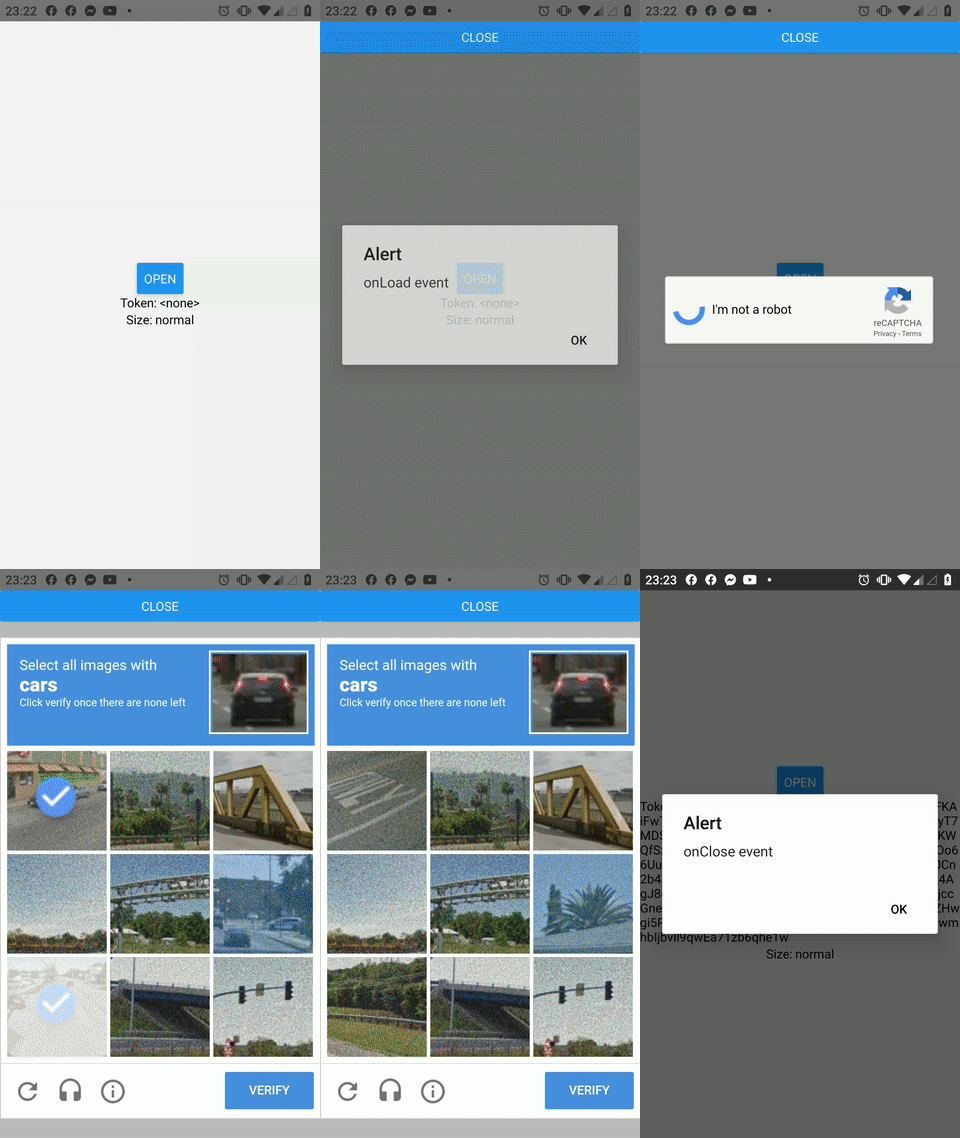 |
| 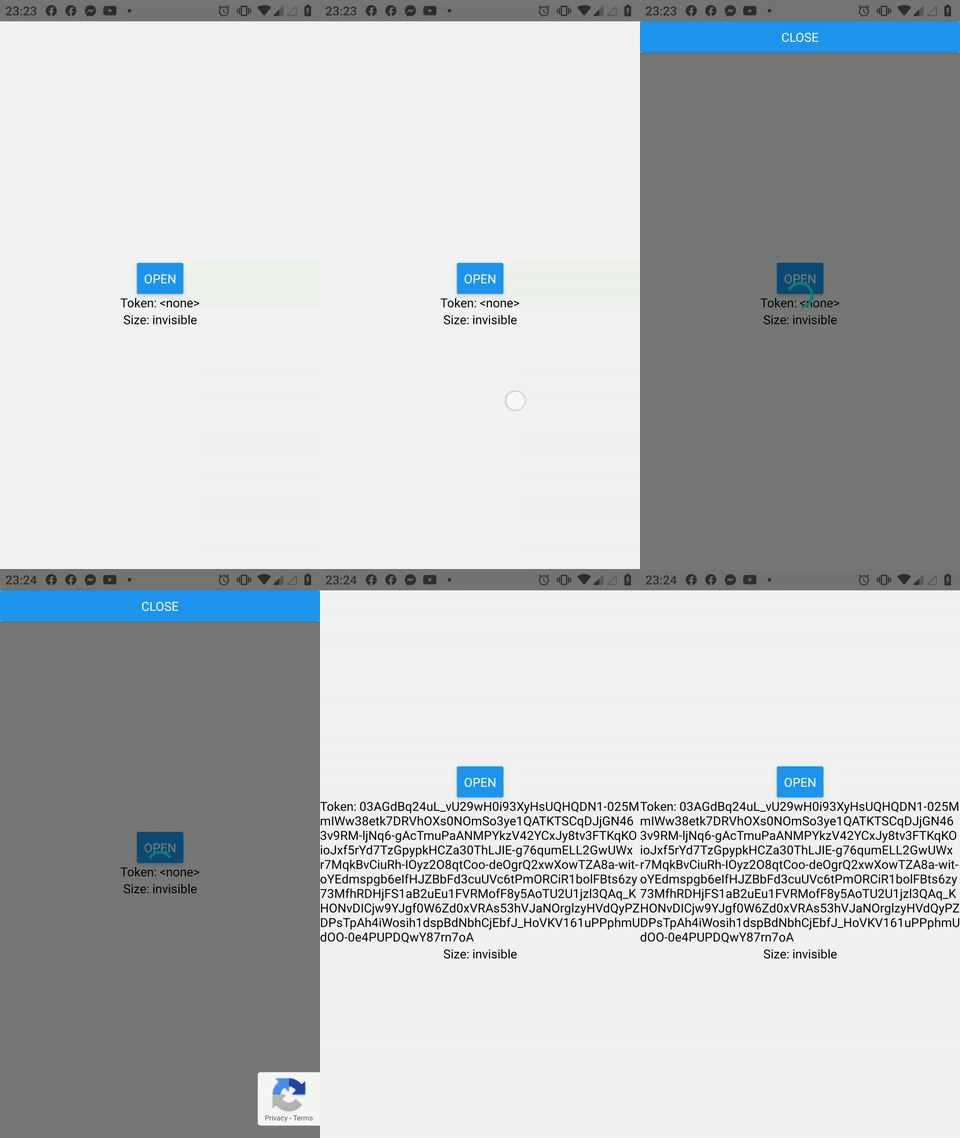 |
|
Try the Online demo.
Install
$3
``bash`
yarn add react-native-recaptcha-that-works react-native-webview
Orbash`
npm i -S react-native-recaptcha-that-works react-native-webview
_See the react-native-webview Getting Started Guide._
Usage
With JavaScript:
`jsx
import React, { useRef } from 'react';
import { View, Button } from 'react-native';
import Recaptcha from 'react-native-recaptcha-that-works';
const App = () => {
const recaptcha = useRef();
const send = () => {
console.log('send!');
this.recaptcha.current.open();
}
const onVerify = token => {
console.log('success!', token);
}
const onExpire = () => {
console.warn('expired!');
}
return (
siteKey="
baseUrl="http://my.domain.com"
onVerify={onVerify}
onExpire={onExpire}
size="invisible"
/>
);
}
`
Or with TypeScript:
`tsx
import React, { useRef } from 'react';
import { View, Button } from 'react-native';
import Recaptcha, { RecaptchaHandles } from "react-native-recaptcha-that-works";
// ...
export const Component: React.FC = () => {
const recaptcha = useRef
const send = () => {
console.log('send!');
recaptcha.current?.open();
};
const onVerify = (token: string) => {
console.log('success!', token);
};
const onExpire = () => {
console.warn('expired!');
}
return (
siteKey="
baseUrl="http://my.domain.com"
onVerify={onVerify}
onExpire={onExpire}
size="invisible"
/>
);
};
`
For more details, see the Sample Project.
Props
|Name|Value|Default|Description|
|-|-|-|-|
|headerComponent|React Element||A component to render on top of Modal.|React Element
|footerComponent|||A component to render on bottom of Modal.|React Element
|loadingComponent|||A custom loading component.|ViewStyle
|style|||Customize default style such as background color.|string
|modalProps|ModalProps||Override the Modal props.|
|webViewProps|WebViewProps||Override the WebView props.|
|lang|||Language code.|string
|siteKey|||(Required) Your Web reCAPTCHA site key. (The Web key must be used, not for Android)|string
|baseUrl|||(Required) The URL (domain) configured in the reCAPTCHA console setup. (ex. http://my.domain.com) (See also https://github.com/douglasjunior/react-native-recaptcha-that-works/issues/34)|'invisible'
|size|, 'normal' or 'compact'|'normal'|The size of the widget.|'dark'
|theme| or 'light'|'light'|The color theme of the widget.|function()
|onLoad|||A callback function, executed when the reCAPTCHA is ready to use.|function(token)
|onVerify|||(Required) A callback function, executed when the user submits a successful response. The reCAPTCHA response token is passed to your callback.|function()
|onExpire|||A callback function, executed when the reCAPTCHA response expires and the user needs to re-verify. Only works if the webview still open after onVerify has been called for a long time.|function(error)
|onError|||A callback function, executed when reCAPTCHA encounters an error (usually network connectivity) and cannot continue until connectivity is restored. If you specify a function here, you are responsible for informing the user that they should retry.|function()
|onClose||| A callback function, executed when the Modal is closed.|string
|recaptchaDomain||www.google.com|The host name of the reCAPTCHA valid api. See detail.|string
|gstaticDomain||www.gstatic.com|Customize reCAPTCHA gstatic host.|boolean
|hideBadge||false|When size = 'invisible', you are allowed to hide the badge as long as you include the reCAPTCHA branding visibly in the user flow. See detail.|boolean
|enterprise| (enterprise)|false|Use the new reCAPTCHA Enterprise API.|string
|action| (enterprise)|| An additional parameter for specifying the action name associated with the protected element for reCAPTCHA Enterprise API.|
Note: If lang is not set, then device language is used.
Methods
|Name|Type|Description|
|-|-|-|
|open|function|Open the reCAPTCHA Modal.|function
|close||Close the reCAPTCHA Modal.|
Note: If using size="invisible", then challenge run automatically when open is called.
reCAPTCHA v2 docs
reCAPTCHA Enterprise docs
Contribute
New features, bug fixes and improvements are welcome! For questions and suggestions, use the issues.


License
`
The MIT License (MIT)
Copyright (c) 2020 Douglas Nassif Roma Junior
``
See the full license file.