react-native-responsive-fontsize
v0.5.1TypeScript
Simple method for resposive fontSize based on screen-size of the device in React-Native
0/weekUpdated 3 years agoMITUnpacked: 13.8 KB
Published by youngsoohan
npm install react-native-responsive-fontsize
react-native-responsive-fontsize



Use this library if you have a small problem with the font size 🎉
#### How to install
``shell`
yarn add react-native-responsive-fontsizeor
npm install react-native-responsive-fontsize --save
#### How it looks on different device sizes
| iPhone SE | iPhone X |
| :------------------------------------------------------------------------------------------------------------------------------------: | :-----------------------------------------------------------------------------------------------------------------------------------: |
| 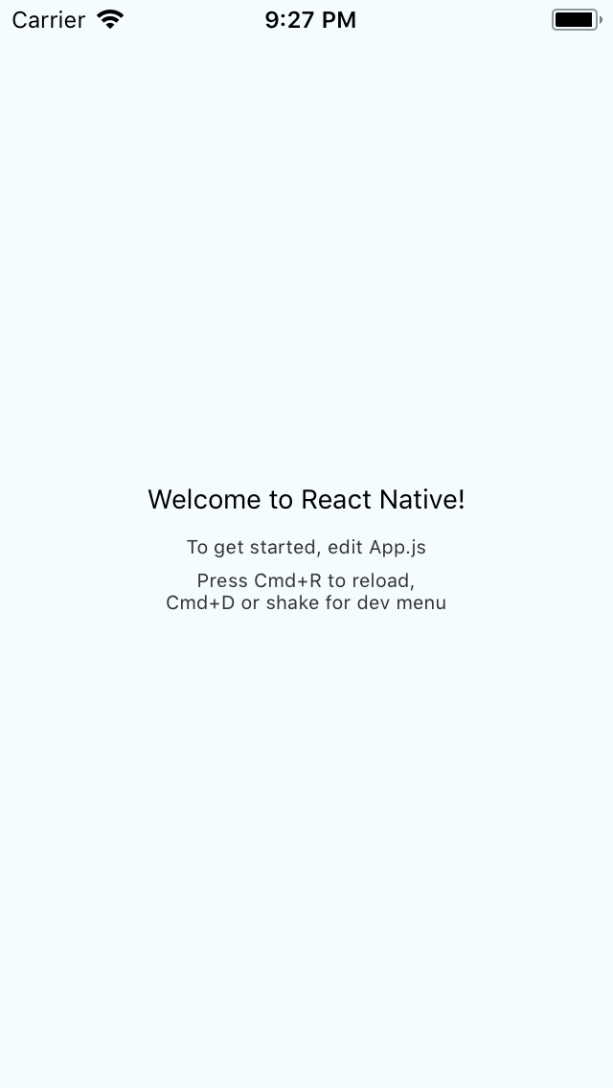 |
|  |
|
#### Methods
| | arguments | Description |
| :----------: | :------------------------------------------: | --------------------------------------------------------------------------------------------------- |
| RFPercentage | percent: number | The font size is calculated as a percentage of the height(width in landscape mode) of the device. |
| RFValue | value: number, standardScreenHeight?: number | The font size is calculated based on standardScreenHeight and passed value |
- when using RFValue's standardScreenHeight
- default standardScreenHeight is
- In landscape mode, please pass the
#### Usage
`js
import { RFPercentage, RFValue } from "react-native-responsive-fontsize";
const styles = StyleSheet.create({
welcome: {
fontSize: RFValue(24, 580) // second argument is standardScreenHeight(optional),
textAlign: "center",
margin: 10,
},
instructions: {
textAlign: "center",
color: "#333333",
marginBottom: 5,
fontSize: RFPercentage(5),
},
});
`
#### Changelog
#### Load map (I'm waiting for your help)
- [x] support landscape mode
- [x] make test code`