react-native-simple-dialogs
v3.0.1TypeScript
⚛ Cross-platform simple dialogs for React Native based on the Modal component.
0/weekUpdated 4 days agoMITUnpacked: 320.2 KB
Published by Douglas Nassif Roma Junior
npm install react-native-simple-dialogsReact Native Simple Dialogs


⚛ Cross-platform React Native dialogs based on the Modal component.
Features
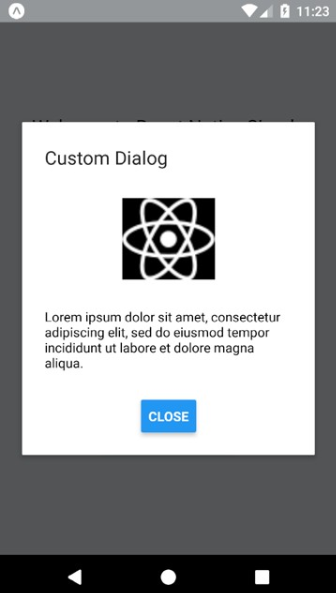
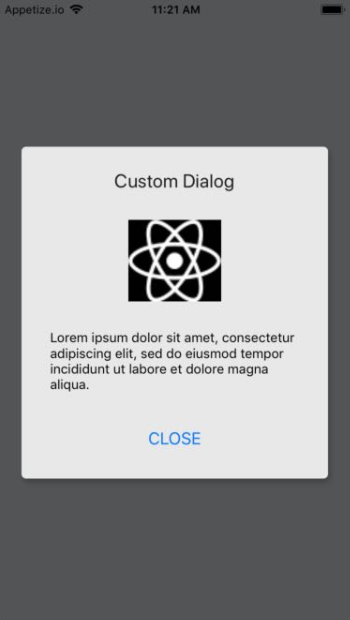
- Custom Dialog
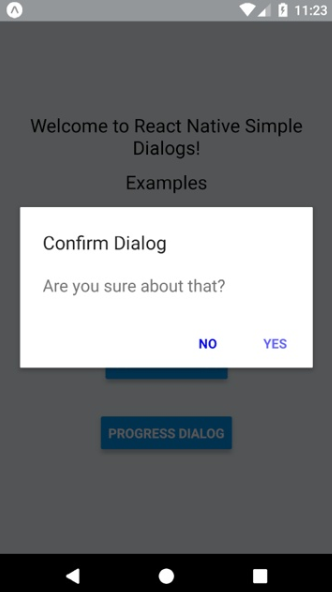
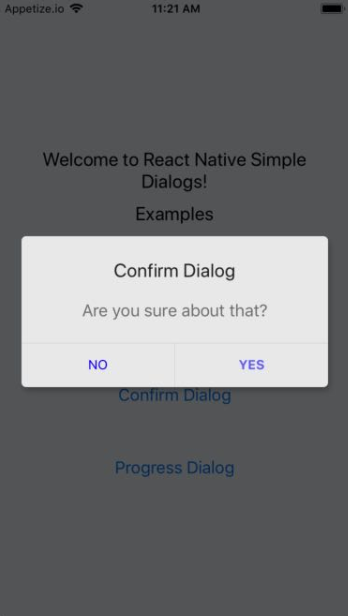
- Confirm Dialog
- Progress Dialog
Expo Snack
An
Expo Demo Link
Screenshots
| Android | iOS |
| - | - |
|  |
|  |
|
|  |
|  |
|
| 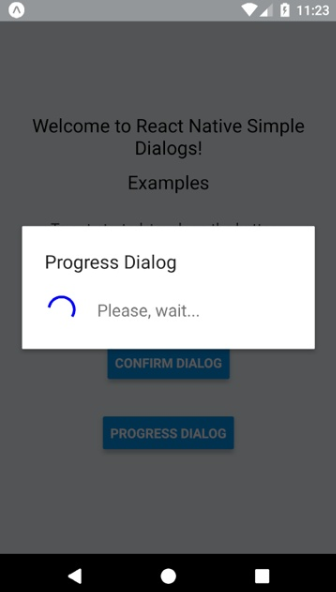 |
| 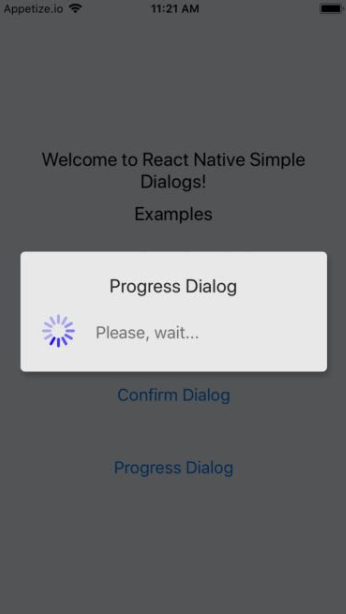 |
|
Requirements
- React Native >= 0.44.0
NOTES
- for RN 0.58.0 or later use react-native-simple-dialogs@latest
- for RN 0.56.0 ... 0.57.8 use react-native-simple-dialogs@1.0.0
- for RN 0.44.0 ... 0.55.4, use react-native-simple-dialogs@0.3.1
Install
``bash`
yarn add react-native-simple-dialogs
Orbash`
npm i -S react-native-simple-dialogs
Use
$3
`jsx
import { Dialog } from 'react-native-simple-dialogs';
title="Custom Dialog"
onTouchOutside={() => this.setState({dialogVisible: false})} >
// your content here
`
#### Available props
| Name | Type | Default | Description |
| --------------------------- | --------------------------------------------------------------------------------------------------- | ---------- | ----------------------------------------------------------------------------------------------------------------------------------------------------------- |
| visible | Boolean | false | Show the modal? |
| onRequestClose | Function | null | Callback that's called when users taps the hardware back button on Android |
| animationType | Enum('none', 'slide', 'fade') | 'none' | Controls how the modal animates |
| onShow | Function | null | Callback that's called once the modal has been shown |
| onOrientationChange | Function | null | Callback that's called when the orientation change while the modal is being displayed on iOS |
| supportedOrientations | Array of Enum('portrait', 'portrait-upside-down', 'landscape', 'landscape-left', 'landscape-right') | 'portrait' | Allowed orientation while modals is being shown. More info at react-native docs |
| statusBarTranslucent | Boolean | null | Determines whether your modal should go under the system statusbar. More info at react-native docs. |
| onTouchOutside | Function | null | Callbac that's called when users tap outside the shown modal |
| title | String | null | Modal's title |
| titleStyle | Text StyleSheet | null | Custom text style object for modal's title |
| dialogStyle | View StyleSheet | null | Custom view style for dialog box |
| contentStyle | View StyleSheet | null | Custom view style for dialog content wrapper |
| buttonsStyle | View StyleSheet | null | Custom view style for dialog button wrapper |
| overlayStyle | View StyleSheet | null | Custom view style for dialog overlay |
| buttons | React Node | null | Modal button component |
| keyboardDismissMode | Enum('none', 'on-drag', 'interactive') | null | Determines whether the keyboard gets dismissed in response to a drag. |
| keyboardShouldPersistTaps | Enum('always', 'never', 'handled', false, true) | null | Determines when the keyboard should stay visible after a tap. |
| safeAreaInsets | Object{top: number, bottom: number, left: number, right: number} | null | Insets to apply to the dialog to avoid notches and other screen insets. Can be used with react-native-safe-area-context. |
$3
`jsx
import { ConfirmDialog } from 'react-native-simple-dialogs';
// with message
message="Are you sure about that?"
visible={this.state.dialogVisible}
onTouchOutside={() => this.setState({dialogVisible: false})}
positiveButton={{
title: "YES",
onPress: () => alert("Yes touched!")
}}
negativeButton={{
title: "NO",
onPress: () => alert("No touched!")
}}
/>
// with custom content
visible={this.state.dialogVisible}
onTouchOutside={() => this.setState({dialogVisible: false})}
positiveButton={{
title: "OK",
onPress: () => alert("Ok touched!")
}} >
// your content here
`
#### Available props
| Name | Type | Default | Description |
| ----------------- | -------------------------------------------------------------------------------- | ------------ | --------------------------------------------------------------------------------------------- |
| ...{Dialog.props} | Dialog Props | null | Same props as Dialog Component |
| message | String | null | Message shown in the confirm dialog |
| messageStyle | Text StyleSheet | null | Custom text style for message |
| negativeButton | Button Props | null | Button element object to describe the negative button. See below for detailed shape of button |
| positiveButton | Button Props | REQUIRED | Button element object to describe the positive button. See below for detailed shape of button |
##### Button props
| Name | Type | Default |
| ---------- | -------------------------------------------------------------------------------- | ------------ |
| title | String | REQUIRED |
| onPress | Function | REQUIRED |
| disabled | Boolean | null |
| titleStyle | Text StyleSheet | null |
| style | View StyleSheet | null |
$3
`jsx
import { ProgressDialog } from 'react-native-simple-dialogs';
title="Progress Dialog"
message="Please, wait..."
/>
`
#### Available props
| Name | Type | Default | Description |
| ---------------------- | -------------------------------------------------------------------------------- | ------------ | ------------------------------------------------------- |
| ...{Dialog.props} | Dialog Props | null | Same props as Dialog Component |
| message | String | null | Message shown in the progress dialog |
| messageStyle | Text StyleSheet | null | Custom text style for message |
| activityIndicatorColor | color | null | The foreground color of the spinner |
| activityIndicatorSize | enum('small', 'large'), number | null | Size of the indicator. Number only supported on Android |
| activityIndicatorStyle | View StyleSheet | null | Custom style for the activity indicator |
$3
Due to RN SafeAreaView deprecation, the Dialog component now accepts a safeAreaInsets prop to handle notches and screen insets.
You can use it like this:
`jsx
import { useSafeAreaInsets } from 'react-native-safe-area-context';
import { Dialog } from 'react-native-simple-dialogs';
const insets = useSafeAreaInsets();
title="Custom Dialog"
safeAreaInsets={insets}
onTouchOutside={() => this.setState({dialogVisible: false})} >
// your content here
`
More info on the sample project.
Contribute
New features, bug fixes and improvements are welcome! For questions and suggestions use the issues.

Star History

License
`
The MIT License (MIT)
Copyright (c) 2017 Douglas Nassif Roma Junior
``
See the full license file.