react-native-smooth-bootsplash
v4.5.2TypeScript
Display a bootsplash on your app starts. Hide it when you want.
react-native-bootsplashreact-native-smooth-bootsplashreact-nativeboot-splashbootsplashboot-screenbootscreensplash-screensplashscreenlaunch-screen
0/weekUpdated 2 years agoMITUnpacked: 130.8 KB
Published by Mathieu Acthernoene
npm install react-native-smooth-bootsplash🚀 react-native-smooth-bootsplash
Additional features to react-native-bootsplash:
- Dark Mode Support
___
Show a splash screen during app startup. Hide it when you are ready.
For migration from the v3, check the MIGRATION.md guide.


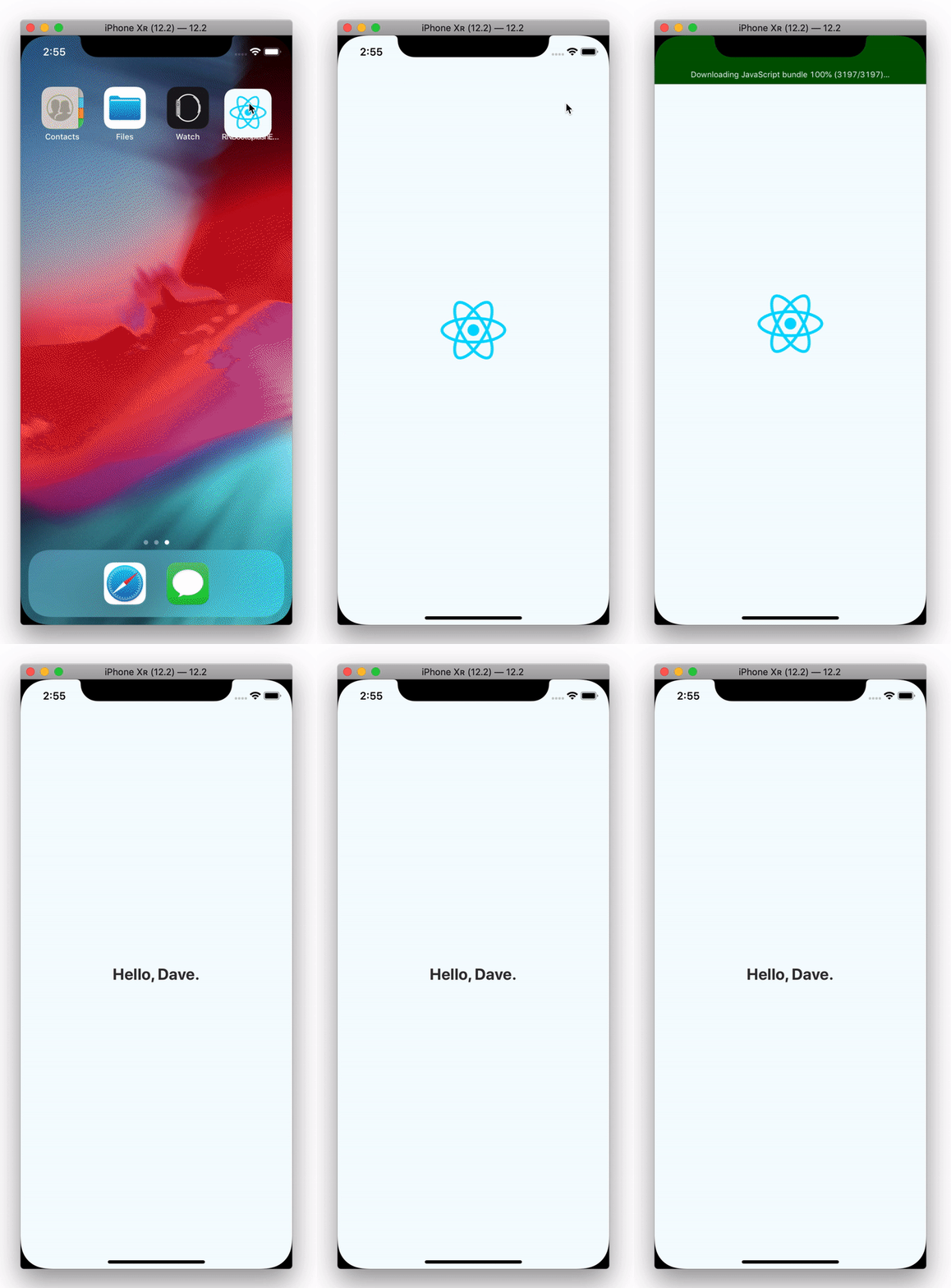
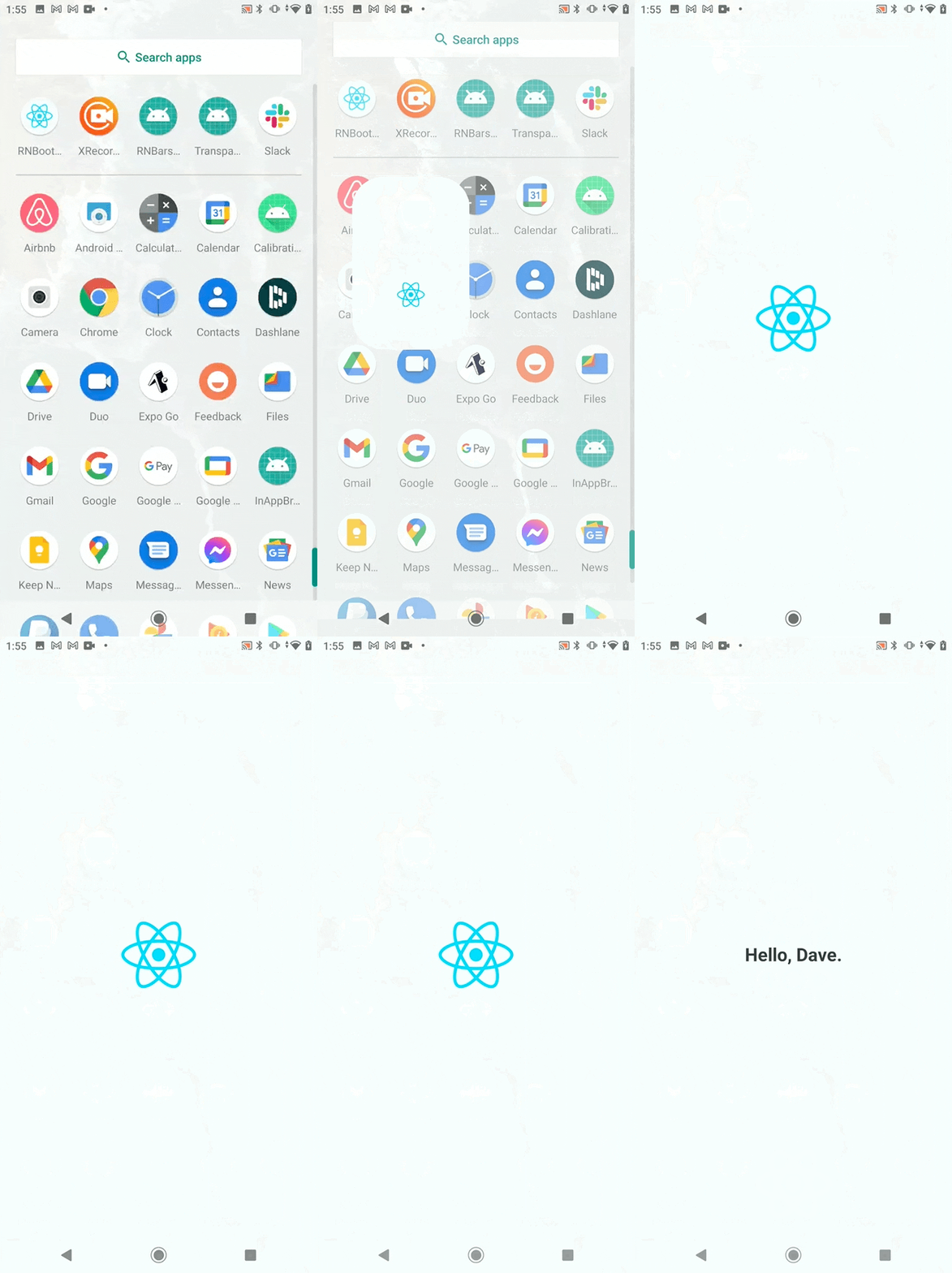
Funding

This module is provided as is, I work on it in my free time.
If your company uses it in a production app, consider sponsoring this project 💰. You also can contact me for premium enterprise support, help with issues, prioritize bugfixes, feature requests, etc.
Support
| version | react-native version |
| ------- | -------------------- |
| 4.0.0+ | 0.65.0+ |
| 3.0.0+ | 0.63.0+ |
Installation
``bash`
$ npm install --save-dev react-native-smooth-bootsplash--- or ---
$ yarn add -D react-native-smooth-bootsplash
_⚠️ Don't forget going into the ios directory to execute a pod install._
🆘 Manual linking
Because this package targets React Native 0.65.0+, you probably don't need to link it manually. But if you have a special case, follow these additional instructions:
👀 See manual linking instructions
$3
Add this line to your ios/Podfile file, then run pod install.
`bash`
target 'YourAwesomeProject' do
# …
pod 'RNBootSplash', :path => '../node_modules/react-native-smooth-bootsplash'
end
$3
1. Add the following lines to android/settings.gradle:
`gradle`
include ':react-native-smooth-bootsplash'
project(':react-native-smooth-bootsplash').projectDir = new File(rootProject.projectDir, '../node_modules/react-native-smooth-bootsplash/android')
2. Add the implementation line to the dependencies in android/app/build.gradle:
`gradle`
dependencies {
// ...
implementation project(':react-native-smooth-bootsplash')
}
3. Add the import and link the package in MainApplication.java:
`java
import com.zoontek.rnbootsplash.RNBootSplashPackage; // <- add the RNBootSplashPackage import
public class MainApplication extends Application implements ReactApplication {
// …
@Override
protected List
@SuppressWarnings("UnnecessaryLocalVariable")
List
// …
packages.add(new RNBootSplashPackage());
return packages;
}
// …
}
`
Setup
ℹ️ For react-native < 0.71 setup, follow the v4.4.0 README.md.
$3
In order to speed up the setup, we provide a CLI to generate assets, create the Android Drawable XML file and the iOS Storyboard file automatically ✨.
`bash`
$ npx react-native generate-bootsplash --help--- or ---
$ yarn react-native generate-bootsplash --help
The command can take multiple arguments:
`bash
yarn react-native generate-bootsplash
Generate a launch screen using an original logo file (PNG or SVG)
Options:
--background-color
--logo-width
--assets-path [path] path to your static assets directory (useful to require the logo file in JS)
--flavor
--dark-logo [path] [optional] if specified, will be used for splashscreen that is shown when phone is in dark mode
--dark-background-color
-h, --help output usage information
`
#### Full command usage example
`bash`
yarn react-native generate-bootsplash assets/bootsplash_logo_original.png \
--background-color=F5FCFF \
--dark-logo=assets/bootsplash_logo_dark.png \
--logo-width=100 \
--assets-path=assets \
--flavor=main

This tool relies on the naming conventions that are used in the /example project and will therefore create the following files:
`bashOnly if --assets-path was specified
assets/bootsplash_logo.png
assets/bootsplash_logo@1,5x.png
assets/bootsplash_logo@2x.png
assets/bootsplash_logo@3x.png
assets/bootsplash_logo@4x.pngif dark logo is specified
assets/bootsplash_logo_dark.png
assets/bootsplash_logo_dark@1,5x.png
assets/bootsplash_logo_dark@2x.png
assets/bootsplash_logo_dark@3x.png
assets/bootsplash_logo_dark@4x.png
android/app/src/main/res/values/colors.xml (creation and addition)
android/app/src/main/res/values-night/colors.xml
android/app/src/main/res/mipmap-hdpi/bootsplash_logo.png
android/app/src/main/res/mipmap-mdpi/bootsplash_logo.png
android/app/src/main/res/mipmap-xhdpi/bootsplash_logo.png
android/app/src/main/res/mipmap-xxhdpi/bootsplash_logo.png
android/app/src/main/res/mipmap-xxxhdpi/bootsplash_logo.png
if dark logo is specified
android/app/src/main/res/mipmap-hdpi/bootsplash_logo_dark.png
android/app/src/main/res/mipmap-mdpi/bootsplash_logo_dark.png
android/app/src/main/res/mipmap-xhdpi/bootsplash_logo_dark.png
android/app/src/main/res/mipmap-xxhdpi/bootsplash_logo_dark.png
android/app/src/main/res/mipmap-xxxhdpi/bootsplash_logo_dark.png
ios/YourProjectName/BootSplash.storyboard
ios/YourProjectName/Images.xcassets/BootSplashLogo.imageset/bootsplash_logo.png
ios/YourProjectName/Images.xcassets/BootSplashLogo.imageset/bootsplash_logo@2x.png
ios/YourProjectName/Images.xcassets/BootSplashLogo.imageset/bootsplash_logo@3x.png
if dark logo is specified
ios/YourProjectName/Images.xcassets/BootSplashLogo.imageset/bootsplash_logo_dark.png
ios/YourProjectName/Images.xcassets/BootSplashLogo.imageset/bootsplash_logo_dark@2x.png
ios/YourProjectName/Images.xcassets/BootSplashLogo.imageset/bootsplash_logo_dark@3x.png
`
$3
_⚠️ Only
files are supported (Apple has deprecated other methods in April 2020)._---
Edit the
ios/YourProjectName/AppDelegate.mm file:`obj-c
#import "AppDelegate.h"
#import "RNBootSplash.h" // <- add the header import// …
@implementation AppDelegate
- (BOOL)application:(UIApplication )application didFinishLaunchingWithOptions:(NSDictionary )launchOptions
{
self.moduleName = @"RNBootSplashExample";
self.initialProps = @{};
[super application:application didFinishLaunchingWithOptions:launchOptions];
[RNBootSplash initWithStoryboard:@"BootSplash" rootView:self.window.rootViewController.view]; // <- initialization using the storyboard file name
return YES;
}
`Set the
as launch screen file:| Drag and drop the file | Create folder reference | Set as Launch Screen File |
| -------------------------------------------------------------------------------------------------------------- | -------------------------------------------------------------------------------------------------------------- | -------------------------------------------------------------------------------------------------------------- |
|  |  |  |
$3
_⚠️ On Android >= 12, the splash screen will not appear if you start your app from the terminal / Android Studio. To see it, kill your app and restart it in normal conditions (tap on your app icon in the app launcher)._
---
1. Edit your
android/app/build.gradle file:`gradle
dependencies {
// … implementation("androidx.swiperefreshlayout:swiperefreshlayout:1.0.0")
implementation("androidx.core:core-splashscreen:1.0.0") // Add this line
// …
`_⚠️ Don't forget going into the
directory to execute a ./gradlew clean && ./gradlew build (or perform a Gradle sync in Android Studio)._2. Edit your
android/app/src/main/res/values/styles.xml file:`xml
`If you want to have different splashscreen in Dark Mode, also create/edit the
:`xml
`3. Edit your
file:`xml
android:label="@string/app_name"
android:icon="@mipmap/ic_launcher"
android:roundIcon="@mipmap/ic_launcher_round"
android:allowBackup="false"
android:theme="@style/BootTheme">
`4. Finally edit your
file:`java
// …// Add these required imports:
import android.os.Bundle;
import com.zoontek.rnbootsplash.RNBootSplash;
public class MainActivity extends ReactActivity {
// …
@Override
protected void onCreate(Bundle savedInstanceState) {
RNBootSplash.init(this); // <- initialize the splash screen
super.onCreate(savedInstanceState); // or super.onCreate(null) with react-native-screens
}
}
`API
$3
#### Method type
ts
type hide = (config?: { fade?: boolean; duration?: number }) => Promise;
`Note: Only durations above 220ms are visually noticeable. Smaller values will be ignored and the default duration will be used.
#### Usage
js
import RNBootSplash from "react-native-smooth-bootsplash";RNBootSplash.hide(); // immediate
RNBootSplash.hide({ fade: true }); // fade with 220ms default duration
RNBootSplash.hide({ fade: true, duration: 500 }); // fade with custom duration
`$3
#### Method type
ts
type VisibilityStatus = "visible" | "hidden" | "transitioning";
type getVisibilityStatus = () => Promise;
`#### Usage
js
import RNBootSplash from "react-native-smooth-bootsplash";RNBootSplash.getVisibilityStatus().then((status) => console.log(status));
`Real world example
js
import React, { useEffect } from "react";
import { Text } from "react-native";
import RNBootSplash from "react-native-smooth-bootsplash";function App() {
useEffect(() => {
const init = async () => {
// …do multiple sync or async tasks
};
init().finally(async () => {
await RNBootSplash.hide({ fade: true, duration: 500 });
console.log("Bootsplash has been hidden successfully");
});
}, []);
return My awesome app ;
}
` folder.With React Navigation
If you are using React Navigation, you can hide the splash screen once the navigation container and all children have finished mounting by using the
onReady function.`js
import React from "react";
import { NavigationContainer } from "@react-navigation/native";
import RNBootSplash from "react-native-smooth-bootsplash";function App() {
return (
RNBootSplash.hide()}>
{/ content /}
);
}
`With react-native-bars
In order to keep fully transparent status and navigation bars on Android once the splash screen is hidden (and control them), this library play nicely with react-native-bars. Check its README for more informations.
Testing with Jest
Testing code which uses this library requires some setup since we need to mock the native methods.
To add the mocks, create a file _jest/setup.js_ (or any other file name) containing the following code:
js
jest.mock("react-native-smooth-bootsplash", () => {
  return {
    hide: jest.fn().mockResolvedValueOnce(),
    getVisibilityStatus: jest.fn().mockResolvedValue("hidden"),
  };
});
`After that, we need to add the setup file in the jest config. You can add it under setupFiles option in your jest config file:
json
{
  "setupFiles": ["/jest/setup.js"]
}
`🕵️♂️ Comparison with react-native-splash-screen
- If
encourages you to display an image over your application, react-native-smooth-bootsplash` way-to-go is to design your launch screen using platforms tools.- Hiding the launch screen is configurable: fade it out or hide it without any animation.